After having timidly tested Gladys3 and having abandoned it, partly due to lack of time, and having seen, thanks to the newsletter, the integrated zigbee2mqtt gateway and all the possibilities of equipment, here I am back on Gladys4. I ordered and received Xiaomi temperature sensors, Xiaomi presence detectors and Xiaomi opening sensors. My Zigbee key is a CC2531 (bought without having read the project’s recommendations well) and therefore I will be quickly limited by the number of objects managed as I plan to manage my roller shutters (9) in Zigbee. I also have a roborock v1 but there it’s a bit too experimental for my taste to put it in Zigbee.
By the way, regarding Slaesh’s CC2652RB, what type of antenna should I take? Knowing that with my current key I sometimes have connection drops for my sensors on the upper floor (LQI on the upper floor averages around 20 but sometimes drops to 2)
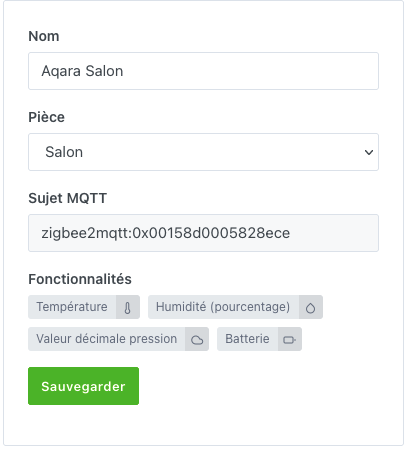
For now, only the temperature sensors are integrated (6 out of 8). By the way, when integrating these, I had to integrate them in three steps.
The first one is Gladys normal (no battery feedback).
The second one is via Gladys on 8080 (where I change the name)
The last step I rescan on Gladys normal, I have a new device with the battery feedback and I delete the old one.
This happened to me with the 6 as well. Even after trying to rescan, nothing was displayed. It only worked again after making a change in the debug interface.
I just re-associated because a sensor was no longer seen and I had the same problem (I am close to the Zigbee key)
I first changed the name in Gladys and then in the debug interface.
For the keys, I saw them, but I have a question about the CC2652RB key, what type of antenna should I take (2 or 3 dB?)
What model is it? I have the WSDCGQ11LM and I can see the battery. You can rename it in the debug interface, but this is just for comfort (to debug better )
I’m more inclined to think it’s the sensor; it shouldn’t immediately report the battery level. If you press the physical button on the sensor, it should report everything (after pairing).