In a scene, I wanted to use a device, but 2 appeared with almost the same name and I could only find one of them in Gladys.
Finally, the next day, while doing something else, I found the 2nd device.
It would therefore be useful to be able to perform a global device search to know in which integration it is located and the scenes in which it is used, so as not to mess everything up if it’s deleted or renamed.
Indeed, it seems so.
I had seen that request, but it only refers to the scenes in which the device is located, not to the integration in which it was created.
Well, in this case, since you are not in favor of filtering by device on scenes (the discussion in the other thread, which maybe should be closed), @gaetanb76’s approach may be the right one: a page dedicated to searching for the use of installed devices: a comprehensive dropdown list in which you can do a text search, perhaps a filtering by room that could help, and when you have found your device the page displays:
the integration in which it is defined
the scenes in which it is used
the dashboards in which it is used
perhaps also the amount of data in the database for this device, and the date of the oldest data
After all, we’re talking about devices here, but I wonder if it wouldn’t actually be a search for features.
For example, I created devices in the MQTT integration that have 15 features, and what would interest me before considering deleting/modifying a feature is to check where it is defined and used. And so it won’t be the device that will be interesting…
Two totally different topics, here (as in the other thread) we’re talking about being able to find where devices are « used »… any kind of device, moreover.
It’s obvious that it becomes impossible to find your scenes nor even the integration that corresponds to a feature / a device (except from memory … and we’re getting older …)
These two topics are becoming crucial for many people and are time-consuming in recurring searches.
However, I admit that I don’t have an ideal solution in mind. Still, I think one thing that would be rather effective and would be really helpful at first is that the search fields in scenes and in the integration menu be « multi-zones » and simply be able to search more deeply.
Another solution that wouldn’t take up much space in the view would be a clickable icon opening a more advanced search view with diverse and varied search options.
A topic that’s close to my heart as well, because with all these devices/features that we use everywhere in the dashboards/scenes, it becomes a bit of a pain to find everything in one or two clicks, and especially to know what was affected when deleting an item.
I’ll share what I have on Jeedom.
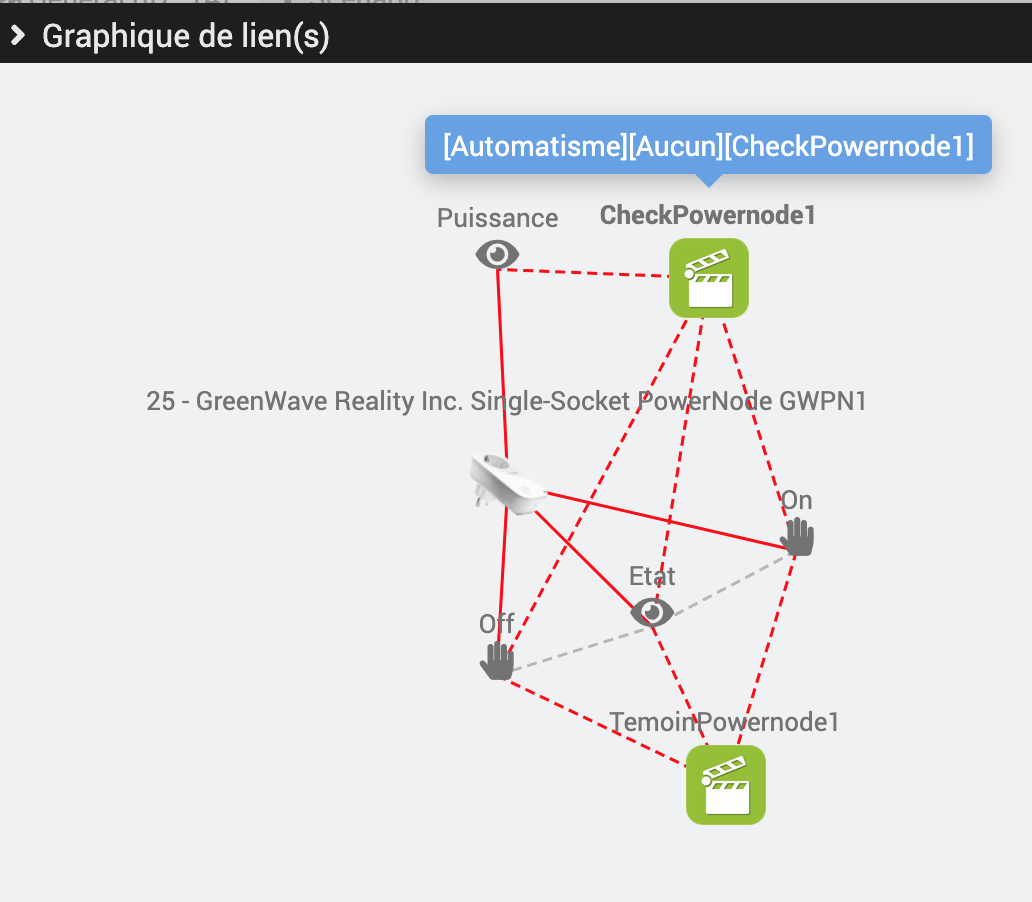
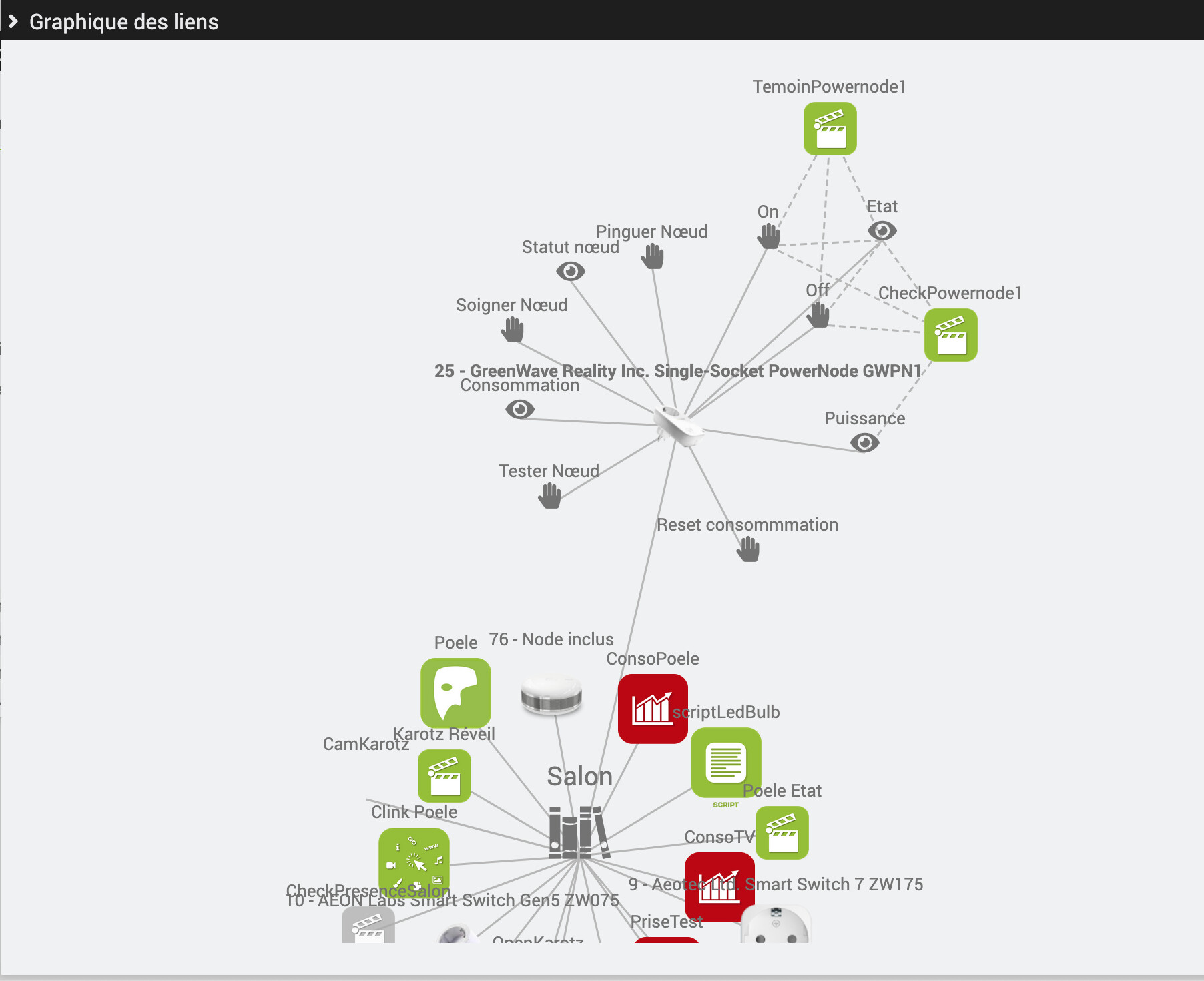
For scenarios (our scenes) and devices (physical or virtual), we have a Links function that opens a popup with the graph of the element’s different links. scenario
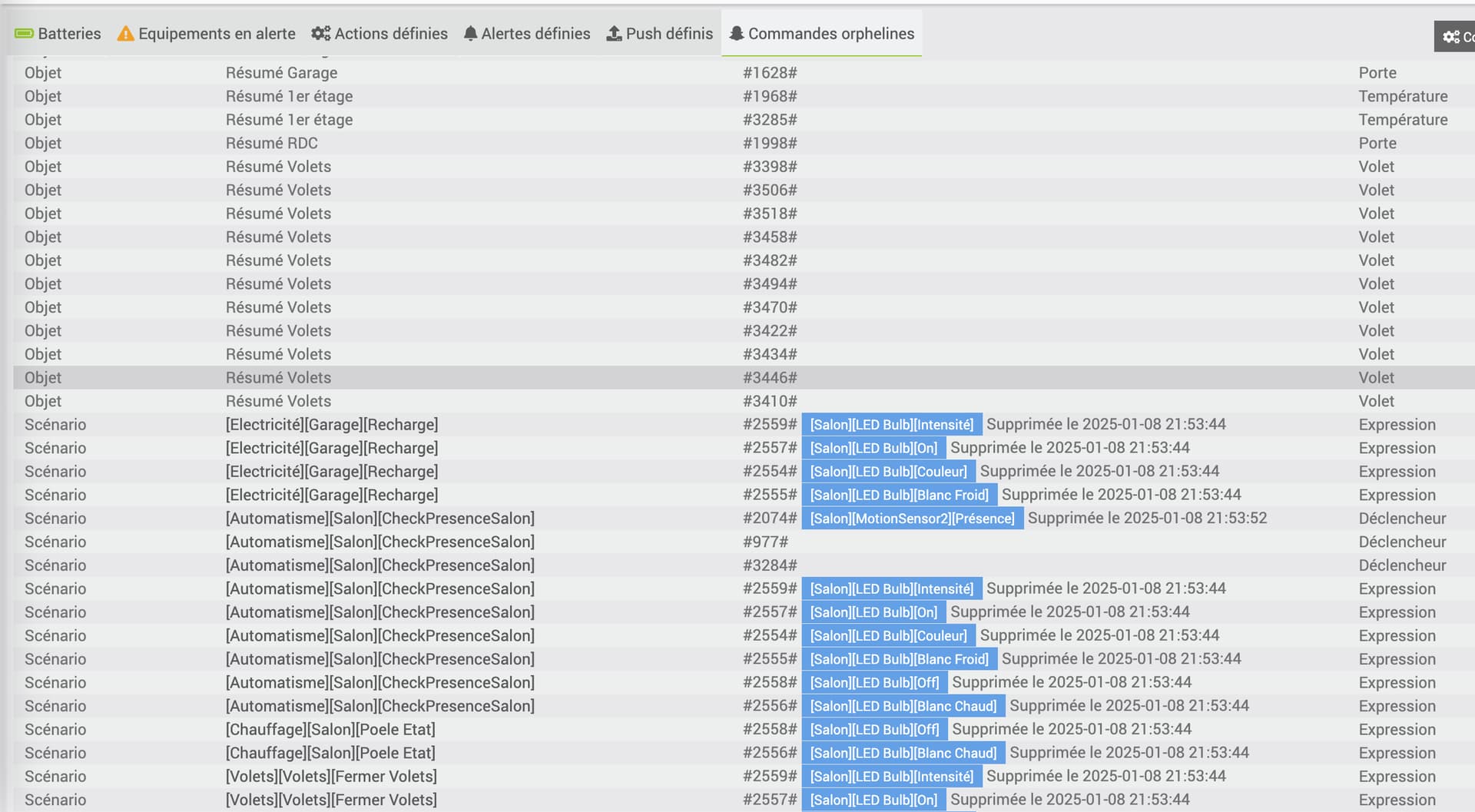
FYI, the devices in blue are everything I « lost » when I switched from OpenZWave (openzwave) to Z-Wave JS (zwaveJS) and haven’t reconnected yet … because I want to move everything (or almost) to Gladys
I have to admit that these two presentations (a star graph, and a table) don’t appeal to me; they’d clash too much with what I liked when I first arrived on Gladys
But I understand that your intention was more to say that technically it’s this kind of flow you’d like to be able to do…