Feature description
Do you want to detect any movement in your home and trigger an action? It’s possible, but if you have 4 motion sensors, it currently takes 28 mouse clicks, which is a bit long and tedious.
What if we limited the dropdown list display to only what you want to select?
What if you could select all devices at once?
→ Well, that would be super convenient 
Explanations
Currently, selecting the 4 motion sensors to trigger a scene:
- 4 clicks to add a new trigger of type « Device state change »
- 2 clicks to select a first sensor of type ‹ Motion (Yes/No) ›
- 1 click to set « On » (motion)
Total: 7 clicks for a single motion sensor, so 28 clicks for 4 sensors.
And I’ll stop there, because if you want to retrieve the last value of each sensor, test it and then perform an action, it’s even longer.
Proposal
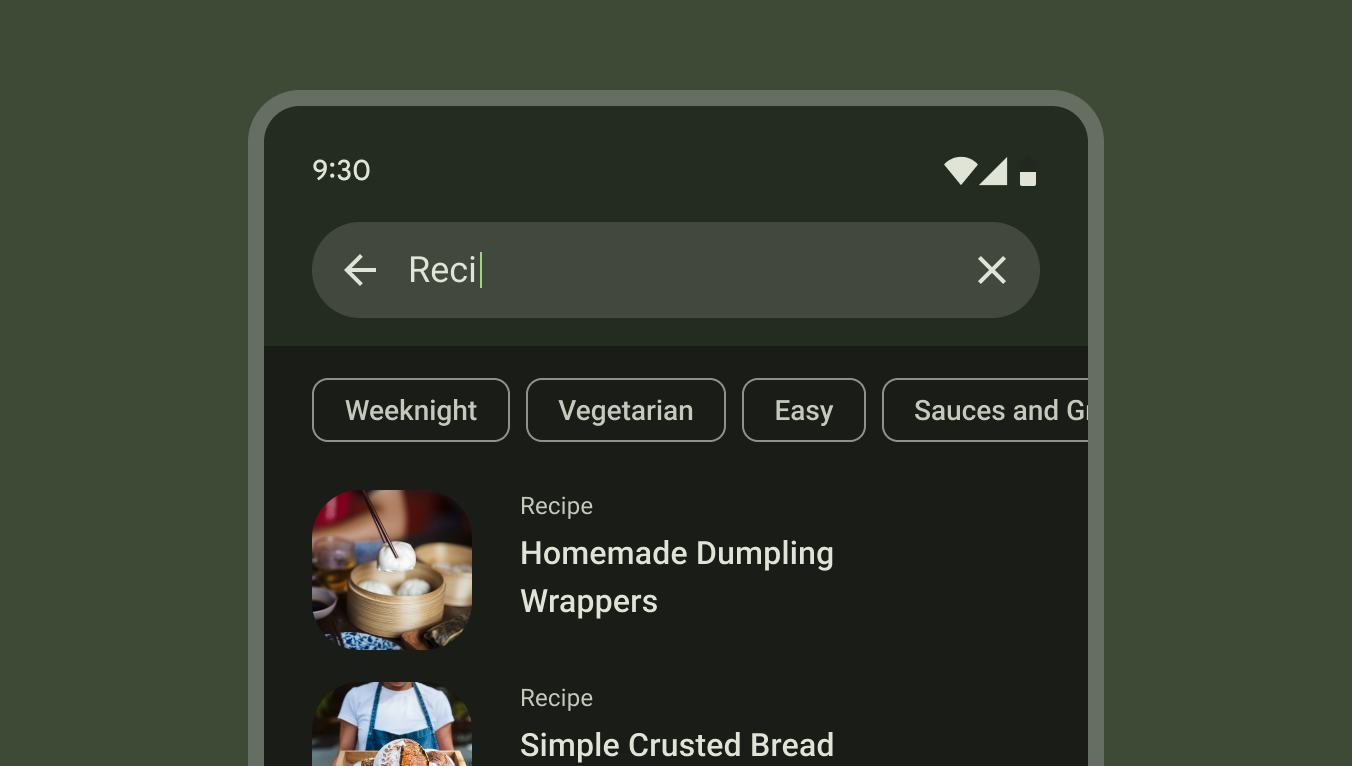
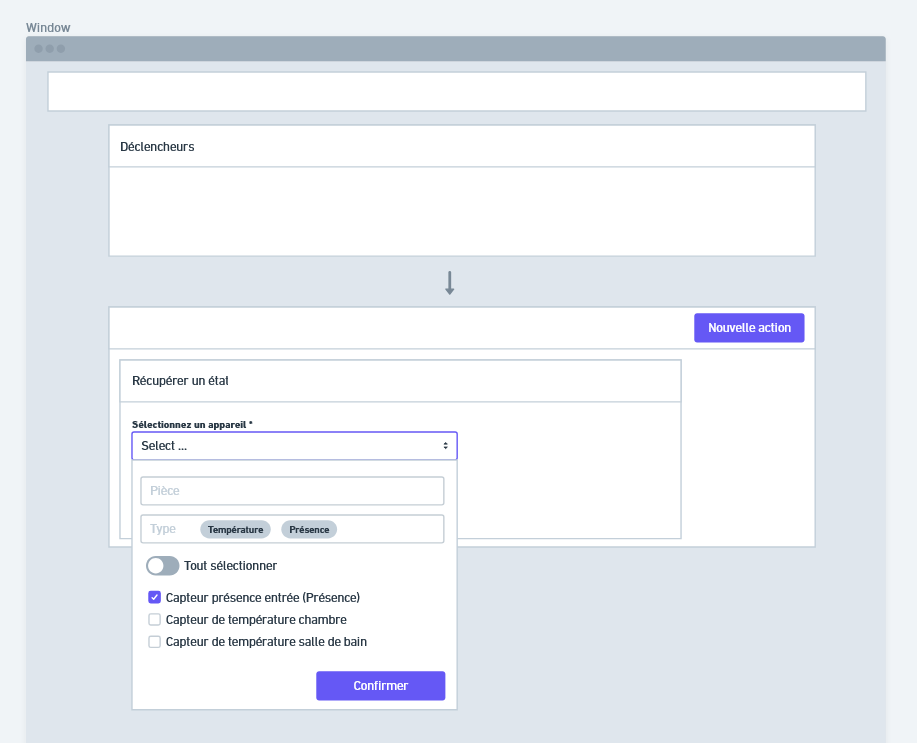
When choosing a device from the list, add filters at the top of this list to limit it to sensor types or rooms of the house.
As a user, I want the list to be as precise as possible for my needs and to allow me to select all the sensors to be used in a single action.
Example I really like (source) :
Versus currently
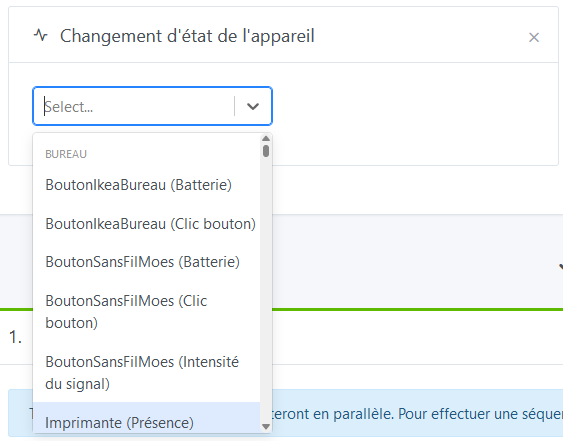
The list is veeeery long, even if I filter on « movement » for example, because each detector has a line for battery, signal strength, temperature, humidity, brightness and finally motion.
Example with an unfiltered selection:
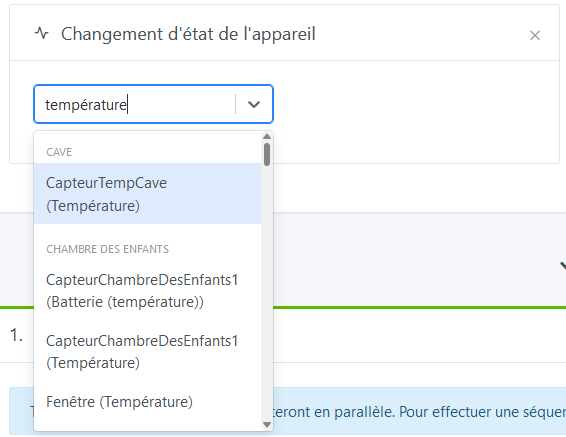
Another example with a selection filtered on « temperature »:


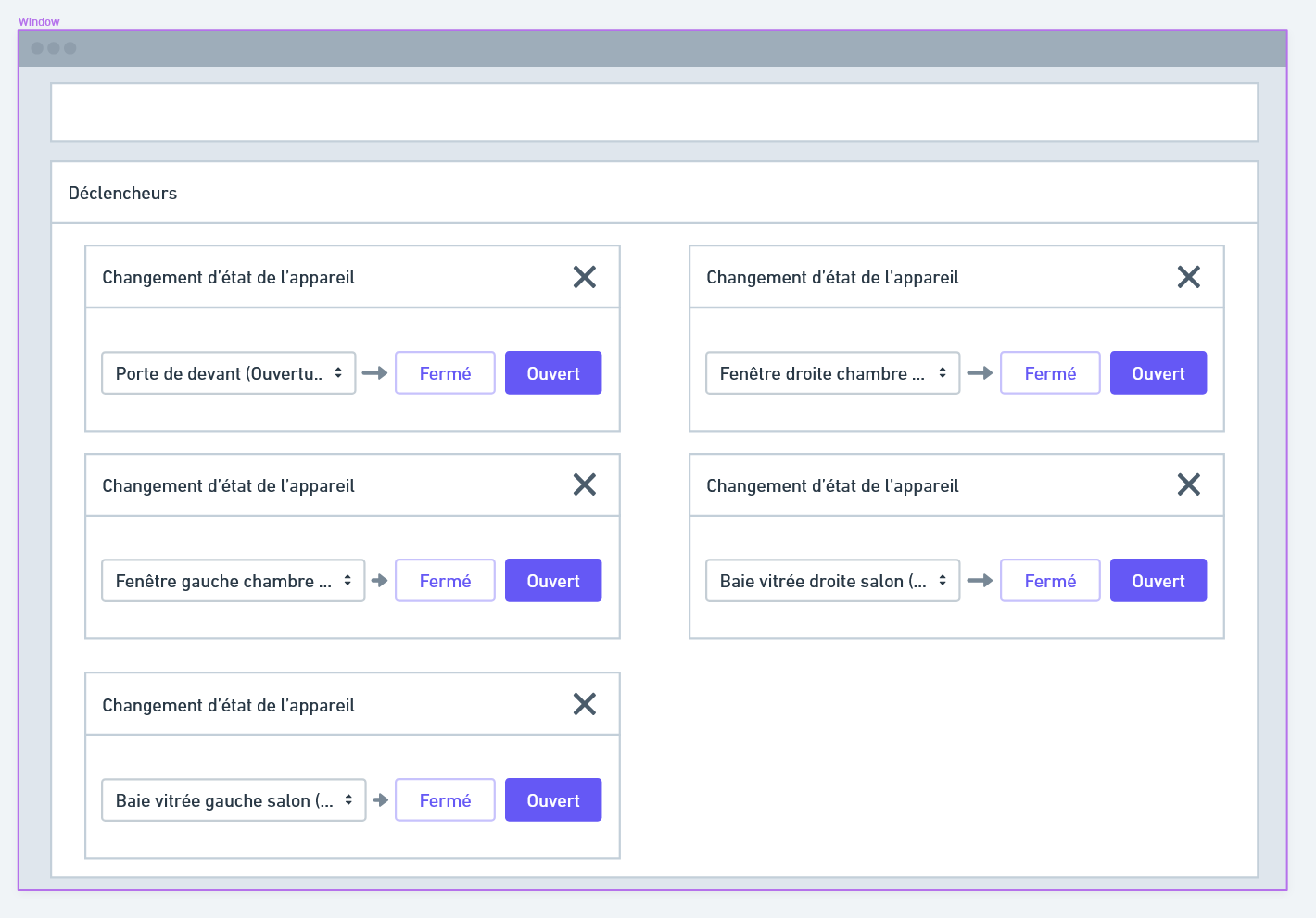

 ).
).