Scene - Continue only if

Hello everyone,

I’m not 100% sure I understand how the « Continue only if » block in scenes works.

Does it work like point 1 or 2?

1 → It retrieves the variable value from « Retrieve last state » in the previous block and the scene stops permanently if the condition is not met.

2 → It retrieves the variable value from « Retrieve last state » in the previous block and the scene pauses AS LONG AS the variable does not meet the condition? Basically, it would check the variable every second and then move to the next block as soon as the condition is met.

My goal is to start my dishwasher only if an event is sent saying « I’m ready » and when my energy production is greater than x kW/h. As soon as I receive the event via Node-RED, the scene triggers and I eagerly wait for the variable to be greater than the defined value.

Basically, I hope it works like point 2 otherwise I’m a bit stuck.
If it works like point 1, do you have any ideas to help me?

Thanks in advance :slight_smile:

Hello,

it works as you describe in point 1. In my opinion, the best option is to use a scheduled trigger for your scene: for example every 5 minutes, if « I’m ready » and if production > x kW, start the dishwasher.

1 Like

Ok, thank you for your answer, even if I don’t like it :stuck_out_tongue: But at least I have my answer.

Why make it simple when you can make it complicated :smiley: It would be so much simpler to have multiple triggers with AND instead of only OR. Besides, maybe it’s planned for the future because it’s too technical from a development point of view. I’m not going to judge or criticize without knowing the reason.

So, if I set a pause for 230 minutes (the duration of a dishwasher cycle), can you also confirm that during that period it won’t keep running unnecessary tests every 5 minutes?
Thanks for the tip anyway!

After several hours, I confirm that it works with your system :slight_smile:

For those who are interested and who own a dishwasher connected via the "Home Connect’ system (Siemens, Bosh, …), don’t hesitate to contact me if you would like a bit of help to point you in the right direction.

[quote="Kevin, post

It’s odd that you can run the same scene in parallel… There should be a check to verify that it’s not already running. Or let people choose whether to execute it in parallel or not for other needs I don’t know.

In my case, the dishwasher will no longer be « ready » because it will be in « run », so it won’t be able to trigger the command multiple times. But in terms of performance, the scene will continue to run tests unnecessarily.

Thanks again for your answers.

I have the impression this is something that’s misunderstood by newcomers; it’s probably just a UX issue. Thanks for your feedback, I’ll try to explain and then we can see how to improve the interface to make it clearer :slight_smile:

A trigger is an « event » that occurs at a specific instant t.

Trying to have multiple triggers in an « AND » wouldn’t make sense; what does make sense is to see it as two things:

An event + a list of conditions

Example: If I leave the house AND the light is on

  • « I leave the house » is an event
  • « The light is on » is not an event (I didn’t turn the light on at the exact same nanosecond I leave), rather it’s a state.

:right_arrow: What is useful for a user is to have a trigger AND a verification of conditions (state checks)

That’s the approach we chose in Gladys!

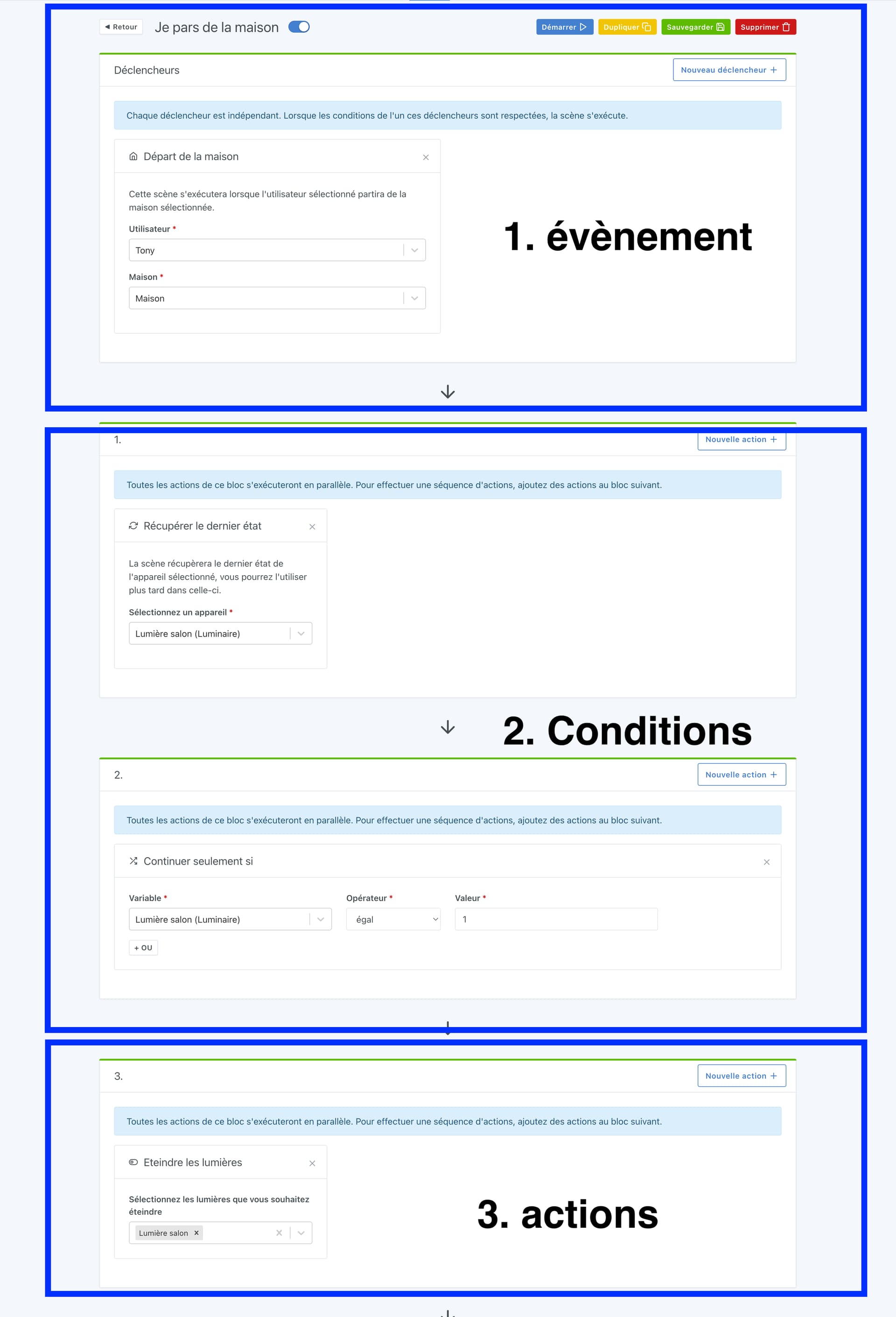
A scene can be made up of 3 parts:

  • The trigger
  • The conditions
  • The actions

Conditions can be multiple (are, ultimately, in the same « zone » as the actions)

Is that clearer, and can you tell me what you didn’t understand / what you meant when you said « Multiple triggers »?

You’re not the first to think that you can’t make a trigger with conditions in Gladys, whereas it’s entirely possible!

Maybe what’s causing the problem is the idea of having multiple triggers for one scene…

2 Likes

Don’t hesitate to write a tutorial in the « Tutorials » category of the

1 Like

I fully understand your point of view, no problem with that.
I don’t think there’s a right or wrong way to do it; each home automation system has its own philosophy. It’s up to the user to adapt and that’s what I do without criticizing :slight_smile:

Where I was a bit bothered was that, in my eyes as a former DEV, I see two triggers in my scene (again, it’s sometimes open to interpretation).

  1. Siemens’ API sends me an event at time T when something happens (door open, program running, error, etc…)
    → I create a « state » ready or not ready in Node-RED when 3 events are met (door closed, « power » button on and « remote access » button enabled).
  2. Instantaneous energy production isn’t something I can physically control; it’s the weather conditions that influence it, so in my view it’s an event when I exceed a certain threshold. So at some point I’ll exceed a value at time T but I NEVER know when that’s going to happen.

In my case, I worked like this:

Not knowing when that’s going to happen, because in my view those are two triggers, every X minutes I retrieve the value of my variables at time T → Is my dishwasher ready? Is my instantaneous consumption > X kWh?

This way, I somewhat work around my problem.
Is that the most optimized? Given that I test every X minutes, even at night while knowing full well I will produce absolutely nothing with my solar panels, I don’t think so.


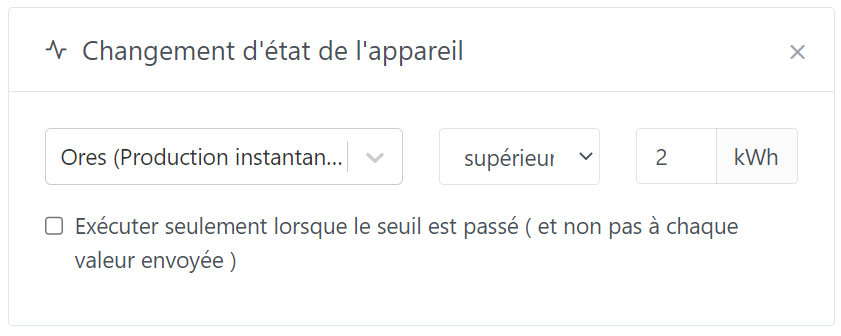
I could also use a trigger based on instantaneous consumption. As soon as it’s greater than X kWh, I check my condition (is the dishwasher state ready?).
Again, do I test systematically:

At the risk of triggering the scene every second, not optimal in my view.

Or do I test only once if the threshold is exceeded? At the risk that the value stays above the threshold all day and thus miss starting the dishwasher…

Not easy to make decisions :sweat_smile:


As for tutorials, yes, I should take the time to do that once. I also had another one about setting up and configuring the reverse proxy on the Synology NAS for external access (as opposed to a tutorial already available on opening ports) but it’s contradictory with your paid offer.

You’re not bypassing at all, it’s a good way to do it I think :slight_smile:

As you said, there are 2 ways to do it:

  • Either have a recurring scheduled trigger that checks 2 conditions
  • Or have a trigger on one of the 2 variables, and then a condition

As for optimization of the scheduled trigger, in Gladys the scene engine is extremely efficient, and a few checks on a few variables is really nothing at all.

A CPU performs billions of operations every second; it’s not two extra ifs that will bother it, that’s what it’s made for :slight_smile:

In your case, indeed a scheduled trigger every X minutes makes the most sense. You might even consider having a « virtual » MQTT device in Gladys that lets you save a state so you don’t start your dishwasher multiple times if it’s already running

1 Like

Don’t forget that I don’t have a NUC but a Raspberry, and I’ve already had some access problems to Gladys because of too many requests to the oversized DB. So I like to be careful about the « performance » side :face_with_open_eyes_and_hand_over_mouth:

Thanks for the tip but this element has been taken into account, my dishwasher can’t be started multiple times :slight_smile:

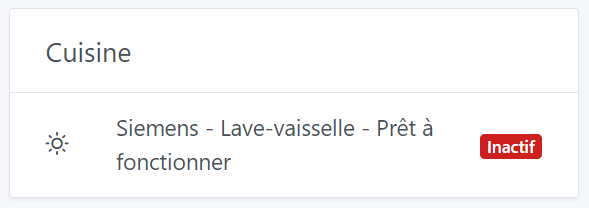
I couldn’t find any other more suitable element that says « ready » or « not ready » (rather than « active » or « inactive ») but it does the job. And it’s Node-RED that does the work in the back-end to change or not the value of this status.

Thanks again to everyone _

Oh? Don’t hesitate to create a specific thread if you have feedback on that! What kind of storage are you using — SD? SSD?

For that matter the actions « retrieve last state » and « continue only if » take place only in RAM, not on disk :slight_smile:

Cool! That’s neat

I had opened a post and after analysis, my database had grown to 14GB on an SD card.
Each value received via MQTT was being recorded every second in the database. At some point, you can’t work miracles either :slight_smile:
I cleaned my database (several nights because it was so huge), I unchecked the option to record every state, I selected « one week » in the settings and it started working like a charm :innocent:

Ah, yes indeed. 1 MQTT event per second, keeping the entire history, it adds up quickly ^^

:+1: