I have a small comment regarding the features available in the MQTT interface.
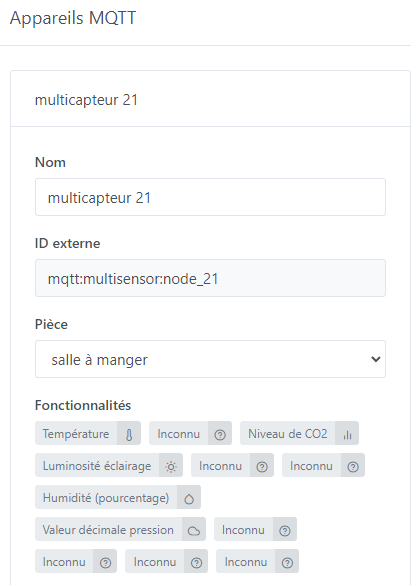
Since the list is not exhaustive (which is impossible), would it be possible to create a field (modifiable in the future) allowing you to define the type of feature and the unit of the sensor yourself?
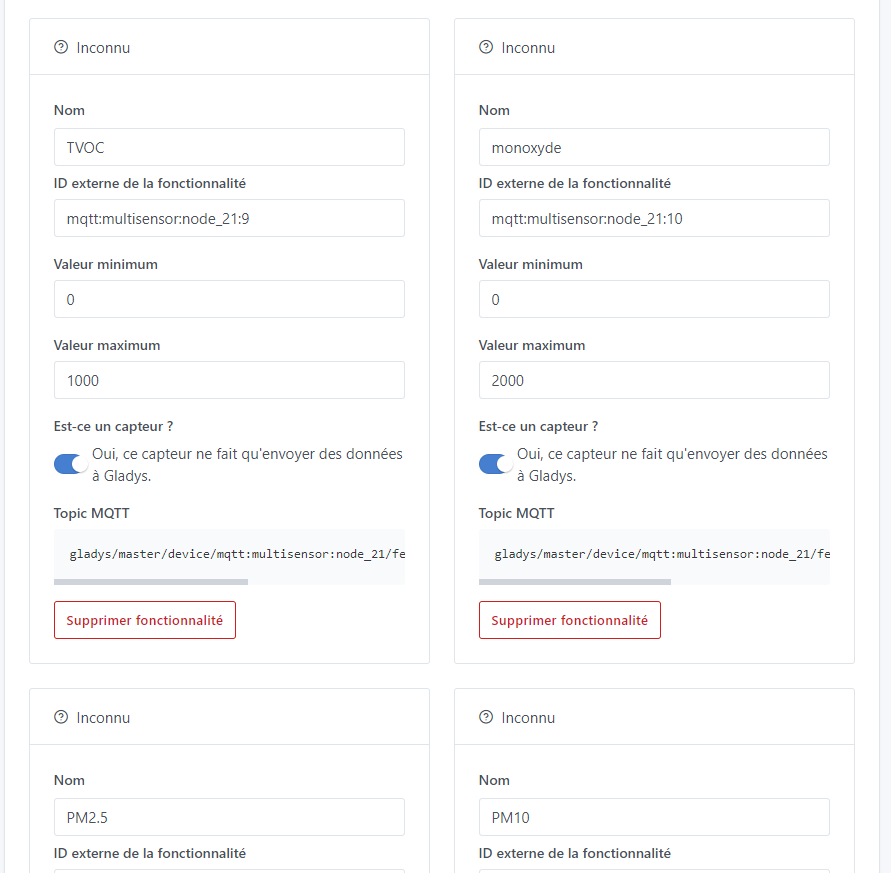
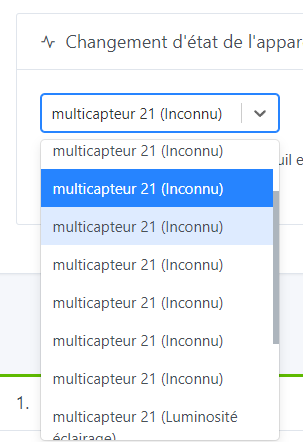
To illustrate, a view of my sensors of the « unknown » type: mqtt|351x500
Linked to different measurements:
Currently, what I recommend is not to have a return to 0, the sensor is just a « push » sensor that sends 1s when a movement is detected, so on the dashboard your motion sensor is properly displayed with the time of the last movement (« 10 minutes ago »). If you send a 0, it will distort the display.
However, where you are right, is that in the scenes we lack a trigger that is triggered when a motion sensor has not seen any movement for XX seconds/minutes, we already have a feature request for this, you can add a vote if you want to see this in Gladys:
Thank you for the feedback regarding the feature name, indeed the already raised topic will address the issue.
Indeed, I use it to know the last trigger, but as I have used an « unknown » feature, I do not see the delay since the last movement or signal. I will modify my config to see if this fixes the issue. For the final use, the goal is to trigger an alert if one of my sensors does not report anything for x minutes (anti-jamming).
Last question, are the data reported in mqtt considered as numerical values? I wonder because I can’t make a condition on the battery voltage level (feature « unknown » in mqtt, decimal value type 3.91 V that I want to compare to a fixed level at 3V to know when to change the batteries).
Thank you again for the feedback and good luck with the development!
If you set it to motion detection, you will see a display of the time since the last value.
Out of curiosity, what is the feature? We can definitely create a feature if it’s missing
However, the trigger for the duration of non-detection mentioned earlier is indeed missing.
Yes, they are considered numerical values.
What does your trigger look like? When did you create this trigger? (recently?) I know there was a bug in a recent version of Gladys, the trigger recorded the value as a string and therefore the comparisons failed, but it has been fixed ^^
But as soon as I start the scene, I receive a low battery alert even though my voltage has gone up to 3.8V in Gladys. Maybe there is a refresh notion in the code. I tested with a brightness value (frequent refresh of the value), same behavior, I receive a notification even if the value is above the threshold.
How can we know the date of the last value displayed on the dashboard (excluding motion detector)? I have set my shock sensor and my life signal as motion detectors and I can see the delays since the last activity.
Apologies if what I’m saying is stupid, but isn’t this a ‹ correct › handling of the ‹ dot ›?
In English, the dot is for thousands, doesn’t that matter here?
Hello, not stupid, I just tested, whether we put 3.0 or 3,0, gladys interprets 3 in the scenes. Whether we put , or . it is the point that is taken into account for the decimals. Then on the management side in the gladys code, there may be this notion to check. I admit my skills are overwhelmed.
Wait, when you say « as soon as I start the scene, » what do you do?
When you click « start » on the scene, it executes all the actions without considering the trigger. The start button is a help to be able to test the scene without necessarily having to wait for the trigger to be validated.
So, @pierre-gilles, would it be a good idea to specify in the UI that ‹ start › does not take the condition into account, or possibly rename ‹ start › to ‹ test ›?