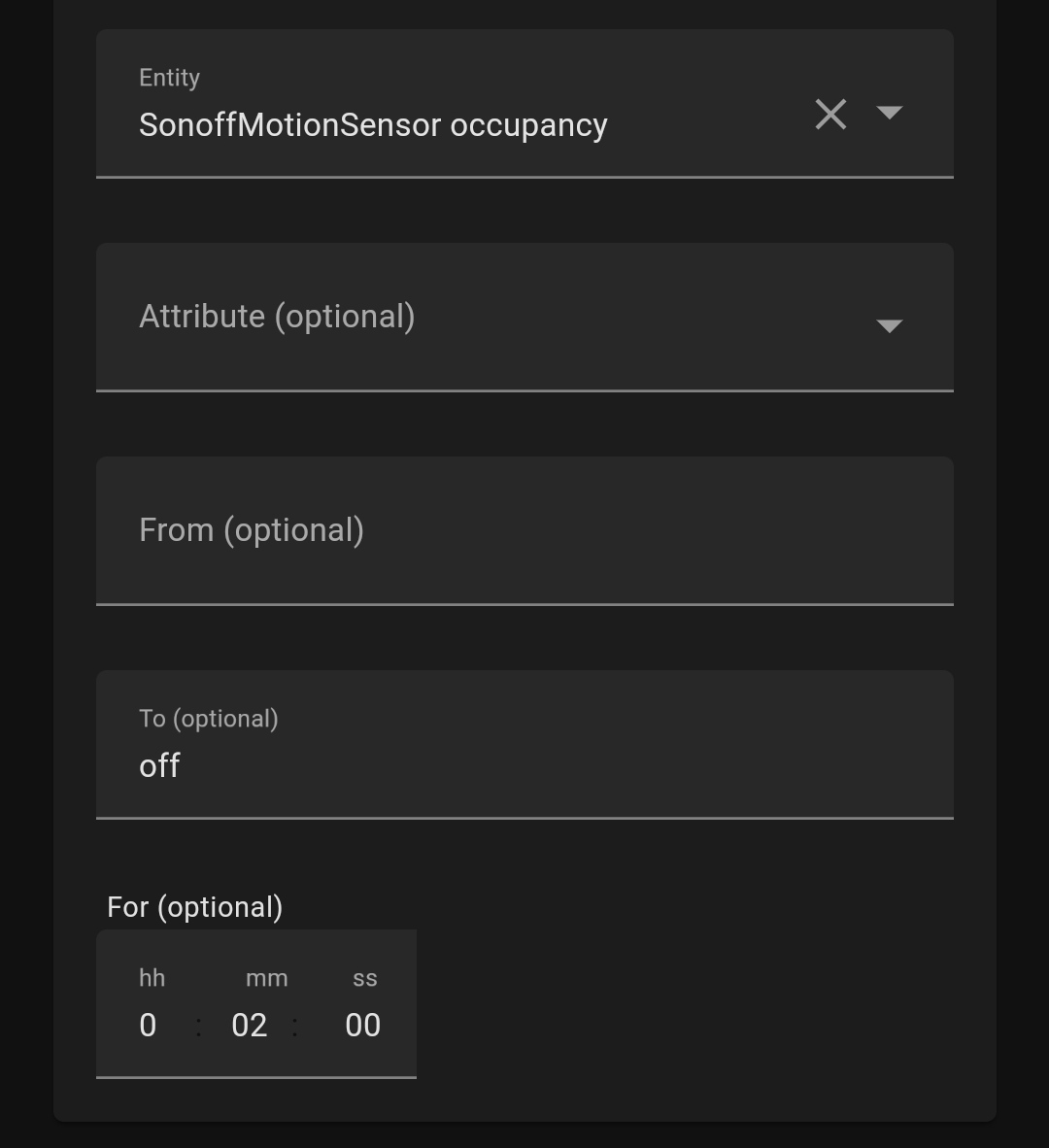
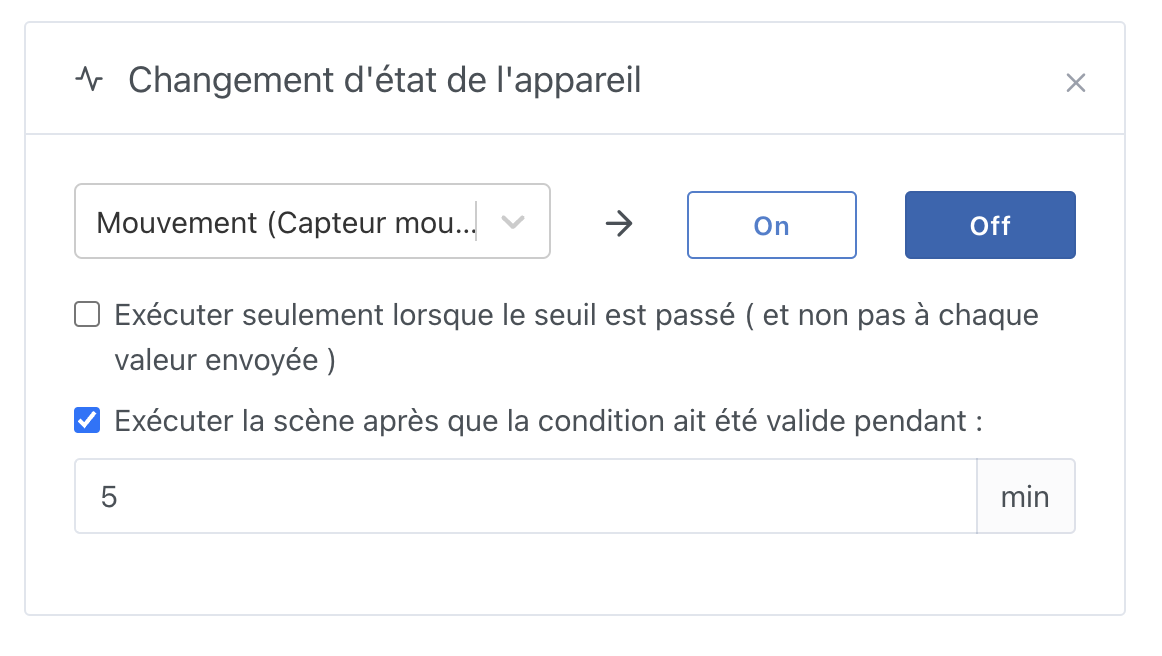
I have a problem with a delayed shutdown scene related to a motion detector. In my scene, I put it on hold for X minutes before turning off the lights. If during this time there is a detection, I would like to reset the shutdown scene and thus avoid a shutdown too close to the detection and another shutdown that would be useless.
I see two possible features to solve my problem.
Either allow in a scene A to stop the scene waiting for a scene B
Or allow to retrieve the duration since the last detection (as on the dashboard)
there two possibilities according to me to translate this:
- either it’s a feature like « wait » at the level of the actions or even better at the level of the trigger.
while ( [detection duration] < X minutes/hours…) { wait }
- or to retrieve the value and therefore be able to do conditional logic in the scene. (the off scene that is on hold before the new detection will not end)
@pierre-gilles: no problem about the delay, the important thing is that the request will be handled in a future release. (This will avoid my son calling me and yelling at me because the light turns off too quickly.)
Hello,
I am having the same problem:
I have a motion detector and I would like the detection to pause for a certain time.
A solution would be to be able to create a variable « previous_state » which would be set to 1 when there is a first detection, either by changing the state of the sensor, or by retrieving the last state of the sensor.
This would work as follows:
Triggers: Change of the device state (=detection) AND « previous_state » = 0
Actions: Send message (to test) AND « previous_state » = 1 (we set the variable to 1)
Action: Wait the desired duration
Action: « previous_state » = 0 (we set the variable to 0)
In fact, two actions « Create the variable… » and « Set the variable to … » would be great
In an Action block:
Retrieve the last state of the device Detector AND Create the variable « previous_state » AND Set « previous_state » to the desired value (however, I think we cannot use the state value in the same action block as « Retrieve the last state », which seems logical as it is sequential)
So rather:
Action:
Retrieve the last state of the device Detector AND Create the variable « previous_state »
Action:
Set the variable « previous_state » (we select from the list) to « 1 » (we enter the value)
I cheated by setting a scheduled trigger every 15 seconds, but I don’t like it!
I think this request is important (trigger with a non-detection duration), it is often requested, however I am not 100% sure how it could be implemented
@VonOx had put us in another topic how it was done at Home Assistant:
But if I understand correctly, this presupposes that the motion sensor has a return to zero (i.e. it does not send only « 1 » but also « 0 » (no movement)), is that right @VonOx?
Oh, I thought so, I just realized that we had already discussed this topic a lot:
I still don’t understand how to implement this feature (functionally, of course, we’re not talking about code here), so I’m open to any additional feedback
Since I requested, I’ll try to describe the feature to you
The detector goes into detection mode. When it returns to standby, that’s when the timer should start. Every time the detector goes into the « detected » state, the timer should be reset.
For information, in the dashboard, this is already the case. We have the information when we display the device with the « motion detection » function.
In the device feature, we add an option « Tempo managed by the sensor: Yes/No ». If No, then we configure a base reset time of 2 minutes for example (a physical and non-domotic motion sensor is always pre-configured and we turn the screw if we want a different time, in logic we should do the same),
we inform the user that they can modify this time in the feature (it can even be a popup when the sensor is automatically created),
If the sensor does not have built-in tempo:
the motion sensor sends 1 or true → motion detection → DB value = 1,
the sensor sends nothing for 2 minutes → DB value = 0 after these 2 min,
the sensor sent 1 again after 1 min → The 2-minute tempo restarts at 0 → DB value = 0 after these 2 min,
If the sensor has built-in tempo and sends 0:
the motion sensor sends 1 or true → motion detection → DB value = 1,
the motion sensor sends 0 or false → motion detection → DB value = 0.
As soon as a « OFF » value is received, Gladys starts a 5-minute timer
During the 5 minutes, if a « ON » value is received, it cancels the timer
During the 5 minutes, if a « OFF » value is received, nothing happens (and the currently running timer continues to run)
After 5 minutes, if nothing has canceled the timer, the scene is executed
This trigger works with any type of sensors; it can be used on a temperature sensor with a condition « temperature > 12°C ».
Only one current limitation, which seems fairly minor to me for now: If Gladys restarts while a timer is running, the timer is lost. Also, that’s the same behavior currently if a scene is running and Gladys restarts — it’s lost.
The PR:
I’d appreciate feedback on the PR, especially on the code. I’d like to be sure there aren’t any cases I haven’t handled!