Hello everyone!
It may be practical to send sensor values to Gladys via an HTTP API, to use Gladys with Tasker on Android or Shortcut on iOS.
This post is a simple repost of this tutorial from the documentation, but at least it is also on the forum 
To send a sensor value to Gladys via the Gladys Plus API, you can send a POST request to the following URL:
POST https://api.gladysgateway.com/v1/api/device/state/YOUR_API_KEY

Body:
{
    "device_feature_external_id": "mqtt:my-phone-presence",
    "state": 1
}
(The API key is to be created in the « Settings » tab => « Open API » on plus.gladysassistant.com)
The « device_feature_external_id » corresponds to the external ID of a feature:
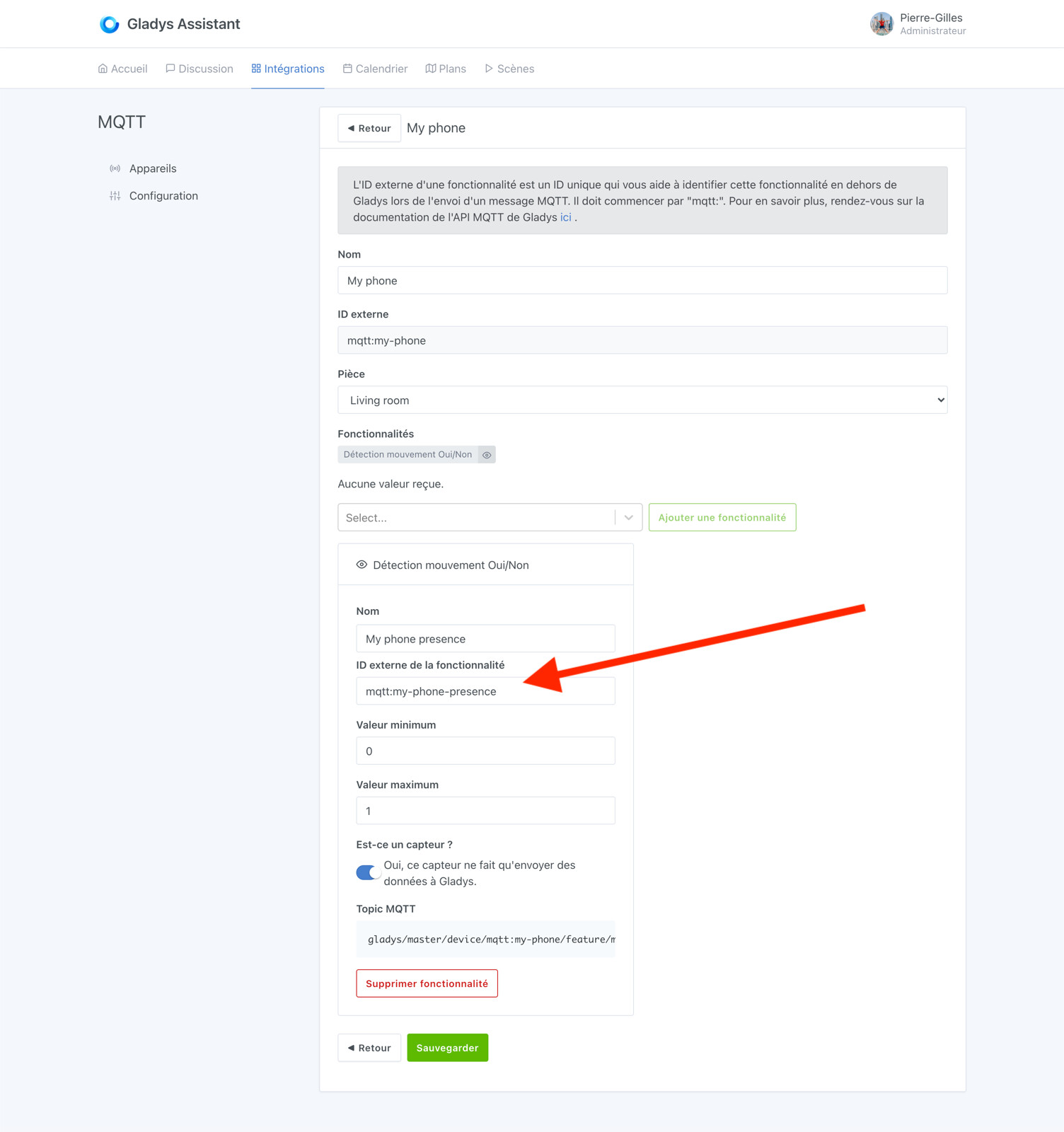
The complete tutorial is available here: Open API | Gladys Assistant
Feel free to ask if you have any questions!