The goal of this tutorial is to show how to control the relays of the GCE IPX800V5 home automation platform with Gladys
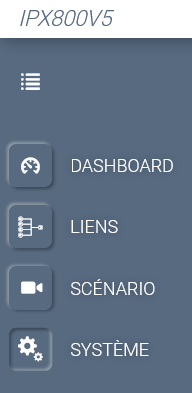
Go to the « System » tab
Click on « MQTT »
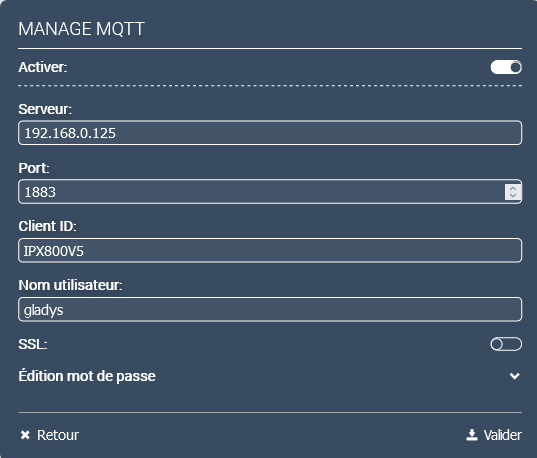
Set it up as follows, with for « Server: " the IP of the mosquito broker (IP of the raspberry or the NUC on which Gladys is installed, in « Client ID » the name you want (I put here IPX800V5 it’s important for the configuration of the Topics in Node-red)
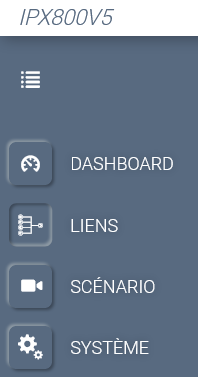
Then we go to the « Links » tab
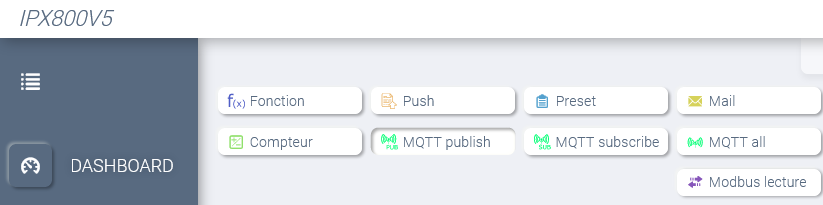
Then in the sub-tab « OBJECTS » and click on « MQTT Publish »
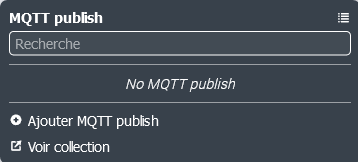
and « Add MQTT publish »
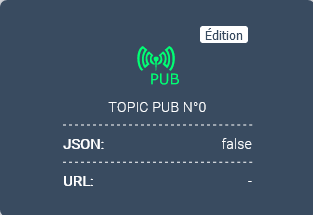
This creates a « Publish » object named « TOPIC PUB N° » we click on « Edit »
We set it up as below
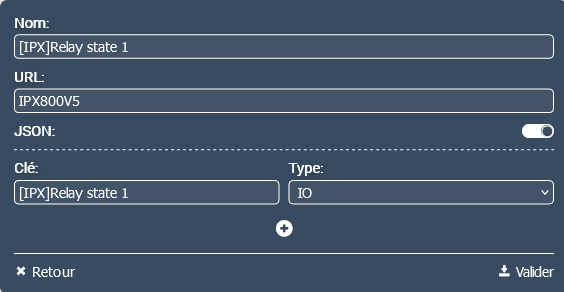
The « Name: » is the name we find in the GCE Api-Deck and points to the name of the « Relay 1 » if we edit this name in the IPX it updates in the Api-Deck (it will be the same for API and http calls I suppose) « URL » corresponds to « Client-ID » set in « System » « MQTT » (we can also put directly the value _id either for the relay 1: 65536 etc, as this whatever the name given to the instance of the relay 1 we are quiet!)
We activate « JSON » and we put in key the same value as the name and we validate.
Then we will create the « Suscribe » object. We click on « MQTT suscribe »
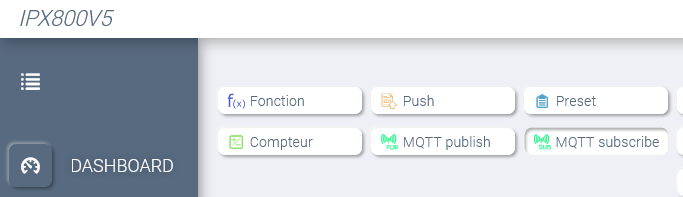
then « Add MQTT suscribe »
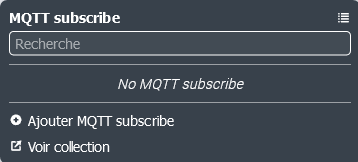
This creates a « Suscribe » object named « TOPIC SUB N° » we click on « Edit »
We set it up as below,
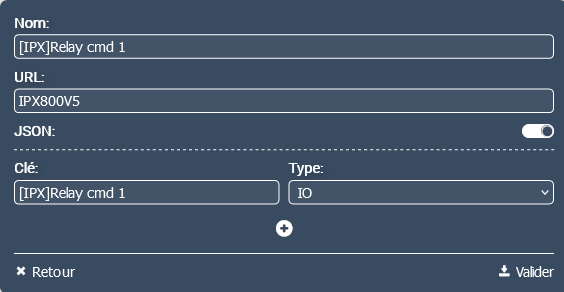
referring to the Api-Deck for the name and the key and we validate.
We click on the left tab « Dashboard »
We click on the padlock to switch to edit mode

then « Add widget »

then « Edit »
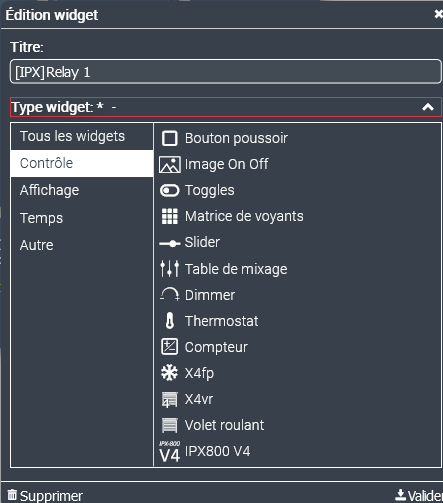
We set it up as follows and select « Control » « Push button » and « Validate »
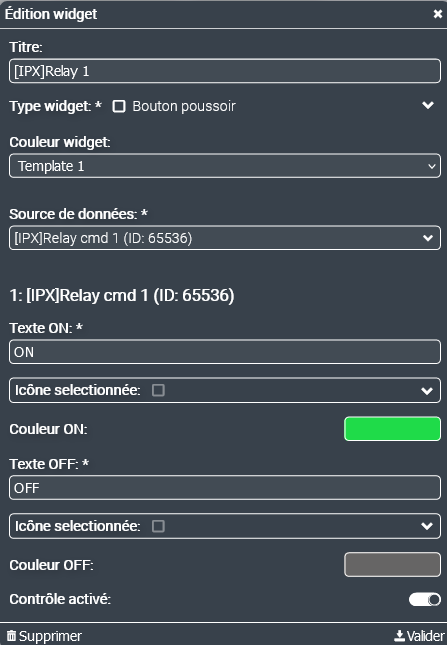
We set up the widget as follows and validate
Now we will create the links by clicking on the left tab « Links »
then on « Edit link »

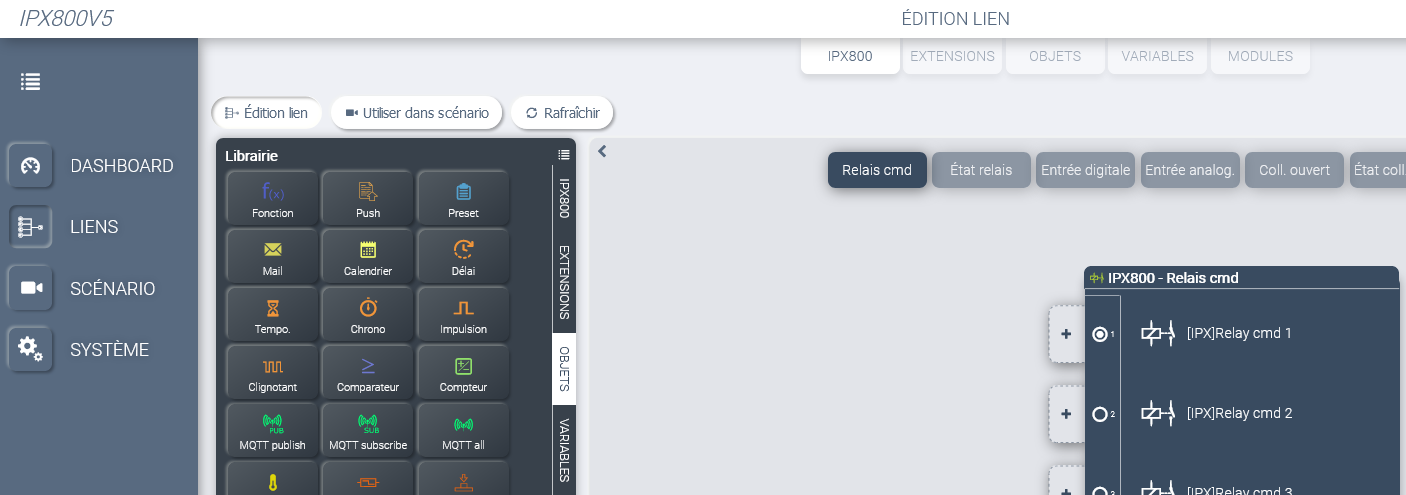
Then the « + » to the left of the » [IPX]Relay cmd1"
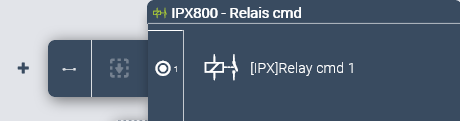
then on the left on « MQTT Suscribe » that we drag to the dotted area
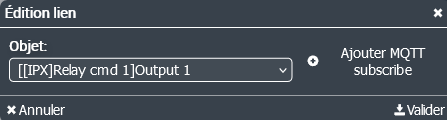
we set it up as follows we validate. We get
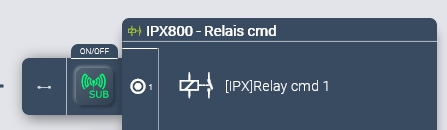
We click on « Relay State »
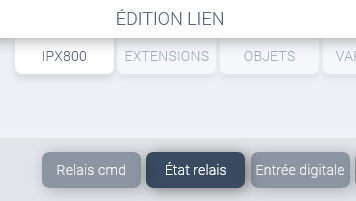
and « + » to the right of « [IPX]Relay State 1 »
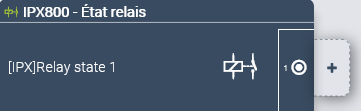
then on the left on « MQTT Publish » that we drag to the dotted area
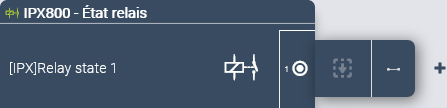
we set it up as follows and we validate.
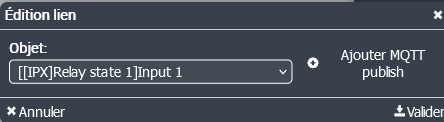
That’s it we have done all the « IPX800V5 » part we are going to attack the
NodeRed part… !
Here is the flow to import into node-red of « Gladys » 
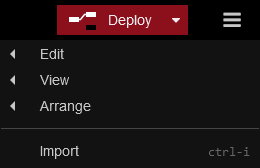
[
    {
        "id": "bd5facfbf1ab26d3",
        "type": "tab",
        "label": "IPX800V5 - Gladys Via Node-rec",
        "disabled": false,
        "info": "",
        "env": []
    },
    {
        "id": "8f7e7262bc6bf978",
        "type": "mqtt out",
        "z": "bd5facfbf1ab26d3",
        "name": "IPX800V5",
        "topic": "",
        "qos": "1",
        "retain": "false",
        "respTopic": "",
        "contentType": "",
        "userProps": "",
        "correl": "",
        "expiry": "",
        "broker": "291914c5c9c68f02",
        "x": 1020,
        "y": 300,
        "wires": []
    },
    {
        "id": "4c607c3838172c89",
        "type": "function",
        "z": "bd5facfbf1ab26d3",
        "name": "switch [IPX]Relay state x true/false => \"1\" \"0\"  ",
        "func": "var msg1, varNoRelais, varStateRelais;\n\nmsg1 = msg.payload\nvarNoRelais = msg1.substring(msg1.indexOf('state',1) + 6, msg1.indexOf('state',1) + 7);\nvarStateRelais = msg1.substring(msg1.indexOf(':',1) + 1, msg1.indexOf(':',1) + 2);\n\nswitch (varStateRelais) {\n  case \"t\": msg = {payload:\"1\"}; break;\n  case \"f\": msg = {payload:\"0\"}; break;\n  default: \n    break;\n}\n\nmsg.topic = \"gladys/master/device/mqtt:IPX800V5_Relais-\" + varNoRelais + \"/feature/mqtt:IPX800V5_Relais-\" + varNoRelais + \"/state\";\n\nreturn msg;\n\n",
        "outputs": 1,
        "noerr": 0,
        "initialize": "",
        "finalize": "",
        "libs": [],
        "x": 530,
        "y": 180,
        "wires": [
            [
                "f7ebc07a077abf6c"
            ]
        ]
    },
    {
        "id": "f7ebc07a077abf6c",
        "type": "mqtt out",
        "z": "bd5facfbf1ab26d3",
        "name": "gladys/master/device/....",
        "topic": "",
        "qos": "1",
        "retain": "false",
        "respTopic": "",
        "contentType": "",
        "userProps": "",
        "correl": "",
        "expiry": "",
        "broker": "291914c5c9c68f02",
        "x": 970,
        "y": 180,
        "wires": []
    },
    {
        "id": "f490302139729ca3",
        "type": "mqtt in",
        "z": "bd5facfbf1ab26d3",
        "name": "gladys/device/#",
        "topic": "gladys/device/#",
        "qos": "1",
        "datatype": "auto",
        "broker": "291914c5c9c68f02",
        "nl": false,
        "rap": true,
        "rh": 0,
        "inputs": 0,
        "x": 120,
        "y": 300,
        "wires": [
            [
                "ea9d791fe72e3274"
            ]
        ]
    },
    {
        "id": "78bd795f15c0ddd0",
        "type": "mqtt in",
        "z": "bd5facfbf1ab26d3",
        "name": "IPX800V5",
        "topic": "IPX800V5",
        "qos": "2",
        "datatype": "auto",
        "broker": "291914c5c9c68f02",
        "nl": false,
        "rap": true,
        "rh": 0,
        "inputs": 0,
        "x": 100,
        "y": 180,
        "wires": [
            [
                "4c607c3838172c89"
            ]
        ]
    },
    {
        "id": "7b3539772604e4c6",
        "type": "mqtt in",
        "z": "bd5facfbf1ab26d3",
        "d": true,
        "name": "Capture tout #",
        "topic": "#",
        "qos": "0",
        "datatype": "auto",
        "broker": "291914c5c9c68f02",
        "nl": false,
        "rap": true,
        "rh": 0,
        "inputs": 0,
        "x": 120,
        "y": 60,
        "wires": [
            [
                "e40c2829b14d2289"
            ]
        ]
    },
    {
        "id": "e40c2829b14d2289",
        "type": "debug",
        "z": "bd5facfbf1ab26d3",
        "d": true,
        "name": "",
        "active": false,
        "tosidebar": true,
        "console": false,
        "tostatus": false,
        "complete": "true",
        "targetType": "full",
        "statusVal": "",
        "statusType": "auto",
        "x": 340,
        "y": 60,
        "wires": []
    },
    {
        "id": "ea9d791fe72e3274",
        "type": "function",
        "z": "bd5facfbf1ab26d3",
        "name": "switch  \"1\" \"0\"  => [IPX]Relay state x true/false",
        "func": "var msg1;\n\nmsg1 = msg.topic\n\n/* gladys/device/mqtt:IPX800V5_Relais-1/feature/mqtt:IPX800V5_Relais-1/state */\nvar varNoRelais = msg1.substring(35,36);\nvar varStateRelais = msg.payload;\n\nswitch (varStateRelais) {\n  case \"1\":\n    msg = {payload:\"{\\\"[IPX]Relay cmd \" + varNoRelais + \"\\\":true}\"}; break;\n  case \"0\":\n    msg = {payload:\"{\\\"[IPX]Relay cmd \" + varNoRelais + \"\\\":false}\"}; break;\n  default: \n    break;\n}\n\nmsg.topic = \"IPX800V5\";\n\nreturn msg;\n",
        "outputs": 1,
        "noerr": 0,
        "initialize": "",
        "finalize": "",
        "libs": [],
        "x": 530,
        "y": 300,
        "wires": [
            [
                "8f7e7262bc6bf978"
            ]
        ]
    },
    {
        "id": "49d3fe656e3c55b0",
        "type": "comment",
        "z": "bd5facfbf1ab26d3",
        "name": "gladys/device/#  <= switch  \"1\" \"0\"  => [IPX]Relay state x true/false <= IPX800V5",
        "info": "",
        "x": 320,
        "y": 260,
        "wires": []
    },
    {
        "id": "b3606a34a3565c0a",
        "type": "comment",
        "z": "bd5facfbf1ab26d3",
        "name": "IPX800V5 <= switch [IPX]Relay state X true/false <= 0/1 <= gladys/master/device/mqtt:IPX800V5_Relais-\" X \"/feature/mqtt:IPX800V5_Relais-\" X \"/state\"",
        "info": "",
        "x": 550,
        "y": 140,
        "wires": []
    },
    {
        "id": "291914c5c9c68f02",
        "type": "mqtt-broker",
        "name": "mqtt://localhost",
        "broker": "mqtt://localhost",
        "port": "1883",
        "clientid": "",
        "autoConnect": true,
        "usetls": false,
        "protocolVersion": "4",
        "keepalive": "60",
        "cleansession": true,
        "birthTopic": "",
        "birthQos": "0",
        "birthPayload": "",
        "birthMsg": {},
        "closeTopic": "",
        "closeQos": "0",
        "closePayload": "",
        "closeMsg": {},
        "willTopic": "",
        "willQos": "0",
        "willPayload": "",
        "willMsg": {},
        "sessionExpiry": ""
    }
]
Click on « New flow » and paste into the pink area
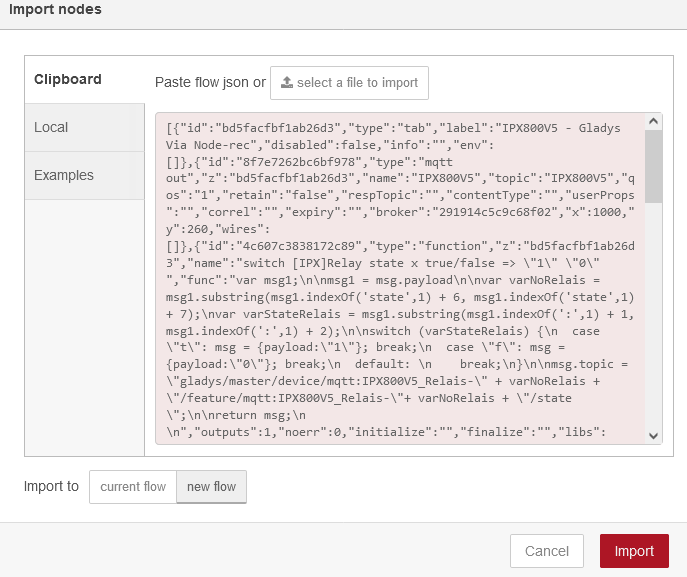
You will have the following flow (The debug part is disabled)
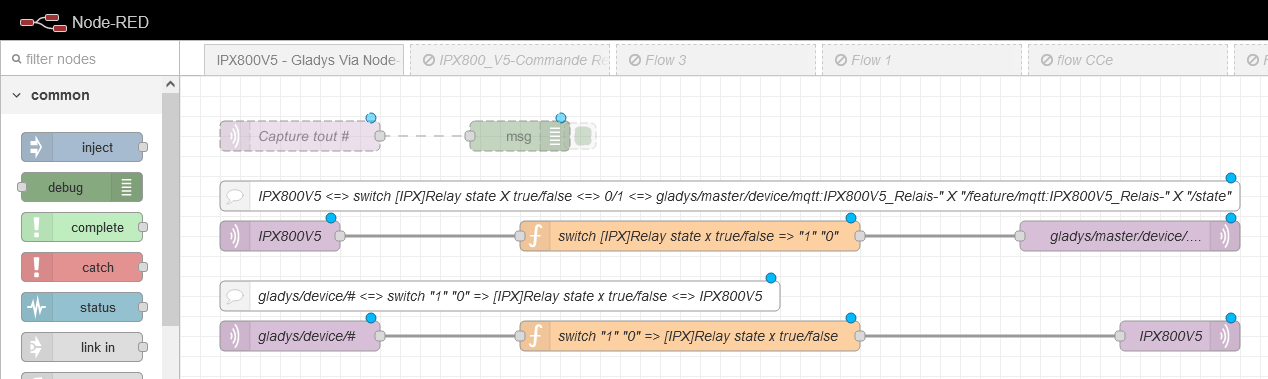
The Node-red part is finished, we move on to the « Gladys » part
In Gladys, click on « Integrations »
Then on the widget « MQTT »
Click on new

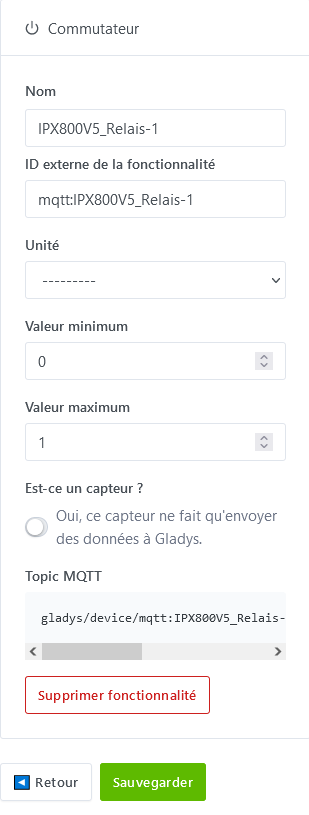
Set up as follows and click on « Add a feature »
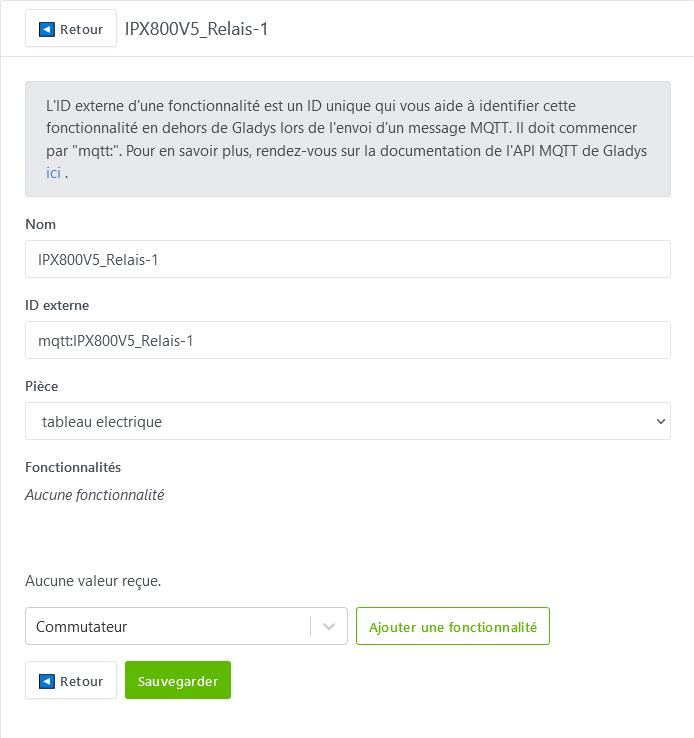
Then save and « Back »
Click on « Home »
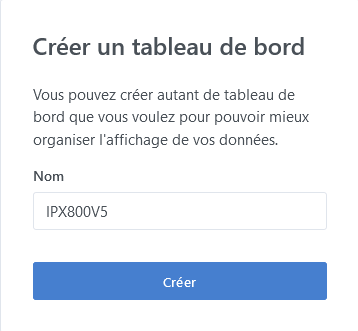
Then on « New » to create a new « Dashboard »

Which we will name « IPX800V5 »
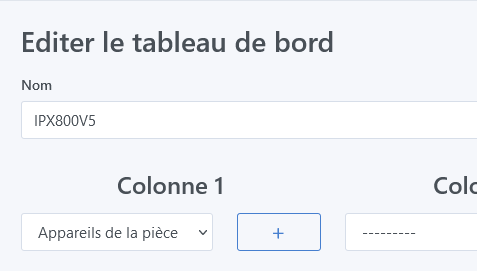
Click on « Edit »

In column 1, click on « Devices in the room »
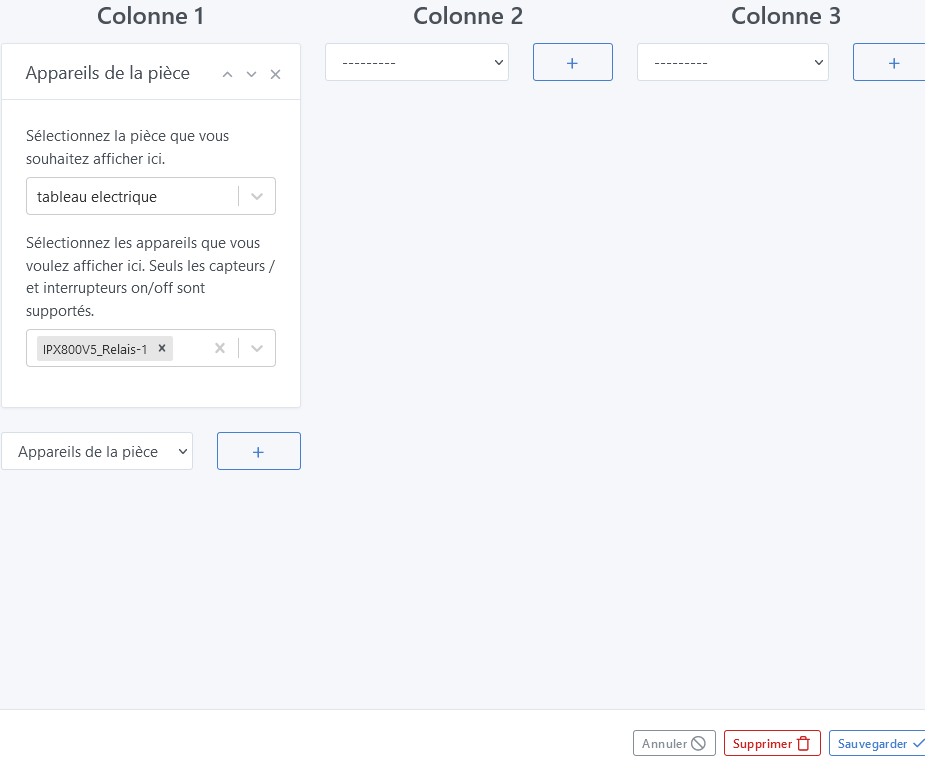
Select « Electric panel » for the room (created in the room settings)
Then select « IPX800V5_Relais-1 » and save!
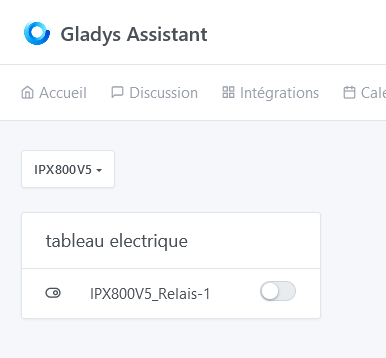
Now you have it, you just have to click to control relay 1 of the IPX800V5 (you can control all the others by repeating and adapting! )
That’s the end of this long tutorial… 
I’m waiting for your feedback from your tests to possibly make corrections! 
The tutorial on the GCE forum