Adding Milight Bulbs with Node Red in Gladys
Table of Contents
Here is an example of integration, via Node Red in Gladys 4, of a Milight bulb of the color type « fut017 ».
https://www.amazon.fr/KingLed-Ampoule-Mi-Light-Variables-2700K-6500K/dp/B01MXSK2YO/ref=sr_1_1?dchild=1&keywords=FUT017&qid=1634324731&qsid=257-6578826-3953066&sr=8-1&sres=B01MXSK2YO%2CB077H3YKB5%2CB0725D16KX%2CB01MR9UDU0%2CB0763RSRY7%2CB01NCEY7JA%2CB01M0KU53O%2CB071W1K5Q1&th=1
Of course, the connector will need to be changed depending on your bulb.
Configuration in Gladys
Prerequisites
- Have your MQTT broker configured on Gladys
- Know how to create a virtual device to some extent
Steps
- To begin, you need to create your bulb in Gladys via the MQTT service in this way:


- Enter a name, an external ID for the MQTT server, the room, then save:
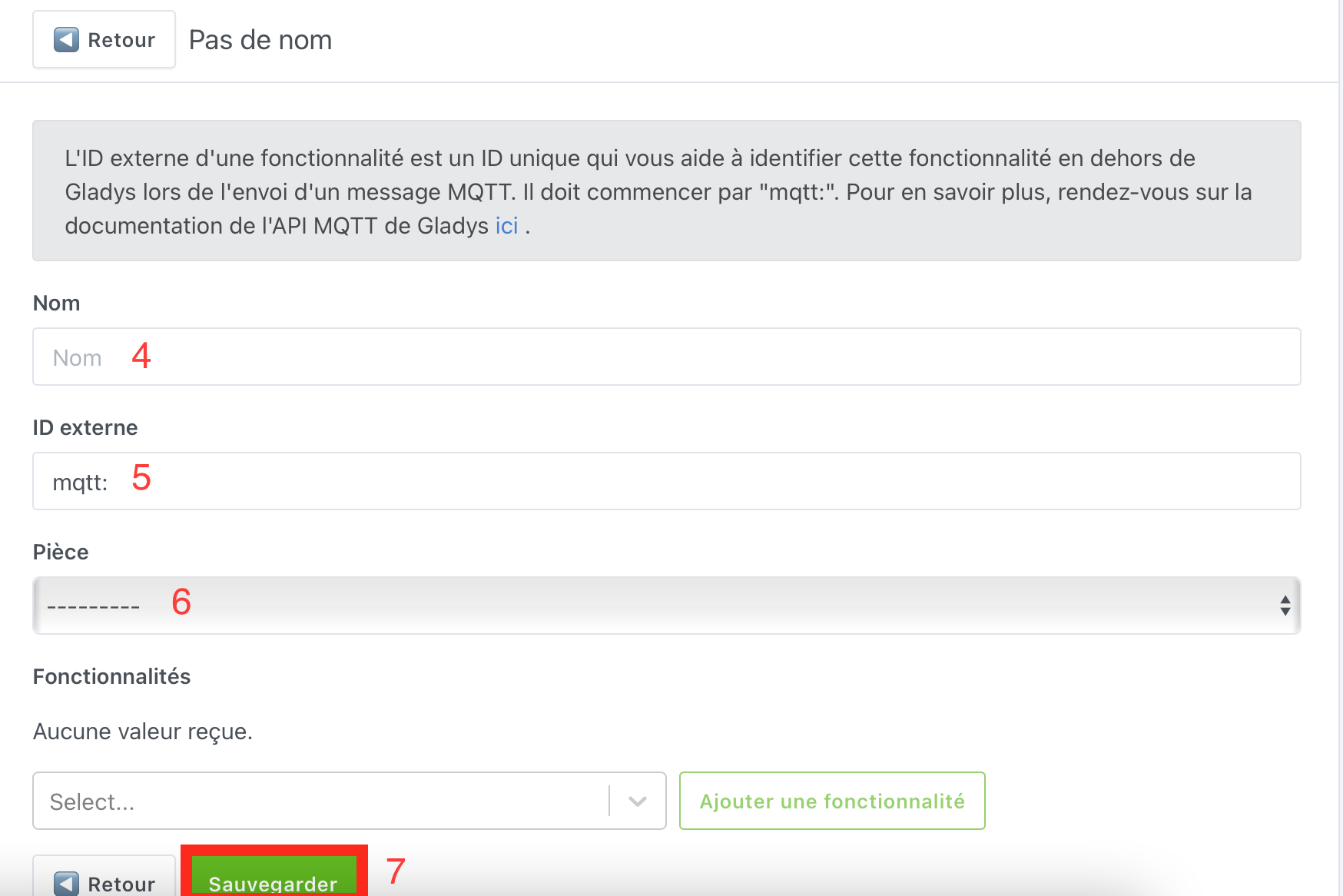
- Once this is done, do not leave the page but add these features:

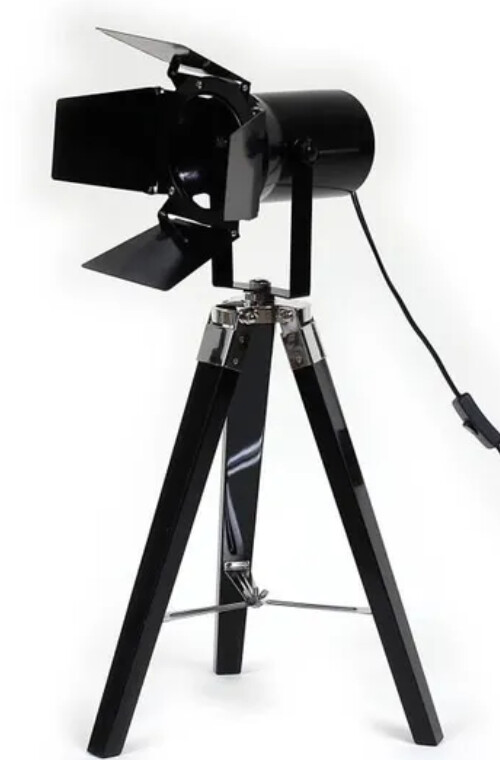
Here is an example of my bulb located in a cinema projector:
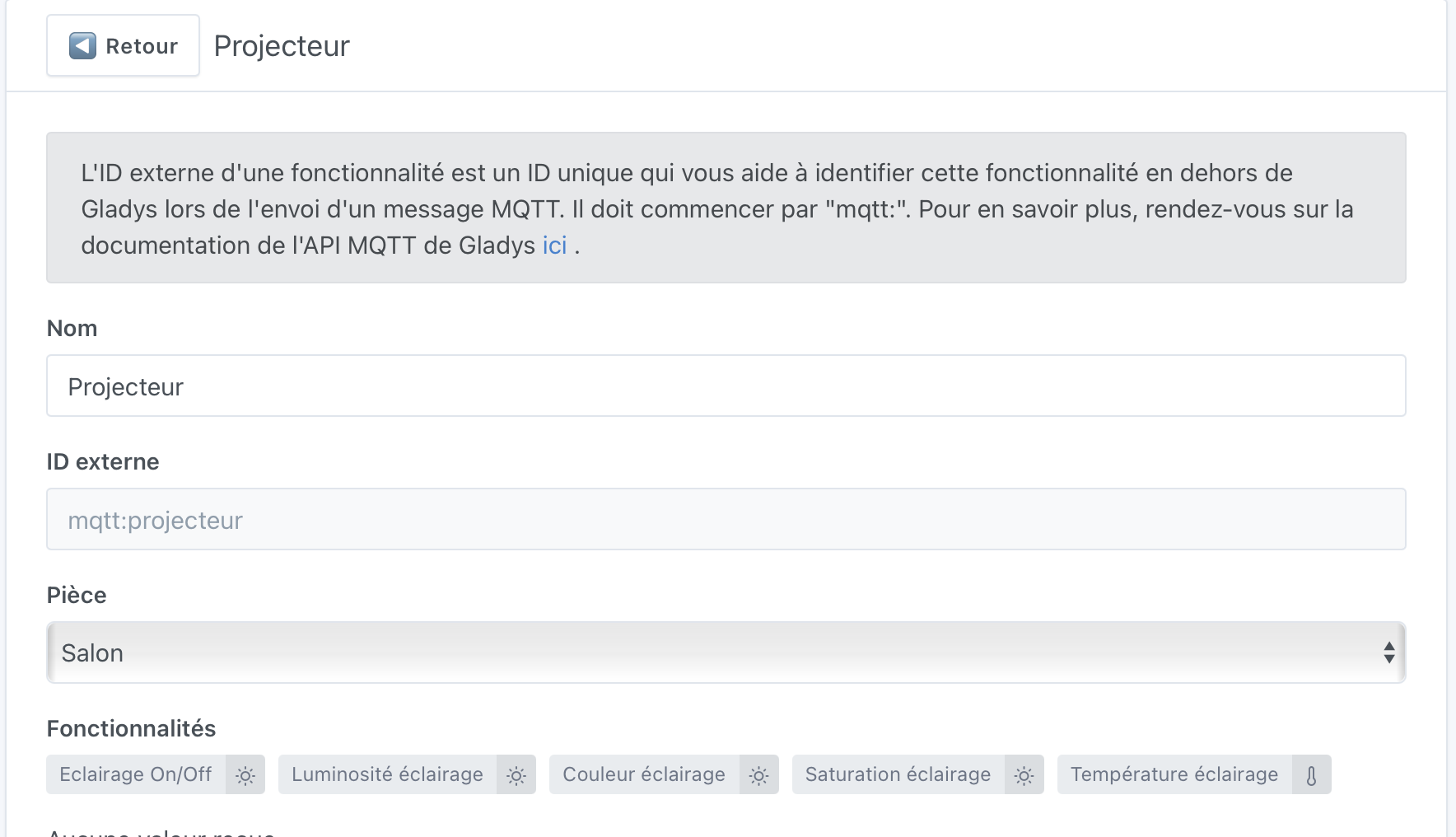
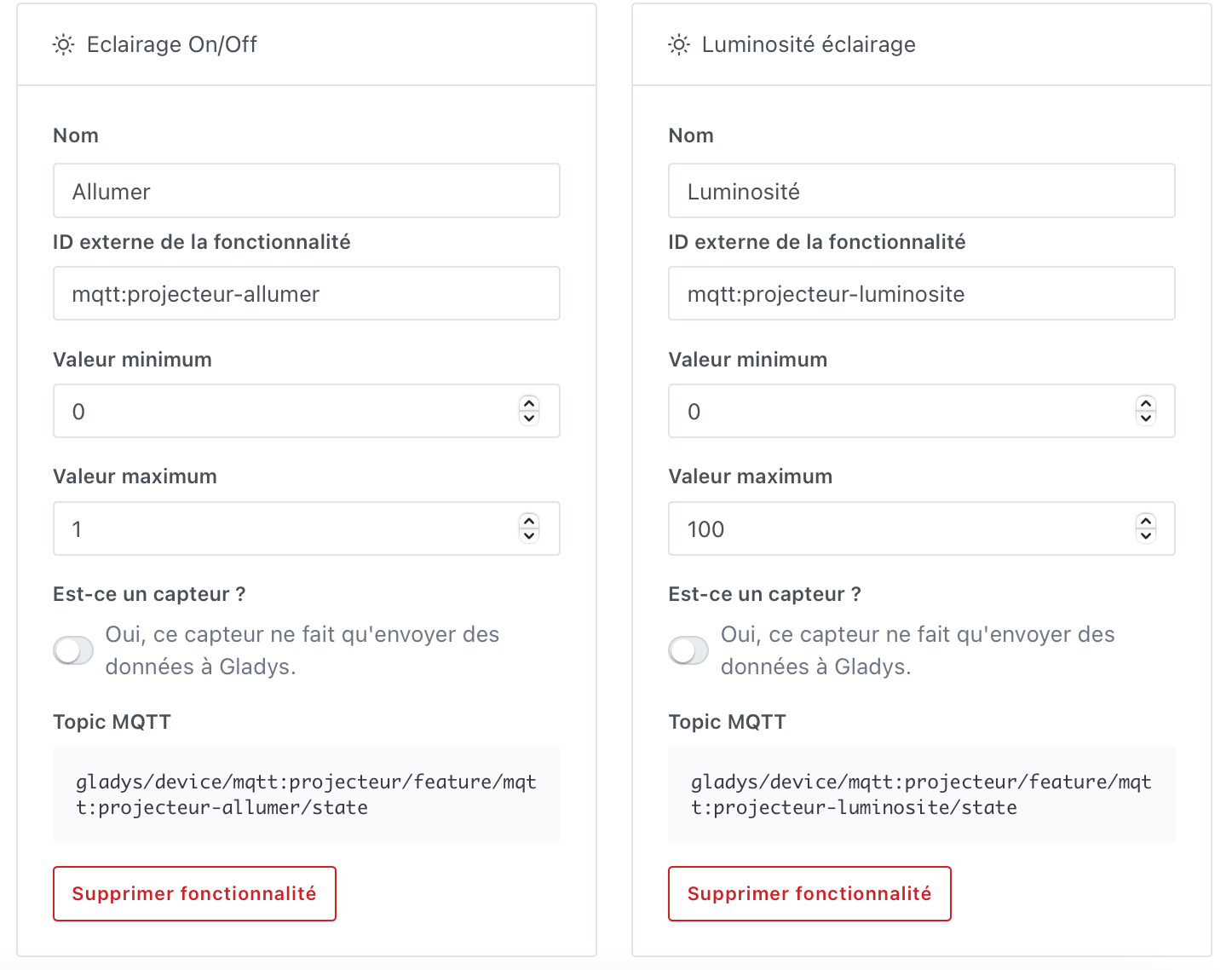
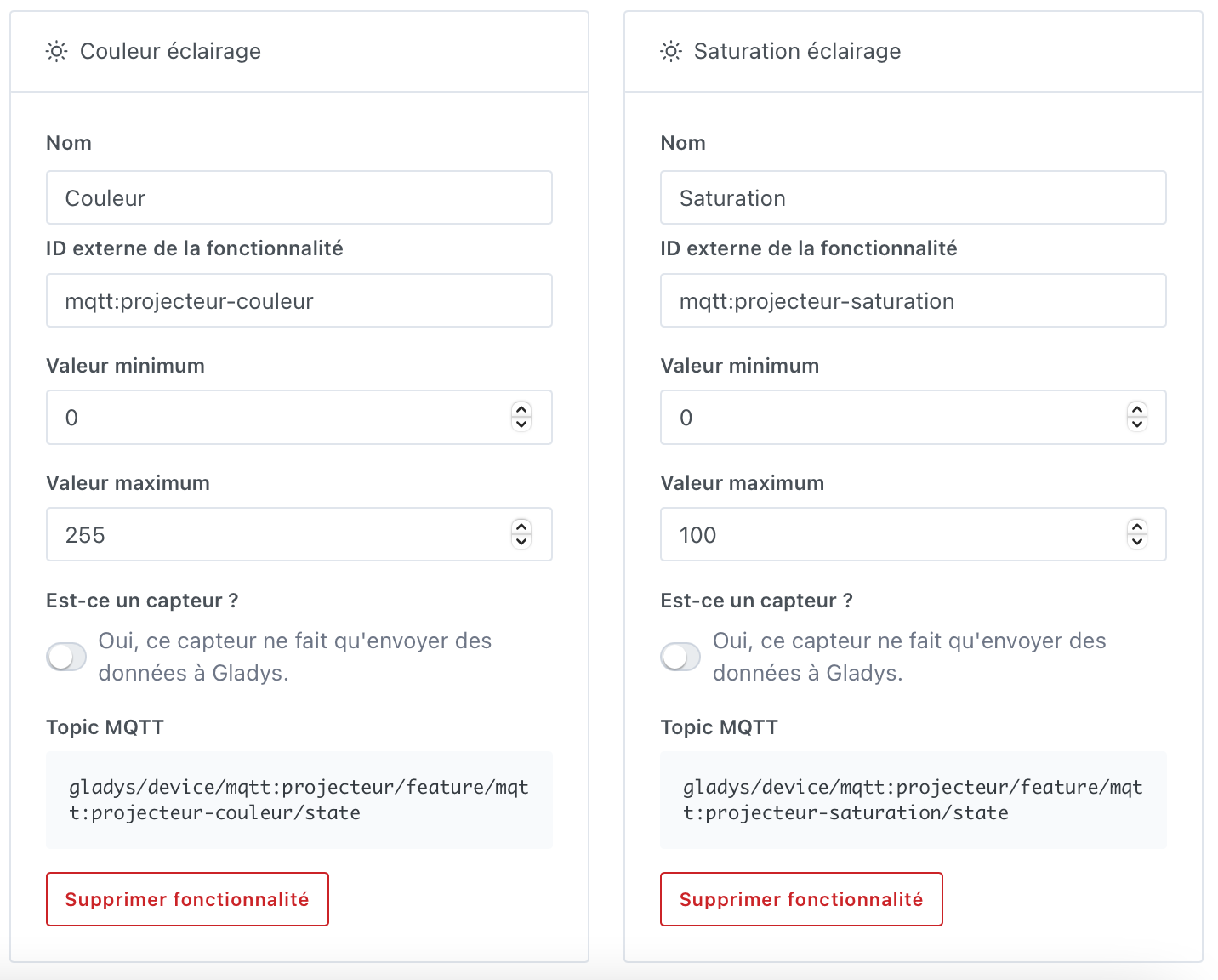
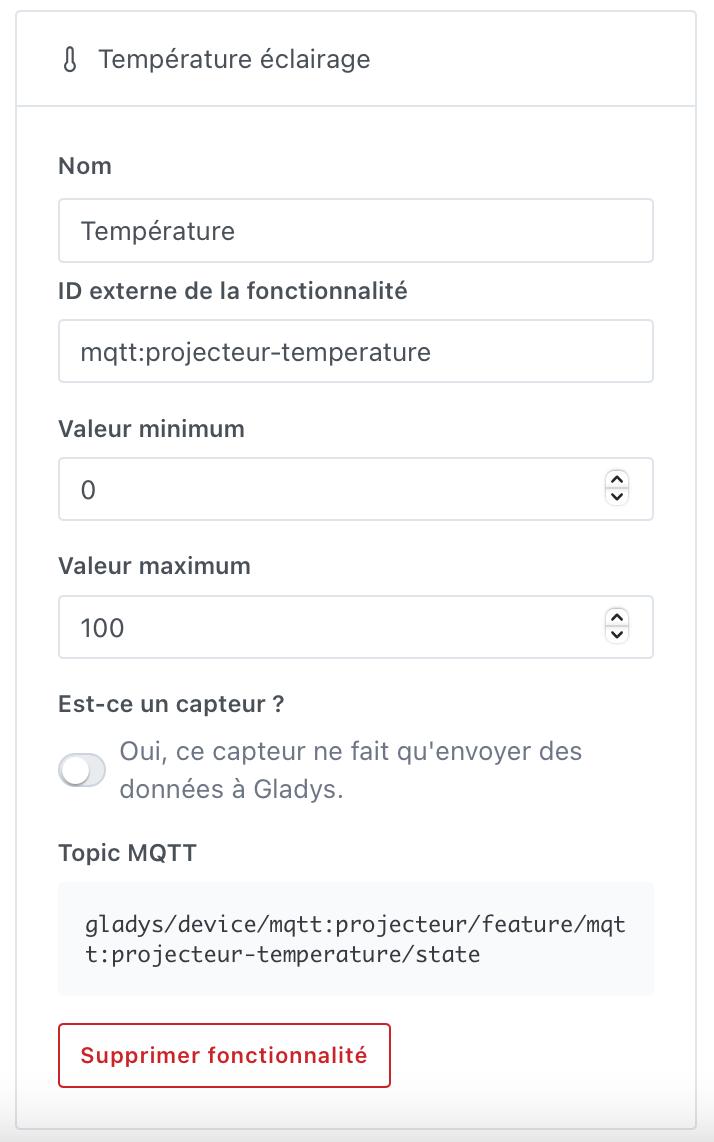
The configuration on the Gladys side is complete, we will now move on to Node Red.
Configuration on Node Red
Prerequisites
- Install the node-red-contrib-milight-2 package (version 3 I encountered random connection issues)
- Have the MQTT connection configured in Node Red for connection with Gladys
Steps
- Add an MQTT in node for each feature previously created:
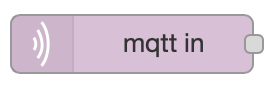
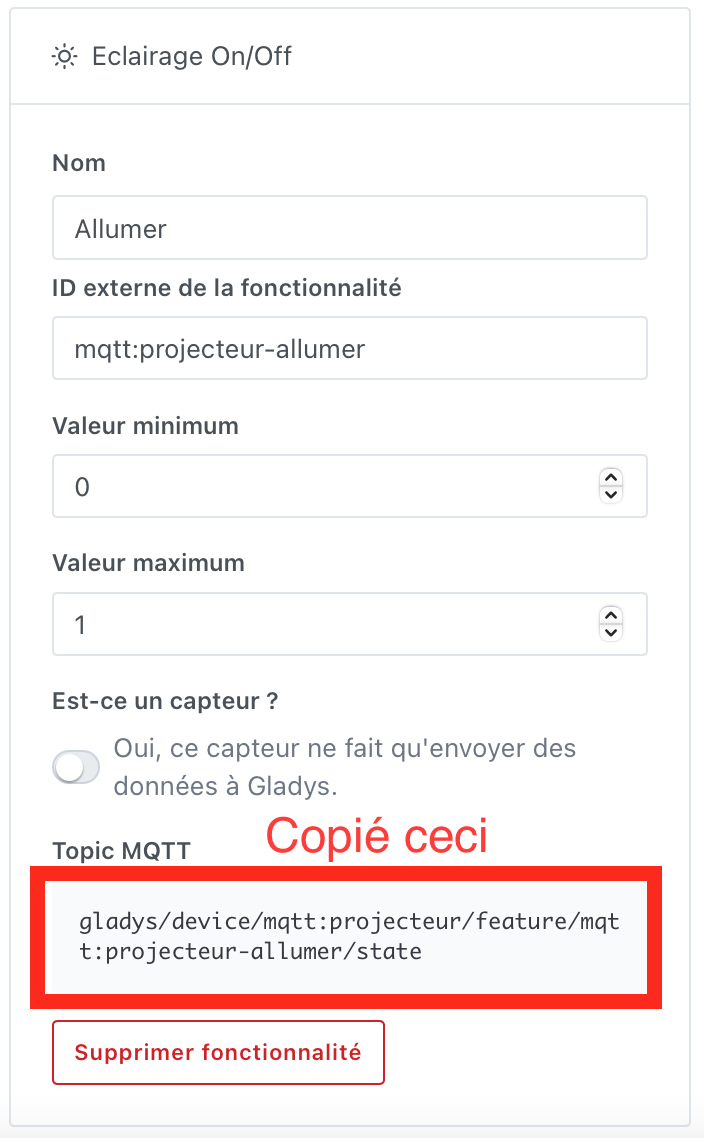
(Turn on, Brightness, Color, Saturation, Temperature) - For each of the nodes, configure the connection to Gladys 4, then add the topic automatically created in Gladys:
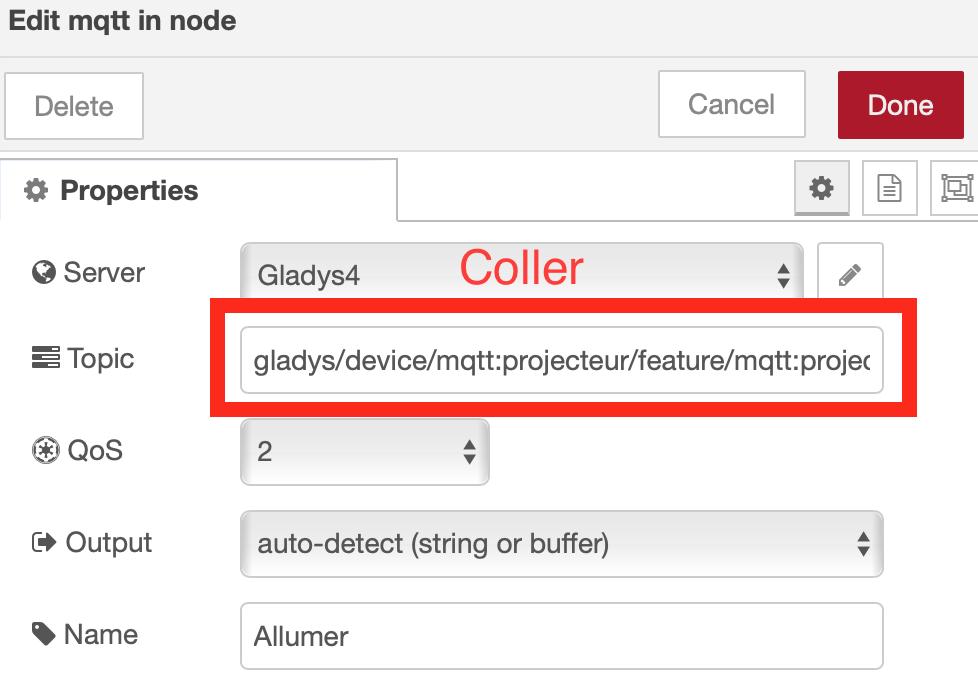
- Add a « function » node for each « MQTT in » node:
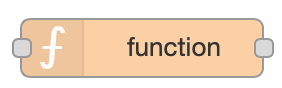
- Edit the « function » node according to the feature as follows:
- Turn on
msg.payload = msg.payload === '1' ? 'on' : 'off';
return msg;
- Color
const rgb = intToRgb(msg.payload);
msg.payload = `rgb(${rgb[0]}, ${rgb[1]}, ${rgb[2]})`;
msg.command = 'rgb';
return msg;

function intToRgb(intColor) {
  const red = intColor >> 16;
  const green = (intColor - (red << 16)) >> 8;
  const blue = intColor - (red << 16) - (green << 8);

  return [red, green, blue];
}
- Brightness
msg.command = 'brightness';
return msg;
- Saturation
msg.command = 'saturation';
return msg;
- Temperature
msg.command = 'temperature';
return msg;
- Add a „milight“ node:
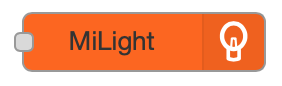
- Add the configuration related to your milight box as in the following example:
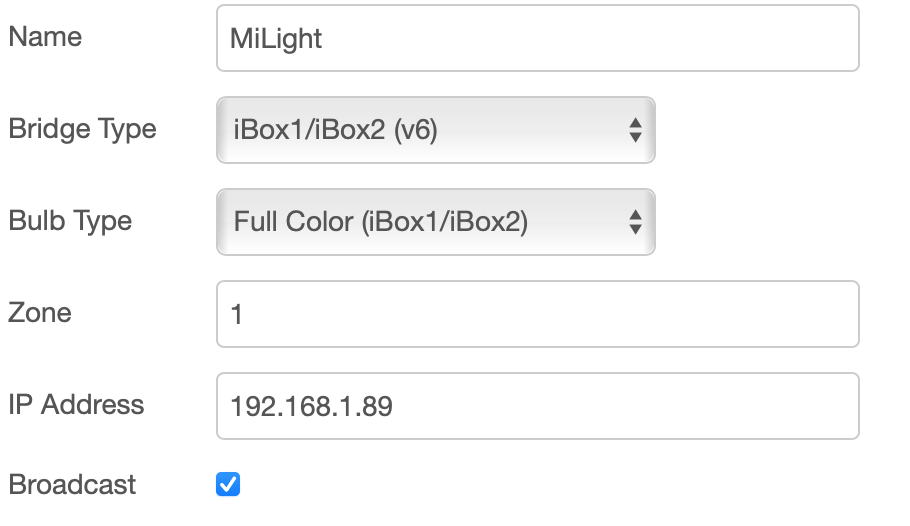
ps: Adapt Bridge Type and Bulb Type according to your configuration.
- Now you just have to connect the nodes to each other and deploy:
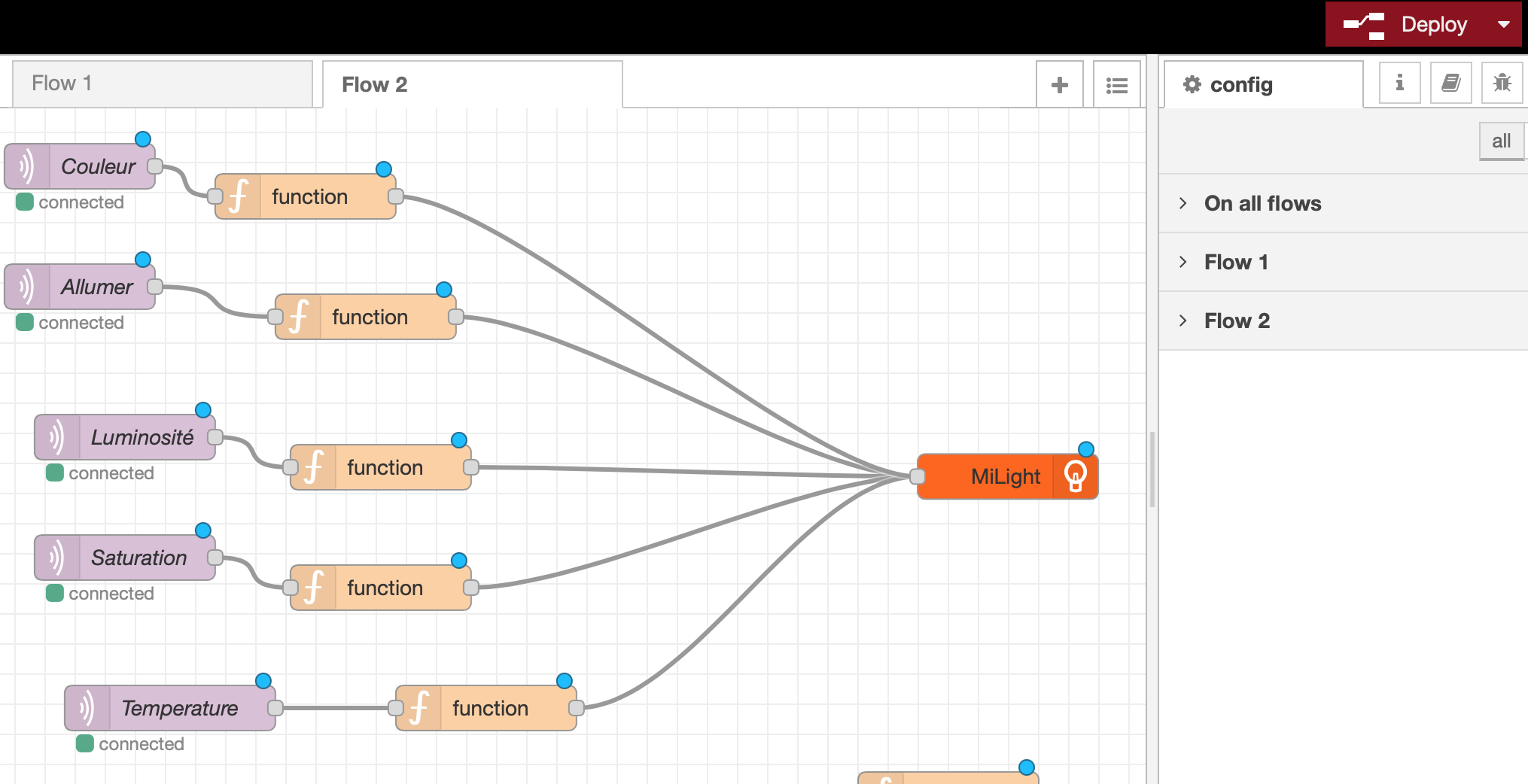
Now you just have to copy this flow and adapt your topics and zone to control your bulbs one by one.
Extra
Here is my flow (don’t forget to modify the topics, ip, zone etc..)
[
    {
        "id": "f9f8f221204ee3c0",
        "type": "tab",
        "label": "Flow 3",
        "disabled": false,
        "info": ""
    },
    {
        "id": "ac342eaf54ef2eaa",
        "type": "mqtt in",
        "z": "f9f8f221204ee3c0",
        "name": "Turn on",
        "topic": "gladys/device/mqtt:projecteur/feature/mqtt:projecteur-allumer/state",
        "qos": "2",
        "datatype": "auto",
        "broker": "d4dd08180f860b0e",
        "nl": false,
        "rap": true,
        "rh": 0,
        "x": 70,
        "y": 120,
        "wires": [
            [
                "4f2df4ecbd1f994c"
            ]
        ]
    },
    {
        "id": "d0cc861e9c276a0a",
        "type": "mqtt in",
        "z": "f9f8f221204ee3c0",
        "name": "Brightness",
        "topic": "gladys/device/mqtt:projecteur/feature/mqtt:projecteur-luminosite/state",
        "qos": "2",
        "datatype": "auto",
        "broker": "d4dd08180f860b0e",
        "nl": false,
        "rap": true,
        "rh": 0,
        "x": 100,
        "y": 220,
        "wires": [
            [
                "052e9712c29fee8f"
            ]
        ]
    },
    {
        "id": "4f2df4ecbd1f994c",
        "type": "function",
        "z": "f9f8f221204ee3c0",
        "name": "",
        "func": "msg.payload = msg.payload === '1' ? 'on' : 'off';\nreturn msg;",
        "outputs": 1,
        "noerr": 0,
        "initialize": "",
        "finalize": "",
        "libs": [],
        "x": 260,
        "y": 140,
        "wires": [
            [
                "f698f083e6fb1c3f"
            ]
        ]
    },
    {
        "id": "052e9712c29fee8f",
        "type": "function",
        "z": "f9f8f221204ee3c0",
        "name": "",
        "func": "msg.command = 'brightness';\nreturn msg;",
        "outputs": 1,
        "noerr": 0,
        "initialize": "",
        "finalize": "",
        "libs": [],
        "x": 270,
        "y": 240,
        "wires": [
            [
                "f698f083e6fb1c3f"
            ]
        ]
    },
    {
        "id": "4be8a6865ec71a53",
        "type": "mqtt in",
        "z": "f9f8f221204ee3c0",
        "name": "Color",n        "topic": "gladys/device/mqtt:projecteur/feature/mqtt:projecteur-couleur/state",
        "qos": "2",
        "datatype": "auto",
        "broker": "d4dd08180f860b0e",
        "nl": false,
        "rap": true,
        "rh": 0,
        "x": 70,
        "y": 40,
        "wires": [
            [
                "2953be4d64f19a5a"
            ]
        ]
    },
    {
        "id": "2953be4d64f19a5a",
        "type": "function",
        "z": "f9f8f221204ee3c0",
        "name": "",
        "func": "const rgb = intToRgb(msg.payload);\nmsg.payload = `rgb(${rgb[0]}, ${rgb[1]}, ${rgb[2]})`;\nmsg.command = 'rgb';\nreturn msg;\n\nfunction intToRgb(intColor) {\n  const red = intColor >> 16;\n  const green = (intColor - (red << 16)) >> 8;\n  const blue = intColor - (red << 16) - (green << 8);\n\n  return [red, green, blue];\n}",
        "outputs": 1,
        "noerr": 0,
        "initialize": "",
        "finalize": "",
        "libs": [],
        "x": 220,
        "y": 60,
        "wires": [
            [
                "f698f083e6fb1c3f"
            ]
        ]
    },
    {
        "id": "2b570fa1345f22db",
        "type": "mqtt in",
        "z": "f9f8f221204ee3c0",
        "name": "Saturation",
        "topic": "gladys/device/mqtt:projecteur/feature/mqtt:projecteur-saturation/state",
        "qos": "2",
        "datatype": "auto",
        "broker": "d4dd08180f860b0e",
        "nl": false,
        "rap": true,
        "rh": 0,
        "x": 100,
        "y": 300,
        "wires": [
            [
                "794310d6a6d5169b"
            ]
        ]
    },
    {
        "id": "794310d6a6d5169b",
        "type": "function",
        "z": "f9f8f221204ee3c0",
        "name": "",
        "func": "msg.command = 'saturation';\nreturn msg;",
        "outputs": 1,
        "noerr": 0,
        "initialize": "",
        "finalize": "",
        "libs": [],
        "x": 270,
        "y": 320,
        "wires": [
            [
                "f698f083e6fb1c3f"
            ]
        ]
    },
    {
        "id": "201ddc93bd0ed84c",
        "type": "mqtt in",
        "z": "f9f8f221204ee3c0",
        "name": "Temperature",
        "topic": "gladys/device/mqtt:projecteur/feature/mqtt:projecteur-temperature/state",
        "qos": "2",
        "datatype": "auto",
        "broker": "d4dd08180f860b0e",
        "nl": false,
        "rap": true,
        "rh": 0,
        "x": 130,
        "y": 400,
        "wires": [
            [
                "713b068948cf83fa"
            ]
        ]
    },
    {
        "id": "713b068948cf83fa",
        "type": "function",
        "z": "f9f8f221204ee3c0",
        "name": "",
        "func": "msg.command = 'temperature';\nreturn msg;",
        "outputs": 1,
        "noerr": 0,
        "initialize": "",
        "finalize": "",
        "libs": [],
        "x": 340,
        "y": 400,
        "wires": [
            [
                "f698f083e6fb1c3f"
            ]
        ]
    },
    {
        "id": "f698f083e6fb1c3f",
        "type": "MiLight",
        "z": "f9f8f221204ee3c0",
        "name": "MiLight",
        "bridgetype": "v6",
        "bulbtype": "fullColor",
        "zone": "1",
        "ip": "192.168.1.89",
        "broadcast": true,
        "x": 686.5894470214844,
        "y": 246.19509887695312,
        "wires": []
    },
    {
        "id": "d4dd08180f860b0e",
        "type": "mqtt-broker",
        "name": "Gladys4",
        "broker": "mqtt://192.168.1.59",
        "port": "1883",
        "clientid": "",
        "usetls": false,
        "protocolVersion": "4",
        "keepalive": "60",
        "cleansession": true,
        "birthTopic": "",
        "birthQos": "0",
        "birthRetain": "false",
        "birthPayload": "",
        "birthMsg": {},
        "closeTopic": "",
        "closeQos": "0",
        "closeRetain": "false",
        "closePayload": "",
        "closeMsg": {},
        "willTopic": "",
        "willQos": "0",
        "willRetain": "false",
        "willPayload": "",
        "willMsg": {},
        "sessionExpiry": ""
    }
]
