Hello @euguuu
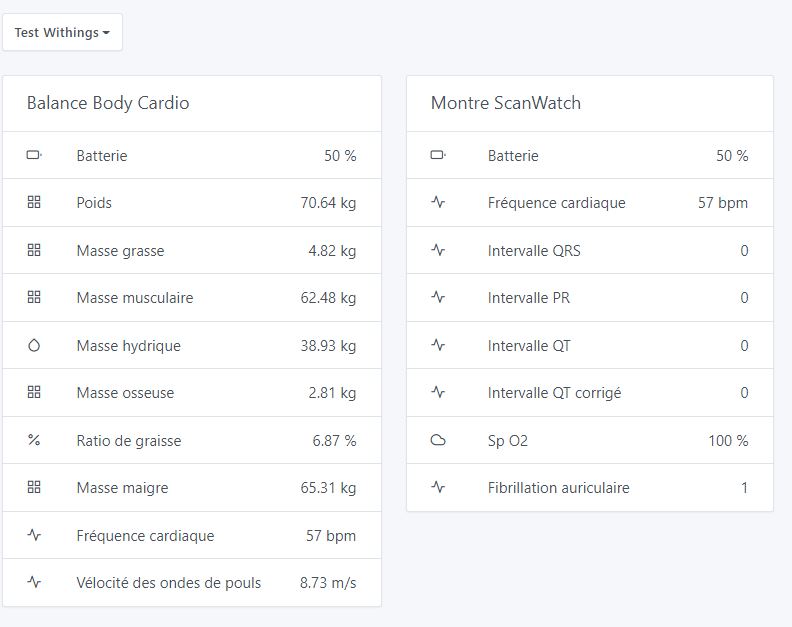
It looks like it’s working! Here is a screenshot
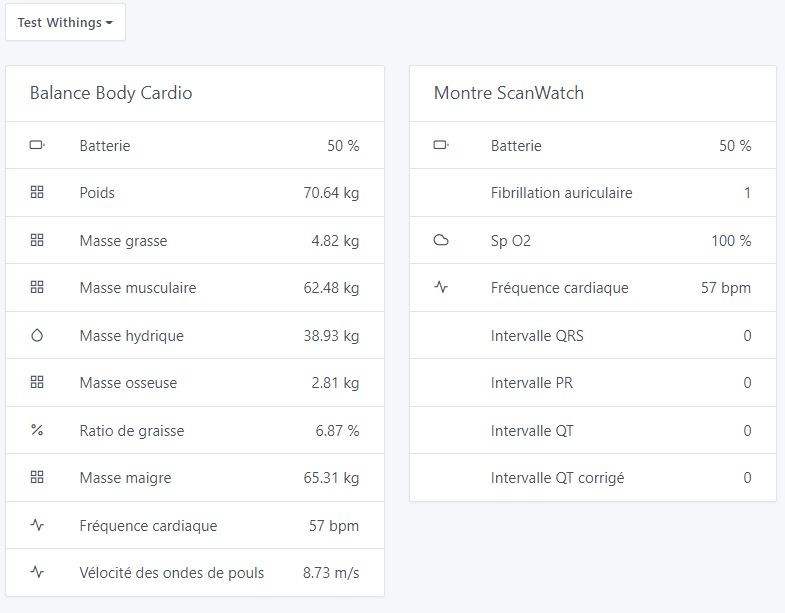
Well done on this new integration, which didn’t seem to be very easy to implement.
I’m at your disposal.
Have a good day.
Hello @euguuu
It looks like it’s working! Here is a screenshot
Well done on this new integration, which didn’t seem to be very easy to implement.
I’m at your disposal.
Have a good day.
Thank you for the feedback,
I can see from your screenshot that there’s still a small problem, normally there should be an icon next to the feature text (like Atrial fibrillation)
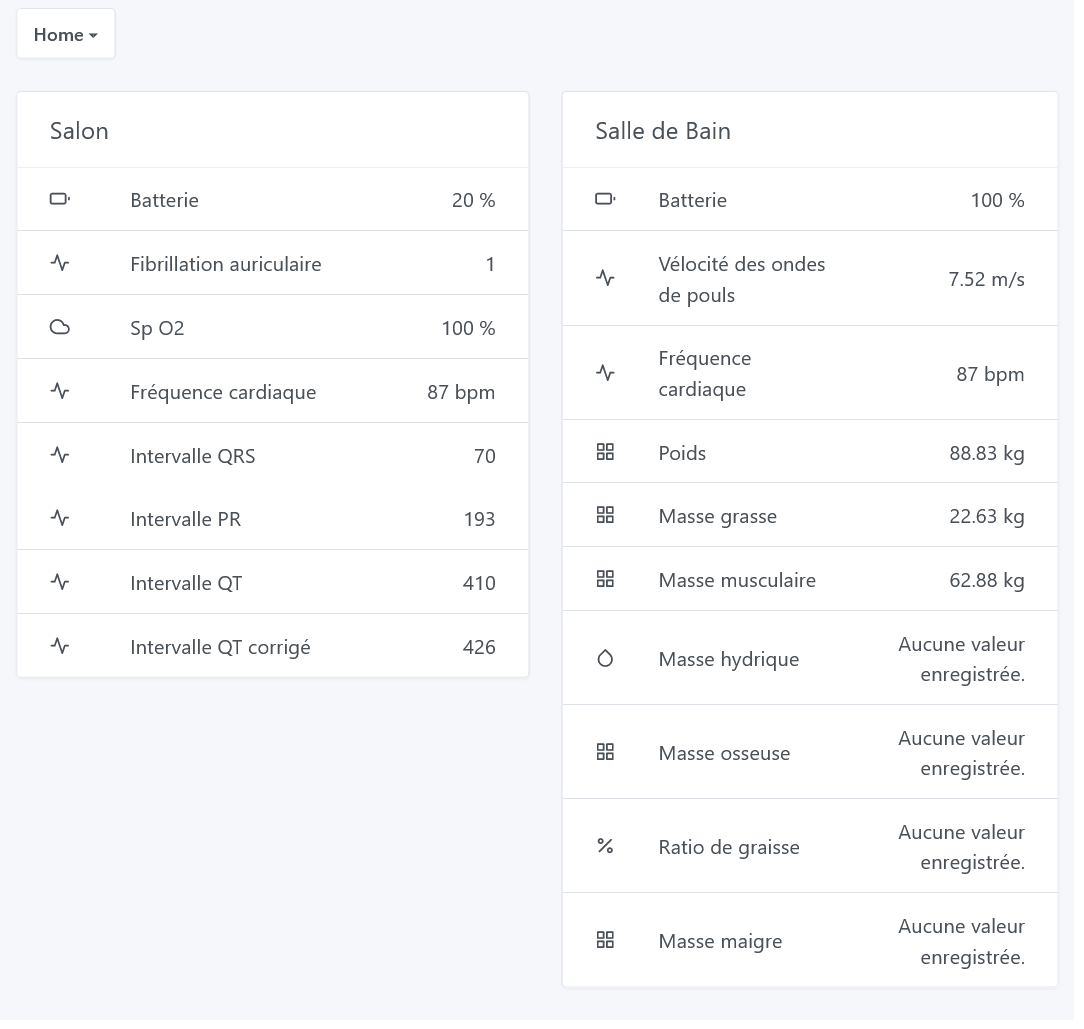
I’ve redone an image to fix this issue — could you check that it’s okay?
@jparbel thank you for this last test, now everything seems OK
Hi @euguuu,
I prefer that discussions be here in public to keep the history rather than in private messages 
As I was saying, it takes an insane amount of time to review this kind of PR (we’re talking about 5,200 lines of code  )
)
Each review is very, very time-consuming on my end, and for now I haven’t scheduled a time to review this PR.
It’s frustrating, unfortunately there aren’t 40-hour days… ^^
Tssss you don’t make any effort either…
Good evening everyone,
Being new here, I have just come across this thread.
I don’t know where you are with this integration, but I own a Body Cardio and a ScanWatch, so if you need additional tests or feedback I’m available.
Hello,
yes, any new tests/feedback are welcome,
to test there’s a Docker image available on Docker Hub,
to use it, the Gladys documentation is available here:
This tutorial explains how to install Gladys manually with Docker, regardless of the machine on which you run Gladys: a Raspberry Pi, a Synology NAS, a Linux VM, it doesn’t matter.
the repo where the image is hosted is euguuu/gladys (the tag used is dev)
Good evening,
To be sure, do I need to run a docker run command as explained in the documentation and replace:
gladysassistant/gladys:v4 with euguuu/gladys:dev
Good evening,
It all depends on whether you install it on the same machine as your production Gladys.
If it’s on another machine, yes you can just change that line.
Otherwise, on the same machine I advise you to change the port, the Gladys folder and the db folder.
Thank you for your reply.
I want to install it on a VM
If it’s on a separate VM, then yes, you just change the line as you wrote it.
Test instance installed on the VM, now just need to configure the integration to test.
More tomorrow.
Thanks and have a good evening
Hi @euguuu,
Finally managed to test it, everything seems to be working. One small question: after connecting to the Withings account the data appears to download; the values change continuously before freezing, one after another — is that normal behavior?
Hi,
thanks for the feedback,
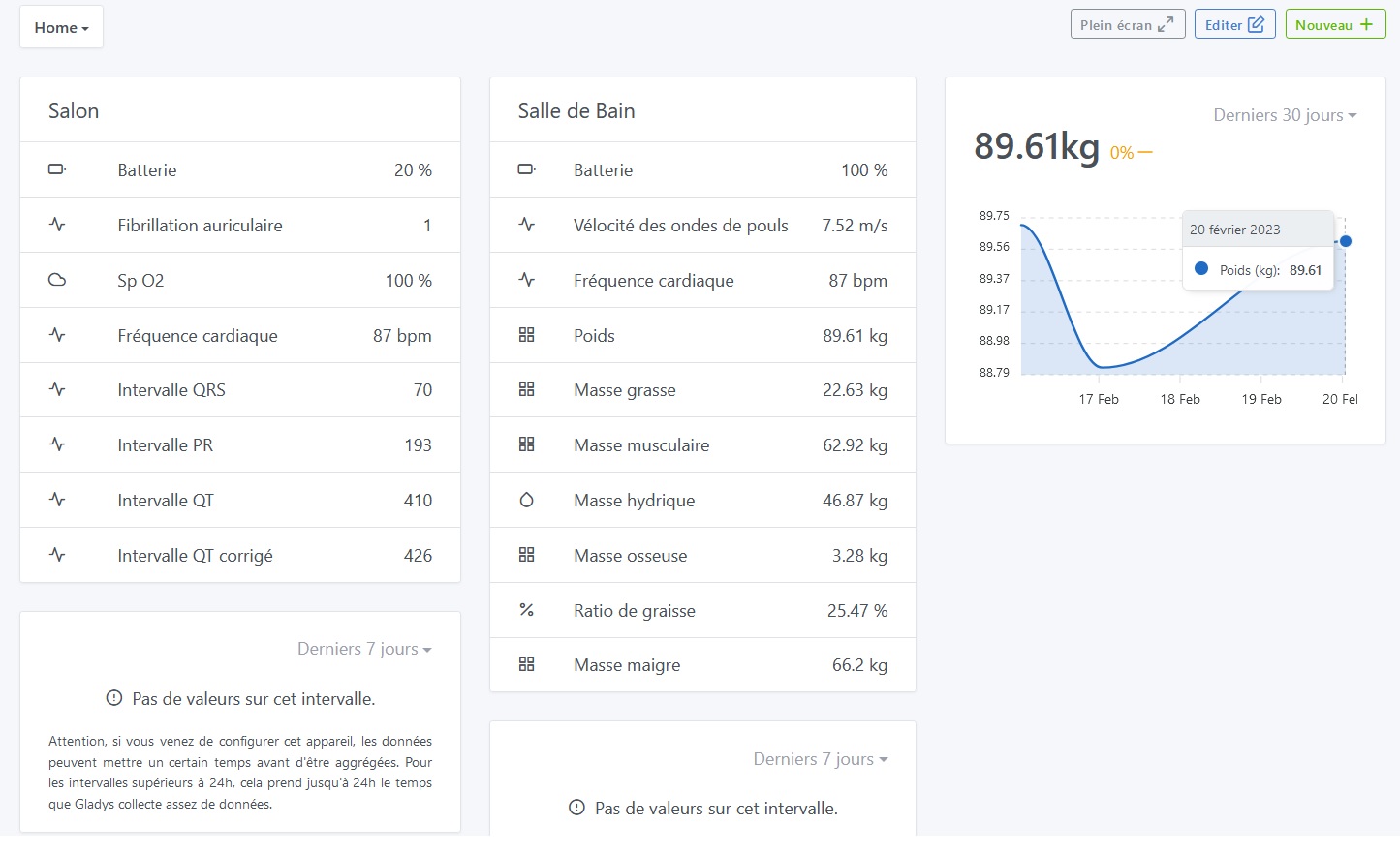
after connecting the account it does indeed download all the historical data and they are then visible on the charts after the aggregation job runs
Thank you for your answer, I now understand why I don’t have a graph, and when will this job run for the first time?
With my heart problems and the equipment I have, it’s really something I’m waiting for from Gladys! Great job!
When will it be in Gladys Standard?
Personally, I only have one scale (I think I bought it more than 10 years ago). I hope it will be compatible — I can’t wait to test it!
Hi @euguuu,
After several days without checking, I just noticed that I haven’t received any data since February 20.
Hi,
I’ve just retested on my end and the automatic updates ran fine, did you leave Docker running continuously for 24h? (the retrieval only happens once a day)