It’s not very complicated, but you need to know it.
First, you must be sure that the category/the type exists in Gladys.
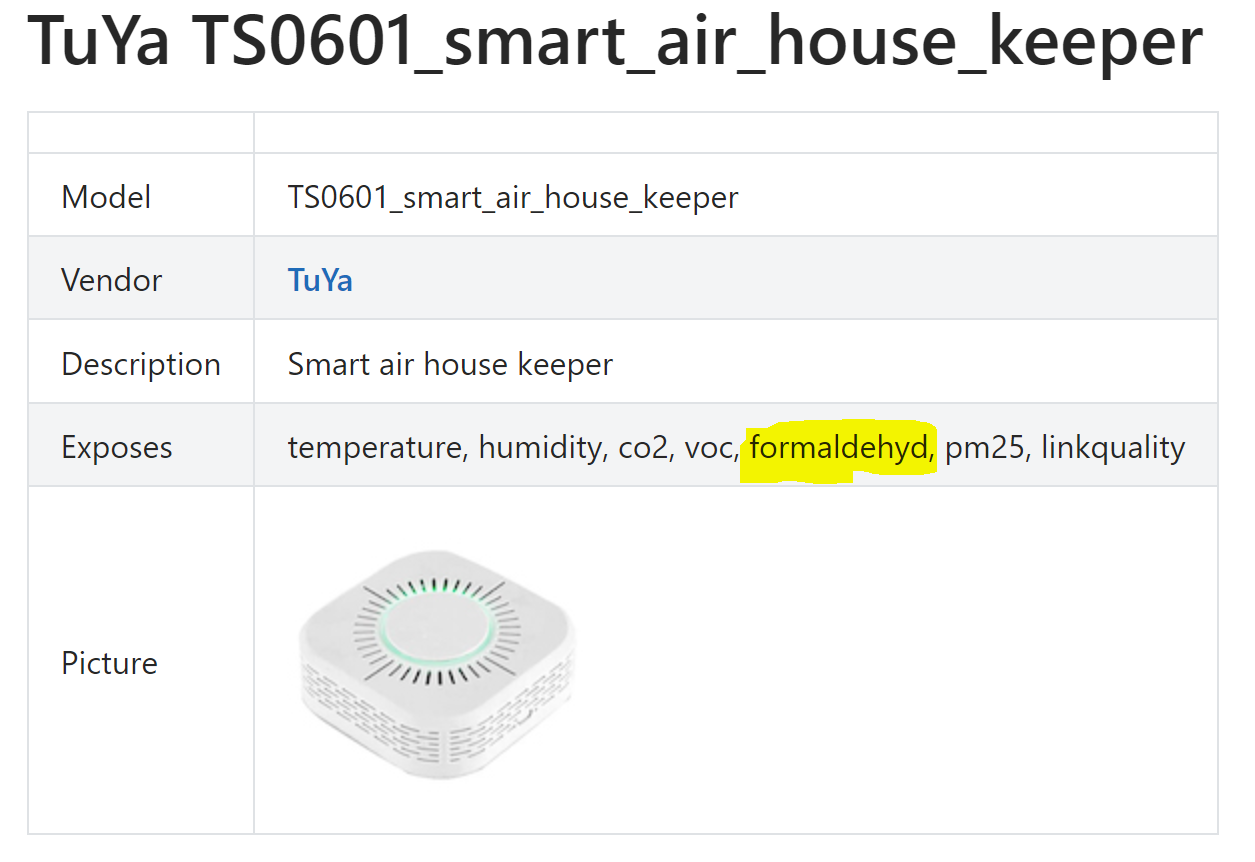
It’s recommended to start from your device page Tuya TS0601_smart_air_house_keeper control via MQTT | Zigbee2MQTT, then look at the details of the « expose » for your feature (we don’t handle options):
Here, you can see that your feature is of type « numeric », that the name of its attribute is formaldehyd, and you even have its unit µg/m³.
On the zigbee2mqtt service side, features are split by value type (see files in the folder server/services/zigbee2mqtt/exposes):
- binary
- numeric
- enum → list of values
- composite → « complex » composition
Then, in each of these files, you have different attributes in a « complex » object:
- type: the z2m type
- writeValue: the way to transform a Gladys value to z2m
- readValue: the way to transform a z2m value to Gladys
- feature: default values for features of this type
- names: the mapping between the z2m attribute and the Gladys feature
In your case, it’s the « names » attribute that matters.
In it, you’ll find sub-objects, organized as follows:
- key = z2m attribute
- value = object
- feature = the Gladys feature corresponding to the z2m attribute (category / type are the minimum to provide)
The read_only and has_feedback information is determined from the access attribute of the expose.
The min / max, unit information is determined from the attributes of the same name in the expose.
The units can be generic; add them in this file server/services/zigbee2mqtt/utils/features/mapUnit.js.
Any override added for the mapping of your feature can be forced by adding the attribute forceOverride: true to the defined feature (see linkquality in the numeric file). With this option, the attributes calculated « generically » will be overridden if they are defined in your mapping.
I think you have all the information to add a « basic » feature mapping.
For complex cases (enum or composite), there will be more detailed explanations.
Let me know if you manage with this @pierre-gilles