Zigbee2MQTT: access to the broker

Hello

Is it possible to access the Zigbee2MQTT broker powered by Gladys? Do I need to modify the configuration so it exposes the port, is that right? I suppose anonymous access is not allowed, so where can one find the login/password?

Thanks in advance

Are you talking about the Zigbee interface to see your devices?
If that’s it, it’s « your IP address:8080 »

no, @Tlse-vins , it’s not the interface that’s accessible via the http:// and available on port 8080. It has the merit of existing, and that’s already not bad… I’m indeed talking about the MQTT broker.

In Zibbee2mqtt, I mean mqtt and where there’s mqtt there’s a broker…

anyway, I’m looking to set values myself, without going through Gladys…
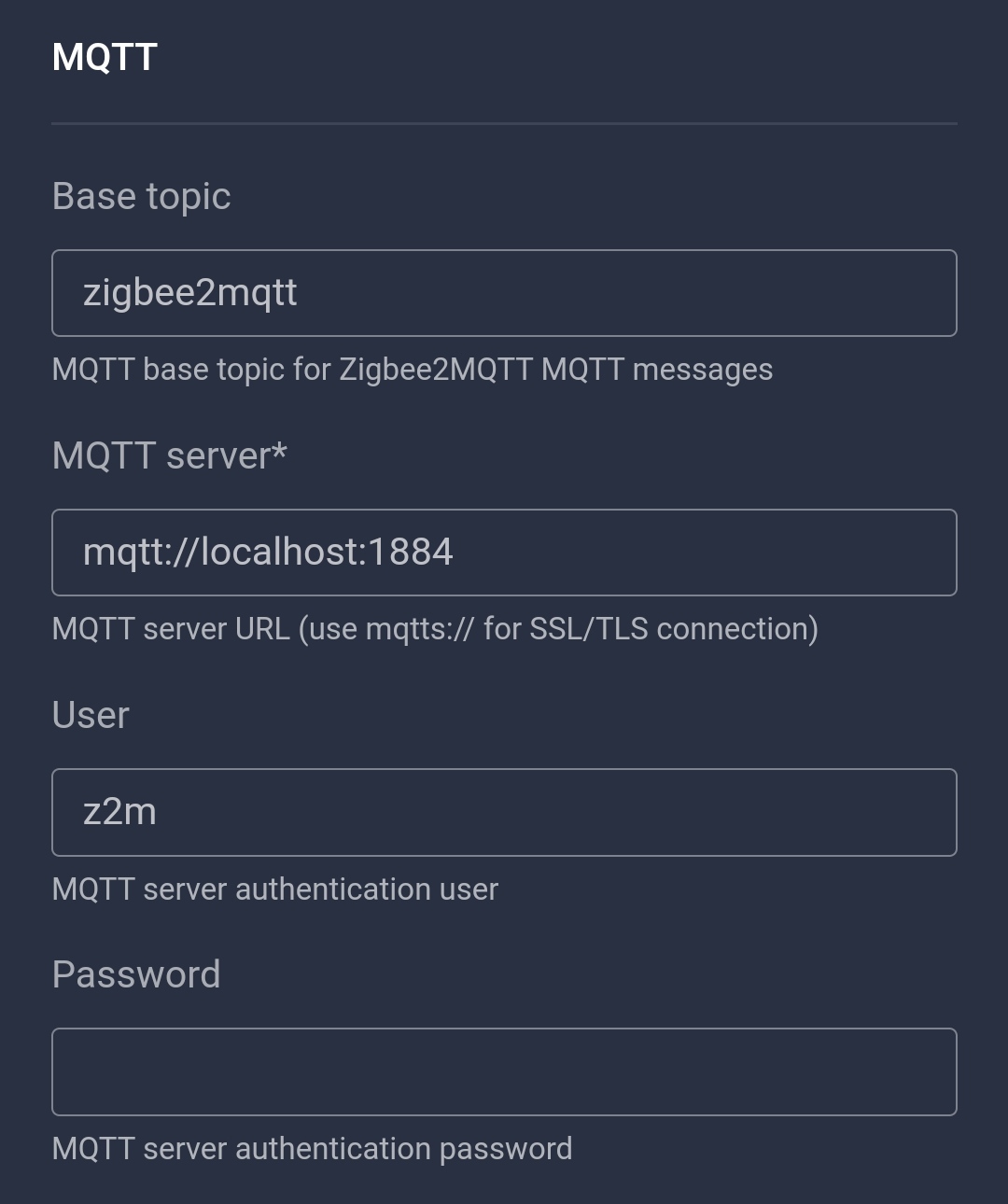
thanks

The IP address is the same as Gladys, the broker is on port 1884, the username is z2m and you can find the password in your Gladys database

On the zigbee2mqtt interface you can find this info (except the password)

2 Likes

Thanks for the info…

Which table is this password in? I searched the tables that seemed obvious… but didn’t find it

sqlite> .tables
SequelizeMeta t_life_event
t_area t_location
t_calendar t_message
t_calendar_event t_pod
t_dashboard t_room
t_device t_scene
t_device_feature t_script
t_device_feature_state t_service
t_device_feature_state_aggregate t_session
t_device_param t_user
t_house t_variable
t_job

Thanks in advance

t_variable

Thank you very much

It can also be found in this file
pi@gladys:/var/lib/gladysassistant/zigbee2mqtt/z2m $ sudo nano configuration.yaml

homeassistant: false
permit_join: false
mqtt:

  • base_topic: zigbee2mqtt*
  • server: ‹ mqtt://localhost:1884 ›*
  • user: z2m*
  • password: …*
    serial:
  • adapter: znp*