Hello,
I finished the dev on the feature that allows setting the adapter configuration specific to certain dongles.
Thus, depending on the selected dongle, the correct configuration is added to the zigbee2mqtt container.
A new line therefore appears on the USB port configuration page, where you will need to specify the dongle used (this step remains optional, and the list of dongles is not dynamic, and comes from Supported Adapters | Zigbee2MQTT).
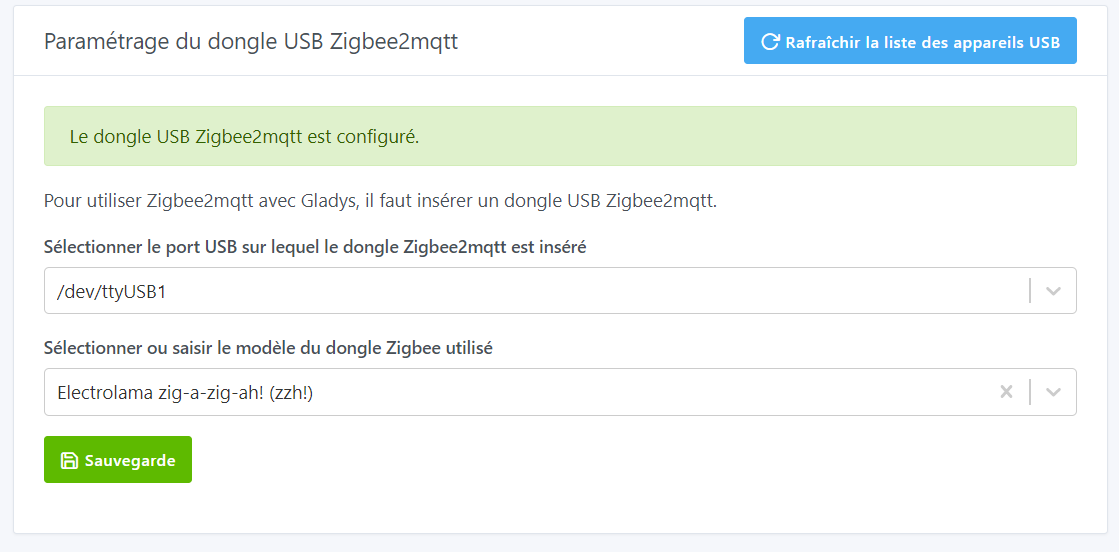
There is a Docker image available that includes this integration:
atrovato/gladys:zigbee2mqtt
With the same precautions as usual, prefer testing on an environment different from your production Gladys, make a database backup… Everything is explained here → Tutorial: Run a test Docker image
@pierre-gilles the PR is ready here  → Z2m dongle configuration by atrovato · Pull Request #1769 · GladysAssistant/Gladys · GitHub
It includes a few changes that helped simplify the development of the enhancement:
- removal of actions.js for this part
- removal of the shell script that sets up the z2m configuration file (I think it’s the last one)
Thanks everyone.