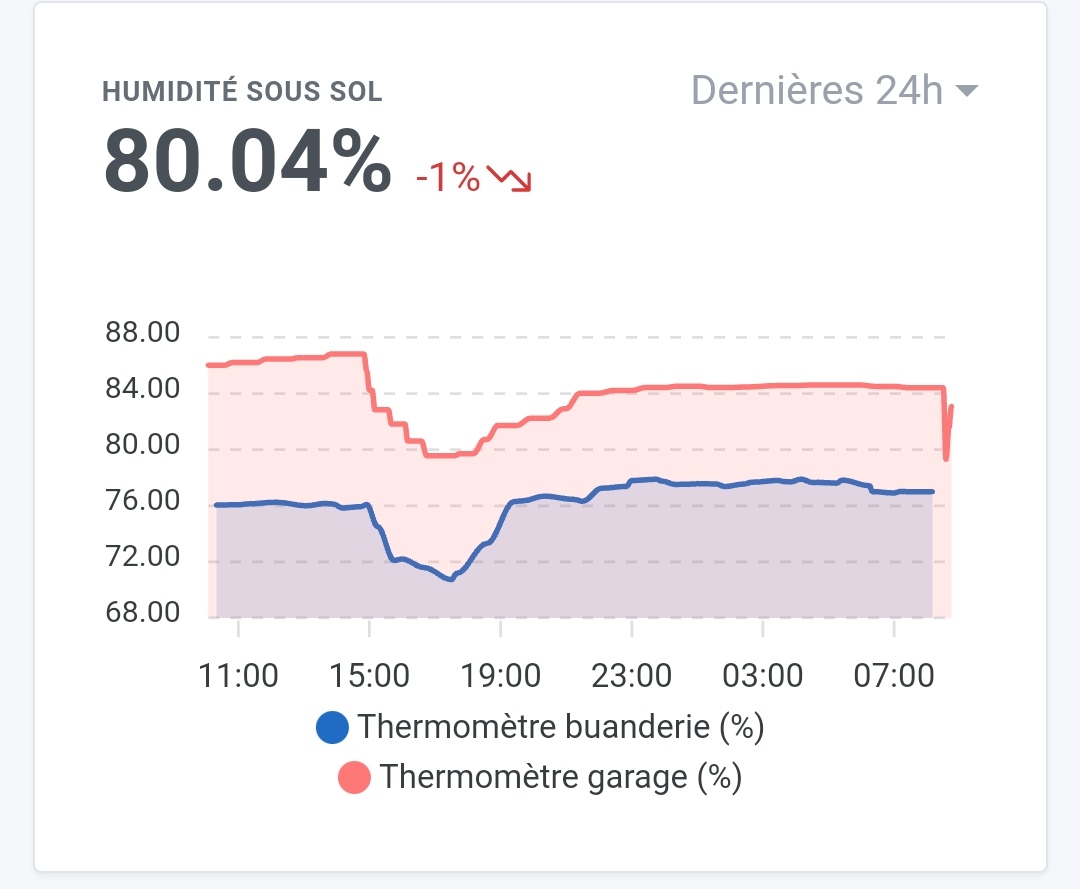
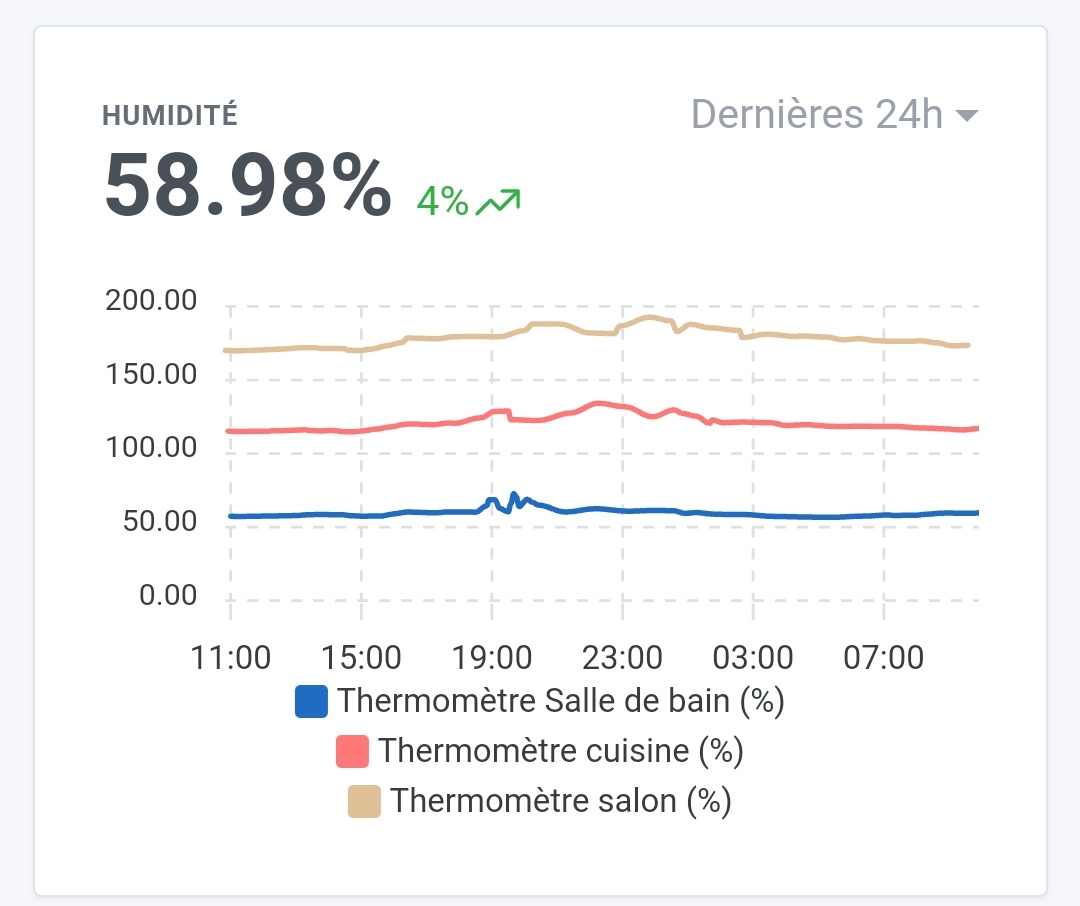
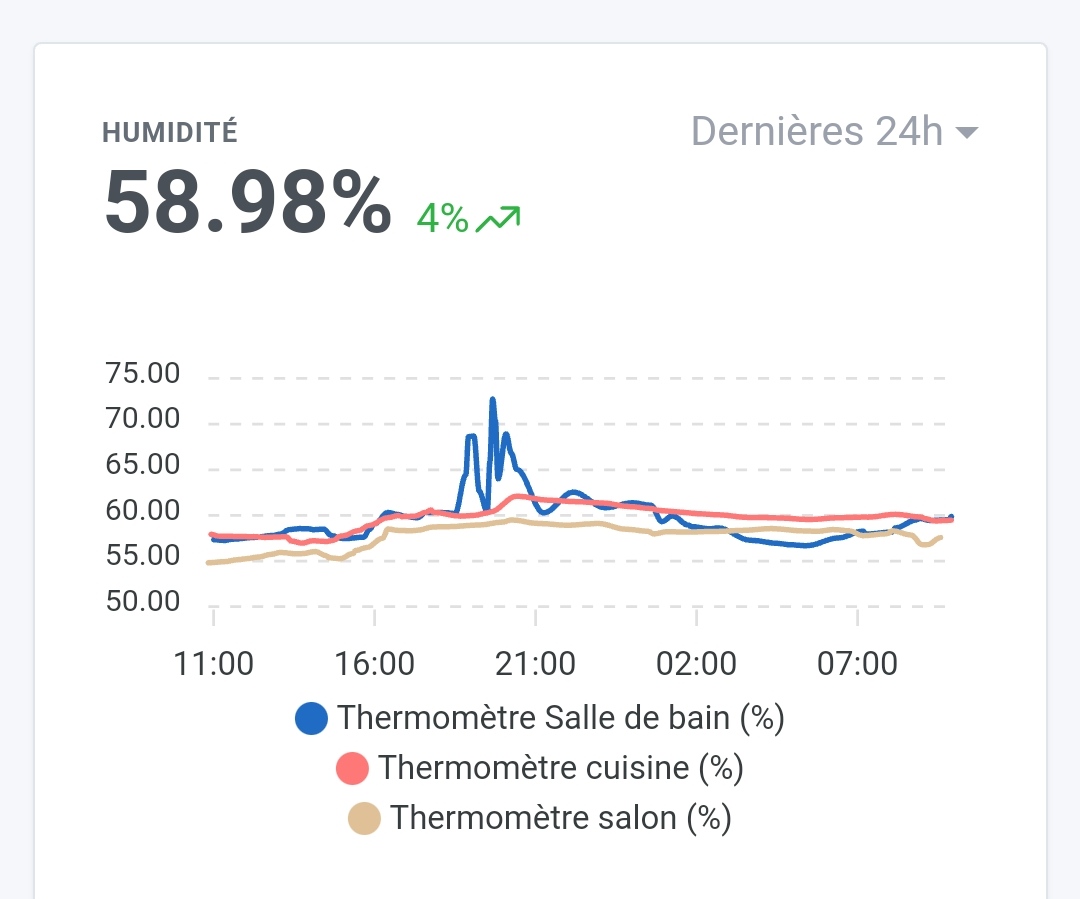
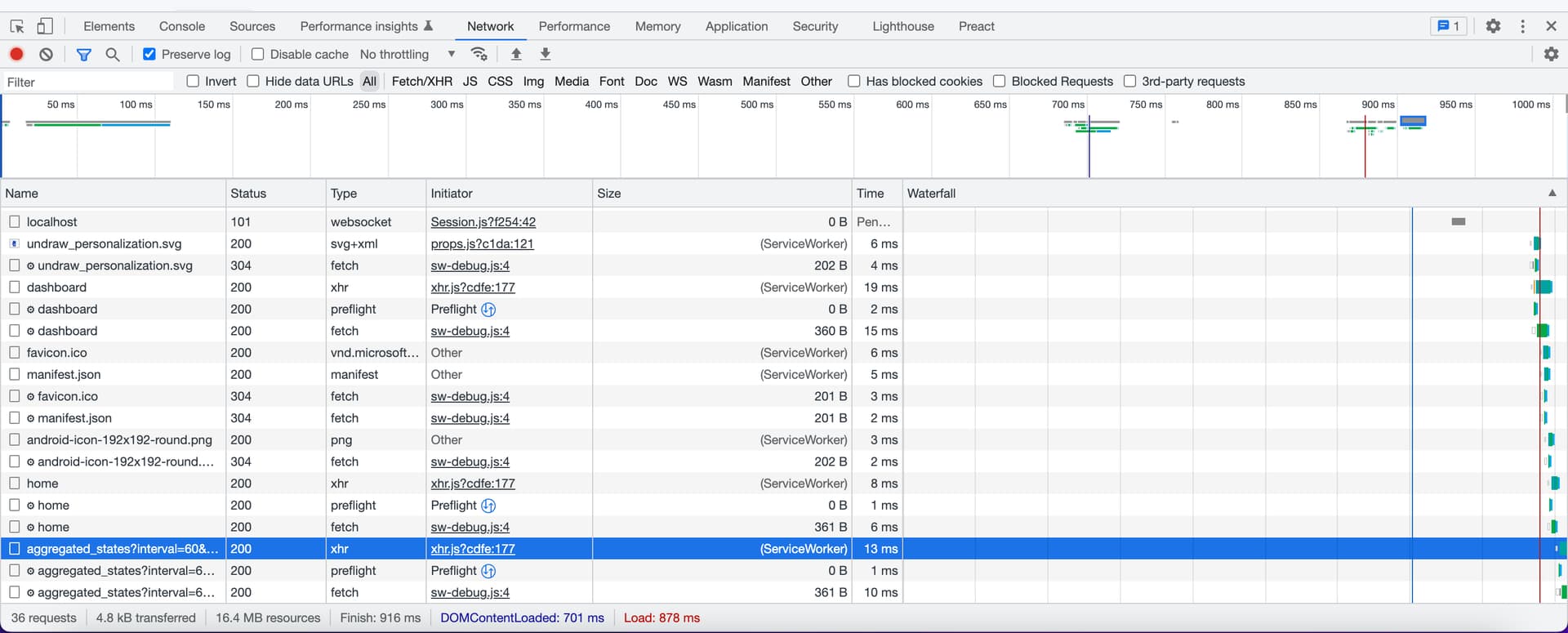
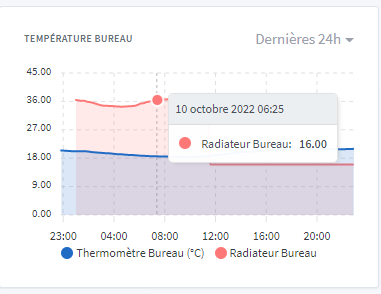
Well, that was faster than expected
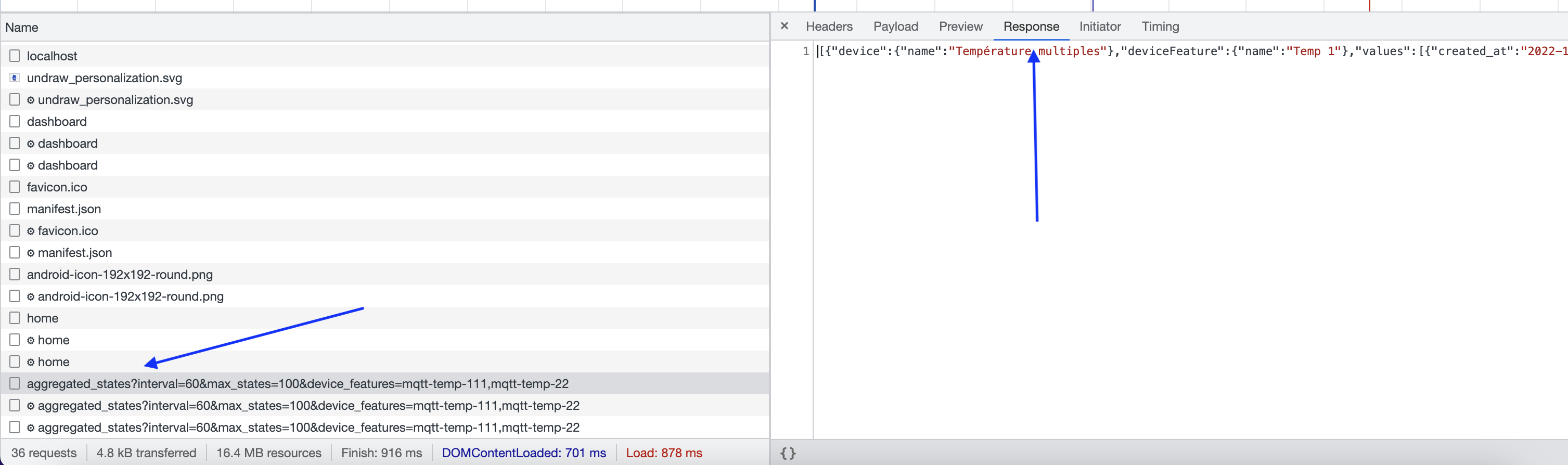
Here is the JSON response but the values inside seem correct
[{"device":{"name":"Thermomètre buanderie"},"deviceFeature":{"name":"Température buanderie"},"values":[{"created_at":"2022-10-09T10:55:00.000Z","value":19.98},{"created_at":"2022-10-09T11:15:00.000Z","value":20},{"created_at":"2022-10-09T11:40:00.000Z","value":20.09},{"created_at":"2022-10-09T11:45:00.000Z","value":20.12},{"created_at":"2022-10-09T11:55:00.000Z","value":20.08},{"created_at":"2022-10-09T12:20:00.000Z","value":20.07},{"created_at":"2022-10-09T12:35:00.000Z","value":20},{"created_at":"2022-10-09T12:40:00.000Z","value":20},{"created_at":"2022-10-09T13:05:00.000Z","value":19.95},{"created_at":"2022-10-09T13:30:00.000Z","value":19.95},{"created_at":"2022-10-09T14:00:00.000Z","value":19.97},{"created_at":"2022-10-09T14:25:00.000Z","value":19.98},{"created_at":"2022-10-09T14:35:00.000Z","value":20.07},{"created_at":"2022-10-09T14:55:00.000Z","value":20.04},{"created_at":"2022-10-09T15:25:00.000Z","value":20.08},{"created_at":"2022-10-09T16:20:00.000Z","value":19.91},{"created_at":"2022-10-09T16:55:00.000Z","value":19.56},{"created_at":"2022-10-09T17:20:00.000Z","value":19.47},{"created_at":"2022-10-09T18:00:00.000Z","value":19.77},{"created_at":"2022-10-09T18:20:00.000Z","value":20.11},{"created_at":"2022-10-09T18:45:00.000Z","value":20.28},{"created_at":"2022-10-09T19:20:00.000Z","value":20.45},{"created_at":"2022-10-09T20:20:00.000Z","value":20.53},{"created_at":"2022-10-09T21:15:00.000Z","value":20.39},{"created_at":"2022-10-09T22:10:00.000Z","value":20.46},{"created_at":"2022-10-09T23:10:00.000Z","value":20.38},{"created_at":"2022-10-09T23:20:00.000Z","value":20.36},{"created_at":"2022-10-10T00:05:00.000Z","value":20.35},{"created_at":"2022-10-10T01:55:00.000Z","value":20.26},{"created_at":"2022-10-10T02:55:00.000Z","value":20.31},{"created_at":"2022-10-10T03:50:00.000Z","value":20.22},{"created_at":"2022-10-10T04:40:00.000Z","value":20.21},{"created_at":"2022-10-10T04:50:00.000Z","value":20.16},{"created_at":"2022-10-10T05:20:00.000Z","value":20.11},{"created_at":"2022-10-10T05:50:00.000Z","value":20.19},{"created_at":"2022-10-10T06:35:00.000Z","value":20.14},{"created_at":"2022-10-10T06:40:00.000Z","value":20.11},{"created_at":"2022-10-10T07:05:00.000Z","value":20.15},{"created_at":"2022-10-10T07:25:00.000Z","value":20.16},{"created_at":"2022-10-10T07:35:00.000Z","value":20.04},{"created_at":"2022-10-10T07:55:00.000Z","value":19.89},{"created_at":"2022-10-10T08:35:00.000Z","value":19.89},{"created_at":"2022-10-10T08:50:00.000Z","value":19.77},{"created_at":"2022-10-10T09:30:00.000Z","value":19.53},{"created_at":"2022-10-10T09:35:00.000Z","value":19.48}]},{"device":{"name":"Thermomètre garage"},"deviceFeature":{"name":"Température Garage"},"values":[{"created_at":"2022-10-09T10:50:00.000Z","value":18.29},{"created_at":"2022-10-09T10:55:00.000Z","value":18.27},{"created_at":"2022-10-09T11:00:00.000Z","value":18.27},{"created_at":"2022-10-09T11:10:00.000Z","value":18.27},{"created_at":"2022-10-09T11:25:00.000Z","value":18.36},{"created_at":"2022-10-09T11:55:00.000Z","value":18.42},{"created_at":"2022-10-09T12:10:00.000Z","value":18.42},{"created_at":"2022-10-09T12:25:00.000Z","value":18.45},{"created_at":"2022-10-09T12:30:00.000Z","value":18.45},{"created_at":"2022-10-09T12:55:00.000Z","value":18.44},{"created_at":"2022-10-09T13:05:00.000Z","value":18.44},{"created_at":"2022-10-09T13:25:00.000Z","value":18.51},{"created_at":"2022-10-09T13:30:00.000Z","value":18.51},{"created_at":"2022-10-09T13:50:00.000Z","value":18.51},{"created_at":"2022-10-09T13:55:00.000Z","value":18.55},{"created_at":"2022-10-09T14:10:00.000Z","value":18.55},{"created_at":"2022-10-09T14:25:00.000Z","value":18.6},{"created_at":"2022-10-09T14:35:00.000Z","value":18.6},{"created_at":"2022-10-09T14:55:00.000Z","value":18.62},{"created_at":"2022-10-09T15:25:00.000Z","value":18.62},{"created_at":"2022-10-09T15:35:00.000Z","value":18.62},{"created_at":"2022-10-09T15:55:00.000Z","value":18.47},{"created_at":"2022-10-09T16:25:00.000Z","value":18.26},{"created_at":"2022-10-09T16:35:00.000Z","value":18.26},{"created_at":"2022-10-09T16:40:00.000Z","value":18.04},{"created_at":"2022-10-09T17:10:00.000Z","value":17.89},{"created_at":"2022-10-09T17:25:00.000Z","value":17.89},{"created_at":"2022-10-09T17:40:00.000Z","value":17.94},{"created_at":"2022-10-09T17:50:00.000Z","value":18.16},{"created_at":"2022-10-09T18:00:00.000Z","value":18.37},{"created_at":"2022-10-09T18:25:00.000Z","value":18.37},{"created_at":"2022-10-09T18:30:00.000Z","value":18.55},{"created_at":"2022-10-09T18:50:00.000Z","value":18.55},{"created_at":"2022-10-09T19:00:00.000Z","value":18.63},{"created_at":"2022-10-09T19:25:00.000Z","value":18.63},{"created_at":"2022-10-09T19:30:00.000Z","value":18.67},{"created_at":"2022-10-09T20:00:00.000Z","value":18.7},{"created_at":"2022-10-09T20:25:00.000Z","value":18.7},{"created_at":"2022-10-09T20:30:00.000Z","value":18.66},{"created_at":"2022-10-09T21:00:00.000Z","value":18.66},{"created_at":"2022-10-09T21:30:00.000Z","value":18.64},{"created_at":"2022-10-09T22:00:00.000Z","value":18.6},{"created_at":"2022-10-09T22:05:00.000Z","value":18.6},{"created_at":"2022-10-09T22:30:00.000Z","value":18.58},{"created_at":"2022-10-09T22:55:00.000Z","value":18.58},{"created_at":"2022-10-09T23:00:00.000Z","value":18.55},{"created_at":"2022-10-09T23:30:00.000Z","value":18.54},{"created_at":"2022-10-09T23:55:00.000Z","value":18.54},{"created_at":"2022-10-10T00:00:00.000Z","value":18.52},{"created_at":"2022-10-10T00:30:00.000Z","value":18.51},{"created_at":"2022-10-10T00:35:00.000Z","value":18.51},{"created_at":"2022-10-10T00:55:00.000Z","value":18.51},{"created_at":"2022-10-10T01:30:00.000Z","value":18.48},{"created_at":"2022-10-10T01:55:00.000Z","value":18.48},{"created_at":"2022-10-10T02:00:00.000Z","value":18.45},{"created_at":"2022-10-10T02:30:00.000Z","value":18.42},{"created_at":"2022-10-10T02:55:00.000Z","value":18.42},{"created_at":"2022-10-10T03:00:00.000Z","value":18.41},{"created_at":"2022-10-10T03:30:00.000Z","value":18.39},{"created_at":"2022-10-10T03:55:00.000Z","value":18.39},{"created_at":"2022-10-10T04:00:00.000Z","value":18.36},{"created_at":"2022-10-10T04:30:00.000Z","value":18.33},{"created_at":"2022-10-10T04:55:00.000Z","value":18.33},{"created_at":"2022-10-10T05:00:00.000Z","value":18.33},{"created_at":"2022-10-10T05:30:00.000Z","value":18.3},{"created_at":"2022-10-10T05:55:00.000Z","value":18.3},{"created_at":"2022-10-10T06:00:00.000Z","value":18.29},{"created_at":"2022-10-10T06:20:00.000Z","value":18.29},{"created_at":"2022-10-10T06:30:00.000Z","value":18.27},{"created_at":"2022-10-10T06:35:00.000Z","value":18.27},{"created_at":"2022-10-10T06:40:00.000Z","value":18.06},{"created_at":"2022-10-10T06:45:00.000Z","value":18.06},{"created_at":"2022-10-10T07:10:00.000Z","value":18.16},{"created_at":"2022-10-10T07:25:00.000Z","value":18.06},{"created_at":"2022-10-10T07:30:00.000Z","value":17.73},{"created_at":"2022-10-10T08:00:00.000Z","value":17.59},{"created_at":"2022-10-10T08:20:00.000Z","value":17.59},{"created_at":"2022-10-10T08:30:00.000Z","value":17.73},{"created_at":"2022-10-10T09:00:00.000Z","value":17.89},{"created_at":"2022-10-10T09:20:00.000Z","value":17.89},{"created_at":"2022-10-10T09:30:00.000Z","value":17.95}]}]
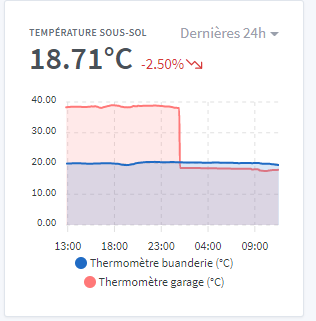
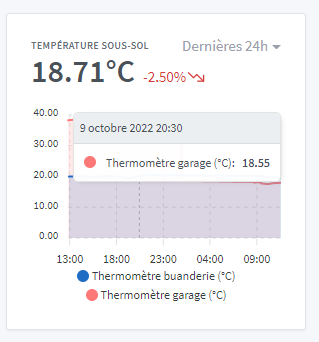
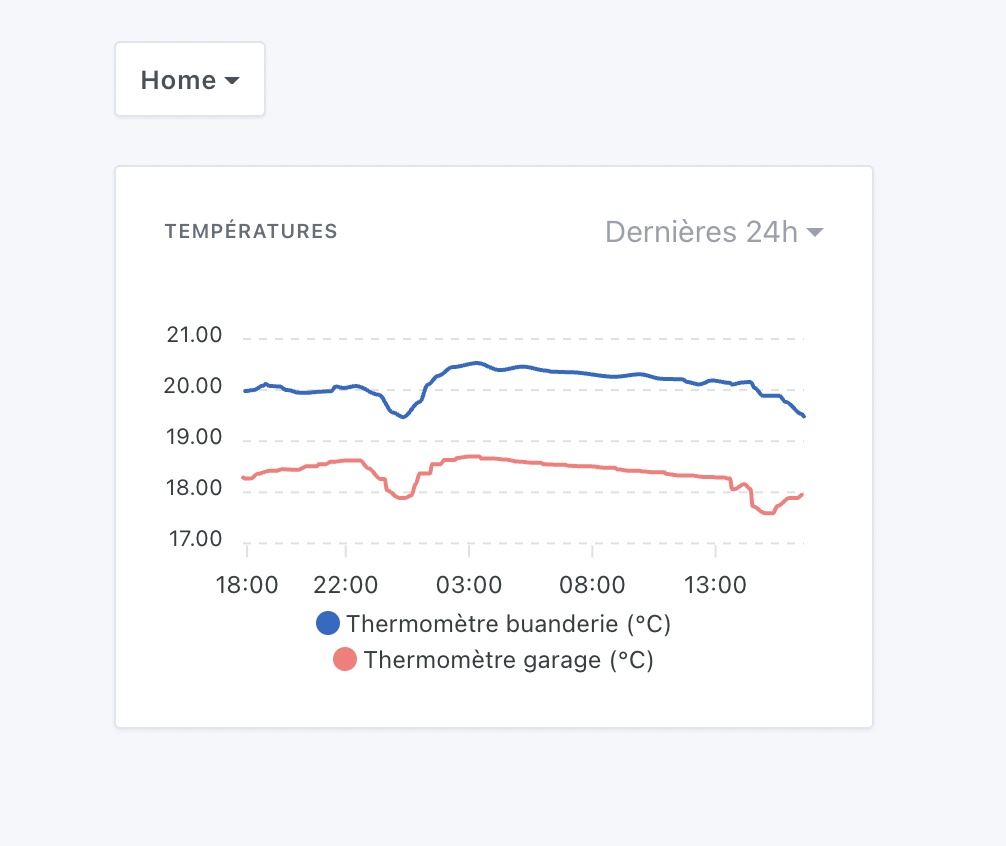
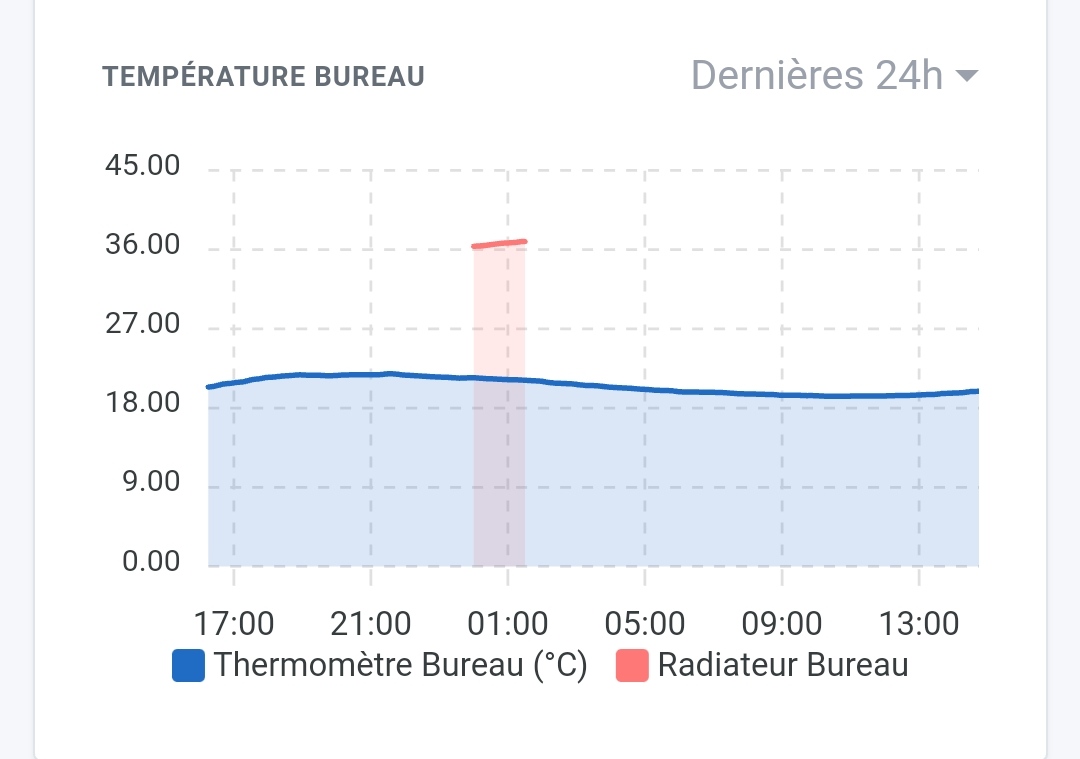
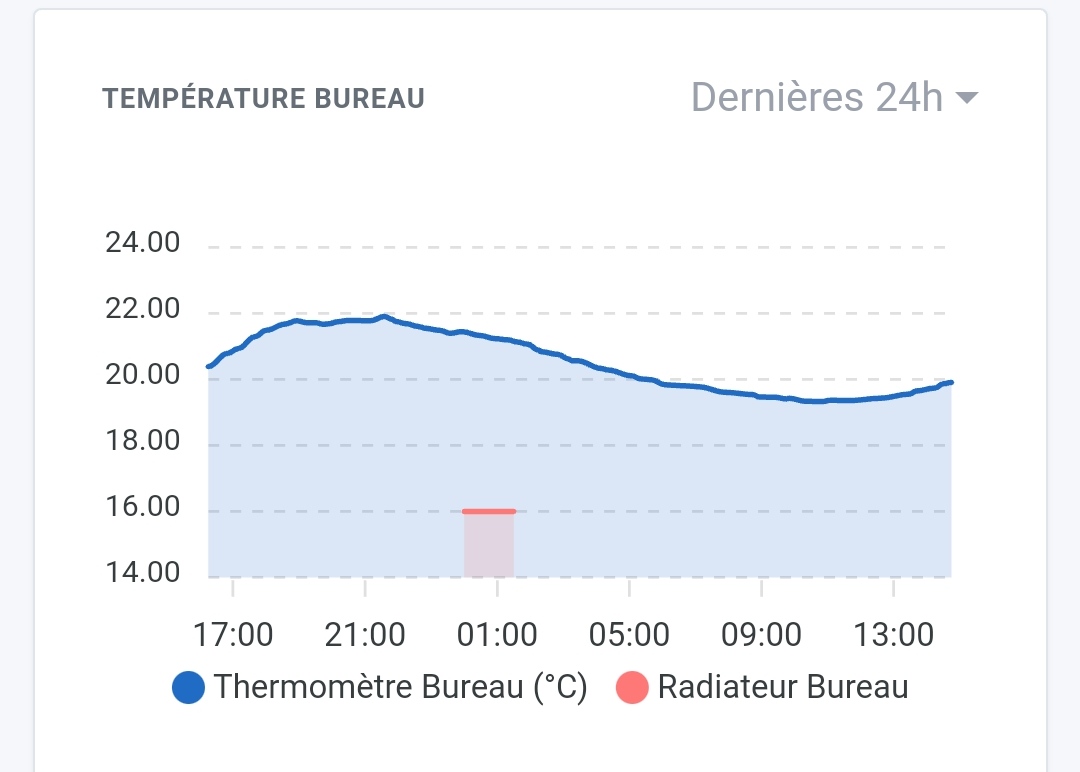
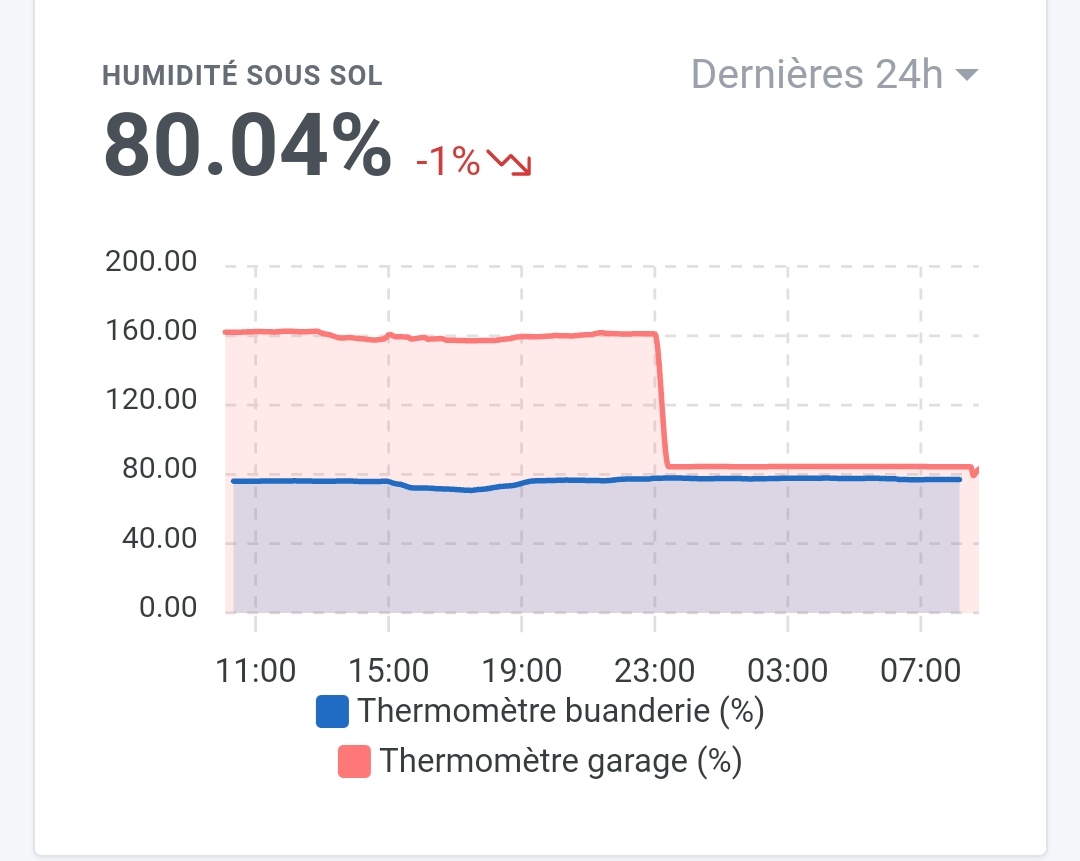
When hovering over the chart you can see that the temperature values are indeed correct. In the image below I place the mouse between 6 PM and 11 PM and I can read 18°C, whereas the display shows 39°C

 )
)