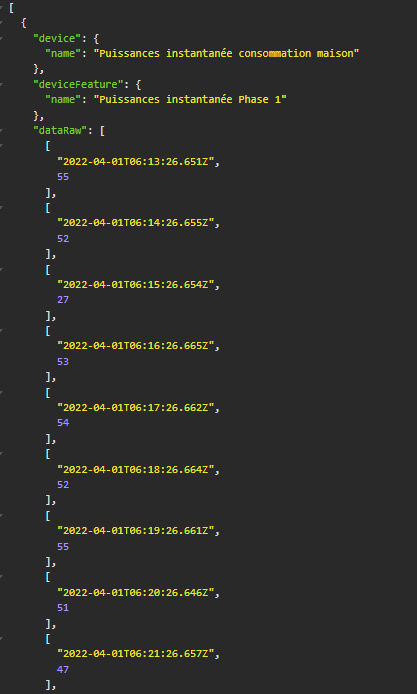
Feature description
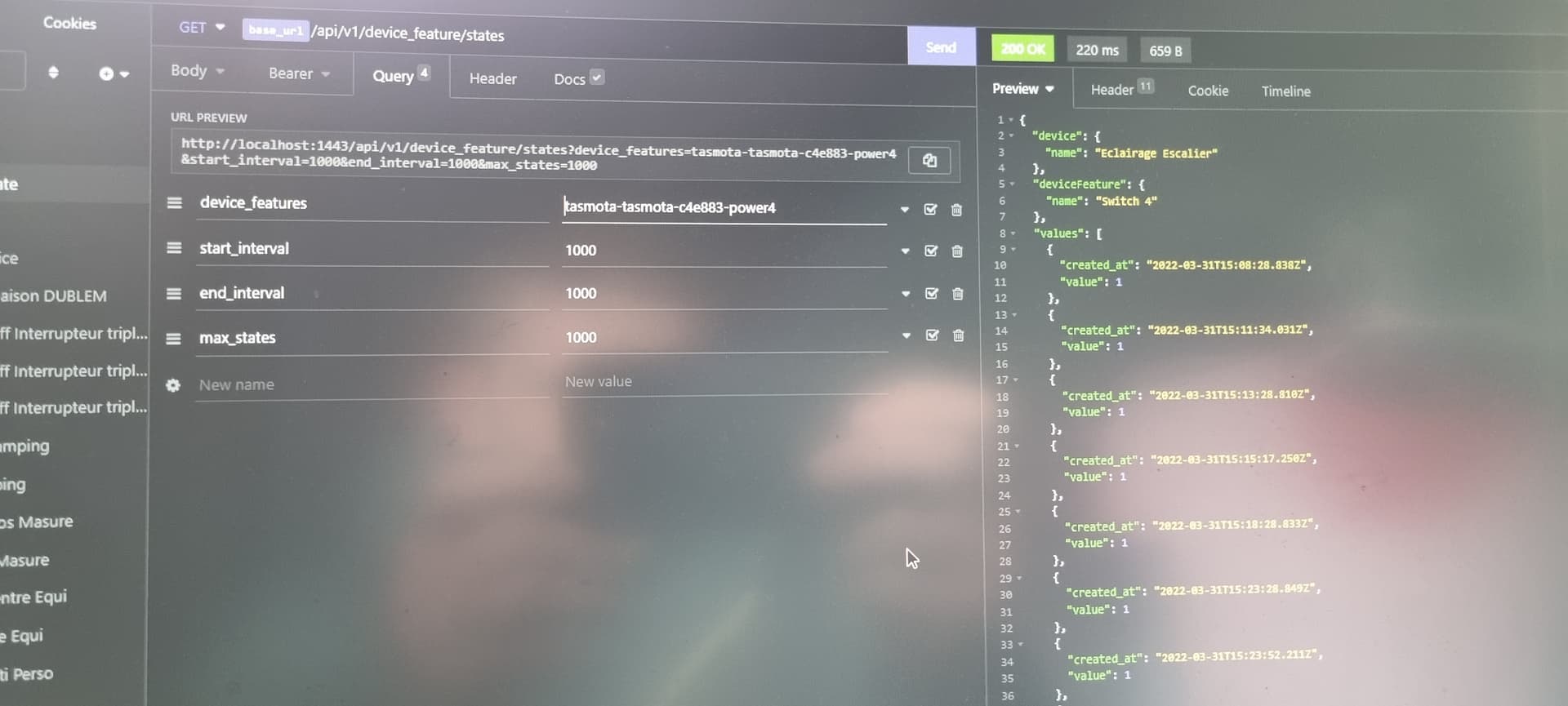
The purpose of this feature would be to have a local Gladys APIRest request to retrieve all device_feature states with a date/time range to date/time.
The intended use would be, among other things, to retrieve the energy consumed or produced in 1 hour in order to perform calculations via Node Red. Indeed, Gladys cannot perform calculations today, and Node Red does not contain a database (why store the data twice) but calculations can be performed there.
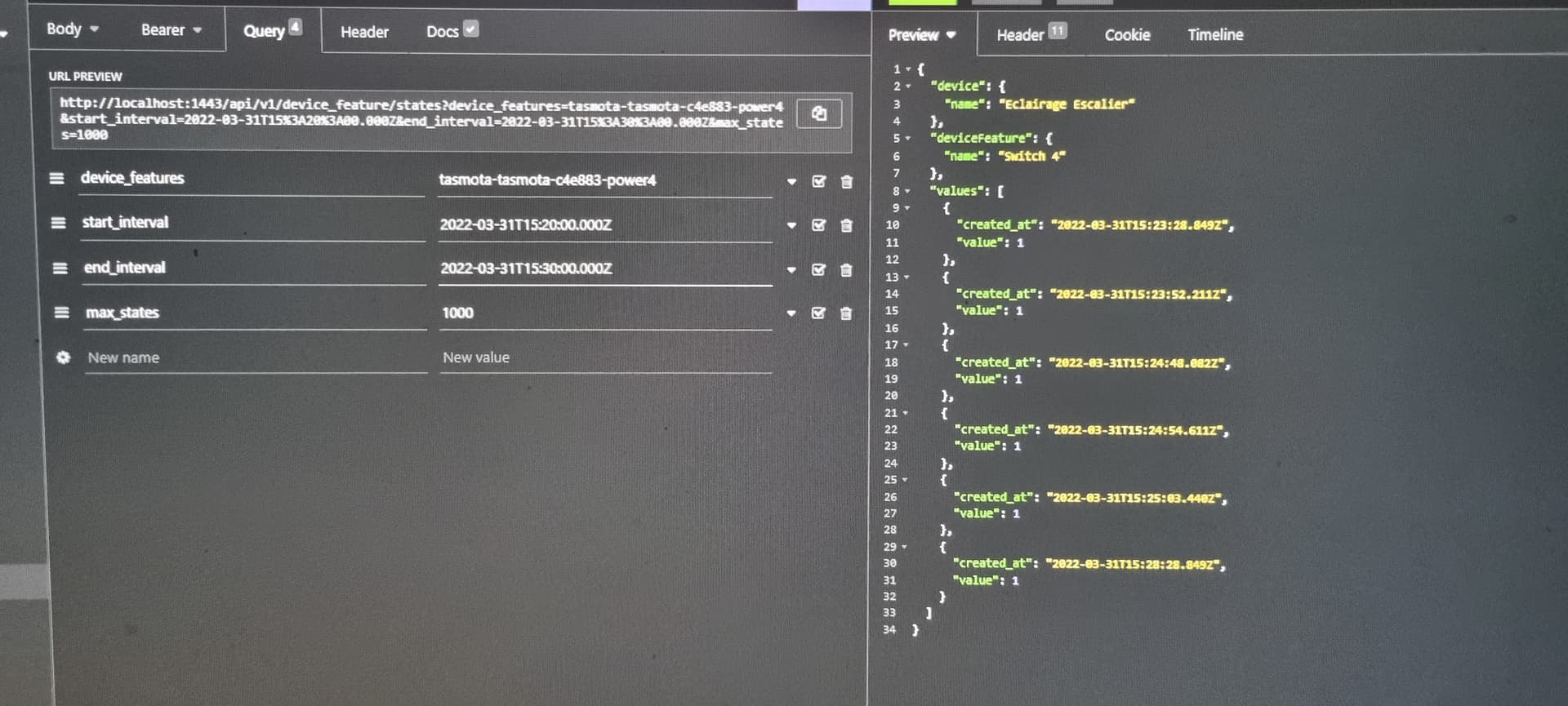
If you can tell me quickly the base command to sort from start date to end date and the format to use in queries (like start_interval = « 01032022 12:00 » & end_interval = « 3103202 12:00:00 »), if it takes too much time no worries I’ll look for it.
I also reused the « multi », I see that you split them with « , », so I assumed that you could send multiple device_feature_selector separated by « , ». But when testing with insomnia, it returns « Not found » am I doing something wrong?^^
Well, it’s good now!!^^ Easy to find in the right place ^^ op.lte!!
For the date format, I use: "2022-03-01T10:00:00.000Z, let me know if you want to do better ^^ but it works well:
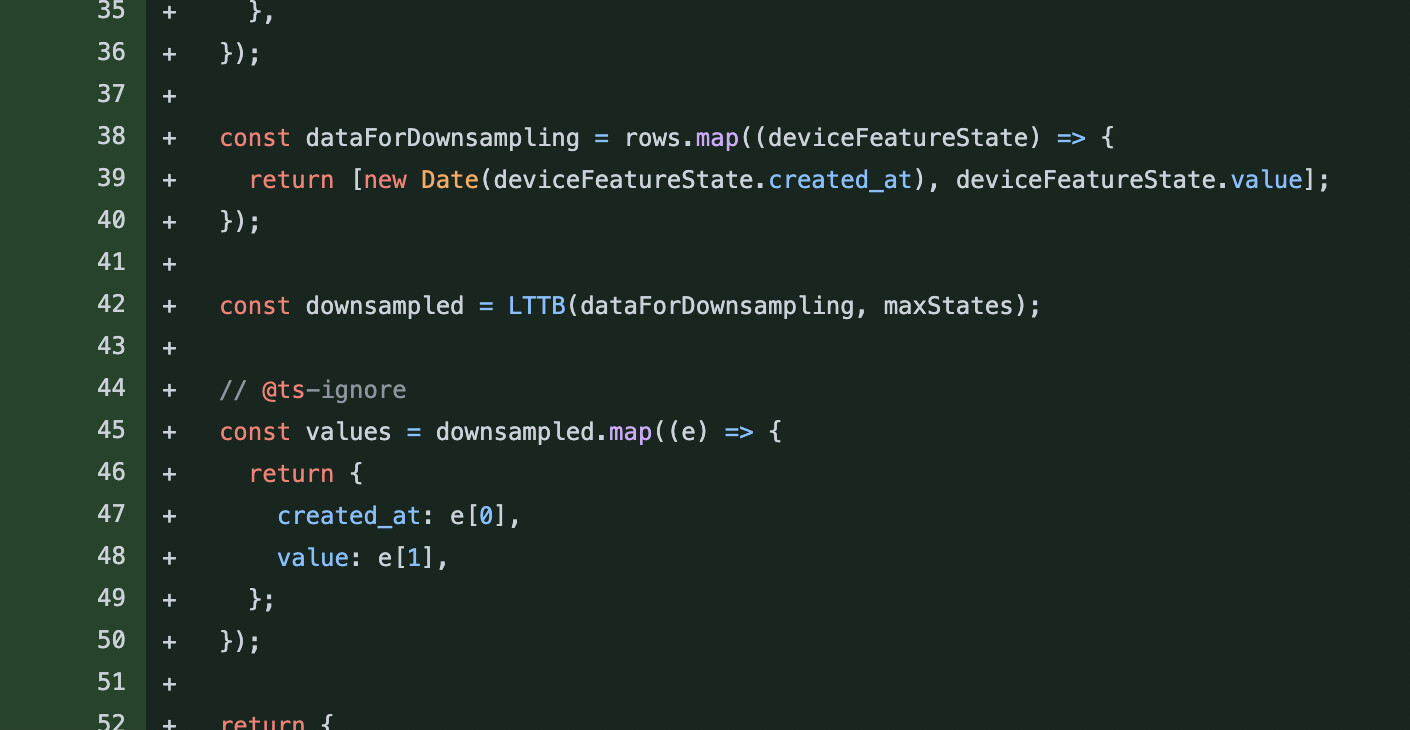
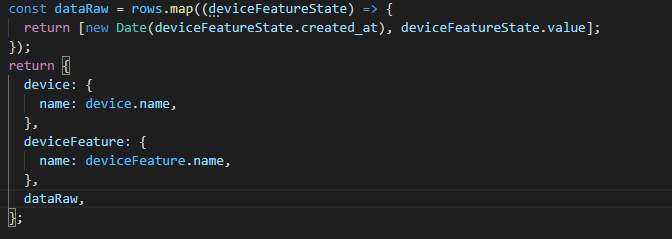
I didn’t realize you wanted to do live downsampling (this might be heavy on the CPU, especially on the main thread). Why not just return the « raw » data in this route? I thought it was for export purposes? Don’t you want completeness?
The limit of what we can do is to add a « take » and a « skip » for pagination, but still return all the data, right?
Well, to be honest, I rarely do data recovery in databases and I’m mostly self-taught. I have a mid-year training at work because I’m going to be using it more and more.
So, you’re probably right about what you’re saying, but I need you to tell me more about what you mean by recovering raw data rather than JSON. (Just recovering the date values from date to date without the created_at?)
What does pagination bring to the table??^^
Sorry for my ignorance, I really don’t understand the CPU impacts on this kind of query yet.
And yes, indeed, the goal is to recover all the states between two dates.
I was asking on the PR if it was my responsibility to modify the REST API documentation or if it was yours? I haven’t found how to modify it and as it is written in the PR:
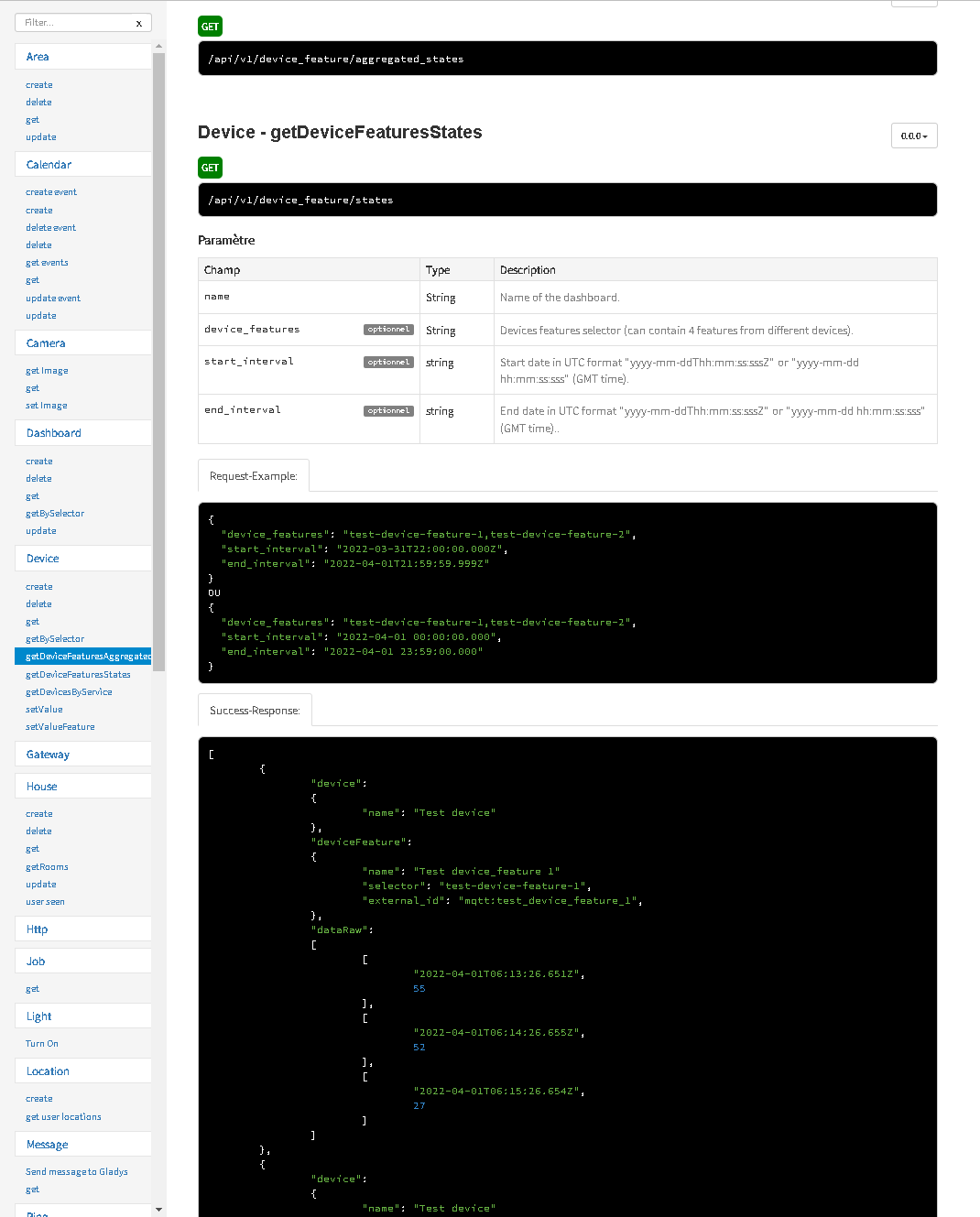
but if I look in the Gladys REST API documentation, the « Device - getDeviceFeaturesAggregated » chapter does not contain the examples and queries mentioned in the file:
Actually, I have several questions regarding what has been developed.
Currently, you have copied and pasted the functionality that was implemented on the « aggregated_states » route, which had a specific purpose: to display sensor value charts for multiple sensors.
The parameters and format of this route are specific to this need, and I’m not sure if it’s the same need here, so I don’t think we necessarily need to keep the same API format.
I wonder if the need here for you isn’t rather a route of this style (to be discussed):
GET /api/v1/device_feature/:device_feature_selector/state
With GET parameters: ?from=DATE &to=DATE
(I changed start_interval / end_interval because we already had this from/to in another route, /api/v1/user/:user_selector/location)
This would allow for optional parameters: ?take= and &skip for those who want to use this route to export large amounts of data in chunks to, for example, inject these data into a Grafana, without breaking the performance of their instance ^^
The response from this route would be an array of states in their DB format:
  {
    "id": "4ad21395-686b-41e5-988c-6e9201ba985a",
    "value": 10,
    "created_at": "2022-04-04 19:26:16.815 +00:00",
    "updated_at": "2022-04-04 19:26:16.815 +00:00"
  }
]```

I think it's more readable and better suited to what we want to do here. The fact of requesting only one device_feature in this route allows to manage pagination if necessary, for someone who wants to make exports without breaking their Gladys instance (which is surely your case I imagine!! :D )

What do you think?

I will come back to the code later, but for now the most important thing for me is to agree on the spec!
So indeed, what you present here could very well be another need, to be seen if the two are compatible in the same format.
The goal here was to perform calculations, so the need is completely different - example:
I record energy values on each of my phases and for each part of the property every hour for 1 day, 7 days, 1 month, 1 year…
On Node-red I run a query every day « from=j-2 » & « to=j-1 » to retrieve all values from all phases of the previous day (each device_features).
I retrieve the selector of each device_feature, add the associated output array, and return it to another device feature (which has an almost identical selector - « day » instead of « hour »).
I then add all the consumption of each phase that I return to another device_feature, and finally add all the phases for a global consumption device_feature.
I do the same every 7 days, every month, …
I do the same for the production of solar panels.
In the previous steps, I took care to save everything in Node-Red variables with the names of the device_feature selectors, and I can calculate the production/consumption difference over the same time intervals.
For that matter, why limit to a single device_feature_selector? We agree that if we put only one device_feature_selector in the option it will be the same?
Well, I don’t mind at all about the output format you propose, I probably wrongly thought that it was heavier to make 3/6/9 separate queries than one if I wanted to have 3/6/9 device_features to process at the same time. But if it’s lighter like this, for my personal case, it will be enough to make a loop on the node-red function ^^ It’s fine for me.
It’s not the same because you can’t paginate when you do multi-devices.
It depends on the size of the API responses.
In the front, the aggregated_states route is a very small route because the data is aggregated, and therefore we have a JSON that is of acceptable size even with 3-4 device_features selected.
For data export purposes, potentially your API call will return 2000 lines per sensor (and still 2000 lines I’m being nice, more 10-20-30k in your case sometimes).
If you group without pagination, it makes a huge JSON payload, and that’s not great for several reasons:
Doing a JSON.stringify of a huge object is a blocking operation in Node.js that will block the CPU
High RAM usage during these requests if the response is too large
The DB may be saturated at once, and this can cause blockages
Where you just want to do an export, so the speed of export is not important, it is better to make several requests of reasonable size than a single titanic request
(Note, what I tell you does not apply to a frontend logic here, I am only thinking about the export case)
Thanks for your answer, it clarifies a lot of things and indeed, on the other side (Node Red side or other) there is only positive in the end, it’s just the information processing that will be different.
I’ll make the changes in this regard and get back to you as soon as it’s done after my tests.
Well, the modifications are done, and indeed it’s much more logical to do it this way. I need to review my copy to loop through all the devices_feature of type power/energy, but it works very well.
So everything works perfectly, I took the liberty of adding an option in the req.query for the attributes because it turns out that I don’t need the « created_at » field in the end, and it allows to perform the addition directly on the object (well, I think so, in any case it lightens my side. I gave it a default option attributes: ['created_at', 'value'] to make it non-mandatory.
However, once again sorry for my ignorance, I tested without the skip option (=0 by default) and with an option skip = 10 in the request, and the returned response remains the same … did I miss something? How do we use it? I always thought it was used to send multiple objects of the length of the skip value (so if 50 results we have a response with 5 objects of length 10)?
Edit:
I’ll leave my question … asked too quickly!! Sorry, no need to reply, it was enough to read the doc:
skip parameter
Use the $skip query parameter to set the number of elements to skip at the beginning of a collection. For example, the following query returns the events for the user sorted by creation date, starting with the 21st event in the collection:
I clean up the code, review the tests, and it should be good for the review (if you validate the option.attributes of course ^^)