Do you have any errors?
docker
Do you have any errors?
docker
Just a silly question… Are you able to connect to the gladys-fil-pilote image on port 8001 in your web browser?
Yes, I’m indeed on port 8001; in any case I’ve stopped the Gladys Docker
However, does the fact that it was associated with the old Gladys have any effect?
Should I remove the sensor from the old Gladys or not?
So I made progress and found the trick to associate it with the new Gladys pilot-wire. The issue was indeed that it was connected to the old Gladys
I had (I thought) done a reset but on this module the reset is particular: 5 seconds then another click to confirm the reset
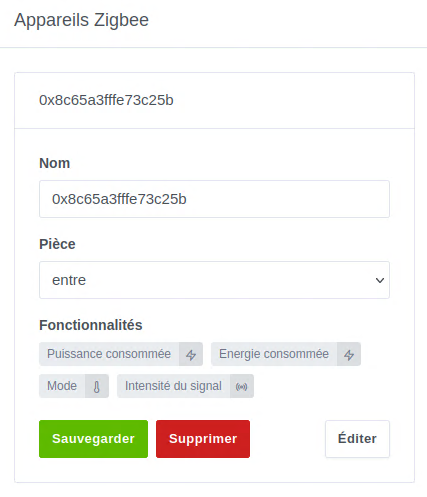
So now I have my Nodon module in zigbeetomqtt
and in Gladys I have something extra
but I don’t know how to access the mode for now, although the device is indeed in Gladys
and especially the mode function
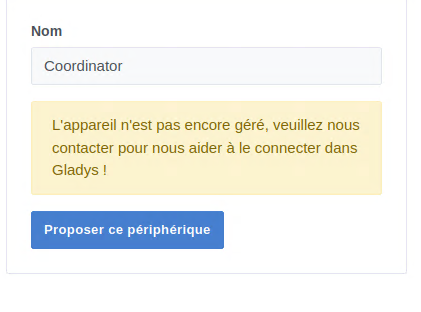
however the coordinator device is still present and I don’t know what it corresponds to
Now all that’s left is to be able to use these modes but I don’t know how to access them
Thanks for pushing the investigation 
When you add a Devices box to a dashboard, don’t you see this feature (Mode) for the device in question?
Can you try removing/adding the device again? Same thing in the dashboard.
I just tested locally and the mode shows up correctly in the offered features 
So I just created a new dashboard
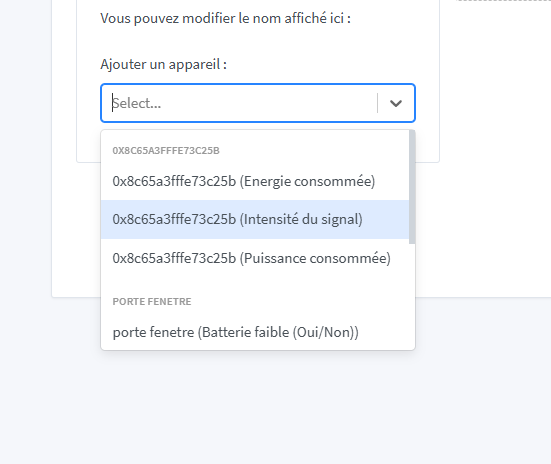
When I select device and add in the dropdown list the mode doesn’t appear
However if I leave it empty
Here I get everything
Small flaw: it only retrieves 4 types, which I already think is great
But it’s just a view of the sensor’s state and in my case it’s wrong
Where do I need to delete it from to do a new test? If it’s from Gladys integration I tested that too
@cicoub13, just a small detail, it’s **Frost protection
I tried deleting it but I’ll try again tomorrow
okay I redid the test by deleting as @_Will_71 suggested to me but it doesn’t change anything — still only access to 3 variables
I think it’s nothing major; it’s not in the dropdown menu
but it appears on the dashboard if I select « No device »
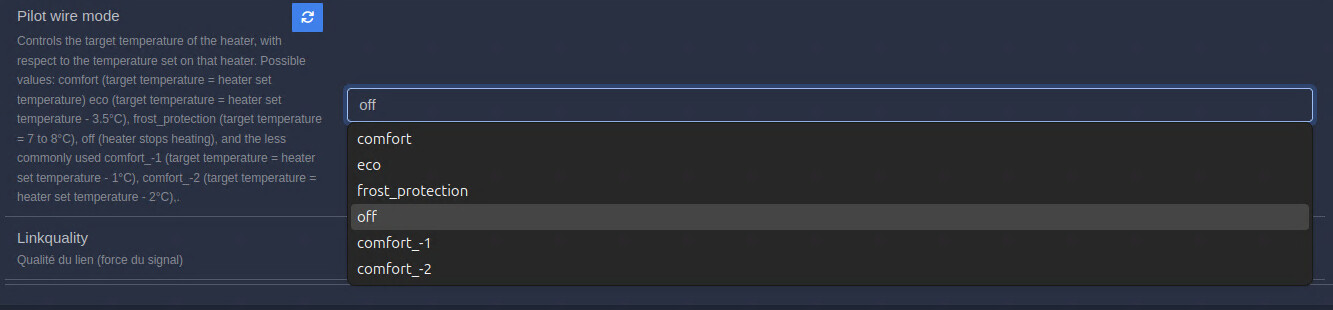
If that can help I can take screenshots of what’s in zigbee2mqtt
so I redid some tests the modes that appear in gladys are just a dropdown menu that serves no purpose, no influence on the radiator and it’s not even the radiator’s current value
For the missing modes, in my opinion don’t worry — it’s not the most important thing, and once the rest is working it won’t be much to add.
Hi @cicoub13,
I looked on my side (with a clone of your branch) by running a test only with an MQTT device because I don’t have a compatible Zigbee device and I saw this
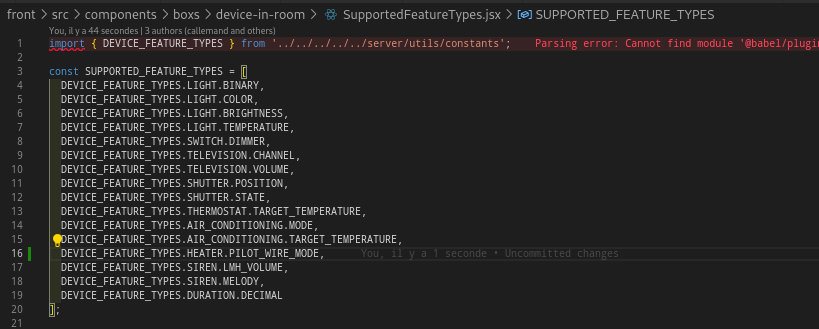
To add the device to the dashboard you need to add the PilotWire feature that you created in the SuppportedFeatureTypes.jsx file.
Then, for this feature to work with Gladys the enum must be converted to a numeric value
With these two fixes it should improve functionality. I’ve created a branch on my side and I can generate an image if you don’t have time so that @Prof_Techno can validate it. Otherwise I’ll let you modify on your side and propose an update to your image.
Thanks, I’ll do that today and push a new image.
I’ve pushed a new image with the changes (but I didn’t have time to test).
Can you:
Ok no problem — depending on the tests @Prof_Techno can do, I’ll continue the work.
Good luck to you.
I’m testing tomorrow morning.