It would be nice to have devices adapted for heating rather than using lights to turn on a radiator.
It would also be good to have selectors for the desired heating modes (Comfort, Eco, Frost Protection, Off) or for situations (Vacation, Working from home, Public Holidays…)
Hi @gaetanb76 , @cicoub13 had started a PR in August regarding heating (feat(z2m): Add pilot wire mode by cicoub13 · Pull Request #2110 · GladysAssistant/Gladys · GitHub ), it was originally for Zigbee2mqtt pilot-wire (fil pilote) devices but it would apparently add a heating feature usable everywhere in Gladys (e.g.: MQTT integration)
@cicoub13 any news on this PR?
I need someone to test the image in real life. Otherwise, we’ll integrate this without a real test
Which Zigbee device do you need to test?
Hi, that interests me because I’m going to install some small Zigbee pilot-wire devices on my radiators today.
hi @cicoub13 , if you want I have a QUBINO - Pilot Wire Module in Z-Wave
One of these four if we want to test the Zigbee part (Zigbee2MQTT ). But it needs to be plugged into the mains and I don’t have the time/skills to do that right now Module "fil pilote" chauffage zigbee2mqtt - #7 par cicoub13
Unfortunately, I don’t know the Z-Wave part and don’t know if it will be compatible
Personally I have the Zigbee Nodon sin 4 FP 21 modules
which are partially recognized in Gladys but fully in MQTT.
@Prof_Techno if you ever think you have the skills to help us, here’s a little tutorial to test @cicoub13 ’s build:
Parfois, un développeur veut proposer une image Docker « de test » sur le forum pour permettre à des utilisateurs de tester une nouvelle intégration avant qu’elle soit déployée en production.
Contrairement à l’image Docker « officielle » qui est hébergée sur le compte du projet gladysassistant/gladys, une image de test sera hébergée sur le compte Docker du développeur proposant l’image. Exemple: jeanfrancois/gladys.
Pour lancer une image Docker de test, c’est le même process que décrit sur la …
so I’m willing to give it a try because for now my installation
So it’s installed
unfortunately I’m not sure it works
I don’t know if I missed a step or not
the container seems to be there
it’s finding something
for info the Docker command to install the cicoub image
Jluc
October 10, 2024, 12:18pm
15
Hello,
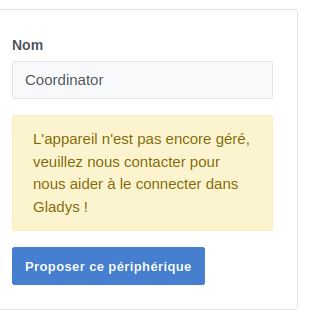
I also saw the message for the « coordinator » integration appear without knowing which device might be affected by it.
I only have Z-Wave for my heating…
That’s right, thanks for the test.
Can you remind me of the model of your pilot wire device?
Is your device present in the zigbee2mqtt interface (the one on port 8080)?
Is your device not already added in Gladys?
And can you provide the recent logs related to Zigbee?
docker logs gladys-fil-pilote 2\u003e\u00261 | grep \"zigbee\"
so
Nodon SIN-4 FP 21 model
on the new Gladys I can’t find it even though I had it on my previous installation
I already tested that and unfortunately no
024-10-10T10:59:04+0200 \u003cinfo\u003e installMqttContainer.js:41 (Zigbee2mqttManager.installMqttContainer) Writing Mosquitto config file in /var/lib/gladysassistant/zigbee2mqtt/mqtt/mosquitto.conf 2024-10-10T10:59:15+0200 \u003cinfo\u003e restoreZ2mBackup.js:42 (Zigbee2mqttManager.restoreZ2mBackup) No zigbee2mqtt backup avaiable 2024-10-10T10:59:15+0200 \u003cinfo\u003e installZ2mContainer.js:51 (Zigbee2mqttManager.installZ2mContainer) Pulling koenkk/zigbee2mqtt:latest image... 2024-10-10T10:59:16+0200 \u003cinfo\u003e configureContainer.js:109 (Zigbee2mqttManager.configureContainer) Writing custom zigbee2mqtt configuration file... 2024-10-10T10:59:21+0200 \u003cinfo\u003e subscribe.js:12 (Zigbee2mqttManager.subscribe) Subscribing to MQTT topic zigbee2mqtt/#
there you go, if there are any other steps to take don’t hesitate to ask
Will_71
October 10, 2024, 5:01pm
19
And in the new Gladys image, you recreated a zigbee2mqtt installation. In that case you need to re-pair your device if you haven’t done so.
I tried but it doesn’t show up and I don’t know what to do, even though I had it in the other docker.
I don’t know if I recreated a zigbeetomqtt, but in any case everything was empty and when I tried to put the pilot wire back only the coordinator showed up in gladys and nothing in zigbeetomqtt. So I added a window sensor to see if it worked and it showed up.