Hello everyone,
I have a quick question because recently I’ve noticed a significant drop in zigbee2mqtt signal quality.
Previously I was receiving all my devices very well — sufficiently, in any case — and for the past few days many have lost signal. I’m even losing the signal from sensors that are 2 m away on the other side of a simple plasterboard partition (parents’ bedroom, for example).
The dongle, which had been connected to a USB extension cable, was tested directly on the Raspberry Pi but it’s no better.
The LQI readings also don’t seem to correlate with what Gladys reports to me.
 Thank you very much
It may have switched channels (if it’s set to an automatic channel).
You should try changing the Wi‑Fi channel manually to test!
Yes, it’s optimized automatically; you need to force a suitable channel.

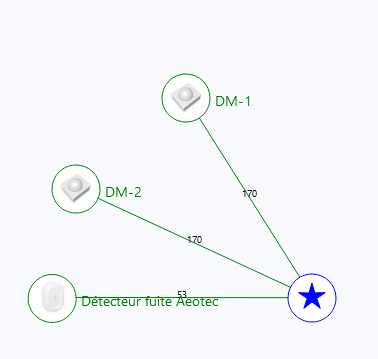

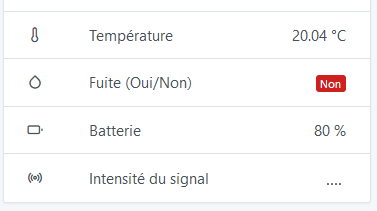
I have no idea where this thing comes from, but it very often happens to me that the signal quality (as well as the battery level) is totally random.
Very regularly I get « no signal » even though my devices respond very well, whether they are battery-powered or plugged into the mains.
For info, the signal quality is measured at an instant t
So it’s normal that the values on the first two images are different 
OK but the … don’t change
Same here on my end, it looks like it’s broken, I’ll take a look when I get a chance.
Personally I’ve stopped worrying about it because, as @guim31 says, the info still comes through… well, until recently…