Zigbee2MQTT - Signal strength - bug or normal behavior?

Hello,

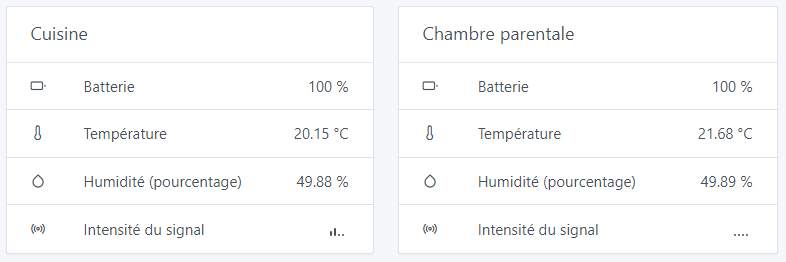
I have a question regarding the information received from temperature sensors (or others, but I don’t have any physically at home): is it normal that Gladys does not display the signal strength information when a sensor is connected to a « router » and not to the « coordinator »?

In the images:

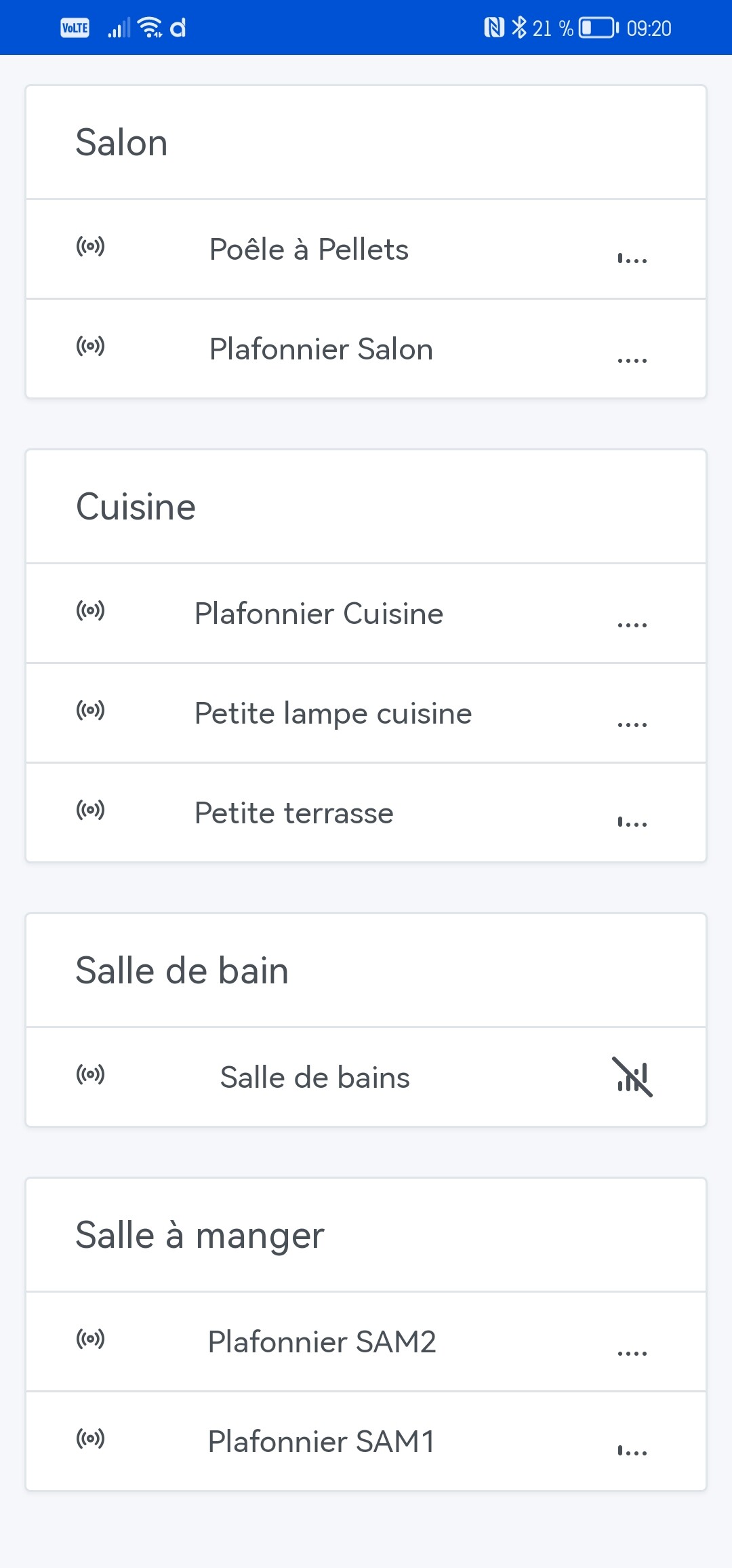
In Gladys →

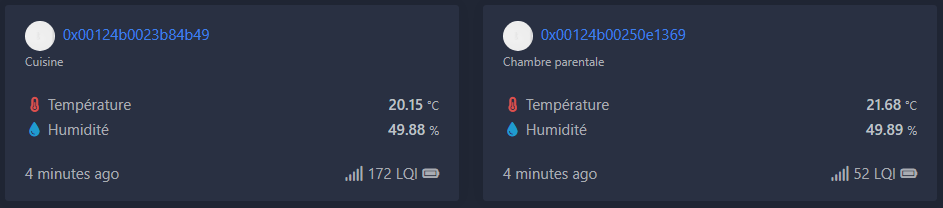
In the Zigbee2MQTT interface →

In the logs of what’s published via Zigbee2MQTT →
image

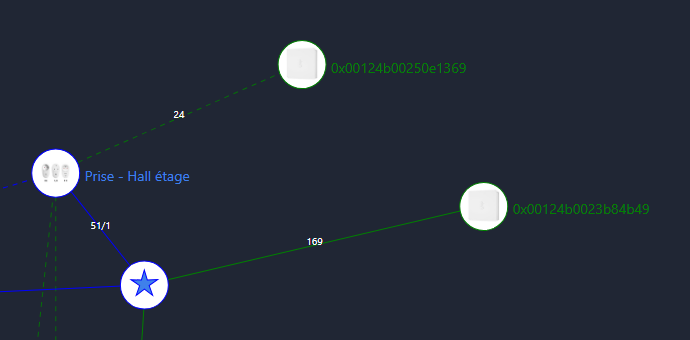
The map →

Thanks to anyone who can shed light on this :slight_smile:

The maximum LQI value is 255, so if you do a rule of three you can find the number of bars displayed by Gladys — to be confirmed by @AlexTrovato.

If you take the case LQI = 172 and a total of 4 bars for an LQI of 255 => 172*4/255 = 2.69, which corresponds to your 2 bars in Gladys.

1 Like

Ok, thanks for your explanation.

This calculation method could lead other people, like me, to believe that the sensor isn’t working because it’s out of range…

Wouldn’t it be worth revisiting the calculation to use 5 bars or simply display the LQI like in Zigbee2MQTT? Or let people choose?

This is by no means a criticism. But I thought about this issue again after watching Pierre-Gilles’s YouTube video about the air quality sensor :smiley:

On my end, it never worked as expected…
The values seem to be from 0 to 100 for me in the z2m interface.
Indeed, a plug located 2m from the Sonoff router has an LQI of 96…
So in Gladys, it looks like this:

When you go to the map section of Zigbee2MQTT, what does it show in the legend?
« Link quality is between 1 and 100 … »?

But indeed, I find it doesn’t represent reality very well.

By the way, how do you manage to have the crossed-out

That doesn’t match anything. The LQI (Link Quality Indicator) is at 39…
And the maximum is a switch at 99 even though it’s one of the farthest…

[quote=« Kevin, post:5, topic:8219 »]
What

1 Like

I don’t pay attention to the signals anymore. I also have signals that are almost 0 or crossed out even though all the sensors are sending the information correctly.

Apparently I’m not the only one wondering about the signal strength. I think the calculation needs a small update :slight_smile:

I’ll create a « bug » at some point. We’ll see if someone wants to have fun improving this element.

I’d be happy if someone finds a way to improve this :slight_smile:

I think the current mistake was trying to use a linear scale where, in my opinion, it should be a logarithmic scale or something else (to check in the Zigbee2mqtt documentation)
1 Like

I have the same problem with the network quality, how do you access the Zigbee2MQTT interface to view the network? Thanks

You must go to the address: http://ip.de.ton.gladys:8080

Thanks a lot

1 Like