I’m looking at the PR today 
It’s fine for me (except for the unit tests).
However, I think we made a mistake about the hold. From what I read about the different devices, it corresponds to a long press without releasing (and therefore it should be linked to LONG_CLICK_PRESS).
But I’m afraid we might break some user scenarios if we do that.
Good question indeed, how to handle cases like this, where we can break certain functions? Trigger a migration script to update deprecated or renamed elements?
Hello everyone,
I have the same buttons.
I just integrated one into Gladys and I get this in the logs when I do a click, double click, long click:
2022-01-22T14:56:39+0100 handleMqttMessage.js:96 () Zigbee2mqtt device 0x00124b00246xxxxx, feature linkquality not configured in Gladys.
2022-01-22T14:56:39+0100 handleMqttMessage.js:96 () Zigbee2mqtt device 0x00124b00246xxxxx, feature voltage not configured in Gladys.
2022-01-22T15:00:56+0100 handleMqttMessage.js:96 () Zigbee2mqtt device 0x00124b00246xxxxx, feature linkquality not configured in Gladys.
2022-01-22T15:00:56+0100 handleMqttMessage.js:96 () Zigbee2mqtt device 0x00124b00246xxxxx, feature voltage not configured in Gladys.
2022-01-22T15:01:01+0100 handleMqttMessage.js:96 () Zigbee2mqtt device 0x00124b00246xxxxx, feature linkquality not configured in Gladys.
2022-01-22T15:01:01+0100 handleMqttMessage.js:96 () Zigbee2mqtt device 0x00124b00246xxxxx, feature voltage not configured in Gladys.
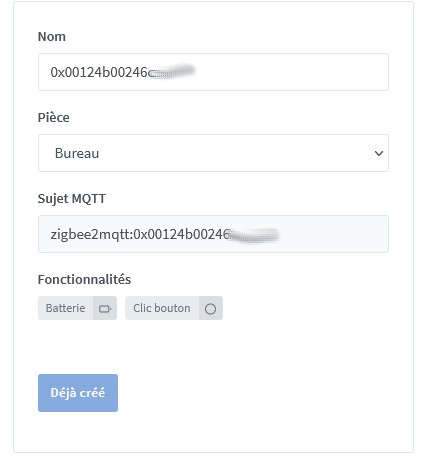
I was looking for the values returned by the button actions to integrate them into scenes.
Indeed, in the scenes, when you use a device state change, you need to put a numerical value I think (I get an error if I put single), but the switch values are single, double, long, as can be seen here:
By inserting the button into a Gladys dashboard, the values returned are 1 (click), 2 (double click) and long (long click).
I therefore created 2 scenes that send me a message to indicate ‹ single click › or ‹ double click ›:
- a ‹ single click › using ‹ Device State Change = 1 ›
- a ‹ double click › using ‹ Device State Change = 2 ›
Each time, I receive the correct message 
However, it is impossible to make the scene for the long click…
Ah!
Indeed, a migration script becomes necessary if any keys are edited.
Hello, for information in a scene, with a SONOFF SNZB-01 sound trigger, the 3 clicks
work differently from 2
Hello
I just acquired a SonOff SNZB-01 button, I receive « 1 » for a click, « 2 » for a double click, and « long » for a held click in Gladys. After reading the forum, I don’t know if the issue has been addressed. For information, on a Xiaomi WXKG01LM switch button: the short click sends « 1 », the double click sends « 2 », the held click sends « 3 », and there is the state « after releasing the held click » which sends « 4 ». (I suspect these buttons are known)
Why not take the state corresponding to the Xiaomi: held click sends « 3 ».
So I cannot process the long state (  ) in a scene, as mentioned above.
Where do we stand today? Have the tests been done? Don’t see any animosity in my question. It’s just for information
Thanks to the developers who are advancing this project.
« 3 clicks » works in a scene if you select a mode other than 2
Hello Hugo,
I didn’t understand your first message.
But tell me a bit more, my brain is a bit slow. How do you use the « different from » mode? If I want to select the « long » mode, can’t I write « different from long »?
I imagine he meant:
- If click is not 1 and If click is not 0
In this case, it’s a kind of « else » if it’s not 0 or 1
Hello lmilcent
thank you for your response
I took a quick look, but we still face the problem of a number and a string with the « Continue only if » plus you have to « retrieve the last state of the button » that’s a lot of steps. I hoped the test was done in the trigger, but I don’t see how 
I know, it’s strange but on Gladys 4.73, the different mode activates an outlet with 3 clicks on SNBZ-01
Good evening,
I’m returning to the subject, as I tested the « different from 2 » in the trigger condition in a scene. For the long click of the Sonoff, the scene indeed reacts to the long click, but it also reacts to the single click « because 1 is different from 2 » so the scene reacts. For example, to be clear, I turn on a lamp 1 with the single click, I turn on a second lamp 2 with the double click and I turn it off with the long click. When I want to turn on lamp 2, it turns on, when I turn on lamp 1 and at the same time it turns off lamp 2. We still can’t use the 3 commands.
And if you add a continue only if…
Good evening GBoulvin,
it works well with the condition.
Thanks for the idea
good evening
I was going to say that 
Good evening,
I think that 4.8.2 has fixed HUGO’s workaround, namely: « 3 clicks » works in a scene if you select a mode different from 2" (The goal is to filter the « long » state of the Sonoff SNZB-0 button). My scene with the long state of the Sonoff button no longer works. Does anyone use this procedure in a scene? To know if the principle still works or not?
Has a solution been found or coded?
Because setting it above 2 doesn’t work for the long press.
To my knowledge, no, I only use this button with single and double clicks
I would like to use a long press to enable and disable the alarm so I don’t accidentally activate it with a single press.