How to ensure the Raspbian image works long-term?

Hello!

Before releasing the RC, I would like to be absolutely sure that the Raspbian image we are going to provide is long-lasting and that it will update for life without user action.

:white_check_mark: Gladys Update

The Docker container Gladys update is done automatically thanks to watchtower, so we are already good on that.

:red_circle: Gladys Container Parameters Update

For now, Gladys is launched with a docker run with certain parameters. However, in the future, maybe we would like to expose more volumes? Or change a parameter?

How will we be able to do this on already deployed remote images?

:red_circle: OS Update

I don’t know the best practices for this kind of embedded device, because on one hand automatically updating packages is risky and it’s the best way to brick the installation, but on the other hand it’s not crazy to leave Gladys running without updates.

If anyone has any tips on this, I’m interested.

@VonOx This topic will interest you :slight_smile:

How did you guess :stuck_out_tongue:

Well, that’s going to be complicated. For bind mounts, you have to destroy and recreate the container, so it’s not smooth at all.
The parameters that can be modified on the fly are these => docker container update | Docker Docs so everything that touches resources. (not really what we’re interested in)

Security Update only I think (PeriodicUpdates - Debian Wiki)

Mm ok, in this case it might be better to aim wide and make sure that the base Raspbian image has all the volumes we will need in the future.

Do you see anything that might be missing in the current image?

We have /dev, but aren’t we missing some things? For example, to access the GPIO, or the official Raspberry Pi camera, the image must be compatible with as many things as possible even if we don’t manage them yet. Docker must not slow us down for developing the future :slight_smile:

Is it possible to enable them in the image you build?

I need to investigate a bit :slight_smile:

Of course

:heart_eyes:

Cool! Do you have experience with this package? Is it stable in the long term?

I use it on my Debian/Ubuntu machines, never had any issues.
If any sysadmins pass by here I think they’ll confirm. (Hi @Totof)

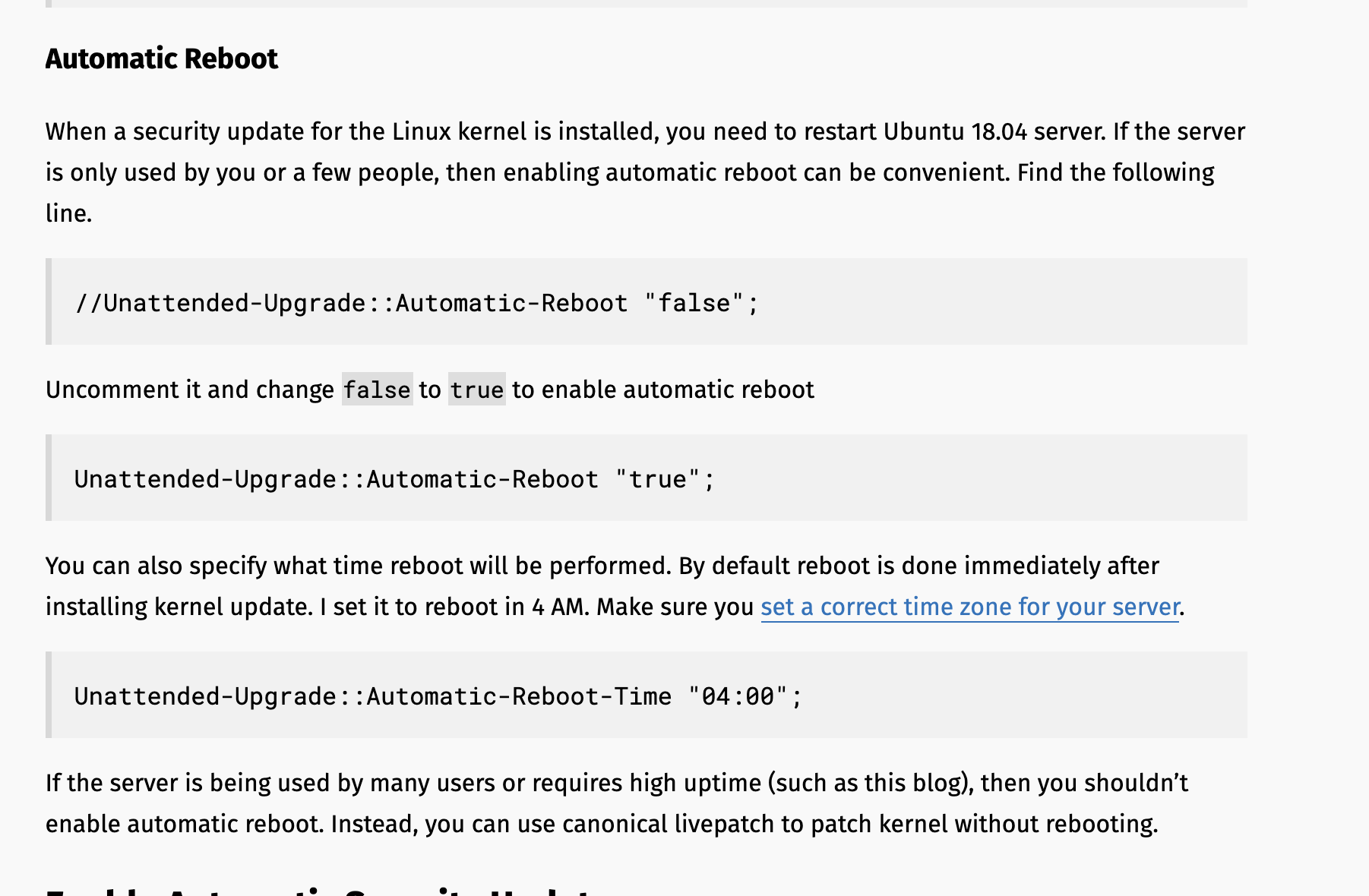
@VonOx Actually, I already use that (unattended-upgrades) on all my servers, it’s provided by default in Ubuntu 18.04, so yes it’s super stable and it does the job. We can add it to the image! :slight_smile:

Great article about its configuration →

Setting up automatic reboot at night for kernel updates can be a good idea.

Ok, I’ll do this ASAP (probably this weekend)

Once we have a build that’s just right, I’ll transfer ownership of the repo to the organization.

Great! Do you mean making a PR on the Gladys repo?

I don’t know what the best strategy is to merge this, actually (just like your PR on Docker images with the architecture).

Because as long as we’re in beta, it’s great if all running instances continue to be updated. However, at the moment, the PR with Docker images is built on the version tag, not the beta tag.

Do you have any ideas?

Otherwise, we can notify everyone (as long as we’re not yet thousands of people using Gladys 4) that we’re going to build on the version tag, and that we’re stopping the beta, but that might cause some grumbling since it means everyone will have to reinstall everything (last I heard, we have about 200 active v4 instances).

No no I was talking about this GitHub - VonOx/gladys-pi-gen: Gladys Assistant official Raspberry Pi OS image · GitHub

I don’t see 36 solutions, everyone is running on the beta tag, so if you merge, no instance will update.

As you say, a big communication effort to tell users how to manually update or reflash the latest image.
We can however plan a transitional period where we still provide the beta tag, and add a notification in Gladys if the tag contains beta? It will be less brutal.

Hi! :slight_smile:

I rarely pass by these days, I just moved ^^

I have never tested automatic server updates and I don’t think I will test them.

Sometimes there are configuration files that change between one version or another, or simply options that no longer exist. I prefer to apply them with ansible and perform a series of tests afterward.

However, I wonder about one thing, how will Security Update work if Gladys runs in a docker? It would need to run on the raspbian that hosts the docker, right?

The user should be notified or a configurable option should be left. The raspberry might also be used for other services.

It’s Alpine on the image, no updates in a container since it’s not persistent and we want to « freeze » the environment.

Thanks for your feedback.

Ideas that seem feasible to me:

  1. Share the directory containing the Gladys launch script with the Gladys container to modify the container settings or create new directories if needed before launch.
    A machine reboot would allow the update.

  2. Launch a maintenance container from Gladys. This could then stop-delete the Gladys container, apply the new settings before restarting Gladys.

I just thought of something without really delving into it yet.

So the package would be installed on Raspbian, which is frozen in terms of settings. The user will necessarily have to go through SSH to modify it, especially for automatic reboot at night.

Isn’t there a webui solution that would allow launching updates and/or accessing the package settings?

A long time ago I used Webmin, I know there are others.

Since the user no longer has to go through SSH, I thought a webui of this style would also have advantages for choosing DHCP/static, choosing your DNS resolver, applying updates.

The thing I see that could also be pretty cool, outside of security upgrades, is that it’s Gladys who notifies the user that there is an update to do, like a kernel, and that the user triggers it via a webui.

Ah yes!

I think so too! We can continue to build the beta tag as long as we are not in RC (by only providing the image with the v4 tag on the site), and then at the release of the RC we can announce that the beta tag is no longer updated. It seems more gentle :slight_smile:

Yes, this topic only talks about the Raspbian image, not the container.

Attention, this topic does not talk about Gladys, but about the Raspbian image that we provide for beginners who will probably never log in via SSH on the Raspberry Pi.

We must treat this Raspbian image as if we were a connected object manufacturer (example: an IP camera running on Linux) and which provides cameras to its customers: the customer will never connect to the camera via SSH, they don’t even know what SSH, Linux, etc. is, they just want the camera to work, period.

Here, it’s the same: our Raspbian image will be cloned on SD cards, a manipulation that anyone can do thanks to Etcher, then Gladys will run for maybe 5 years without the user ever connecting via SSH!

If you are an advanced user, you have very particular configurations, fine: you are therefore able to modify the configuration of the Raspbian image. The basic defaults that we choose are for the average user, and must be good defaults.

In itself, we already have access to the docker daemon from inside Gladys, so in fact I was thinking we can quite pop a new Gladys container with another command :slight_smile:

aha exactly, we thought of the same thing :slight_smile:

Otherwise, we can simply expose the host reboot in Gladys :slight_smile:

By the way, this reminds me, @VonOx I think we will want to find all the functionalities of the rpi-info package that Piznel had made in Gladys 4.

Does the current image expose enough things so that we have all the information? I think some things are missing

I completely agree with that.

The question I ask myself, which will no doubt be more precise with a case:

A user installs Gladys, he has an IP address provided by his box and configures everything with it.
Tomorrow the box is down, with the change of box, there is a good chance that the IP assigned to the Raspberry will no longer be the same as it was at the beginning.

Naturally, for a regular user, he no longer finds Gladys, by doing research or asking questions on the forum, he will come across the notions of IP, etc. To find the new IP of his Raspberry, he will have to go through an IP scan software.

Exactly, many devices, during configuration, offer to set a fixed IP or leave it in DHCP.

This job is clearly not done for Gladys, that’s why I thought of webmin, or cockpit https://cockpit-project.org/, there are still many others, which could be embedded as a package (so easy updates) in the Raspbian and have a webui for network type configurations.

After that, in my example, even if there is a webui to configure the network and the user does not do it, it will not change anything that if for a reason the DHCP no longer provides him with the same IP, he will not find his Gladys.

Personally, I find that setting a fixed IP for a service like this helps to avoid problems later. I have too often had to fix problems of this type.

Normally, I recommend using « gladys.local » and not the IP, so the user should not have the problem.

This still remains pure networking. When the client user uses xxx.local, the DHCP must be in the .local domain, which is not necessarily the case.

If the box is configured with a local domain .lan, the DHCP will distribute an IP, and if it also enters the hostname in its base, its FQDN will be gladys.lan.

In general, it is highly recommended that all devices managing services (server, printer, camera, detector) should have a fixed IP or a MAC reservation at the DHCP level to always assign the same one, and in this case, it is up to the user’s box to do so.

I see what you mean!

My opinion:

  • The most user-friendly option is that the user always connects via Gladys Plus, so the URL never changes (plus.gladysassistant.com), but this is for users of the paid pack.
  • In any case, we can recommend the network scanner app (iOS/Android), which is quite user-friendly to find your Pi if its IP has changed and its box does not manage .local/.lan. After all, it doesn’t happen every day either: most consumer boxes handle .local, and at worst there is the network scanner app :slight_smile: