So about the code… I was bluffing because I don’t have the equipment yet, but I think I’ll buy something from this list: Zigbee2MQTT
I think that by using Node-RED I should be able to link it with Gladys.
I admit I had thought of having an RPi connected to a speaker. But « create a script that will be connected to MQTT as a client »… that’s beyond my skills ^^
I’ll try to dig a bit to see what I find, I’ll share my findings here!
Hi, I’m mentioning @spenceur because he uses Node-RED and his Sonos to do that.
I haven’t had the time to revisit it.
I wanted to make a tutorial based on his explanations, but it’s quite complex because there are a lot of things to master and I haven’t managed to do it yet.
Good evening everyone, I made a feature request on August 5 for Alexa to be able to do that via Gladys. Only one vote so far, mine. So I turned to Node-RED and Alexa and now I can have Alexa say a phrase. All that’s left is to manage to trigger that phrase in a scene via MQTT.
I confirm, and you should know that the ultimate-tts library can be used with Bluetooth speakers
At my place I have a message on my Sonos that tells me alarm activated, alarm deactivated, the info from my calendars (health, birthdays, etc)
And on the Gladys side I use REST to call Node-RED and read out
I installed RPi Zero W units in several rooms, connected via USB dongles to speakers. A PulseAudio server runs on each, so it becomes a connected speaker for about €30 apiece… A central server has a script written in Python using Flask for HTTP access, picoTTS for text-to-speech, and is connected to all the speakers (zone selection possible if needed…). We call this script via an HTTP request, and we pass in the request parameter what the speakers should say. And there you go
I use this setup to make Gladys speak… It’s a bit hacky, but it does the job!
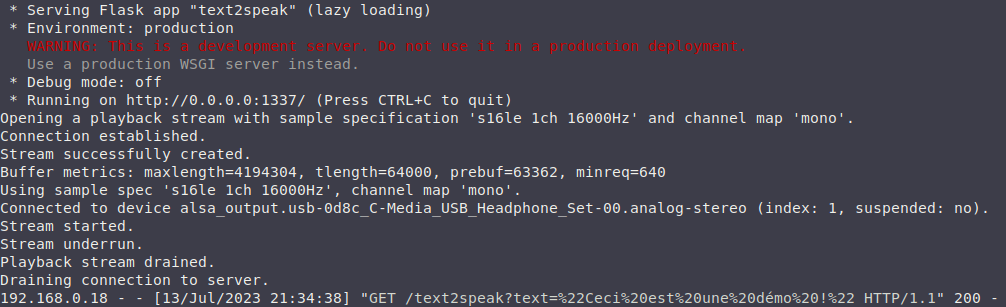
@guim31 : I’m not really sure how to make a video on the subject, sorry… However, here is the Python code to start, which listens on port 1337 (sorry…), and to which you send a request like: http://IP/text2speak?text=« Something to say… ». You must, however, have one or more PulseAudio servers to which to send the audio stream. Also, the script requires the Python library « Flask » and the package « libttspico-utils ».
#!/usr/bin/env python3
# -*- coding: utf-8 -*-

from flask import Flask, request, jsonify
import os

app = Flask(__name__)

@app.route('/text2speak', methods=['GET'])
def prononce_texte():
	texte = request.args.get('text')
	if texte:
		os.system('pico2wave -l fr-FR -w /tmp/temp.wav {}'.format(texte))
		os.system('paplay -v -s Pulse --volume 32000 /tmp/temp.wav')
		os.remove('/tmp/temp.wav')
		return jsonify({'return':'OK !'})
	else:
		return jsonify({'return':'Missing text to speak ?!'})

if __name__ == '__main__':
    app.run(host='0.0.0.0', port=1337)
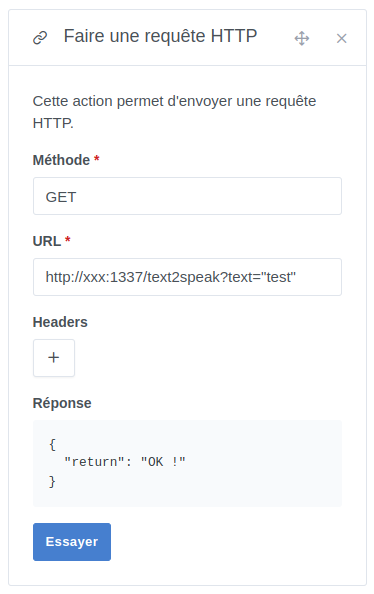
Then, I use an « HTTP » block in a scene and call the Python script :
Question about our current exchange: I wanted to make it a bit « cleaner » by using a POST method, but what should I put in the « Body » field of the scene’s HTTP block?