How to retrieve calendar attributes

Hi everyone,

I’m starting my tests with Gladys after struggling to bring back my Zigbee sensors while keeping them on HA (Home Assistant), which is my production home automation instance

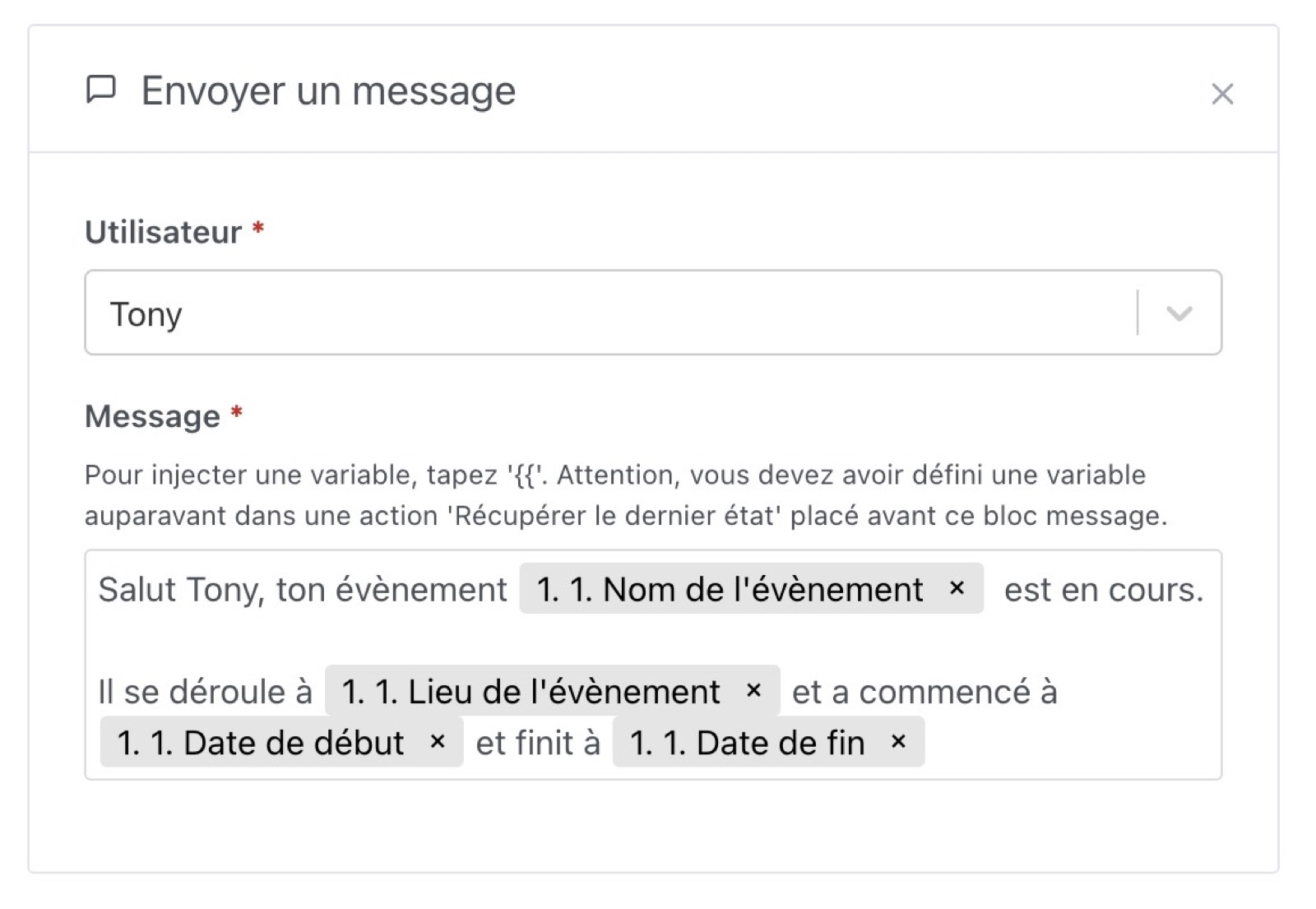
I just linked a Nextcloud calendar to it, trying to make a scene for an upcoming event as in the doc I don’t quite understand how to retrieve the attributes like in the photo?

Do they need to be created manually?

Thanks in advance

@McFlyPartages

Did you put a space after the two curly braces?

1 Like

I wonder if @McFlyPartages would like to know how the variables are declared before they are displayed later in the message.

Could you clarify that for us?

1 Like

You need to create the events beforehand on Nextcloud

1 Like

My question was whether variables need to be declared beforehand, or if they are already declared for the calendar.

I already have entries in my calendar; I use it every day.

Have you configured the trigger « A calendar event arrives »? If you want to inject calendar variables into a « Send a message » action: you need either the trigger « A calendar event arrives » or a « Condition on a calendar event » action before your Message action, of course
1 Like

Yes, I created a scene with an « arrive » event.

Then I chose a calendar and I didn’t put any word or anything.

Now in message. I started drafting my message but when I try to set the nature of the event or the title I can’t find it.

I hadn’t tested the spaces. Thanks for the information. It’s working now.

3 Likes