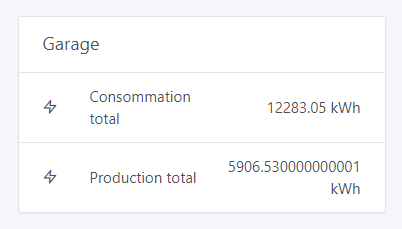
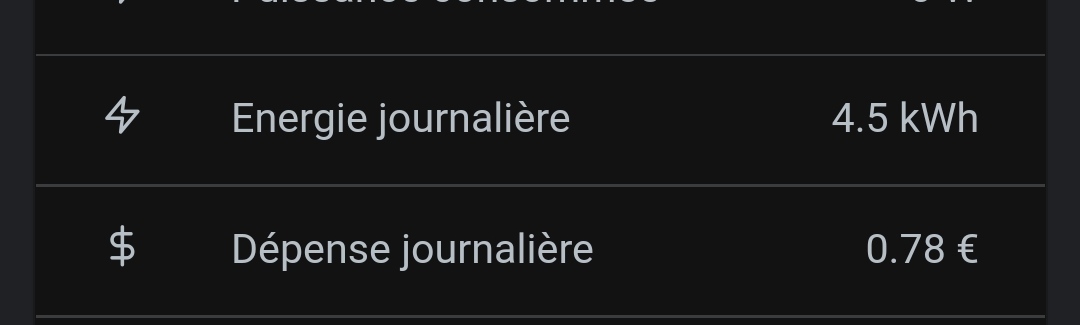
Is it possible to force the rounding?
Example: display 1.80 instead of 1.8.
Because when it goes from 1.8 to 1.81 it slightly distorts the interface in real time and it looks odd.
And it’s even weirder when it displays so many digits after the decimal point
I see the issue — indeed, in the display we could round some values (not all), like here it’s unnecessary to have kWh with 5 digits after the decimal point, especially when kWh > 1.
FYI, I applied rounding with .toFixed(x) in Node-RED and it doesn’t work on the Gladys side either. The value is correctly rounded in NR’s debug but once in Gladys… If I round to 1 decimal, it works — I only have one digit. If I round to 2, it only half-works because I might see 1.8 displayed instead of 1.80, for example.
Is Gladys still doing some processing behind the scenes? Or could it be the CSS from some Bootstrap?
FYI @_Will_71 since you had the same idea as I did.
In itself, it doesn’t bother me either. But it doesn’t look very « pro » in the sense that you see the interface expanding or shrinking by a few millimeters every X seconds. Rounding everything to the same level freezes the dashboard and makes it look more professional
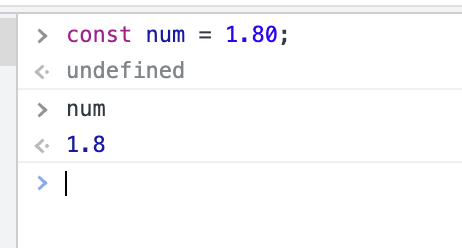
The value goes through a bunch of steps before being displayed on the front end, and in many languages, 1.80 === 1.8. This is the case in JS, for example.
I’m not even sure the value reaches Gladys as 1.80 (Node-RED is JS too).
That, however, is a problem, but in my opinion we won’t fix it by rounding.
Do you have an example that would allow reproducing it? You must have devices with names that are long enough, so you’re right at the limit where just one extra or one fewer digit shifts the layout.