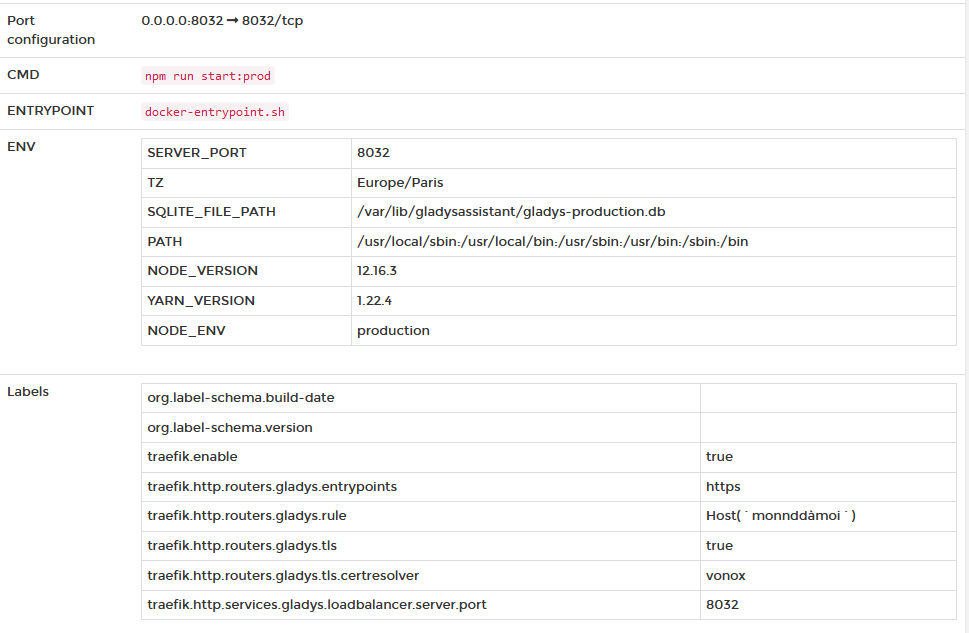
Given that Gladys will now favor deployment via Docker, I am creating a project for the simplified deployment of multiple containers in order to have a turnkey solution without too much tinkering for a regular user. My idea is to deploy a Gladys instance exposed on the internet via a reverse proxy with all the accompanying services.
In my idea, the containers would be:
Watchtower, allowing automatic updates of all containers when an update is available on Docker Hub
Portainer, a container lifecycle manager that, among other things, allows access to container logs, or tools for deleting/restarting containers
Traefik, the reverse proxy that allows Gladys and its companions to be exposed via one or more ports on the user’s router, which allows generating a free renewable SSL certificate via Let’s Encrypt and via a free domain name from a free DNS provider named DuckDNS (free, simple, and offers the possibility to generate up to 5 different domain names)
Socket Proxy, a small proxy that just secures requests made to the Docker core in case of a Traefik attack
Mosquitto, the MQTT broker for transferring messages via sensors or services
Zigbee2Mqtt and Zigbee2Mqtt Assistant (a web interface), allowing to do without an expensive Zigbee gateway and which is compatible with many devices (see the forum topic)
Rhasspy, for the voice recognition part (once I have functional settings)
And of course Gladys
We can also imagine adding other apps depending on the needs (like a dashboard for the metrics of the different containers compatible via Grafana).
For the deployment of all these containers, and for the simplification of deployment, I use the Docker extension named docker-compose. This extension allows you to define several containers in a single file (to simplify) and to launch them via a simple command line. In terms of configuration, there would not be many files to modify, I try to gather as many variables as possible via the file named « .env » accompanying the main file and it is on this one that you will be able to customize a large part of the information.
I have not yet published this project on GitHub, I have a lot of tests, documentation to do and I am waiting for the correction of some bugs on the Traefik side, but I am rather confident. Today, this project allows me to access the MQTT broker secured via TLS and therefore, for example, to connect Owntracks externally and without local security (we of course also have the possibility to secure locally) as well as to Gladys and to the monitoring of the reverse proxy via its dashboard. For the moment, due to a bug in the new version of Traefik, I need 3 ports exposed on the router, but in the future only two ports will be used, one for HTTP/S communication and the other for TCP communication (mqtt in this case).
Through this post, I would like to know if this Docker-compose deployment project interests you, and if you have any comments or ideas for improvement/addition for this deployment
@Will9 yes of course, Traefik manages the largest provider names such as OVH or myDNS (the only ones I know :P), you can find the list here: FournisseursDNS
And Traefik also allows you to either generate SSL certificates via Let’s Encrypt or import your own certificates if you already have them
That’s a good idea
I still don’t play enough with docker, but if you need I can set up a lab to test and contribute
I don’t know Traefik at all, but what are the advantages compared to haproxy for example?
I was able to put it on some high-volume projects, the configuration is very simple and can be coupled with let’s encrypt
I must admit I’m not very familiar with Haproxy, I’ve used Traefik a lot at work, so my solution is based on it because I’m starting to know the product well
But what you should know is that Traefik is French
What I like about Traefik is that its configuration is not too complex and not static, because in the case of Docker, each configuration is defined via the container labels and can therefore be modified quite easily. Traefik has several other backends than Docker, such as Consul or Kubernetes, thus allowing to extend its use a bit.
In my case, I use it for all my home infrastructure, allowing me to access my apps on a Raspberry cluster, on my NAS, while keeping an eye on the dashboard
For information, I am currently adding the creation and launch of Zigbee2mqtt and Mqtt containers (if they do not exist), from the Zigbee2mqtt service.
I think this solution avoids creating the docker image and containers of the services if they are not useful to the user. @pierre-gilles, could you tell us which solution you prefer so as not to waste development time. Thank you
For the Traefik part, it’s nice but it may go against the Gladys gateway, right? Or am I wrong.
It’s not necessarily the same audience, and it’s not necessarily the same security measures.
The Gladys Gateway is plug-and-play because you don’t have to configure anything with your Internet service provider, and above all, it’s much more secure because your instance is not accessible on the internet. If you expose your Raspberry Pi’s IP address on the internet, you expose yourself to bots that attack random IPs, which has already happened to a lot of people on the forum ^^
After all, there’s something for everyone: for a user who wants a plug & play system that’s secure by design, and an advanced user who regularly takes the time to secure and manage their installation
Hi @VonOx, indeed I no longer use Traefik or Docker now
So it depends on your config, personally I use a file to store the static config, and another for the dynamic one.
Since version 2.2.0, you have the possibility to define in the static part the redirection directly in the definition of your endpoint(s).
I am still on 2.2.0, I don’t know about the new version 2.2.1 but here’s how it’s configured on my side:
  #FILE traefik.yml
    entryPoints:
      web:
        address: ":80"
        http:
          redirections:
            entryPoint:
              to: web_secure
              scheme: https
              permanent: true

      web_secure:
        address: ":443"
        http:
          middlewares:
            - securisation@file  #In my dynamic file -> compression + headers + max number of requests
          tls:
            certResolver: letsencrypt
            domains:
              - main: "*.domain.com"
                sans:
                  - "domain.com"
The only real issue with this solution is that by default, and this is not modifiable for the moment, Traefik has an API at /api, just like Gladys…
So if you use Gladys and Traefik on a single domain name (for example with a free DNS like DuckDNS which does not offer the possibility to create a subdomain), you end up having to choose between exposing on this domain name either the Gladys API or the Traefik API which allows access to its monitoring dashboard…
Hello.
I’m working on a similar project: the idea is to run a VM dedicated to the network + home automation on the freebox delta:
Nginx proxy manager: reverse proxy like traefik, supports let’s encrypt
Gladys: home automation
Bitwarden: online password manager
Wordpress: for a future blog
Pihole: ad blocker + local dns
I don’t know yet about performance if it holds. Bitwarden and Wordpress are not a priority, but I want to have a consistent balance of power consumption and be able to turn off my NAS at night to not consume unnecessarily while keeping these 2 services 24/7.
I’m a beginner in docker, currently, I manage to run NPM + bitwarden (vaultwarden to be exact) and pihole. I’m getting to Gladys
Is there an example of docker-compose to install Gladys + watchtower + zigbee2mqtt?
More generally, has anyone already tried this infrastructure?