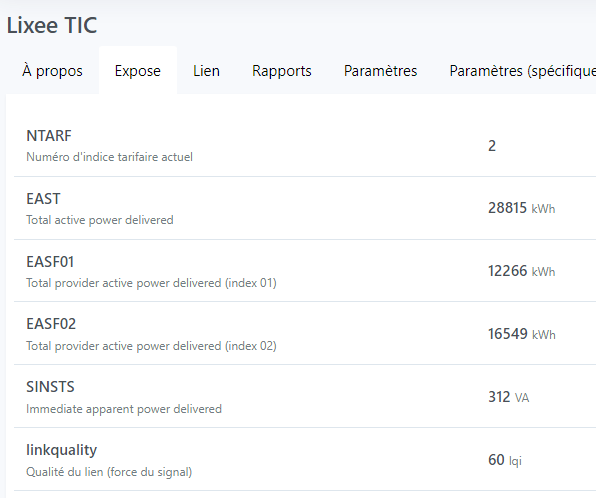
We should find a way to warn the user if the device is detected. Because typically there is a lot of information from this device that isn’t relevant to home automation; for example, in @Albenss’s screenshot, the ISOUSC expose never changes value.
Or maybe the solution is to identify those features and « ban » them
So basically, if I understand correctly, the Z2M integration ingests a large volume of data every 60 seconds? (at peak)
Do you have numbers for the volume ingested by default?
The Z2M integration could also do some throttling since it’s a big spike, and distribute the events more evenly over time. We receive everything via MQTT; nothing forces us to process everything in the nanosecond.
Instead of sending 1000 events (I don’t know) in one burst, we can add a bit of delay between each event, to give Node.js time to breathe.
Don’t forget Node.js is a single-threaded technology that runs around an « event loop » (Node.js — The Node.js Event Loop), and that event loop can be blocked by synchronous operations that take too long. Ideally, that event loop should run continuously and never be blocked.
See if in the Z2M integration (or in the core) there isn’t a synchronous block that’s a bit too big which leads to event loop blocks and gives users the impression of a freeze.
To debug this kind of issue, there are libraries that exist (to be used only locally for testing):
You put blocked() anywhere in the code (really anywhere); as long as it’s executed once it will listen continuously and will tell you if the event loop is blocked — and, most importantly, where it’s blocked!
I received the lixee module but I still can’t see it on my network. The meter is about 20 m from my router.
I tried moving a Hue lamp closer but for now it’s the same.
It’s spamming quite a bit on startup, I haven’t reset the config to defaults on the z2m (Zigbee2MQTT) side yet
But I have this coming back regularly: (every 30/40 seconds)
Blocked for 36.14090771484375ms, operation started here: [
  '    at Socket.connect (net.js:970:7)',
  '    at Object.connect (net.js:201:17)',
  '    at Object.streamBuilder (/src/server/services/zigbee2mqtt/node_modules/mqtt/lib/connect/tcp.js:18:14)',
  '    at MqttClient.wrapper [as streamBuilder] (/src/server/services/zigbee2mqtt/node_modules/mqtt/lib/connect/index.js:154:36)',
  '    at MqttClient._setupStream (/src/server/services/zigbee2mqtt/node_modules/mqtt/lib/client.js:298:22)',
  '    at new MqttClient (/src/server/services/zigbee2mqtt/node_modules/mqtt/lib/client.js:277:8)',
  '    at Object.connect (/src/server/services/zigbee2mqtt/node_modules/mqtt/lib/connect/index.js:156:16)',
  '    at Zigbee2mqttManager.connect (/src/server/services/zigbee2mqtt/lib/connect.js:16:40)',
  '    at Zigbee2mqttManager.init (/src/server/services/zigbee2mqtt/lib/init.js:88:18)',
  '    at async Object.start (/src/server/services/zigbee2mqtt/index.js:17:5)',
  '    at async Service.start (/src/server/lib/service/service.start.js:33:7)'
]
This lines up with a z2m device publishing new data
So in my opinion, a verbose device is screwing everything up
Not sure I understood what you want to do, do you want me to flood a z2 device? Knowing that I can’t create fake devices (maybe manually in the DB), I’d prefer not to mess up my production.


 I’m happy to help if you need me