Hi @spenceur
Could you tell me the model of your Zigbee dongle?
I’ve gone over my problem from every angle, reduced my setup to the bare minimum and I
Hi @spenceur
Could you tell me the model of your Zigbee dongle?
I’ve gone over my problem from every angle, reduced my setup to the bare minimum and I
It’s a Sonoff -p
@Philou changing the dongle won’t change anything in my opinion 
One option you can do would be to grab the SQLite file and run a small SQL query to determine which device sends the most values!
The DB is located at:
/var/lib/gladysassistant/gladys-production.db
Make sure to stop Gladys before retrieving the file to avoid any corruption.
Then, copy the file to your local computer (outside Gladys), and with a tool like TablePlus run the following query:
SELECT COUNT(t_device_feature_state.id), device_feature_id,
t_device_feature.name as feature_name, t_device.name as device_name
FROM t_device_feature_state
JOIN t_device_feature ON t_device_feature.id = device_feature_id
JOIN t_device ON t_device.id = t_device_feature.device_id
GROUP BY device_feature_id
ORDER BY COUNT(t_device_feature_state.id) DESC;
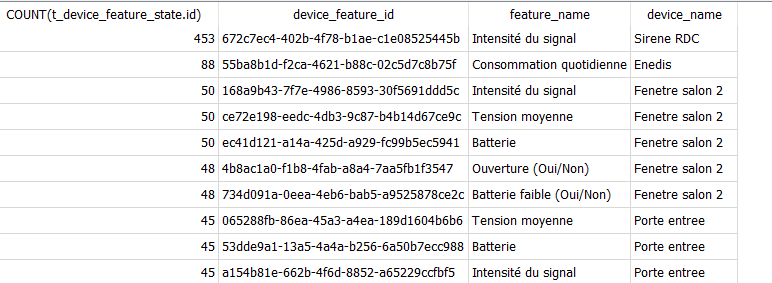
That will give you the most verbose devices
Thanks @spenceur and @pierre-gilles
It seems the matter is settled. It’s this one NEO NAS-AB02B2 control via MQTT | Zigbee2MQTT
Is there anything I can do to reduce the amount of information being reported?
How old is your instance? 453 values is nothing 
The idea here is to calculate how many values/second Gladys receives to see if a sensor is really extremely aggressive, but 453 values, if that’s over a few days, is really nothing.
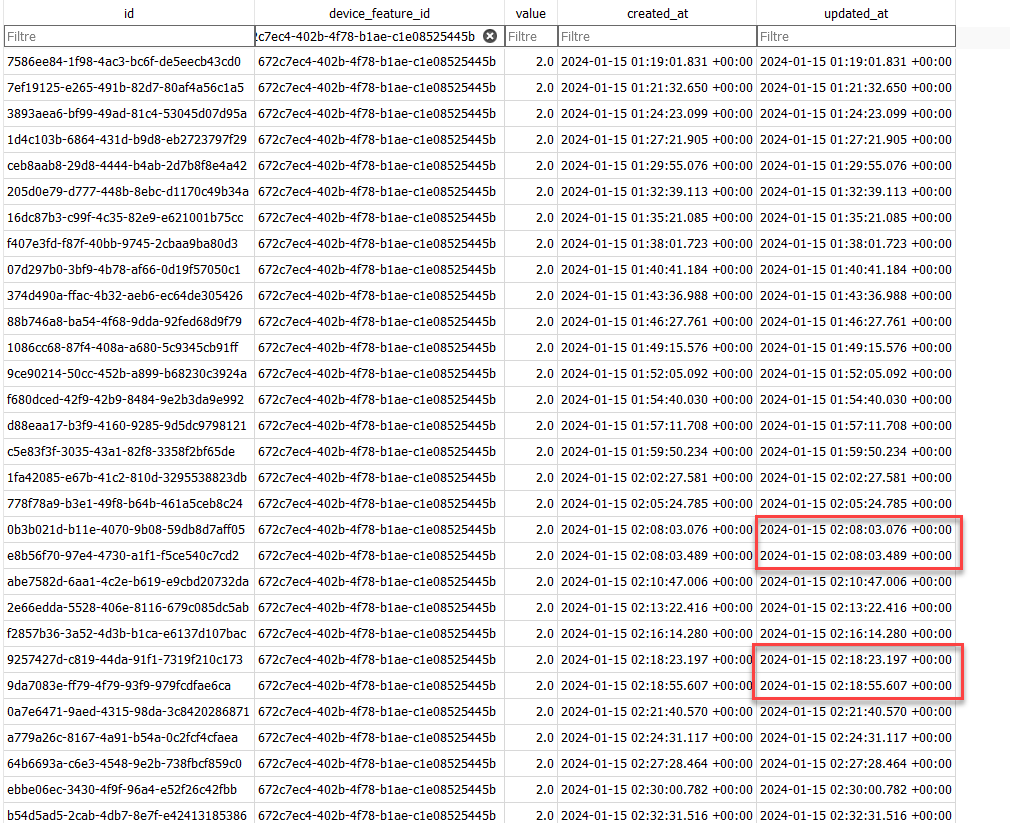
You can go look at the t_device_feature_state table and filter by that sensor to see how frequently it sends, but that seems totally fine to me…
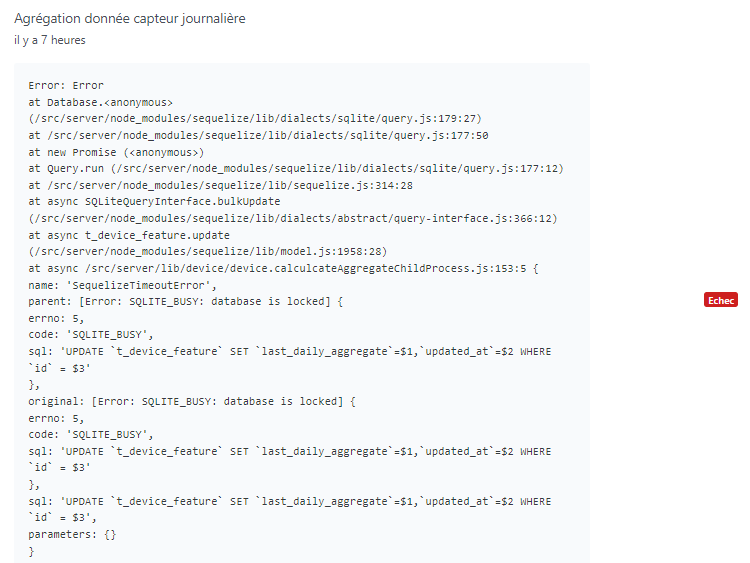
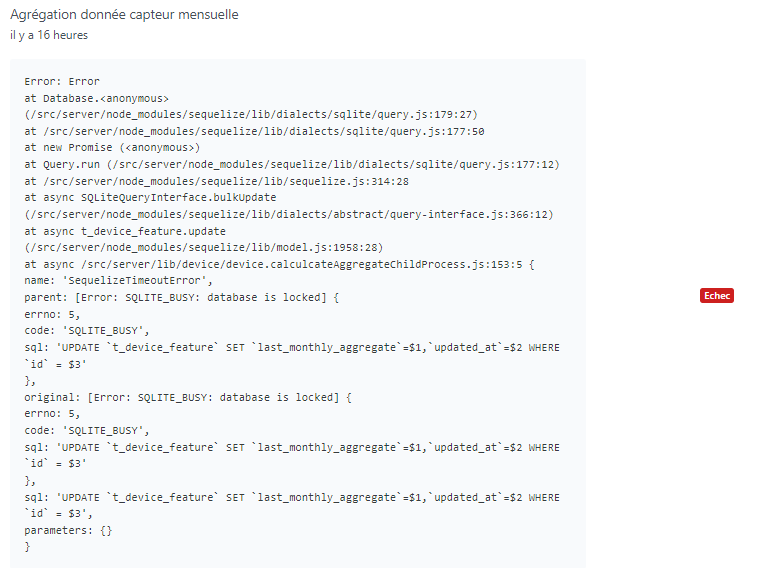
Ok, that must be the time your system performs its backup via Gladys Plus, nothing abnormal!
Do you only have a single failure per day at that time?
Yesterday morning, and for several days, I had only failures.
Fresh install directly on the NAS (no VM), with the dongle plugged directly into the NAS (no USB hub), I re-paired all my devices and ended up with only failures again.
I therefore opted for a minimal install.
Since then I’ve had two failures: the one from last night and another yesterday, 4 hours after the install
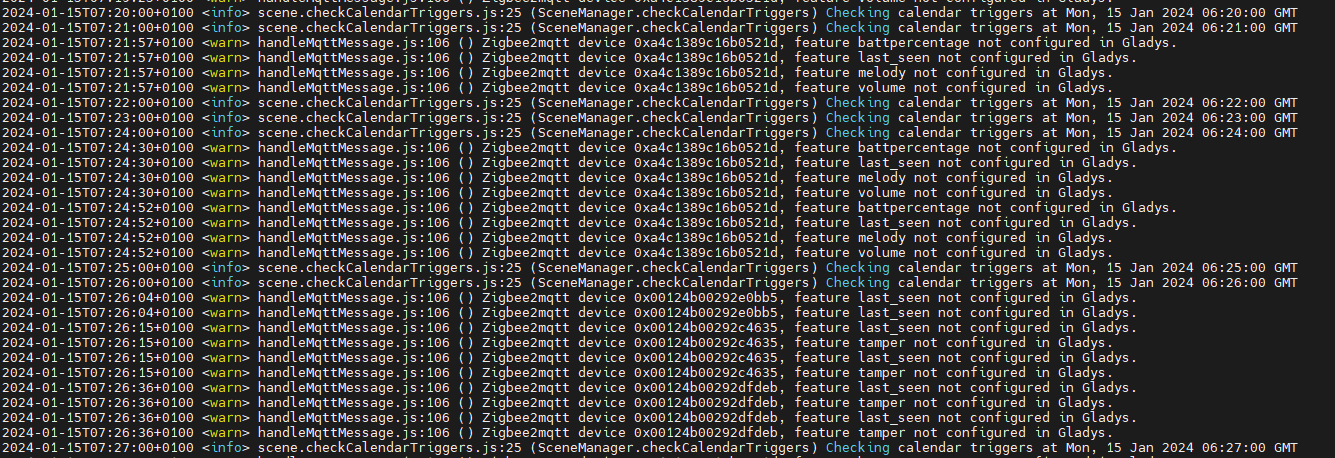
I also notice these messages in the logs indicating that certain features of the siren are not supported, but I doubt this is blocking.
Ok, that’s indeed not normal.
Those are perfectly normal log messages, nothing blocking
Have you already done a quick performance test on your NAS? The disk part in particular?
I recommend this article:
Look at the disk write/read test section
I’d be curious to know the performance of this NAS!
Here you go

Ok, that seems normal. Not exceptional but not bad at all
Is it an SSD? SSD NVMe? HDD?
And on your NAS there are things running at the same time I imagine? Nothing that could occupy the disk « to the max » and that could block Gladys?
Actually you would need a tool like Netdata ( https://www.netdata.cloud/ / it’s free and open-source), to see if there is activity on your NAS that’s making everything hang
I’ll look into it, thanks for the idea — I hadn’t thought of that at all 
I had a Minecraft server running; I started by shutting it down.
It’s RAID SHR (Synology proprietary) on 4 WD RED 5400 RPM 2 TB disks, with one hot spare
Can you connect an additional drive? If not, add an SSD (not in RAID) and put the Docker Gladys volume on it — at least you’ll be isolated and on SSD 
If there’s disk activity during aggregations, that’s normal
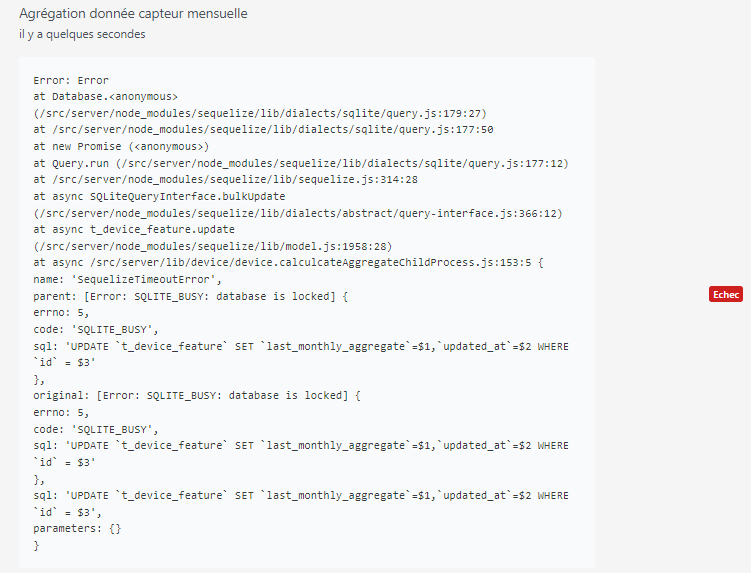
After adding I waited 10 mins and restarted Gladys to force the aggregation :
I deleted the device, cleaned the database, restarted Gladys and the aggregations work like a charm. It therefore seems that this device is causing the problem.
Xiaomi WSDCGQ11LM control via MQTT | Zigbee2MQTT
I’m surprised… Do you have this device’s publishing frequency in Gladys?
Not yet, from now on when I make a change, however small, I let it run for a few hours to confirm it’s stable. I just put another one back; I’ll monitor it.
Quick update: tests still ongoing.
I was able to add 2 Xiaomi devices to my ground floor without too much trouble, fairly stable, but when I add a device from the upper floor the aggregations start to crash.
At my place I have
As it stands it works.
I noticed that Zigbee pairings work much better when the Zigbee « router » (the USB stick) is nearby. I had quite a few pairing failures and pairing them close to the main router and then moving the device works better than trying to pair directly at the final location.
And so as soon as I add a device from my 1st floor the aggregations start to crash.
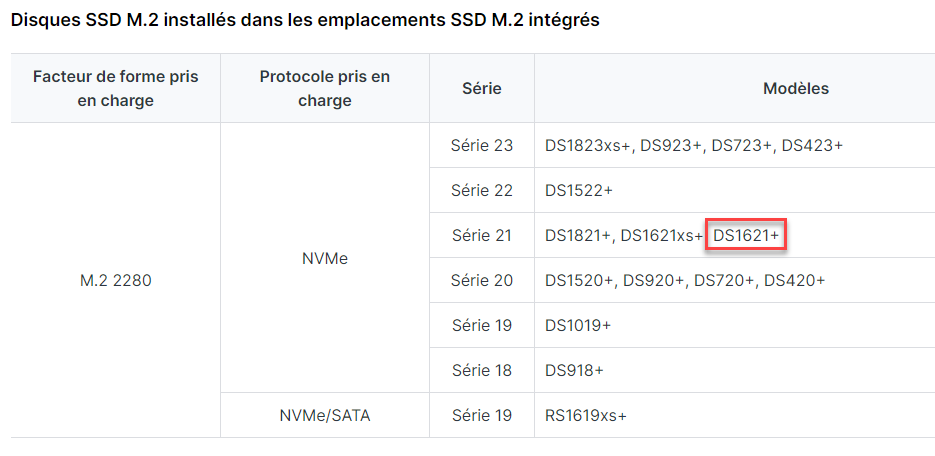
Lots of tests in mind to find the root cause, the first being adding an NVMe cache to my NAS. I did order a first NVMe in M.2 format but just learned that you need 2 for the cache to be read/write and not read-only, so I ordered a second.
To be continued… 
Thanks for your feedback @Philou!
Don’t hesitate if you find something strange in Gladys at some point and it needs a fix.
Now that the NVMe cache is in place, the 3 aggregations take 10 seconds where they used to take 1 min 50, i.e., reduced by more than 10×. Until now I had time to see the % increase, even drop back, then increase again, etc. Now it’s a straight line. The interface responsiveness is, for the moment, simply excellent, better than it was before, and my whole NAS is benefiting from it. I added all my sensors; the first aggregation went perfectly — to be continued.
Whether this fixes my problem or not, I clearly underestimated the importance of storage. Thanks @pierre-gilles for pointing me in this direction