Suite Bug backup Gladys Plus → Bug global Gladys

Hello @pierre-gilles,

Well, I’m sorry, I’m back with « bad » news, the performance issues are still present and still with the same cause: resources taken by the database backup. This still results in a loss of access to Gladys for 4/5 minutes every 30 minutes, very random Gladys Plus backups, and permanent errors on aggregation. This has been bugging for about 2 months again (backup going beyond 750MB?)
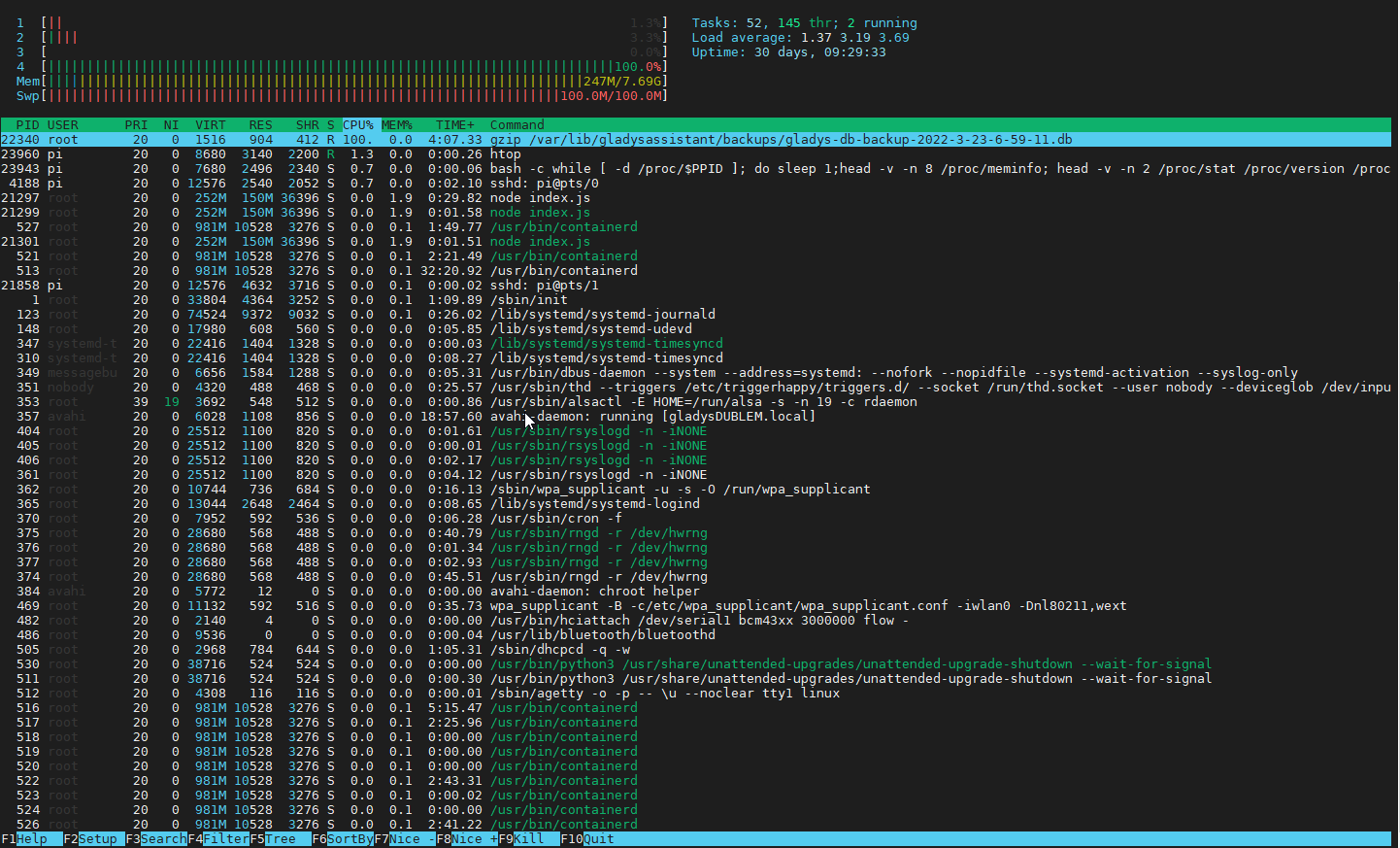
htop

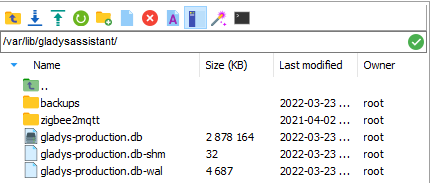
Database size on the pi

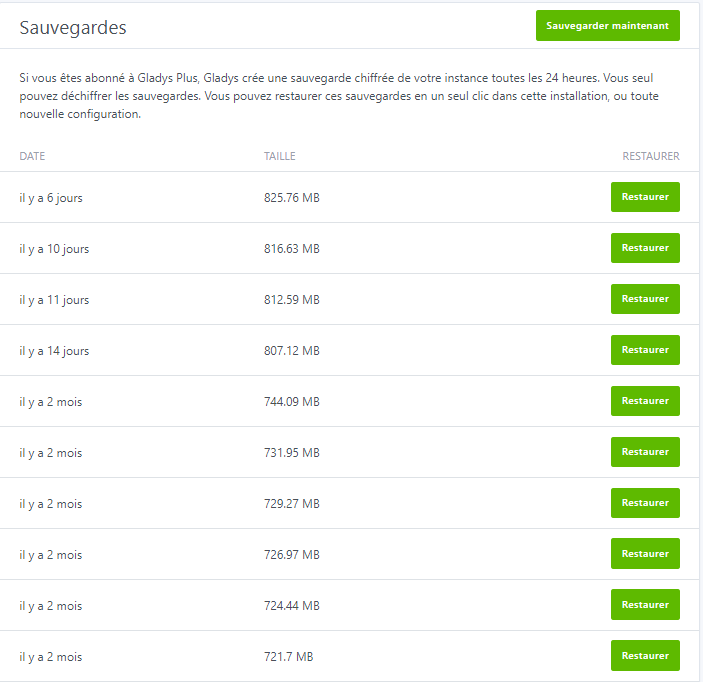
Database size on Gladys Plus + backup history

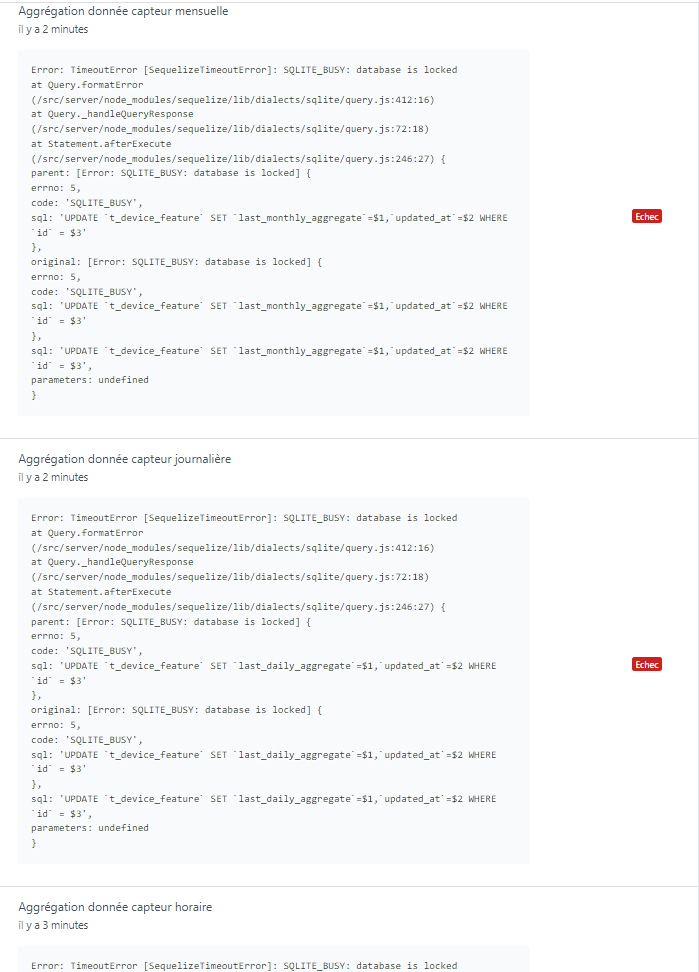
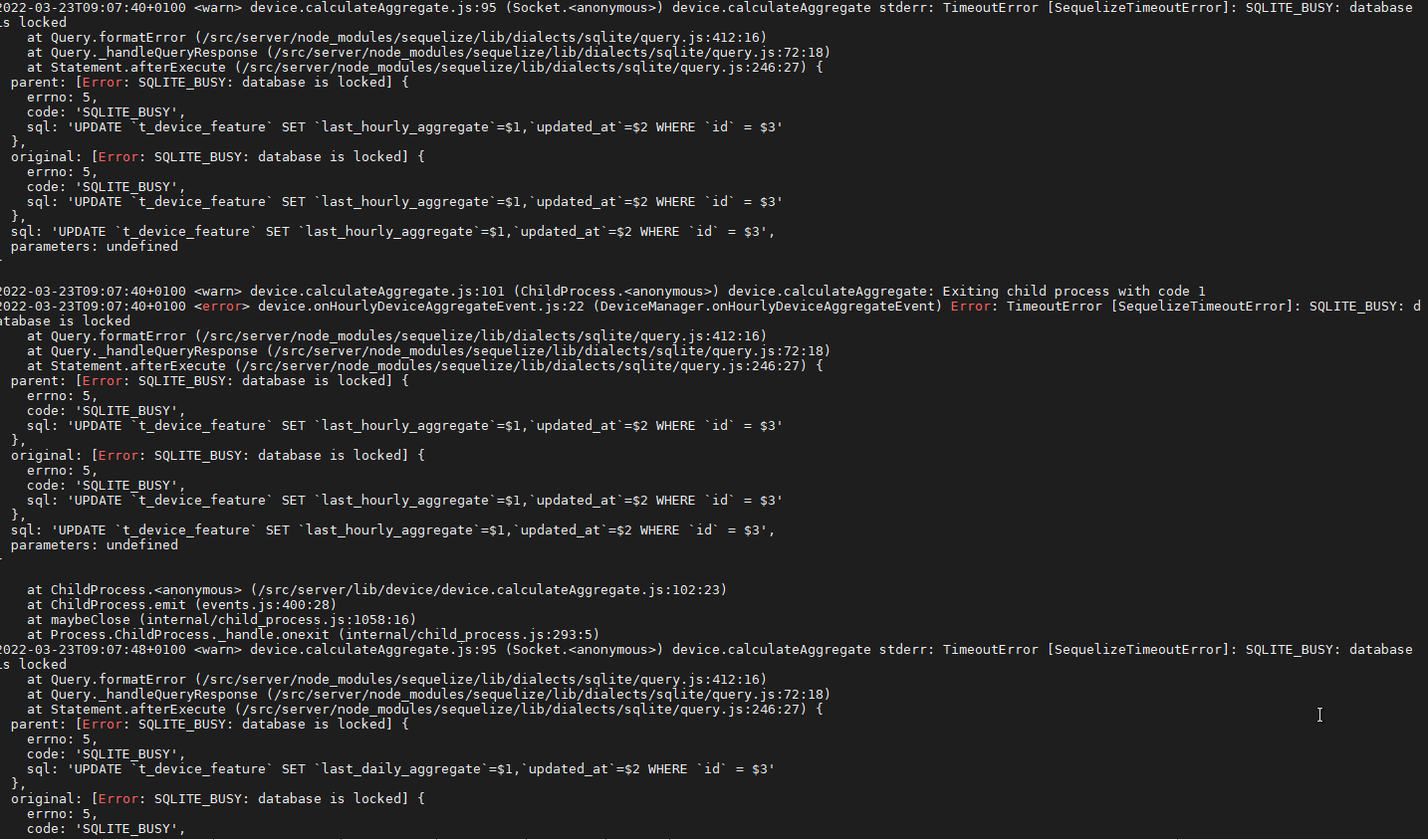
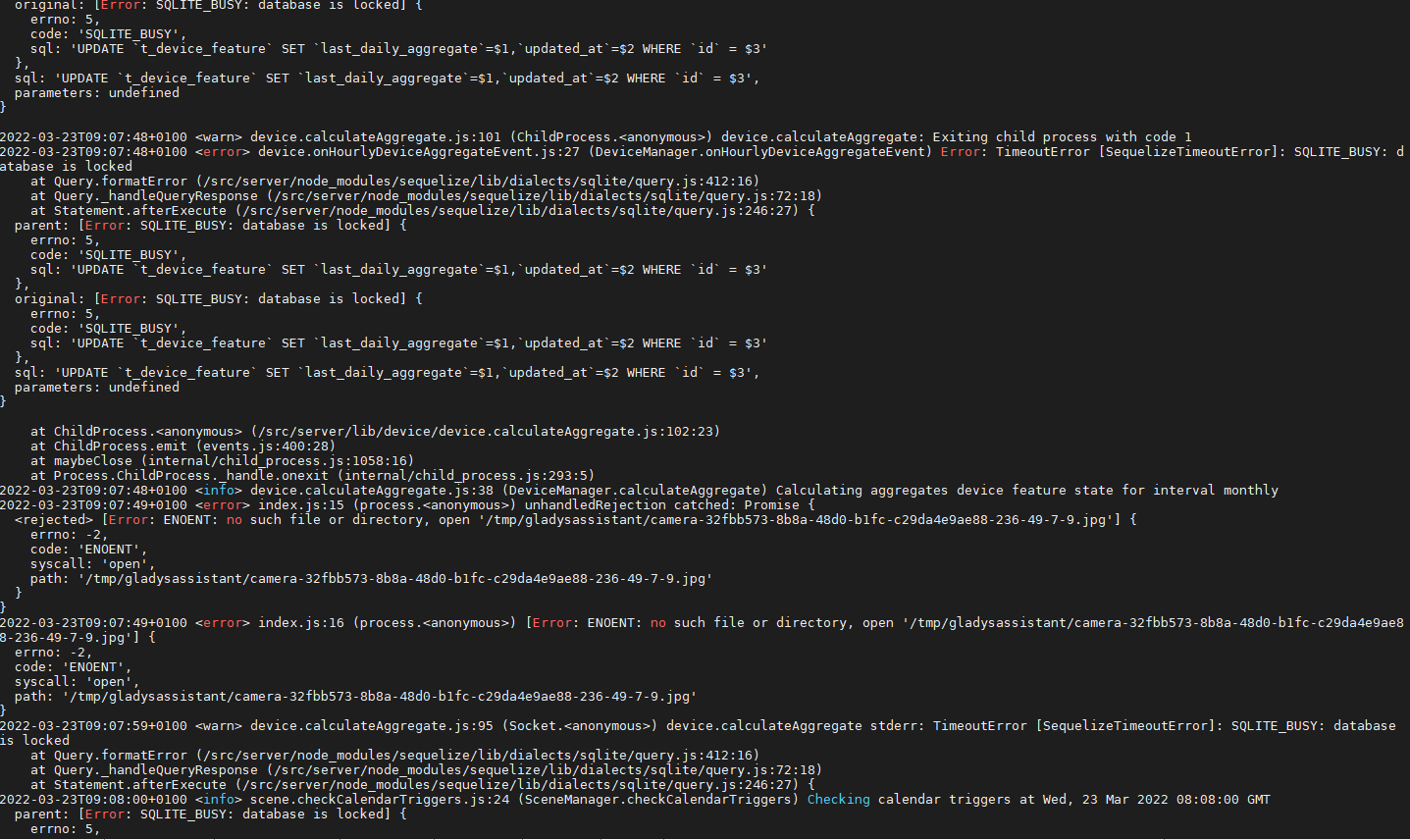
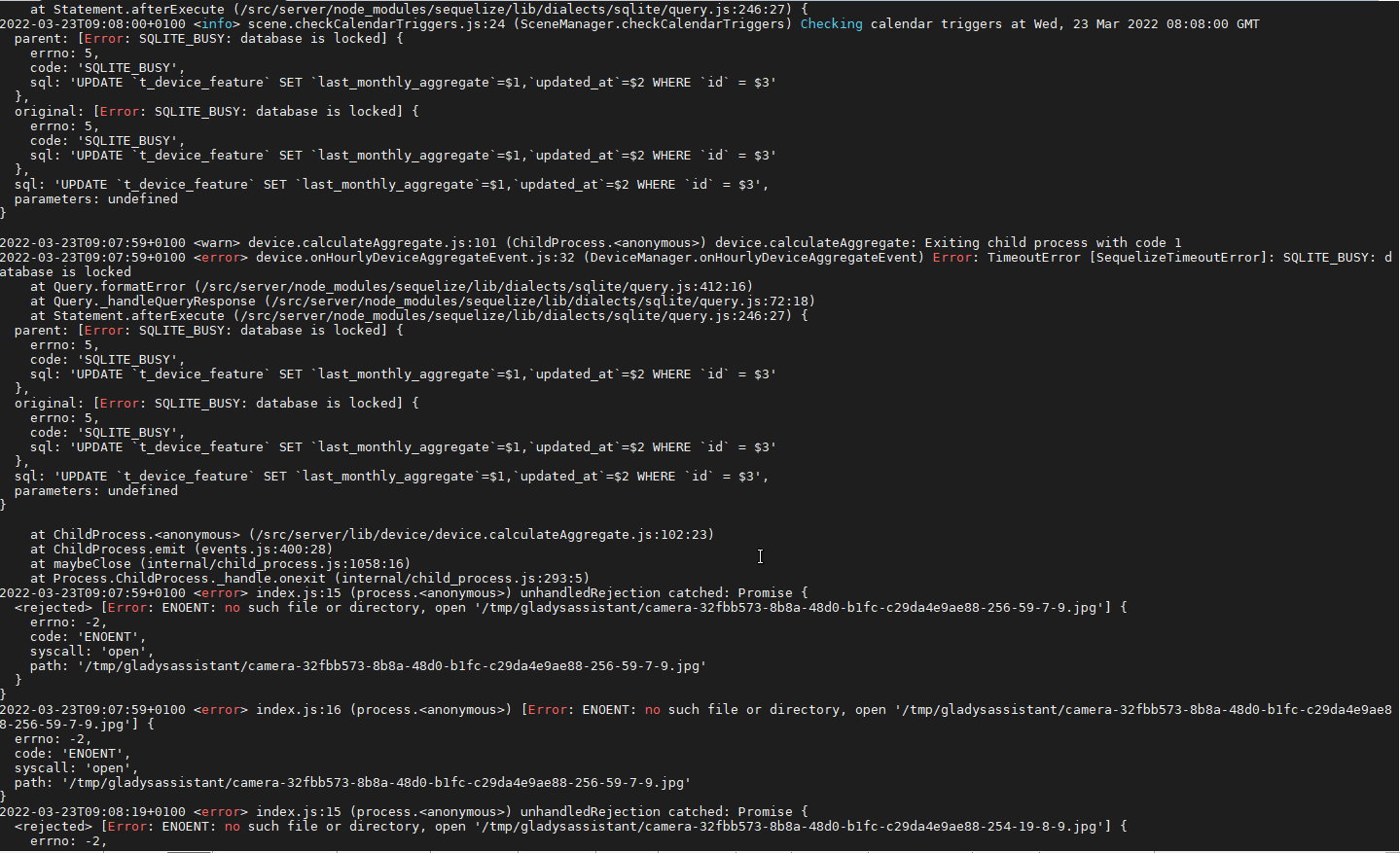
Error of tasks on DB blocked in access

For reference, my config (with SSD)


Edit:

Container status

image

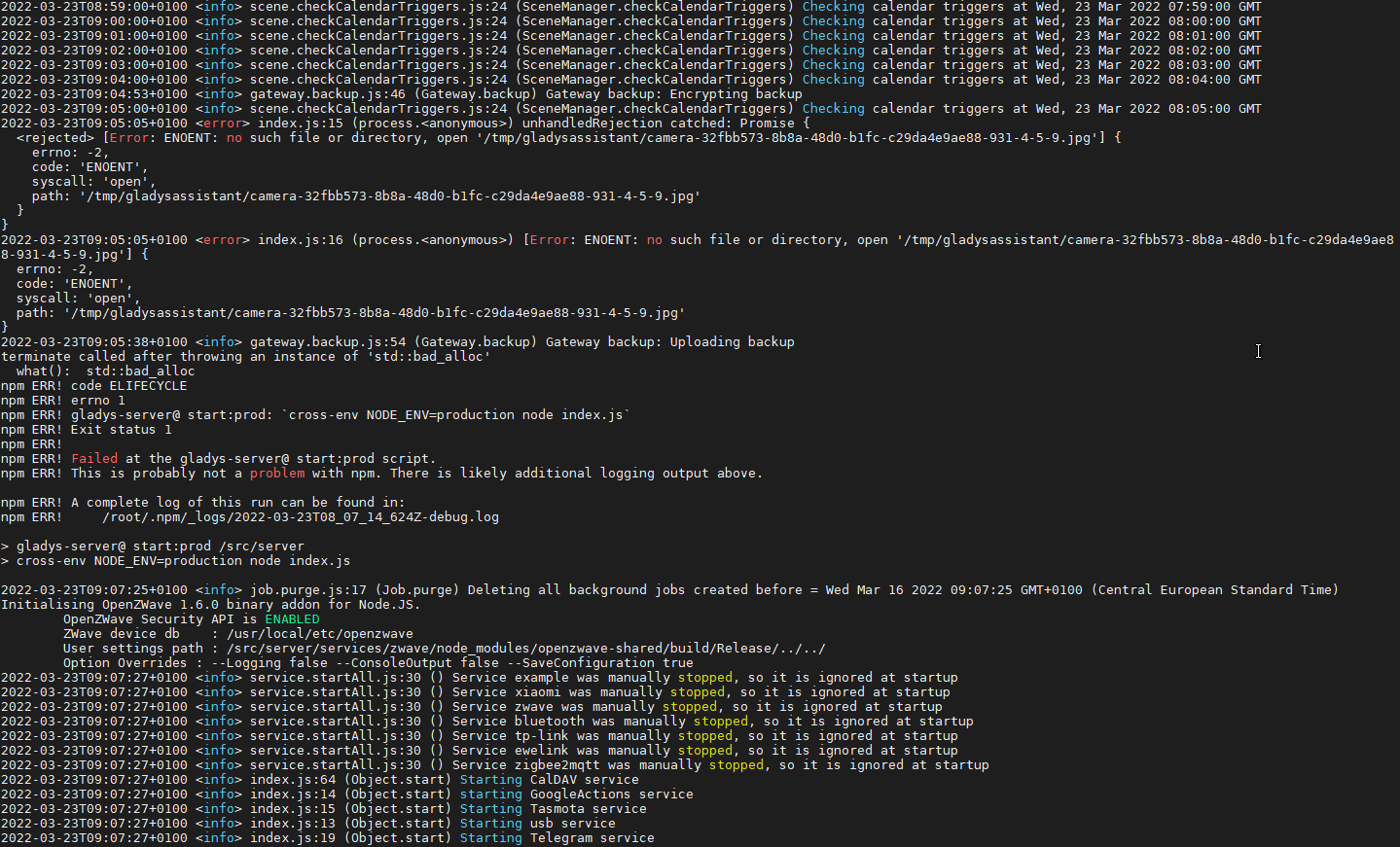
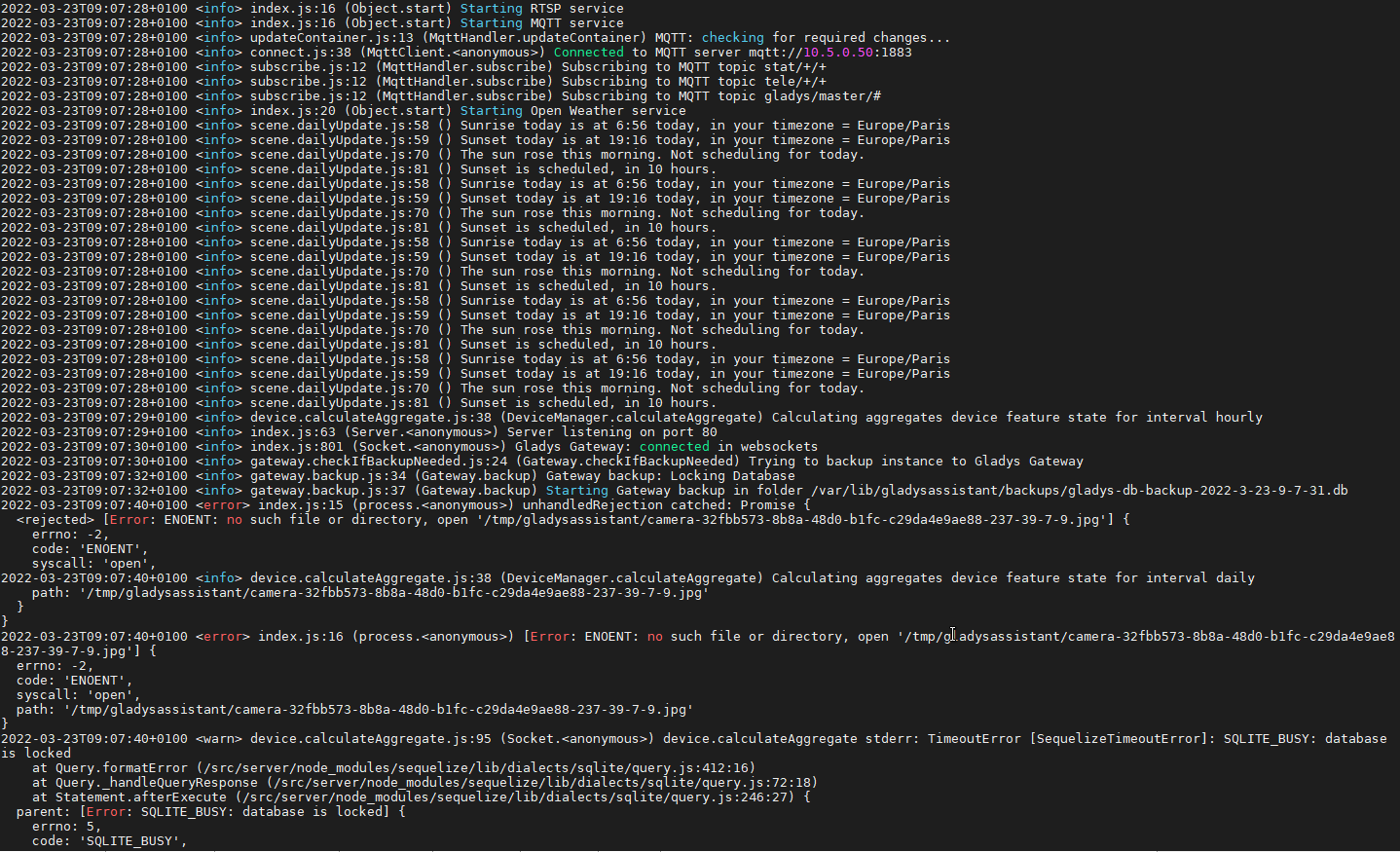
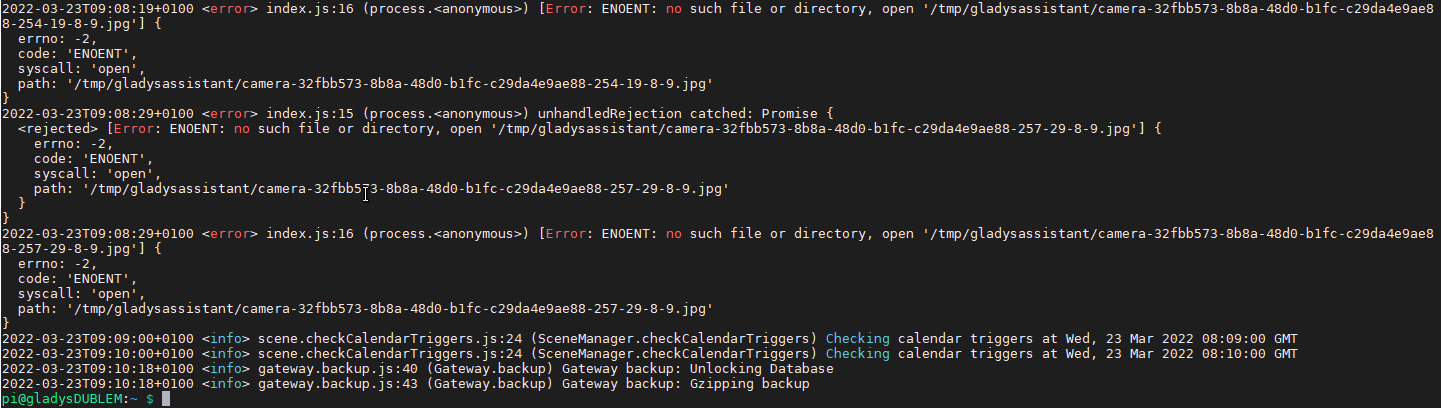
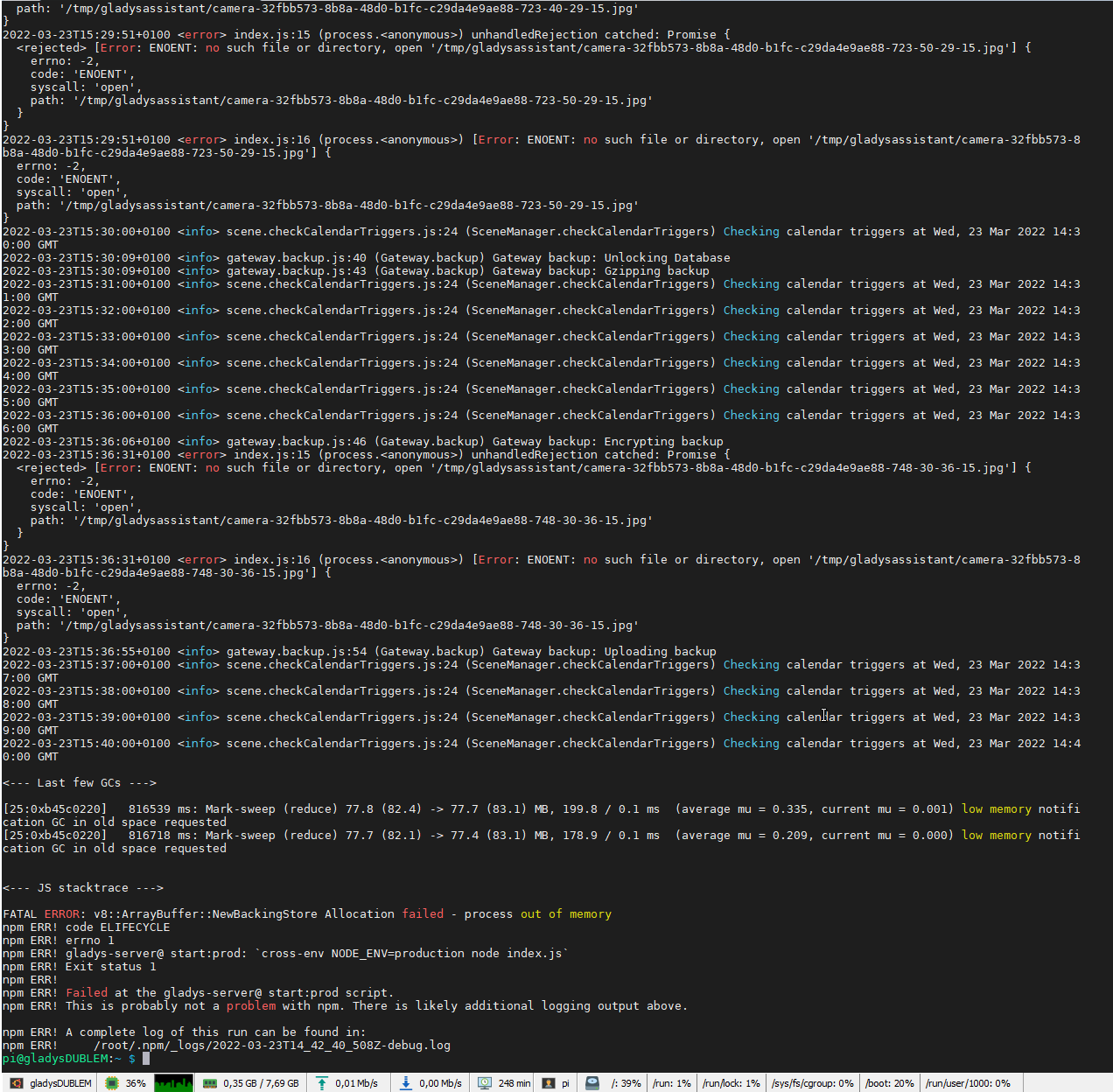
Logs before, during and after crash


I thought you had put in place things to prevent getting into database access issues during backup. Could there have been a regression on this point? Or am I wrong?

Following your last video, it motivated me to resume the solar programming part thanks to node red. I therefore have many additional data to integrate (production on 3 phases + cumulative / consumption on 3 phases and 3 parks + cumulative / differences between the two). This represents approximately 72 features including 12 values every 30s, 24 values every 1h, 12 daily values, 12 monthly values and 12 annual values.
For this, I’m a bit worried about the future. Wouldn’t it be possible to cut the backup. My SSD being quite capable of handling the backup of this data, I would rather go for an internal backup if it’s only Gladys Plus that is the problem.
For info, I’m in the middle of a campaign, I’m running on 3 internet networks (satellite starlink as priority, free 4G as secondary and free adsl - 512Ko as backup) which each cut regularly. But the Starlink throughput is excellent (120 mega on average). Could an internet outage during backup explain this?

Thanks in advance.
It seems like he’s backing up the DB continuously… it should normally be done once a day, right? Because 20 minutes ago, the file in /var/lib/gladysassistant/backups/ was « gladys-db-backup-2022-3-23-7-38-31.db.gz » and now it’s « gladys-db-backup-2022-3-23-7-53-52.db », so 2 backups in less than 15 minutes…

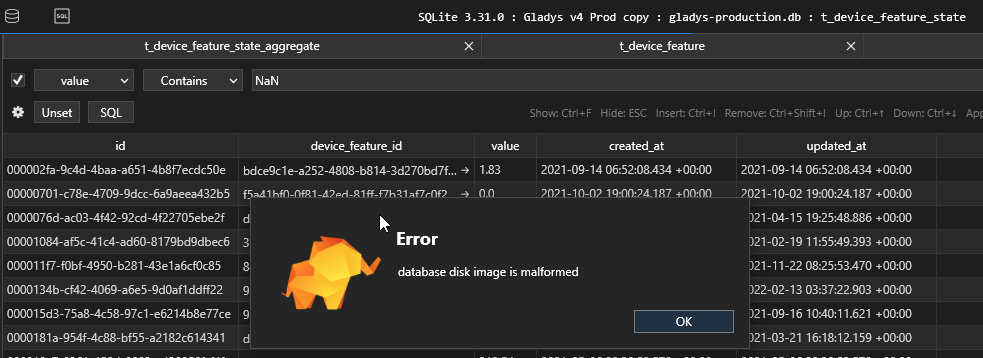
I’m currently retrieving the DB to check if there are any NaN values

Edit: No NaN values found. Just negative values, but I assume that doesn’t have any impact. However, when searching with CTRL+F (TablePlus), I get an error database disk image is malformed… Any consequences??

Last logs with errors:

You’re out of storage or RAM

« out of memory »

Hello @Terdious! Your gargantuan instance continues to give us challenges!! :smiley: It’s cool, it will allow us to strengthen the software even more :slight_smile:

Indeed, as the error message says at the end, backups fail due to a lack of available RAM during upload! And so they are retried regularly.

Out of curiosity, how much RAM do you have available? Can you check your RAM usage during a backup?

What is possible (to be verified, I don’t remember), is that the backup is fully loaded into RAM during the upload, which would be a problem since your backup is 800MB, if your RAM is 1GB I understand that it’s stuck! If that’s the case, the solution would be to switch to chunked upload to avoid using so much RAM. (it’s quite possible that this is the issue, I need to check how it works on the Gladys code side)

Thanks @VonOx and @pierre-gilles for your feedback.

I highly doubt that the RAM is the issue. That’s why on the last screen I showed you the bottom bar: 350 MB used out of 8GB ^^

The maximum I’ve observed is 8xx MB. However, during the backup, I’m at 100% CPU usage (with peaks at 112% … :thinking:) and never releases the hand.

After a restart, the backup starts and this time regularly releases the hand to aggregation. But 30 minutes later, it’s the same story again ^^

Are you sure about the RAM? The error is quite clear, it’s an out of memory error! (350MB isn’t normal usage after the process crashes?)

Otherwise, there’s the JavaScript heap size, but on Node 14 it’s 4GB so I don’t think that’s it…

Yes, definitely sure about the RAM

For the 350MB, yes indeed it was after the crash. But on my side, visually I’ve never seen it go above 1GB, that’s for sure. I can do more visual sessions but it’s not easy to catch the peaks I suppose… And how could it possibly exceed 8GB??:sweat_smile:

Yes, it’s certain 8GB is impossible

Do you have anything on your machine that could kill certain processes in case of high RAM usage? No limit set on Docker, for example?

:sweat_smile::sweat_smile:

No sorry!! After our previous research on the database, I had everything clean for the SSD. So this pi is only used with the containers you see in my previous message, installed with the official Gladys image. Nothing has been touched since.

My Mosquitto and Node Red are running on my other pi with Gladys Pro and Gladys Netatmo.

I’m not helping in this case… sorry

What? How many Gladys do you have running?
I don’t even want to imagine the number of scenes.
Can’t wait to see you on a Tuesday.

That doesn’t help either. :wink:

I was wondering (so I’m passing it on to you):
Are G+ backups scheduled or rather random?
Would it be beneficial to schedule them at night when Gladys is less busy?

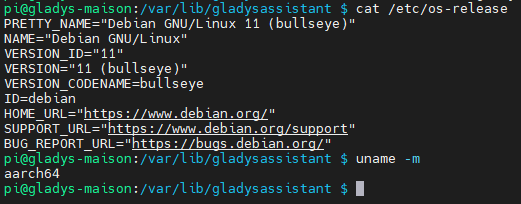
So I imagine it’s a Pi 4 8Gb? Did you install a 64-bit system on it?

Aha, that’s the point!!

The official Gladys image was a 32-bit image until now, so you can’t use the 8Gb of RAM. At best, you can use about 3GB.
But you’re lucky :smiley: We just worked with @VonOx on an official 64-bit image. For now, we’re in the testing phase, but I tested it personally and it worked very well:

In any case, it’s not normal that the upload takes so much RAM. On my side, I will investigate the issue (on my Gladys days, tomorrow or Monday/Tuesday) and try to implement a less resource-intensive upload.

On your side, switching to a 64-bit system would be a good short-term solution to make the best use of all your system’s RAM. :wink:

No problem!!

Before that, do you want to observe the case and look directly at my session? If it can help you see exactly the issue … ^^ My door is open for remote control ^^

In any case, thanks!!

It’s not necessarily necessary, I can reproduce a large DB upload at home :slight_smile: You can update your system!

Currently, Gladys checks every 2 hours if a backup has been done in the last 24 hours: if yes, she does nothing, if not, she starts a backup.

So far, except in the case of @Terdious, backups were almost instantaneous, so it didn’t cause any problems during the day :smiley:

But maybe it would be worth scheduling them at night if these backups become heavier for everyone :slight_smile:

For info, I’ve created a GitHub issue about backups:

@Terdious keep us informed when you switch to 64 bits!

Hello @pierre-gilles,

Thank you for the issue @pierre-gilles. Indeed, the problem comes, in whole or in part, from a memory cache usage issue:
image
7.3Giga used in cache every 30 min… there’s the reason for the crash… but now it’s no longer tenable, I can’t do anything anymore…

Mmmmmh maybe I didn’t understand your previous message…

Is this an official version with updates? Or a test version? Sorry for the request, but not having any other pi (I have enough already ^^), I can’t afford to break everything like that (even if it’s already broken in the end ^^). My last Gladys Plus backup is more than 10 days old…

So for you I can install the 64-bit version directly on the SSD?

I don’t see anything strange in the screenshot you shared, the « buff/cache » memory is not used memory, if an application needs it, it will be released by the system.

Here, only 228mb of RAM are used, which is quite normal :slight_smile: But I imagine that no backup is being uploaded in your screenshot.

Cf: https://unix.stackexchange.com/a/521493

Actually, your problem is probably occurring during a backup, as you are using a 32-bit system, a single process cannot use more than 3GB of RAM out of the 8GB you have on your system. Switching to a 64-bit system will allow you to use the full 8GB of RAM in a single process.

As the Raspberry Pi Foundation website says:

Our default operating system image uses a 32-bit LPAE kernel and a 32-bit userland. This allows multiple processes to share all 8GB of memory, subject to the restriction that no single process can use more than 3GB

Source: https://www.raspberrypi.com/news/8gb-raspberry-pi-4-on-sale-now-at-75/

It’s an official version, but still in the testing phase, so it’s semi-official if you will :smiley:

Basically, for now @VonOx has done the build, I tested it for about 1 hour, and my tests are positive. However, so far we haven’t had any other feedback from other community members in more « real » usage, so I can’t guarantee that it’s 100% bug-free, we don’t have the same history as the current production image.

It’s up to you to decide if it’s production-ready for you or not.

Make backups beforehand (stopping Gladys first so that your DB files are not corrupted), since your backups are no longer working because of this lack of RAM :slight_smile:

Indeed, my bad!!^^

Lol, if I actually had a backup running since 8:30^^

:slight_smile: Yes, I understood that^^ I know the subject :wink: I didn’t understand because of the message quoted below^^

Oki it’s clearer for me, thanks for your feedback.

So I went for it, I had an extra SSD^^ It’s being reinstalled^^

I’ll give you feedback later.