Great idea for gauges!  A post in « feature request »?
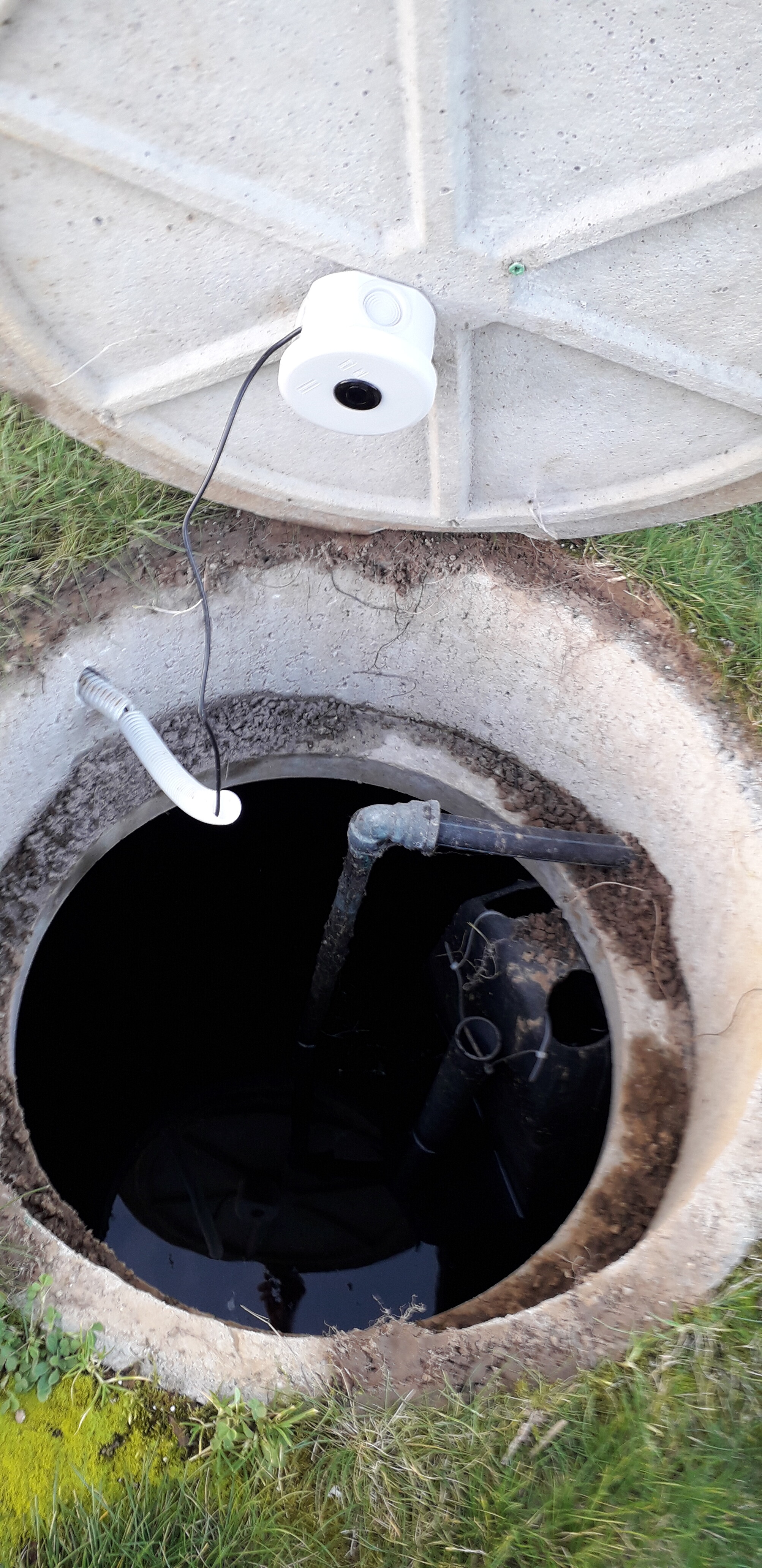
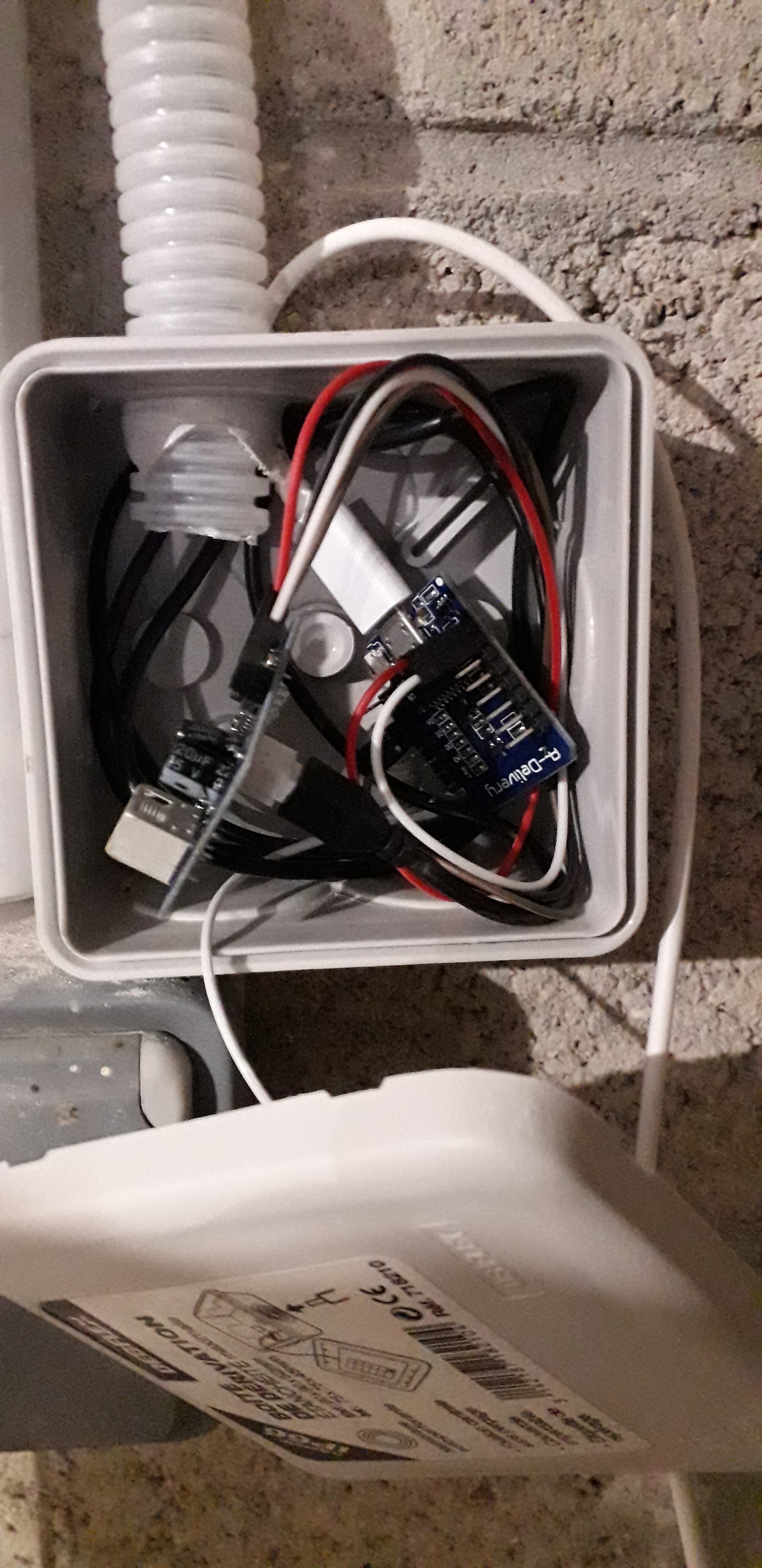
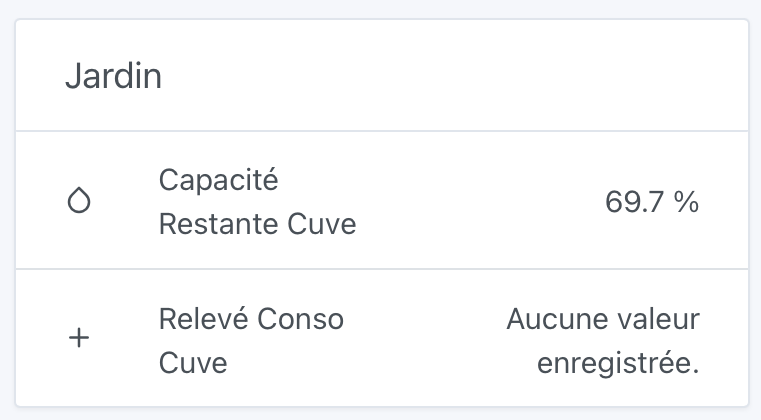
@jerome wow, that’s impressive!
Would you be up for writing a quick recap post about your setup to include in the documentation? I think it would interest a lot of people, and with the little photos, it’s perfect
Hello @pierre-gilles
Yes, I would really like to prepare that. Any advice to try and do some clean and fun things.
Best regards
Hello,
That’s really cool what you’ve done, I have a water recovery tank and I’d love to do the same thing, I’m eagerly waiting for the recap of your setup
@jerome I don’t know if you’ve seen it, the documentation is entirely on GitHub: GitHub - GladysAssistant/v4-website: Gladys Assistant website · GitHub
The documentation is simply made up of markdown files, it’s quite simple.
The idea would be to explain:
- what was your goal with Gladys
- the hardware you set up for this project, with a small diagram if you can that’s the best! (And photos!)
- if there is any custom code, include the custom code, and explain the software part
- include screenshots of the result in Gladys, and scenes you have set up around it.
In short, it’s not very complicated, just a summary of your project. The more complete the better.
The goal is to show a use case so that others are inspired to do the same
I don’t know if you are comfortable with markdown, GitHub, PRs?
If not, you can even write the article in Gdoc or Word, and I can help you with the layout
To tell the truth, I’m not comfortable with much, I’m a beginner in everything but little by little I’m learning by trying. I don’t come from the world of computer science but it fascinates me.
I wrote the text in Pages « Mac » for the moment. I’ll see if I can manage and come back to you for help if needed. 
Ok top. Don’t hesitate
Hello @pierre-gilles
Everything is ready and quite detailed I think. Can I send you what I have done to get your impression and then your help with formatting and layout.
Hi @VonOx
Just to know if you have made any progress on the gauge or otherwise if I could help you with the subject if you have time as I think you are working on other subjects
I just looked at the lib (Apex) to see what we could use.
No mockups yet. So if you’re up for it, go for it
(At the top of my pile is the Raspberry image build and the brightness/temperature management of the lights because it’s the only missing piece on the light side)
@jerome Great! Can you put a download link here? That way everyone can see and provide feedback
Here is the link.
I await your response with great indulgence 
https://drive.google.com/file/d/1ared0oHCua4Ul4XhrB62lNbvKaXHVwhL/view?usp=sharing
@jerome your document is private, I don’t have access
Sorry, I was too quick. It should be fine now.
Hi @jerome! I just read your document, it looks great
-
There are a few spelling mistakes, it would be worth running a spell checker on it (For example at the beginning: « il mettait impossible de savoir » → « Il m’était impossible de savoir »)
-
Maybe we could add links to the products on aliexpress (for example) to make it easier for someone who would like to do the same?
-
For the code to upload to the wemo, could you explain a bit better how you uploaded the code? Was there software to install? Drivers?
But otherwise it’s really good! I’ll show you how to publish it on the site afterwards
Hello @pierre-gilles
I ran the spell checker  I’m not sure everything has been corrected, but I created the links for purchases or to the sites to download the software and detailed the Arduino installation part with the integration of the Wemos and then the libraries with screenshots.
Awesome, that’s great Now, we’ll need to convert this file to markdown.
I don’t know if you know markdown? (Getting Started | Markdown Guide)
Actually, it’s a fairly simple formatting language that allows you to add titles, bold text, images, tables, pretty much everything
Here’s an example of a Markdown file in the Gladys documentation:
https://raw.githubusercontent.com/GladysAssistant/v4-website/master/fr/docs/integrations/camera.md
And all these files are stored on Github, for example here:
https://github.com/GladysAssistant/v4-website/tree/master/fr/docs/integrations
The site is generated from these files
Do you have any knowledge of git or not at all?
I’m trying to see how you could propose this article from start to finish, so after that you’ll know how to do it
hello @pierre-gilles
I don’t know anything about git. I started looking at it tonight and it seems a bit complex at first glance. I’m doing the beginner e-learning
It’s not necessarily complicated To get started, you can even propose a « pull request » (a code modification) directly in the GitHub interface (you need to have a GitHub account), it’s quite simple, it’s just clicking!
If you really struggle, we can do it for you, but well, if you can learn something along the way, it’s always a good thing 