Here is my program that was working before connecting.
Let me explain: when I connected the wemos, the serial monitor displayed that the WiFi connection was successful as well as the MQTT connection.
Since I tried to connect my sensor to my wemos, I only have symbols in the serial monitor.
Any ideas?
#include <ESP8266WiFi.h>
#include <PubSubClient.h>

/* WIFI */

#define wifi_ssid "******box"
#define wifi_password "****************"

/* MQTT */

#define mqtt_server "192.168.0.7"
#define mqtt_user "gladys"            // username
#define mqtt_password "****************"        // password
#define gladys_topic "gladys/master/device/mqtt:jardin:capteur-ultrason/feature/mqtt: jardin:capteur-ultrason:quantite/state"
#define mqtt_cuve "mqtt:jardin:capteur-ultrason"     //Topic capteur cuve

/* Buffer that allows decoding received MQTT messages */

char message_buff[100];

long lastMsg = 0;   //Timestamp of the last message published on MQTT
long lastRecu = 0;
bool debug = false;  //Displays on the console if True

/* Constants for the pins */

const byte TRIGGER_PIN = 7; // TRIGGER pin
const byte ECHO_PIN = 6;    // ECHO pin

/* Constants for the timeout */

const unsigned long MEASURE_TIMEOUT = 25000UL; // 25ms = ~8m at 340m/s

/* Speed of sound in air in mm/us */

const float SOUND_SPEED = 340.0 / 1000;

//Object creation

WiFiClient espClient;
PubSubClient client(espClient);

void setup() {

  /* Initialize the serial port */

  Serial.begin(9600);     //Optional for debugging

  /* Initialize the pins */

  pinMode(TRIGGER_PIN, OUTPUT);
  digitalWrite(TRIGGER_PIN, LOW); // The TRIGGER pin must be LOW at rest
  pinMode(ECHO_PIN, INPUT);

  setup_wifi();           //Connect to the WiFi network
  client.setServer(mqtt_server, 1883);    //Configuration of the connection to the MQTT server
}

//WiFi network connection
void setup_wifi() {
  delay(10);
  Serial.println();
  Serial.print("Connecting to ");
  Serial.println(wifi_ssid);

  WiFi.begin(wifi_ssid, wifi_password);

  while (WiFi.status() != WL_CONNECTED) {
    delay(500);
    Serial.print(".");
  }

  Serial.println("");
  Serial.println("WiFi connection established ");
  Serial.print("=> IP Address: ");
  Serial.print(WiFi.localIP());
}

//Reconnection
void reconnect() {
  //Loop until reconnection is obtained
  while (!client.connected()) {
    Serial.print("Connecting to MQTT server...");
    if (client.connect("ESP8266Client", mqtt_user, mqtt_password)) {
      Serial.println("OK");
    } else {
      Serial.print("KO, error: ");
      Serial.print(client.state());
      Serial.println(" Waiting 5 seconds before retrying");
      delay(5000);
    }
  }
}

void loop() {
  if (!client.connected()) {
    reconnect();
  }
  client.loop();

  long now = millis();

  /*Send a message every minute*/

  if (now - lastMsg > 1000 * 60) {
    lastMsg = now;

    /* 1. Start a distance measurement by sending a HIGH pulse of 10µs on the TRIGGER pin */

    digitalWrite(TRIGGER_PIN, HIGH);
    delayMicroseconds(10);
    digitalWrite(TRIGGER_PIN, LOW);

    /* 2. Measure the time between the sending of the ultrasonic pulse and its echo (if it exists) */

    long measure = pulseIn(ECHO_PIN, HIGH, MEASURE_TIMEOUT);

    /* 3. Calculate the distance from the measured time */

    int distance_mm = measure / 2.0 * SOUND_SPEED;
    float c = 2000 - distance_mm;
    c = c / 2000;
    c = c * 100;

    //No need to go any further if the sensor returns nothing
    if ( isnan(c)) {
      Serial.println("Reading failure! Check your HRC-04 sensor");
      return;
    }

    if ( debug ) {
      Serial.print("Tank: ");
      Serial.print(c);
    }
    client.publish(gladys_topic, String(c).c_str(), true);   //Publish the temperature on the temperature_topic
  }
  if (now - lastRecu > 100 ) {
    lastRecu = now;
    client.subscribe("homeassistant/switch1");
  }
}
If you power your sensor with 5v, you need a 5v to 3.3v voltage adapter on each input used, as the Wemos inputs and outputs only support 3.3v. Secondly, in your program, you use pins 6 and 7. I think you should put D6 and D7, because if you don’t put the « D », the Wemos understands GPIO 6 and GPIO 7 which correspond to the Flash memory management pins. That’s it
Regarding the connection, I connect the GND to GND and the other ports from the wemos to LOW LV: 3.3, LV1: D6, LV2: D7 and on the sensor side to HV: 5V HV1: Echo and HV2: trigger
To get back to the topic, I tested tamosta with an sr04 and an esp12e, well I’m not bored writing code anymore, it’s hassle-free. (PR in progress to manage distance sensors)
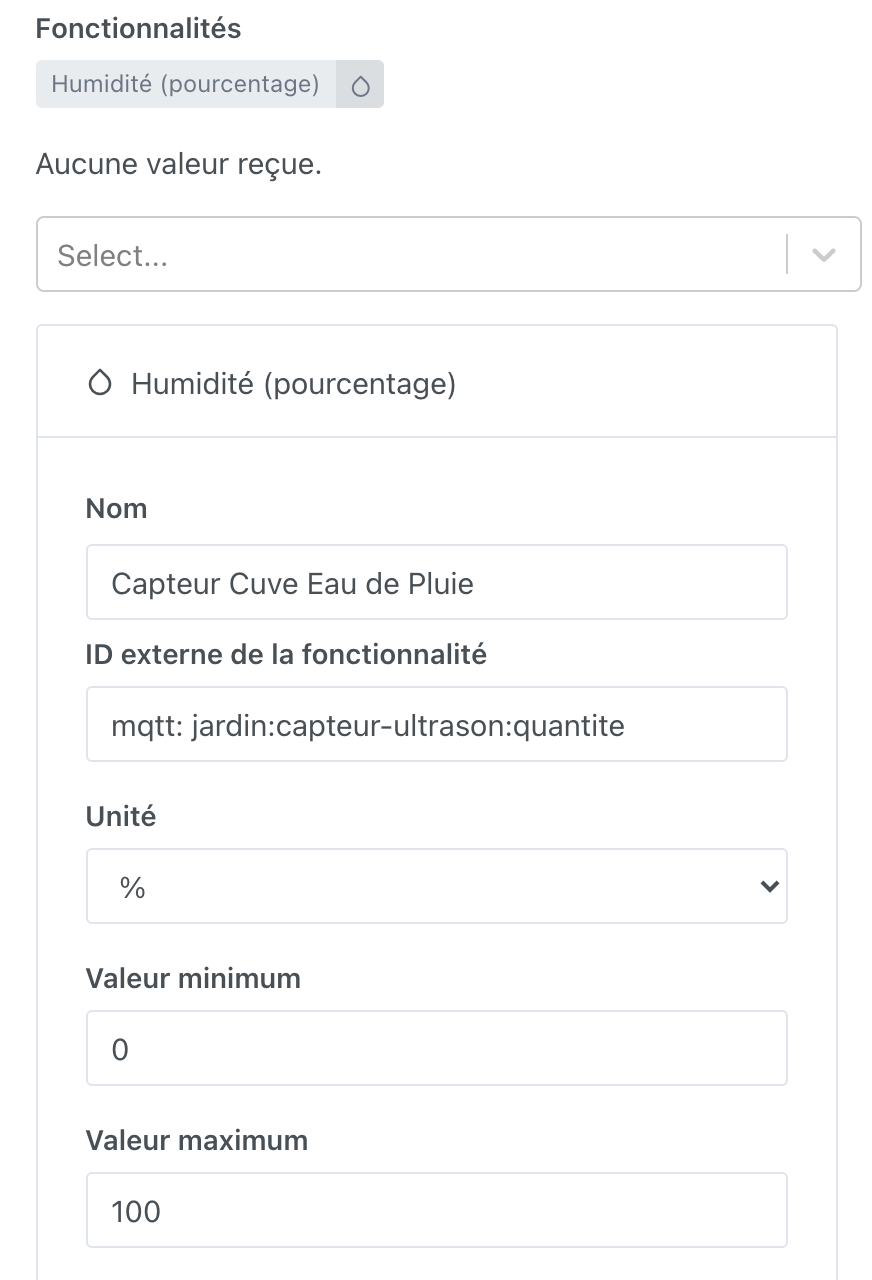
Just a quick update to let you know that everything is working fine, but I have a question about the MQTT API. I had to choose the « Humidity - percentage » feature
which is the closest to what I wanted, but would it be possible to have a specific label for my needs like « Tank capacity - percentage » or, even better, a gauge?


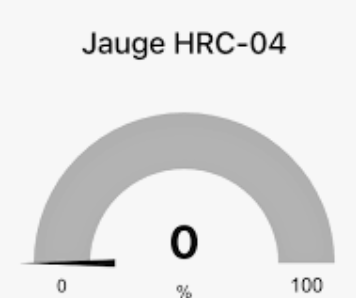
 (it’s on my to-do list)