Greetings!
The integration of Gladys into the home (and vice versa) is progressing well, but I’m struggling with one thing: managing heating schedules. I tried using scenes, but I can’t figure out how to condition the fact that I want the heating to be turned on at 6 AM IF the temperature is below 20 degrees.
When I try to use ‹ continue only if ›, I have no variables available. Is this normal?
I think I read somewhere that there was some thought being given to the subject of heating schedule planning, but in the meantime, can you help me find an acceptable solution?
Thanks to all of you for this wonderful product that you dreamed up and designed!
Hello @GBoulvin,
To perform a « continue only if » action, you must first retrieve a value using the « Get Value » block. You can then create a « continue only if » on that value on the line below.
It will be necessary to seriously create documentation for the scenes on the website with practical cases.
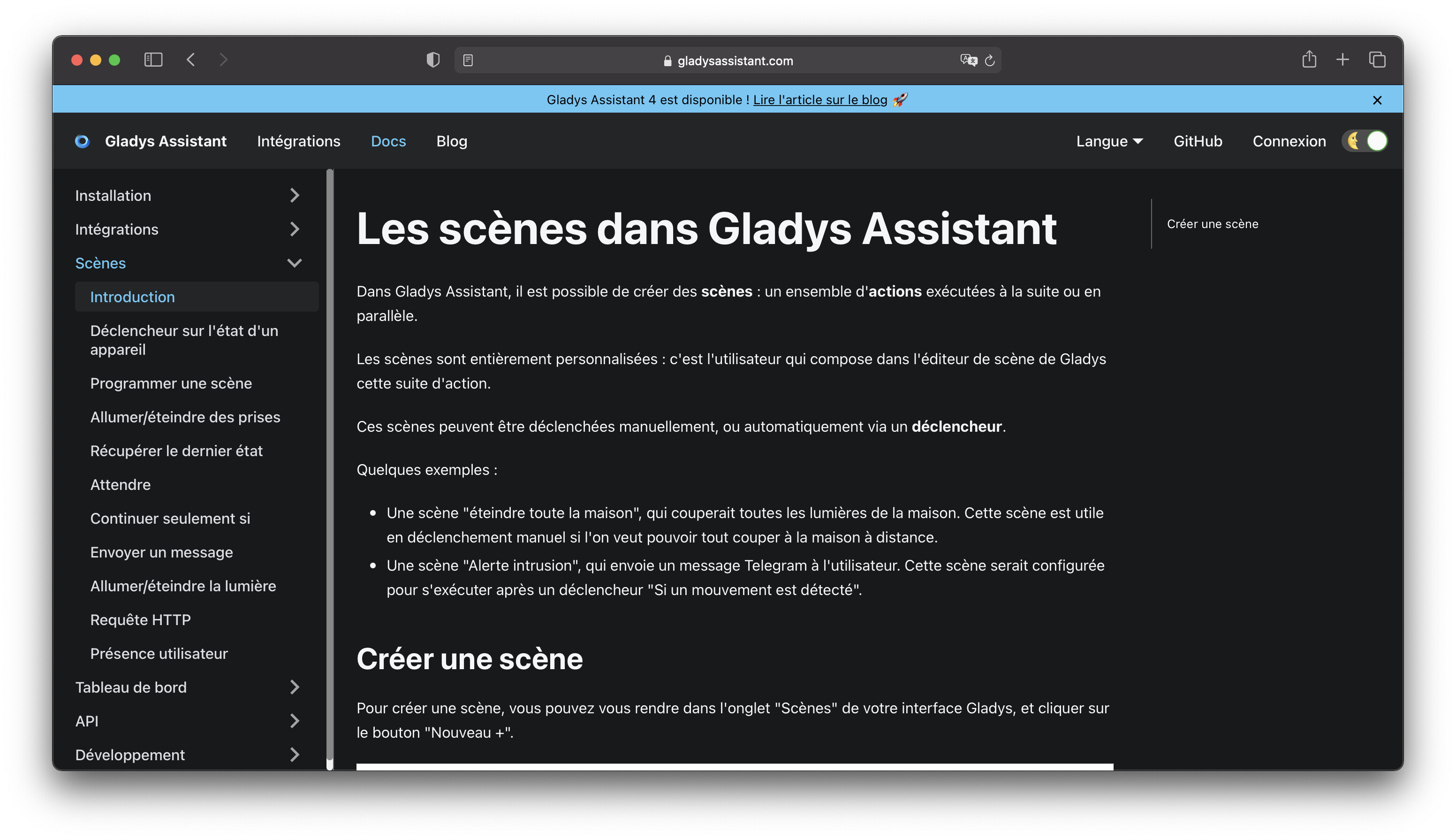
Yes, I know that, but practical cases, concrete examples.
Ask @Terdious he has plenty 
If this continues I will only do documentation ^^
Oh dear, I hadn’t seen this page in the documentation!
Thanks.
Well, I’ll get back to it!

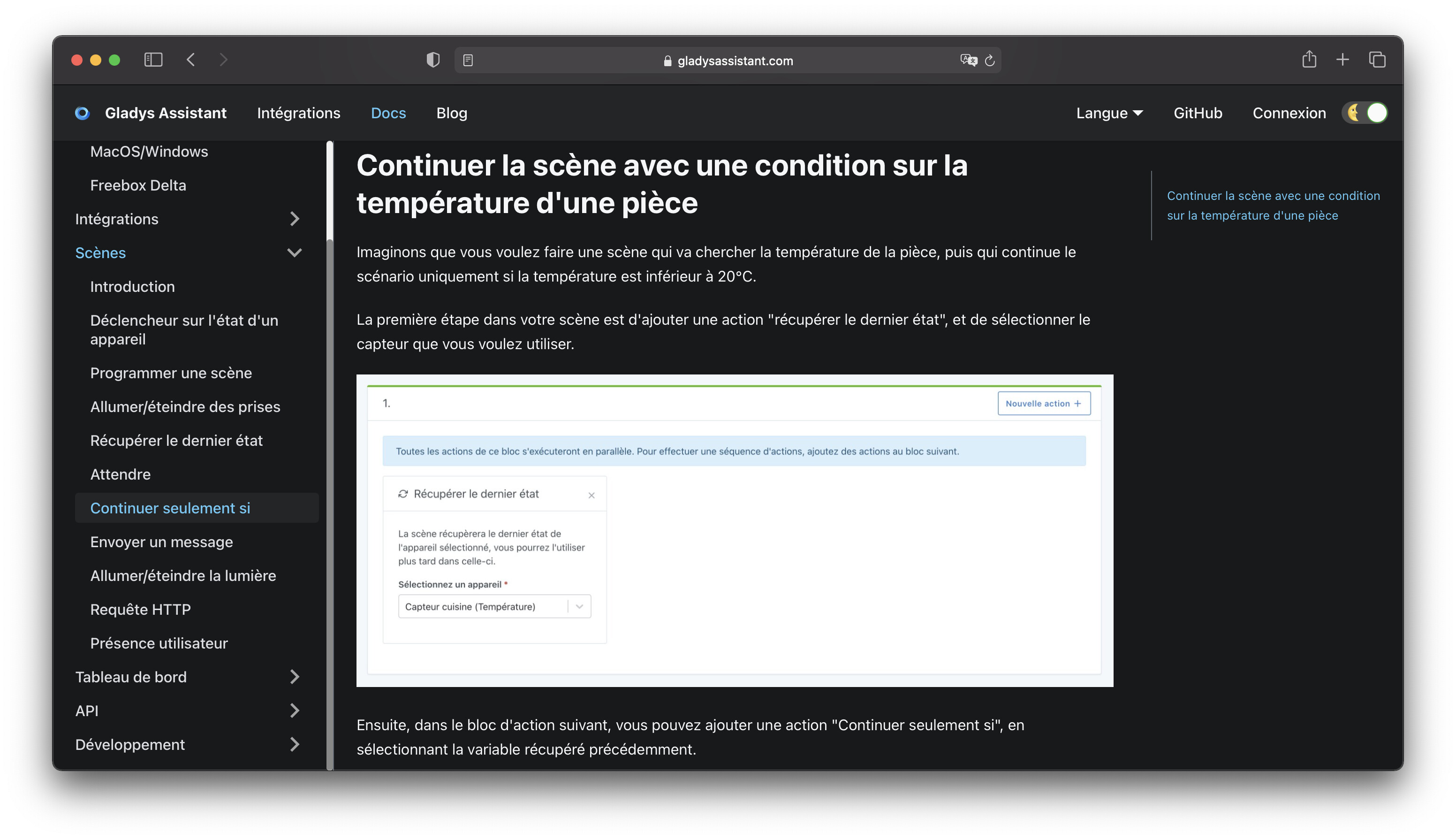
Oops sorry.
It’s been a while since I haven’t been going there.
However, @pierre-gilles, I don’t see it in English? Is this intentional or do you need it to be written in English as well when we have time?
This wasn’t intentional, I was supposed to finish this for the v4 launch in France, and I didn’t find the time to do the English version.
I’m open to any help to translate this  (You can use Google Translate to do the translation if needed, and correct it if it made mistakes!)
Yes, that’s what I did for Netatmo. Overall, it’s not too bad, it’s mostly for the subtleties ^^
For this one I recommend using DeepL instead of Google Translate, much more powerful and accurate!
Well.
I can’t do what I want. 
I managed to start the heating according to a schedule and play with the « continue only if » so that the ignition also takes place if the temperature drops below 18°C
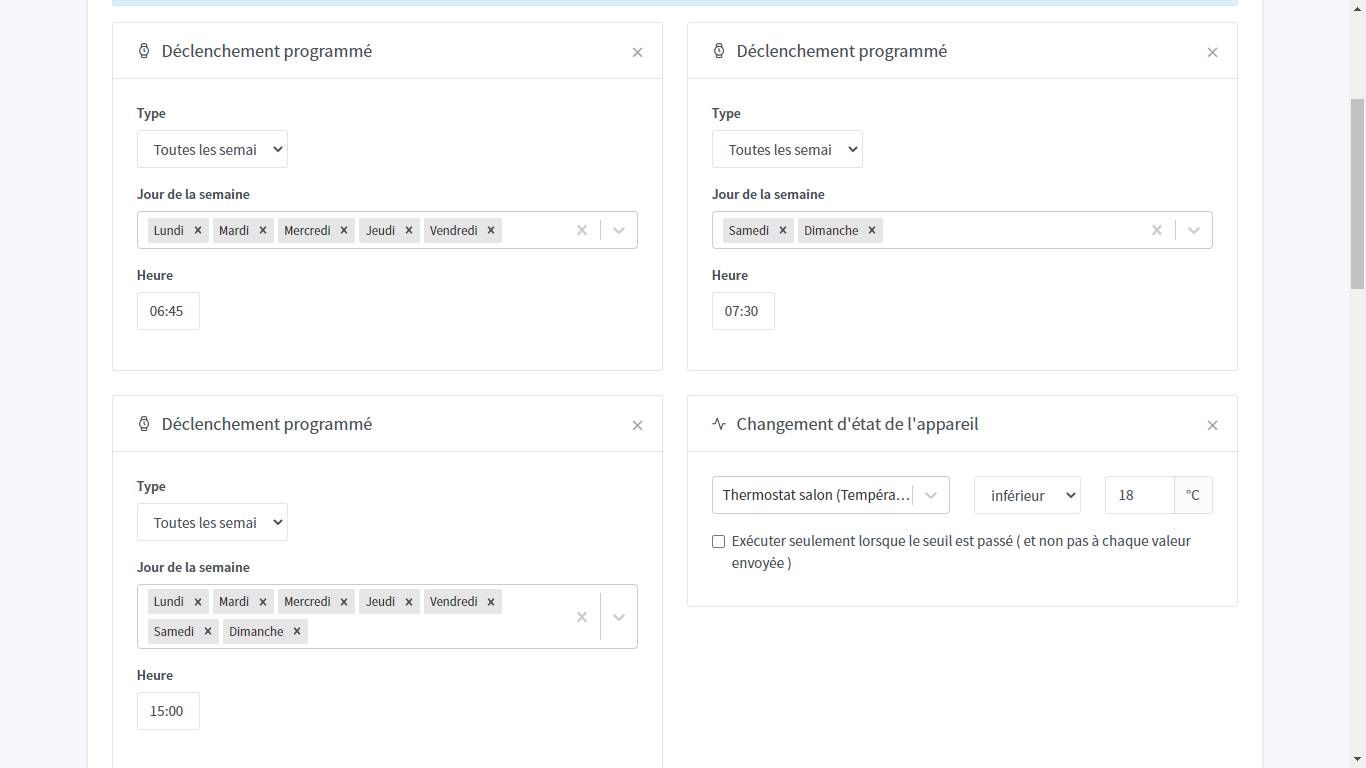
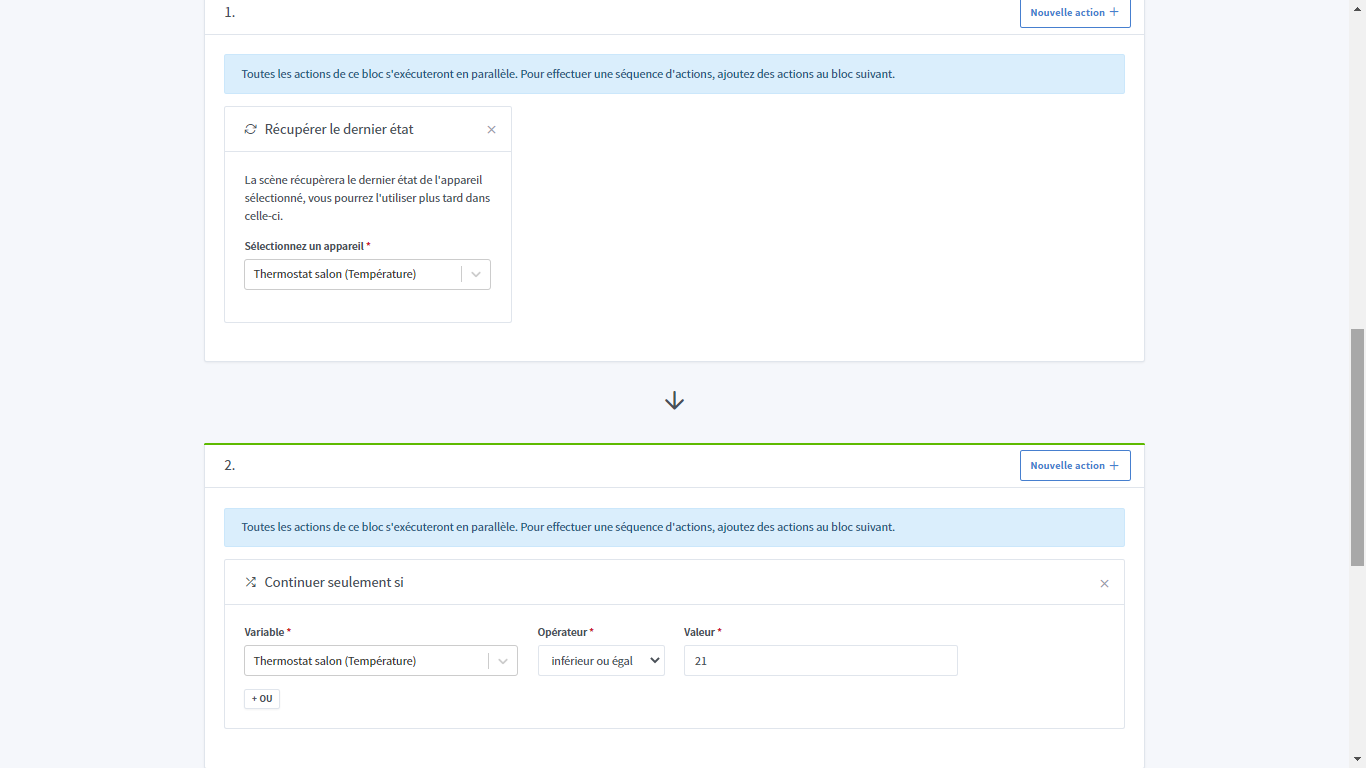
I would like, outside the scheduled hours, my heating, which turns on at 18°C in this case, to turn off at 19°C (just as I would like to be able to set half degrees). And that’s where it gets stuck. I’m lost. Do I need to make a second programming for the « off-peak hours »? It’s really getting hot (pun intended)!

Any ideas?
My old thermostat has two programmable temperatures (day/night) and I’m looking to do the same, or even better (comfort temperature, taking into account the status of the pellet stove) in the future…
Hello @GBoulvin,
First of all, it’s great if you’ve managed your first step ^^
For the next steps, indeed, as long as Gladys does not integrate full and complete management of heating and its scheduling, you will have to make do with scenes and this can be a bit of a headache.
So yes for this part, you would have had to do it separately. The problem is that today we cannot retrieve the date/time in the conditions only if actions to say:
- Trigger: if temperature < 18°
- Action: Condition if and only if:
- time between 7:30 a.m. and 10:00 a.m.,
- or time between 3:00 p.m. and 6:00 p.m.,
- or etc.
- then Action: Turn off outlet (or http request or …)
So today it is impossible to do what you want for off-peak hours.
I can suggest that you look if a feature request is already in progress on this subject and if not, to deposit one. I don’t think it’s a big job to do. But they are taken in order by number of votes.
Thanks for your reply!
I think I’ll do a second « off-peak hours » programming but we need to avoid conflicts.
I support the feature request for ‹ pause/suspend scenes › for holidays and… in this case, we could also suspend the ‹ heating 19° Off › scene if the ‹ comfort temperature › scene is active (this implies that we need to be able to retrieve the activation status of a scene or know if a switch is activated due to a particular scene…)
The topic of retrieving a scene within another scene is discussed in another topic.
However, this feature is not yet developed.
Hello @GBoulvin!!
I think I found a way to address your problem until Gladys integrates time management in action conditions, as well as full heating management:
I tried an example, for the scenes I have this:
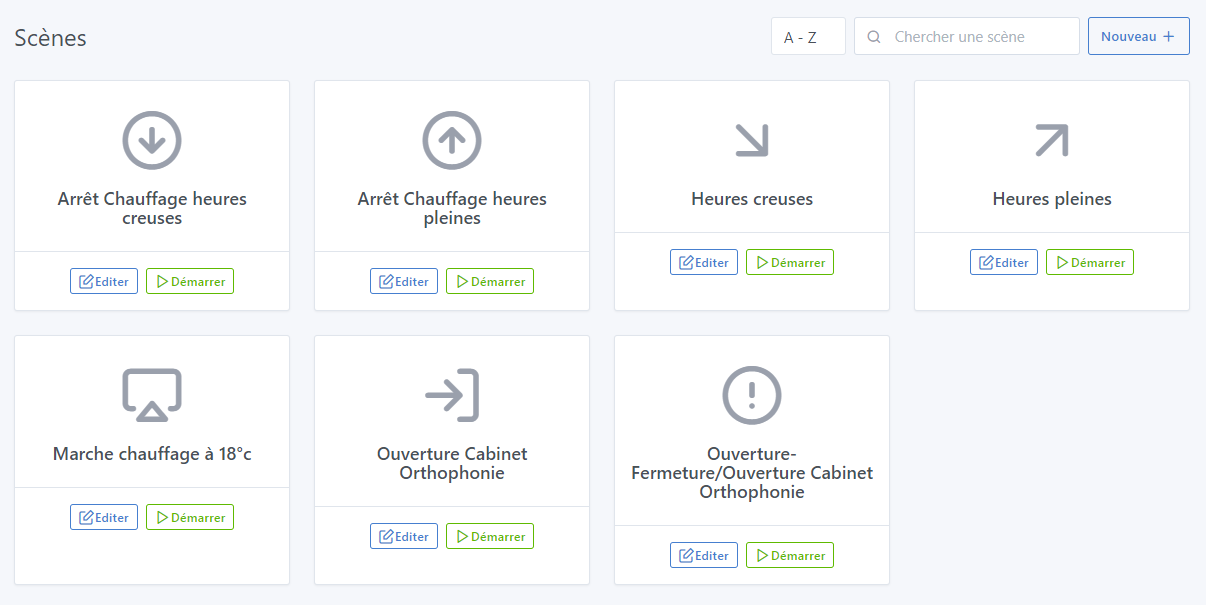
For the devices (You will need to create 2 on your side - one for each of my features) because at least for now the action management only works on a device and not a feature - So for my usage, I made an image changing that):
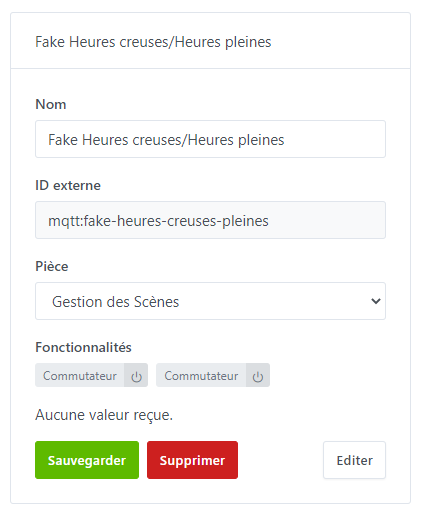
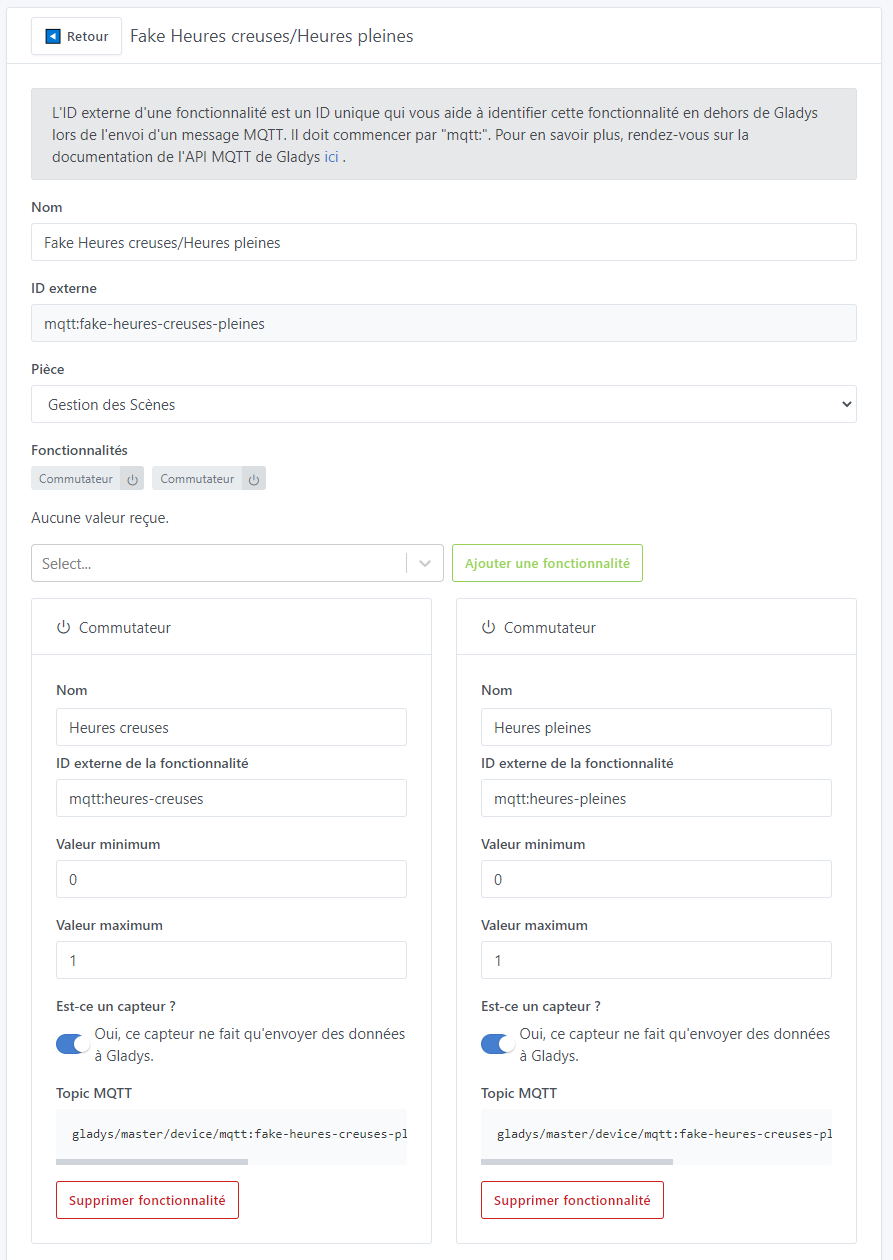
Off-peak hours / peak hours management (For you to replace with « Program 19°C » and « Program 21°C » for example - same for the names of the device features - and in the end you can create as many programs as you wish)
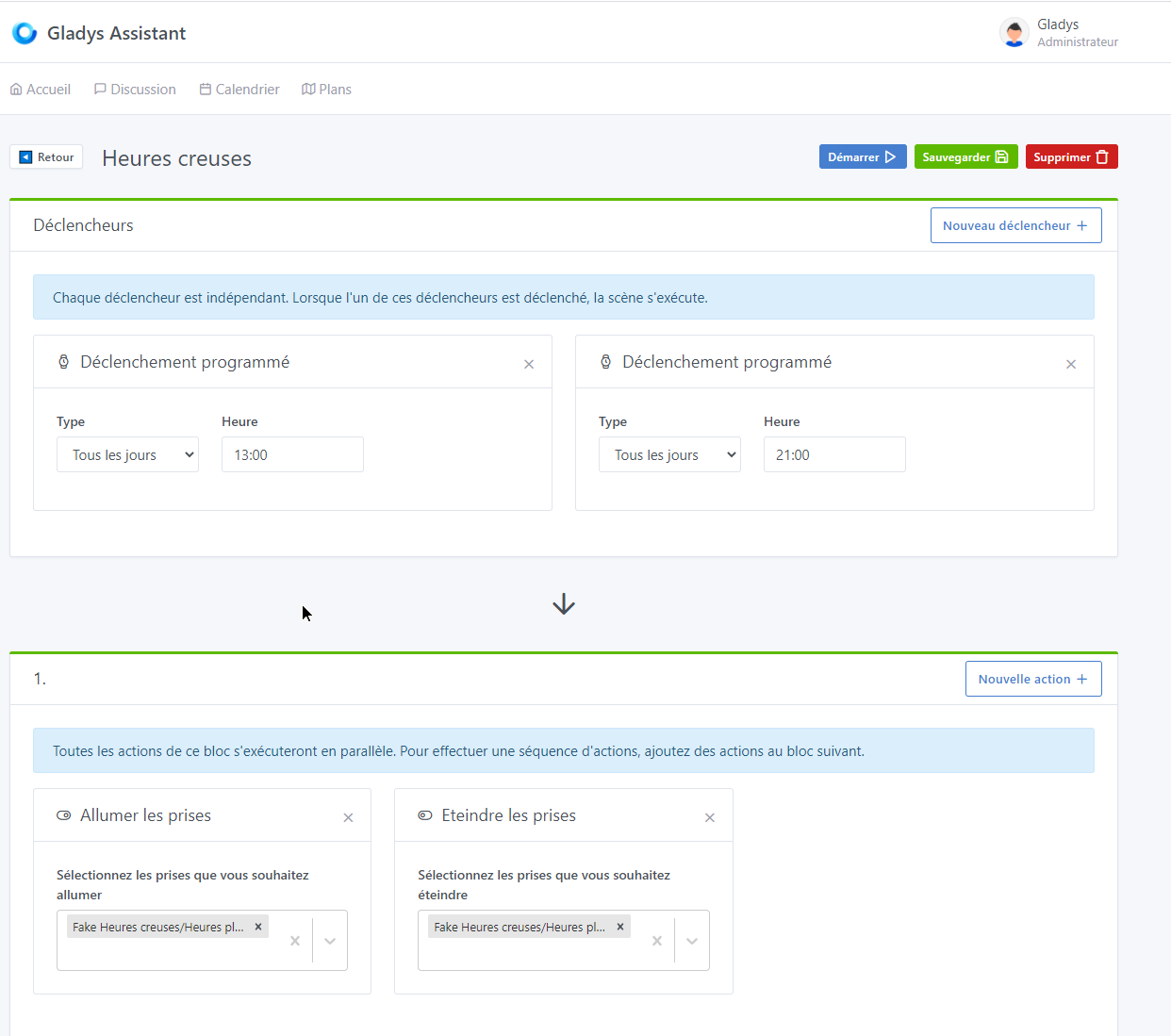
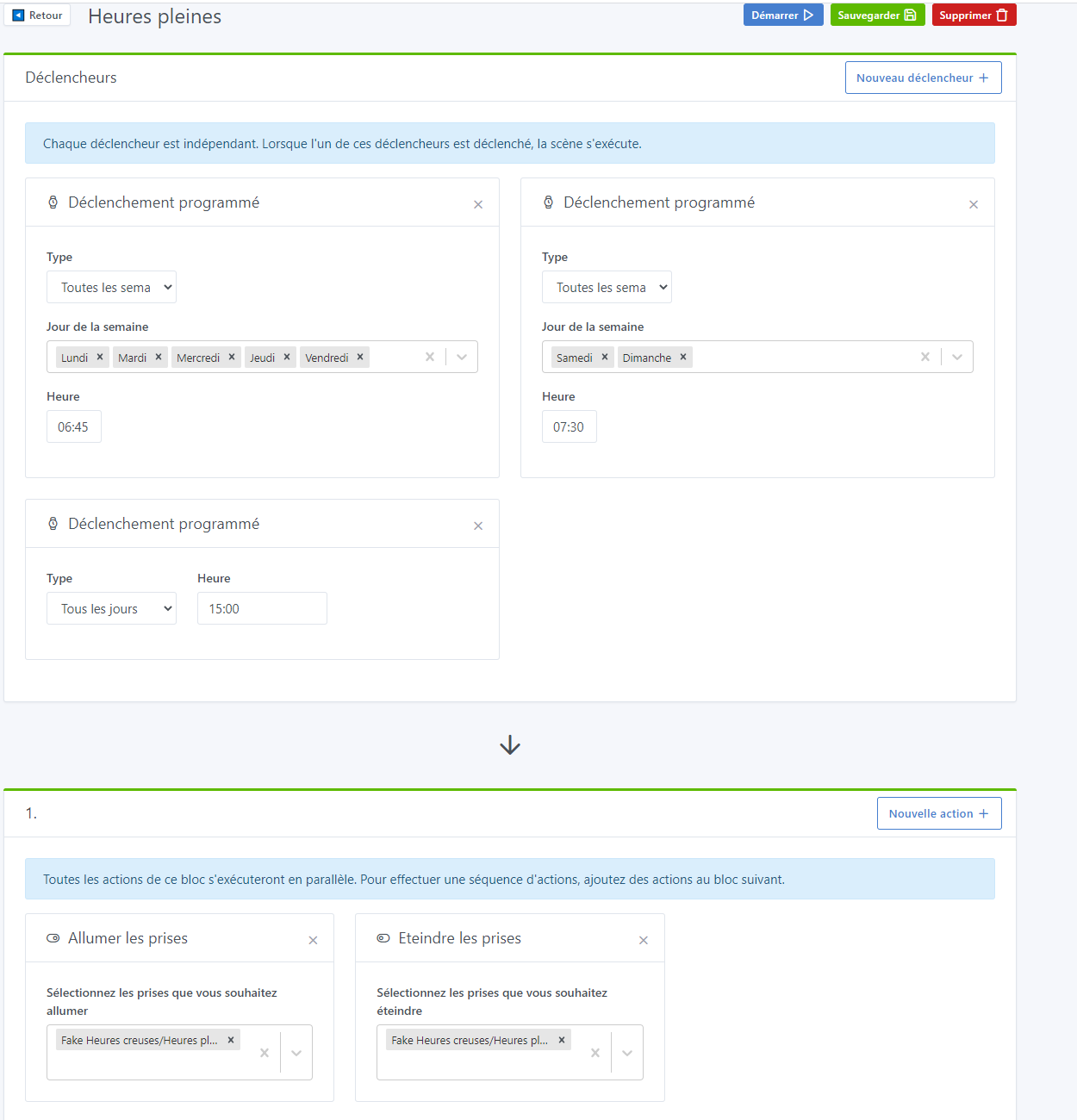
I am doing the tests, and I will let you know. If you are interested, I will show you the rest of the scenes.
In fact, by creating « fake » devices in the mqtt service, we can already do this if needed ^^