I can reproduce it, it’s a bug caused by an implicit conversion in the frontend:
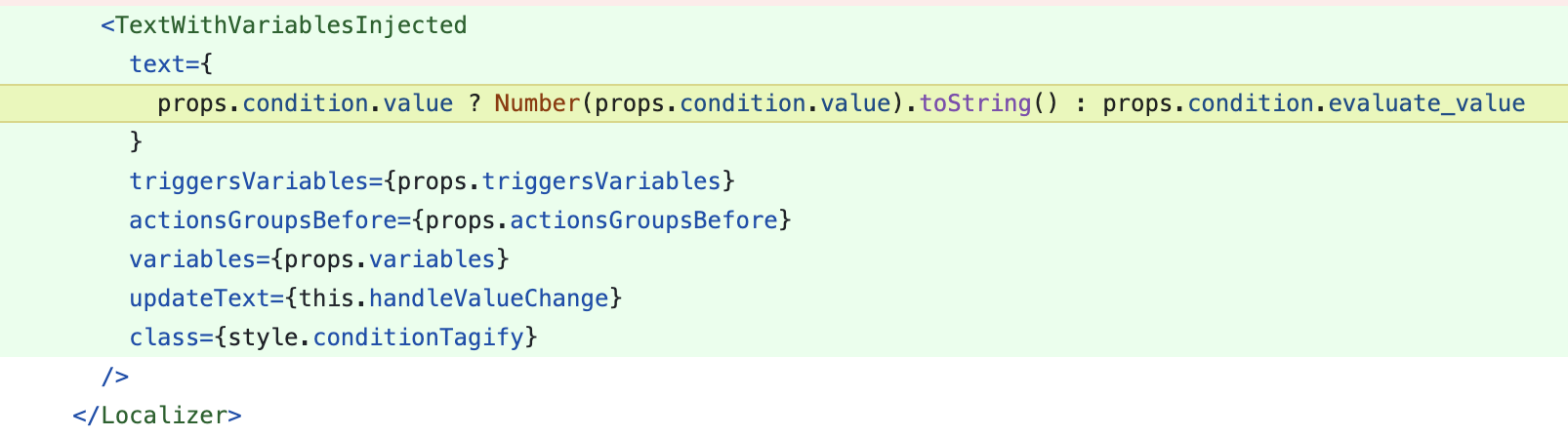
I’m working on a fix
Ok for today I changed the value and I’m testing greater than 1. I’ll set it back to 0 after your fix.
Thanks
@_Will_71 I made a PR that fixes the bug — can you test via this Gladys Plus URL to confirm it’s fixed on your side? https://fix-implicit-conversion-bug.gladys-plus.pages.dev/
Thanks for the feedback!
Same issue with the 0 disappearing.
I also have several scenes that are malfunctioning, but I haven’t identified all the causes yet.
On the camera side, the live feed works after a 5-second wait, whether on a Tapo C200 over Wi-Fi or a C310 over RJ45, all on fiber.
Thanks for the after-sales service 
Hello,
Do the changes involving calculations in scenes now allow configuring a device to be scheduled ahead of the time of sunrise or sunset?
I’ve noticed something too (maybe related to the famous 0 that disappears). In my scenes, when editing a « Continue if and only if » block, I can’t change the value I saved — it always reverts to its original value.
When I want to do it, I have to delete the block and recreate it with the new value.
I made a video of my screen: Unique Download Link | WeTransfer
The original value is 100 — whatever I change, after a second the field goes back to 100… 
Hello,
like @Kevin, during the 4.23 update I could no longer control my devices; to fix it I had to configure the dongle in the Zigbee2mqtt integration settings, then I restarted the service.
For info I own a Sonoff -E dongle
Same problem: the 0 in the « continue only if » blocks has disappeared.
I also have a Sonoff-E dongle.
I just tested locally and I have the same error message.
Regarding the machine running Gladys, it’s a mini PC with an Intel Celeron N5095, 8 GB of RAM and an SSD. The PC never exceeds 20% RAM usage and the CPU also doesn’t go above 40%.
On the network side, I’m connected to gigabit fiber; the PC is connected via wifi to a router that’s less than 1 metre away. The connection seems good (tested >500Mbps locally and ping at 15 ms).
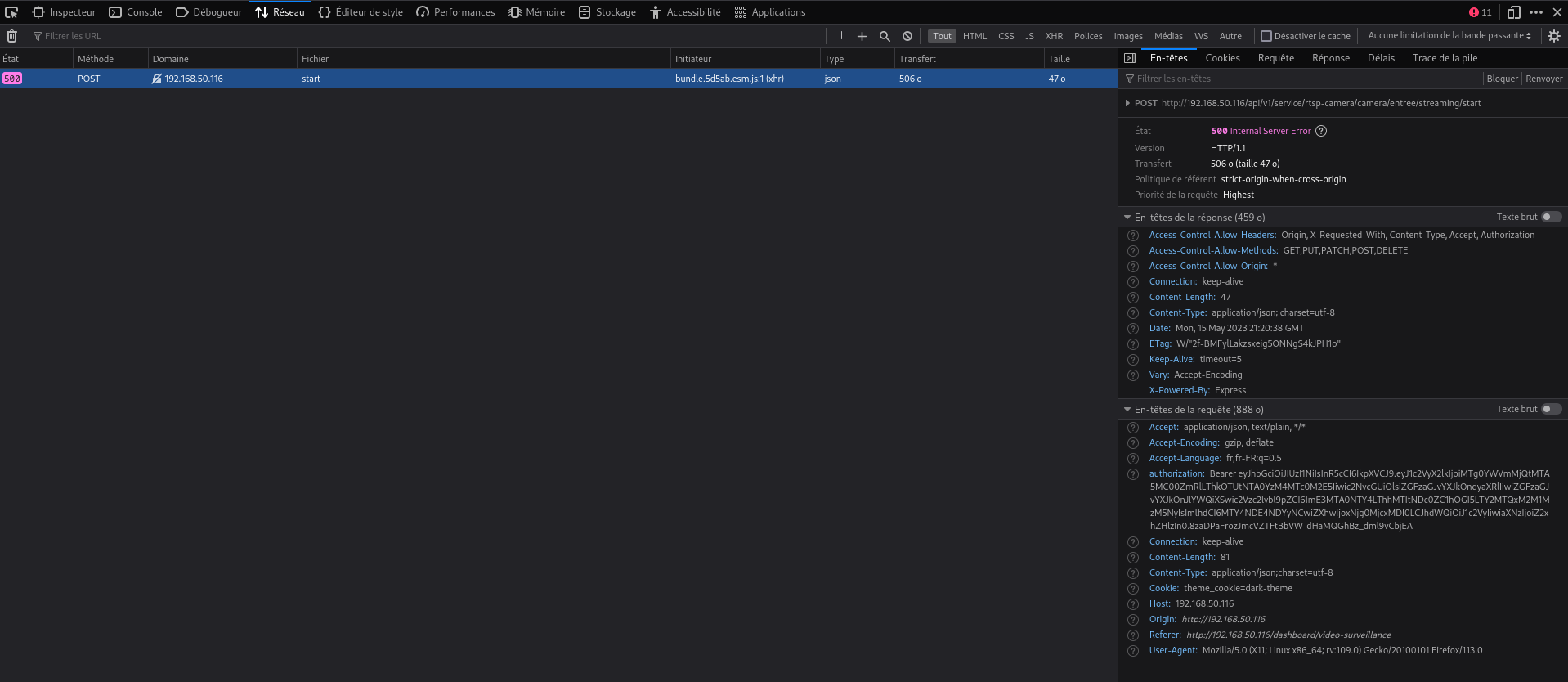
The inspector in Firefox shows an HTTP 500 return code:
[quote=« pierre-gilles, post:14, topic:8161 »]
cc @bertrandda watch out with implicit conversions
Mmm maybe in a convoluted way, but otherwise no, it doesn’t affect the « Sunset/Sunrise » trigger
I can’t play your video, I tried to convert it to MP4 but without success. Are you sure you uploaded the right file?
I think the issue came from installations that had a dongle requiring a modification of configuration.yaml; it would restart in an « initial » state with nothing, it’s a regression.
cc @AlexTrovato
However, now that the damage is done, unfortunately I don’t know if we can change much — it’s a bug!
Ok, so your machine isn’t at fault, nor your network, nor Gladys Plus; it’s probably the video stream.
What does the video stream URL look like? Did you follow this tutorial ( Caméra | Gladys Assistant ), does your camera work in VLC?
It’s already fixed, it’s pretty critical so I made a PR, which will go to production very quickly 
Don’t worry, it’s my fault too, I didn’t read the PR on the front-end side in enough detail
I merged the PR this morning before work, the Gladys Assistant v4.23.2 build is
Don’t worry, it happens; the main thing is that you found the cause and fixed the problem.
Hello,
The camera configuration is as follows: rtsp://user:password@192.168.1.2:554/stream1
@Tlse-vins and @tiboys, did you configure your tapos the same way?
Thanks for your help
Yes, that’s the correct URL.
Does it work in VLC?
Yes, I confirm the URL.
For my part, I don’t specify the port.
Whoa, yes, I hadn’t paid attention to the port. Me neither.