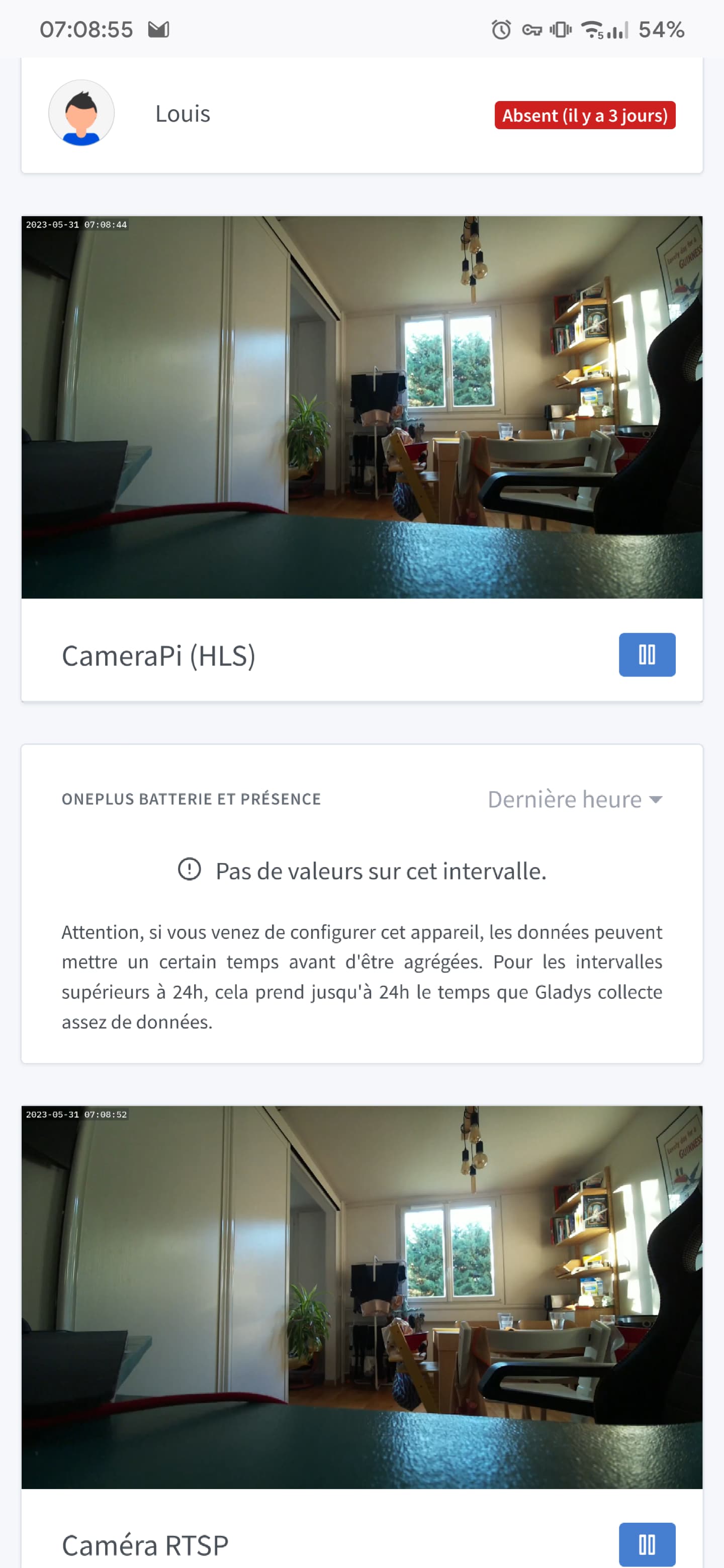
Hello, since the last update I have display issues with the dashboard on gladys plus only.
Am I the only one?
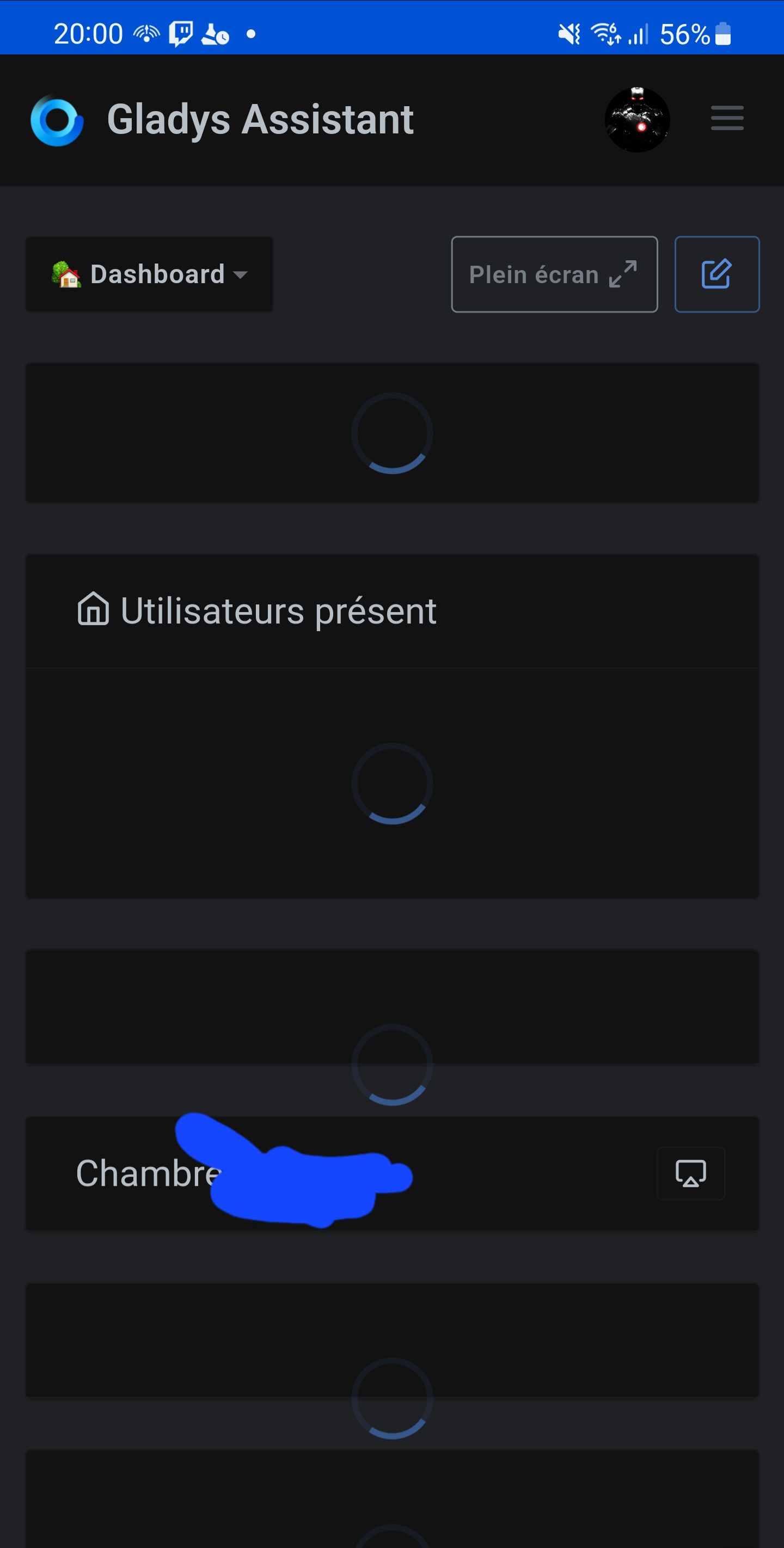
Locally, however, no issues 
I’ll pull the logs when I’m on a PC ^^
@spenceur Isn’t it the same clock issue as last time by any chance? I’d like to see the error if you have it, yes!
I didn’t see any particular errors on Gladys Plus and everything is working for me
No problem on my side for the display.
However I still encounter problems with scenes with incorrect retrieval of values, and it’s quite random.
My house still appears empty, fake devices as on/off buttons return no values (neither 0 nor 1), ..
I’ll check all the scenes by sending a message at each step to scan where it gets stuck..
Well, in this case I don’t think so (I have the issue on mobile )
Sometimes I refresh and I get my buttons, but if I turn on a light or deactivate my alarm, nothing happens — I have to refresh and click again.
I’d like the results of your investigation  don’t hesitate to create a specific thread, it might be easier to help you!
Do you have the bug everywhere? On mobile and on your computer, even in different browsers?
I’d like the browser logs; without information it’s hard to help
@pierre-gilles, I may have identified a lead: some scenes were stopping in the middle for no apparent reason. The Telegram messages at each step allowed me to confirm it.
I tested a scene that was supposed to turn an outlet on and off on eWeLink and there was no response.
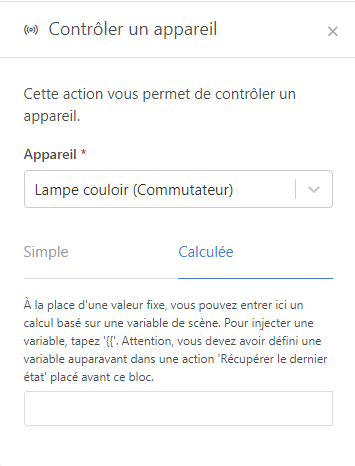
So I switched the toggle from « simple » to « calculated » while keeping the value. It started to work. Switching back to simple mode, it worked again.
I can’t tell you why.
I’ll see tomorrow morning if my scene for raising the shutters is also fixed with this workaround.
Ok, there’s clearly an issue with the new action « control a device »
If you have any other information, don’t hesitate — it would help a lot with debugging
This looks a lot like a bug caused by the switch to the new scene format with calculation
In the new simple mode there is certainly processing that only takes the part considered on the left-hand side of the formula and excludes the calculated part on the right; with the old format I think the error handling is missing on the empty side. Switching to calculated mode produced a save in the new format that fixes the issue, and switching back to simple mode it’s the same… needs checking. I would have done it myself but I don’t know which module is affected.
I confirm that this resolves my problem. All my shutters opened this morning as before.
It indeed concerns the ewelink switches in « control a device » but also fake devices created in MQTT:
Regarding the cameras, have the changes I made improved latency for everyone? I’m open to feedback 
Ah but that is indeed a known bug, but it was fixed fairly quickly after the release:
What likely happened is that you opened the scene while the bug was still present and saved it, which overwrote the field…
I see that you had posted a message saying you had the bug:
So it’s very likely that’s what happened
Yes, no doubt.
It was easy to spot in a « continue only if » because the value 0 was no longer displayed, but with a device check, you don’t see that the 0 is missing when the button is off. Only the « calculated » mode lets you notice it. 
Nothing serious then ..
At my place, tonight at least, the video buffers very frequently. Whether via Gladys Plus or locally.
On my camera’s live stream, I don’t have this problem.
And on the Gladys Plus side I don’t notice any improvement in latency compared to the live stream.
Another question:
My camera offers a stream via WebSockets, which is more responsive and almost real-time compared to the RTSP stream. Is that supported by the library you use or not?
@lmilcent Ok, we need to find step by step where the latency is coming from!
If you consume the RTSP stream from VLC, what’s the delay? We need to do it step by step; if locally it’s already not great, it will necessarily not be better via Gladys Plus
Here, I think the problem is local.
We use ffmpeg to read the streams ( FFmpeg Protocols Documentation ), the list of protocols doesn’t seem to include WebSocket but honestly it’s worth a try. What does the URL of your stream look like?
My comment about latency is also related to the pre-update period in an attempt to reduce it.
Before the update, it was smooth without interruptions, but with a delay of about 20 seconds. After the update, it stops repeatedly.
ERRATUM The slowdowns appeared to be caused by my camera. New test this Sunday morning, and no more buffering.
I created a camera with the Camera Pi 3 Wide and the following open source project, which gives me WebRTC, RTSP and MP4 streams:
URL: rtsp://192.168.1.84:554/cam
Latency: Between 3 and 7 seconds of delay observed.
URL: https://192.168.1.84:8888/cam/ in a web browser, and https://192.168.1.84:8888/cam/index.m3u8 on Gladys.
Latency: Between 2 and 5 seconds observed.
The browser console shows about 2 MP4 files per second. I know that the server configuration that manages the camera can also be changed on my side to adjust the size of these « packets » and their frequency.
URL: http://192.168.1.84:8889/cam/. The console shows the use of WebSockets with \nws://192.168.1.84:8889/cam/ws.
Latency: almost none.
Great, thanks for the test So, which stream are you able to consume in Gladys?
Edit: I just saw this on Hacker News: WebRTC support in ffmpeg with a major improvement in latency!
It’s me again @pierre-gilles 
I tested again via Gladys Plus and I confirm that the RTSP streams are smooth while the same HLS (.mp4) streams buffer quite a bit.
I also got this error, I think it’s related:
Ok great! RTSP latency is actually pretty good
Indeed, doing HLS on top of HLS doesn’t make much sense and causes buffering. The error you’re seeing is indeed a buffering error stick with RTSP!
I have a small bug to report. Either it’s temporary, or it’s the unpredictable bug 
Context: My camera is a Raspberry Pi 3, on a micro USB port. My son wanted to hide it to play and caused the RPi to glitch for a few seconds.
The video stream stopped, then restarted after a few seconds (no reboot).
On the Gladys side (Plus or local), the live video would restart a few seconds before the disconnection, then kept buffering indefinitely.
After several minutes the live stream cut out on its own and eventually regained the connection.