Gladys Assistant 4.48: Proactive AI arrives in Gladys Assistant!

Hi everyone !

This is an update you’re going to love !! :smiley:

I give more details on the blog :

Feel free to share any feedback on these new features, I’m really eager for your input.

The CHANGELOG is available here.

If you have any questions, don’t hesitate :slight_smile:

10 Likes

:heart_eyes:
I feel like my scene count is going to explode :yum:
Huge kudos for all this work. :pray: :+1:
The more Gladys evolves, the less I can do without it ..

2 Likes

Thanks @tiboys! :slight_smile:

@pierre-gilles I don’t know if you know this site selfh.st - Self-hosted content and software came across it via r/selfhosted on Reddit because I read its articles every week.\n\nIts posts are quite popular and I think it would be worth talking to him about Gladys so he adds it to his project watchlist! :+1:

I didn’t know them, I contacted them by email, thanks! :slight_smile:

1 Like

A quick bit of feedback.
By default it only replies on Telegram.
Is it possible to capture the reply into a variable and potentially use it with Sonos, or others?

Does anyone know a way to analyze a video to send the info to Gladys (MQTT, REST or others)?

Totally, @Terdious had the same request :slight_smile: I’d welcome a feature request!

What exactly do you want to do?

To have my trigger that allows me to launch this feature :slight_smile:

Ah I see, either you install a motion sensor, or you can use Frigate:

It’s an open-source NVR that connects to camera streams and can let you detect motion.

However, to run it you need a TPU for the machine learning part, otherwise on CPU it’s too slow and it will take all your machine’s resources: Google Coral USB Edge TPU ML Accelerator Coprocesseur pour Raspberry Pi et Autres Ordinateurs embarqués monocarte : Amazon.fr: Informatique

Then Frigate will publish MQTT messages that you can listen to in Gladys:

frigate/\u003ccamera_name\u003e/detect/state

Documentation: MQTT | Frigate

3 Likes

Are there Gladys releases on Fridays now?!
Too impatient?
Thanks for the work! It looks awesome!
Actually, the weather is getting gloomier… :innocent:

2 Likes

Ok, next purchase: the Coral USB to add Frigate to my 918+
Thx

1 Like

I was going to ask what your Gladys was running on, because with recent Intel CPUs you can also use OpenVINO which replaces the Coral (a bit less efficient, but nothing extra to buy).

But in the context of a Synology that makes perfect sense, especially since with a single Coral you can handle a lot of detection streams :+1:

1 Like

I’m doing some tests… But I can’t get the expected result.

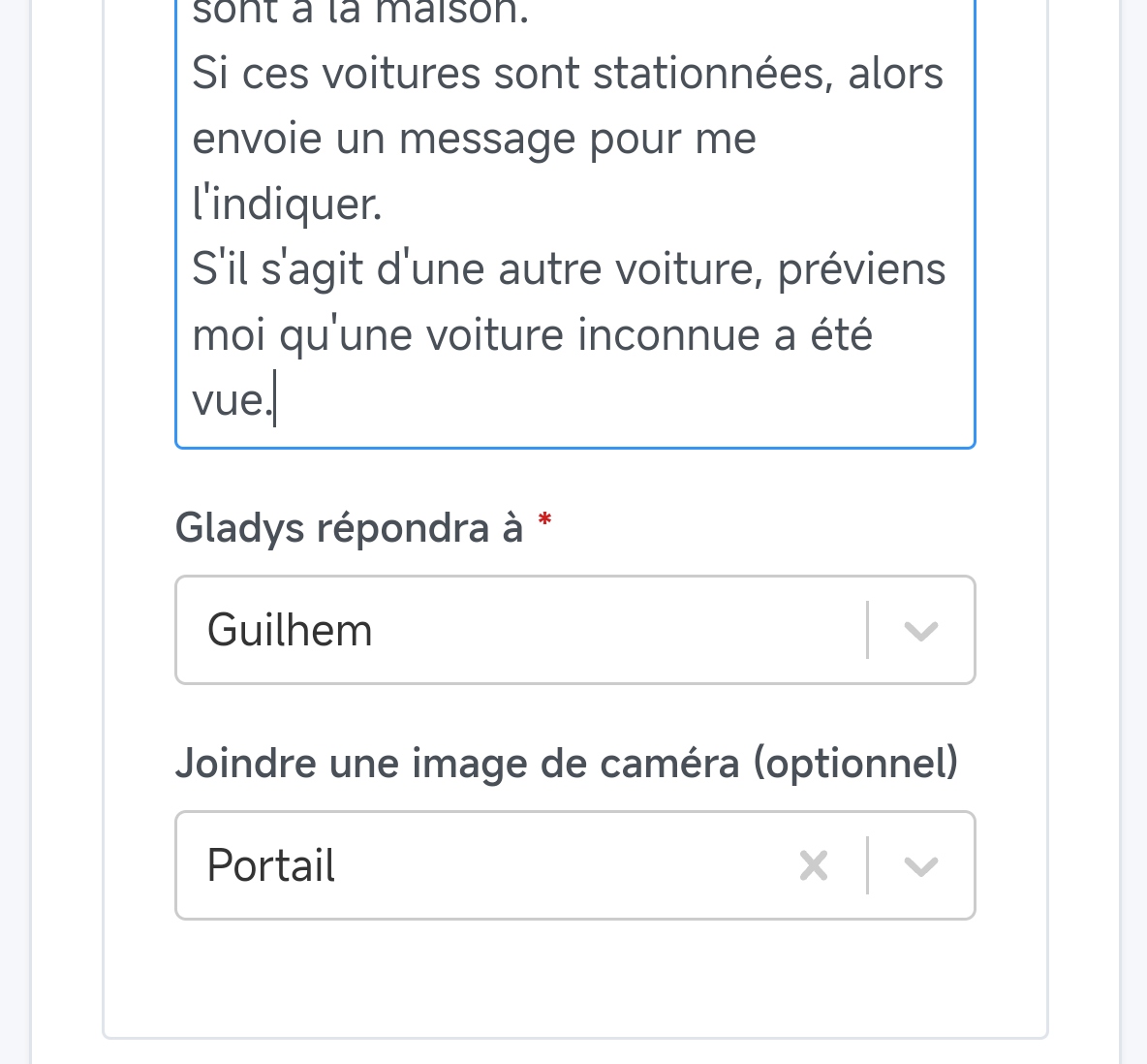
In a scene triggered by the opening of my gate, I have the following prompt:

Trigger the scene Send image camera Gate.
Then, if you see a black Volkswagen T-Cross, or a black Volkswagen Touran entering through the gate, then send me a message to tell me that Sophie or Guilhem are home.
If these cars are parked, then send me a message to let me know.
If it's another car, notify me that an unknown car has been seen.

The result is as follows:

It did trigger the scene, I do have my capture… But it didn’t analyze it, nor did it respond at all to my prompt.

Any idea why? Too many things in a single prompt?

The problem is that I think he doesn’t know he needs to look at the image he just took; you need to send it back to him for analysis.

However, I did attach the camera image.

In that case, try first giving it a prompt asking what it sees in the image

to break down the problem and see where it’s getting stuck

1 Like

In the end, I think triggering a scene and doing another action at the same time is what causes it to block. I split it into 2 steps and it works!! :grin: :+1:

1 Like

Currently there can only be one « action » per « Ask the AI » block

So the most « powerful » action in your request is to launch the scene, so it launches the scene but can’t respond to you.

I’d advise you to just launch the scene in a « launch scene » action if it’s

1 Like

I understand better :+1:

It works perfectly, but I’ll need to figure out how to refine all that with other criteria to recognize the car, because in night vision ChatGPT won’t be able to tell me if the car is black ^^

![1000009404|503x