Gladys Assistant v4.3.1 is available, with a new Open API for Gladys Plus and more 🚀

Hello everyone!

New release today, and it’s a big one!

I know, the version number might suggest it’s a small release, but I underestimated everything we had in this release when tagging the Git: :sweat_smile: It should have been 4.4 :stuck_out_tongue:

A new Gladys Plus Open API

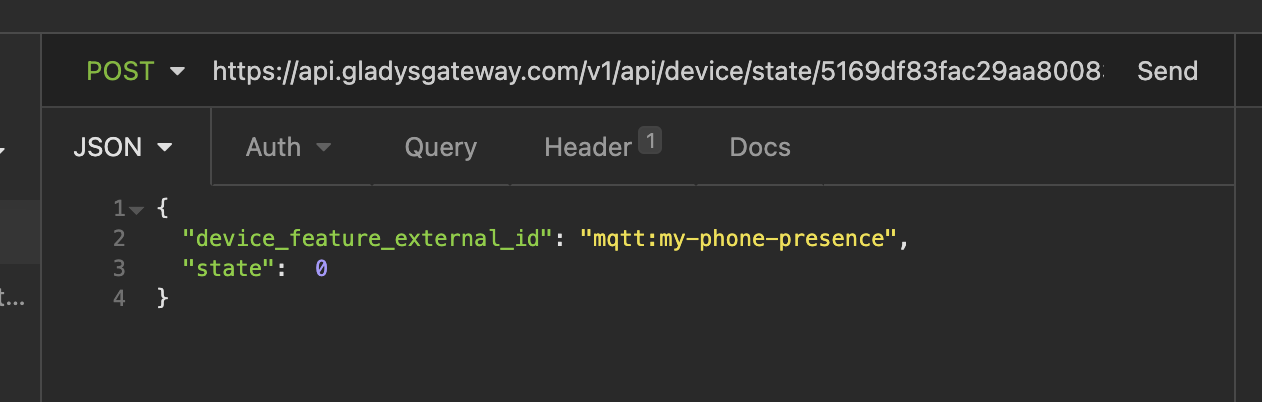
Many of you have asked for a way to send sensor values via the Gladys Plus API.

It’s now possible with a simple API call from anywhere in the world :globe_with_meridians:

I wrote a tutorial on the site:

This allows you to send requests to Gladys via Tasker, or via iOS Shortcuts (I included a demo in the tutorial above), or from any script!

It’s very powerful :rocket:

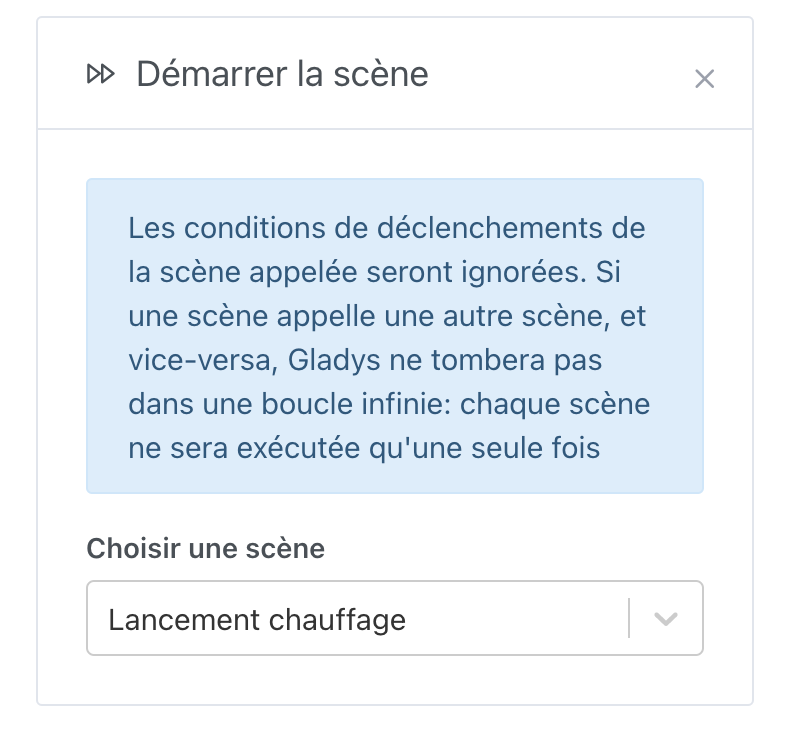
The ability to launch a scene within a scene

It is now possible to launch a scene within a scene.
Disable synchronization of a Caldav calendar

It is now possible to disable the synchronization of a Caldav calendar, to be able to synchronize only the useful calendars :slight_smile:

Many new Zigbee2mqtt devices

Here is the list of commits and devices added!

If you think any are missing, you need to create a GitHub issue :slight_smile:

  • feat(zigbee2mqtt): Add Lidl devices #1186
  • feat(zigbee2mqtt): Fix IKEA TRADFRI motion sensor #1187
  • feat(zigbee2mqtt): Add Adeo devices #1169
  • feat(zigbee2mqtt): Add Philips Hue mode 8718699673147l #1170

Bug fixes

Many small bugs have been fixed, including:

  • The problem of the chat not responding when asked for a camera image
  • The bug of the weather box on the dashboard when it was coupled with the « room devices Â» box

The complete changelog is available on GitHub.

How to update?

If you installed Gladys with the official Raspbian image, your instances will update automatically in the coming hours. This can take up to 24 hours, no need to worry.

If you installed Gladys with Docker, make sure you are using Watchtower (See the documentation)

Congratulations to everyone who participated in this release!

4 Likes

In the Open API tutorial, I wrote a tutorial explaining how to use iOS Shortcuts with the Open API. Would anyone on Android be interested in creating the same tutorial with Tasker on Android? :slight_smile:

I’m going to make a template, I think (importable)

1 Like

Don’t hesitate to ask if you have any questions/feedback :slight_smile:

I think it’s also worth writing a small tutorial on the documentation, and we’ll include the template at the end of the tutorial!

It’s been a long time since I used Tasker and I clearly don’t understand it anymore (it’s like a gas plant).

So I tried Automate.

Simple editor :+1: and native geofencing.

Regarding the documentation, I was tricked regarding the OpenAPI URL.

There is a « : Â» before the Token, I thought it was necessary. But no.

I will test in real conditions and if it’s OK I will write some documentation.

5 Likes

Great job!

Could you specify in the iOS tutorial that the value of the device field must be text (Logical given the example :sweat_smile:) but above all that the value of the state field must be a number! I didn’t pay attention when creating the shortcuts and I put both as text. So it wasn’t working
 :grin:

Top :slight_smile: Can you make a small tutorial for us? :smiley: It looks clean anyway!

Ah, well spotted, I often put « : Â» out of habit (on Express to define an API it’s like that), but you’re right it’s confusing. I’ll change that!

ah, well spotted! I’ll add that right away.

My Adeo lamp has been added, great!
However, it’s an RGB lamp and I don’t know how to tell Gladys. I added a screenshot here: Issue · GitHub

1 Like

I tagged here @cicoub13 who handled this PR :slight_smile:

1 Like

The color management feature is not yet implemented in Zigbee2Mqtt. I’m working on it, but the conversion between color spaces is complex (RGB <=> CIE 1931 color space).

I don’t have a color bulb, could you help me test it?

1 Like

No worries then :slight_smile: If it’s not too time-consuming, no problem. I’m in the middle of writing my PhD thesis, so until July/August I won’t have much time ^^

Hi @pierre-gilles,

I think I found a bug, do you want to give me some tips to investigate before opening an issue on GitHub, or should I open the issue right away?


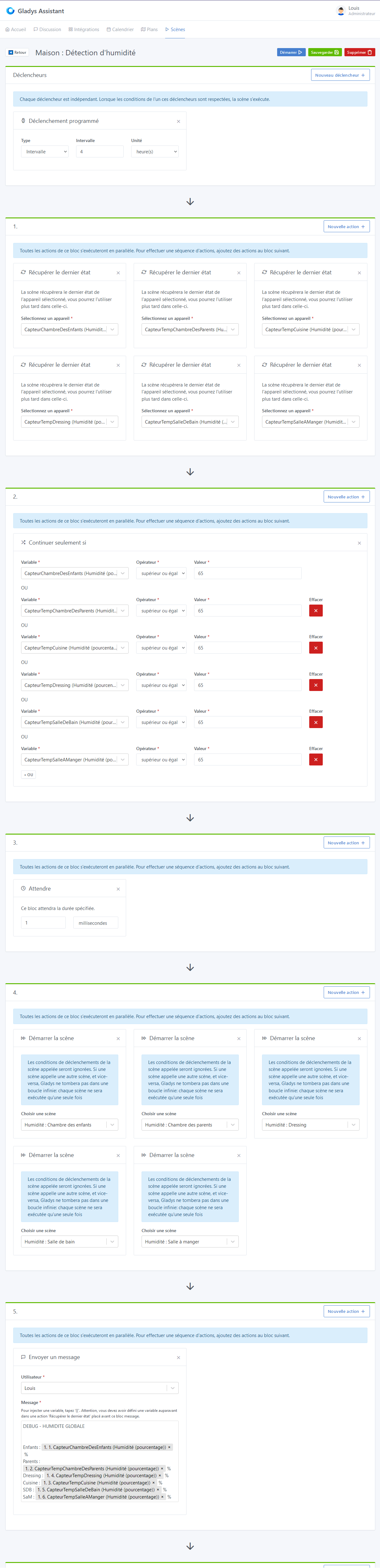
Description: A scene retrieves the humidity value in % from all my sensors, then executes a scene per sensor.

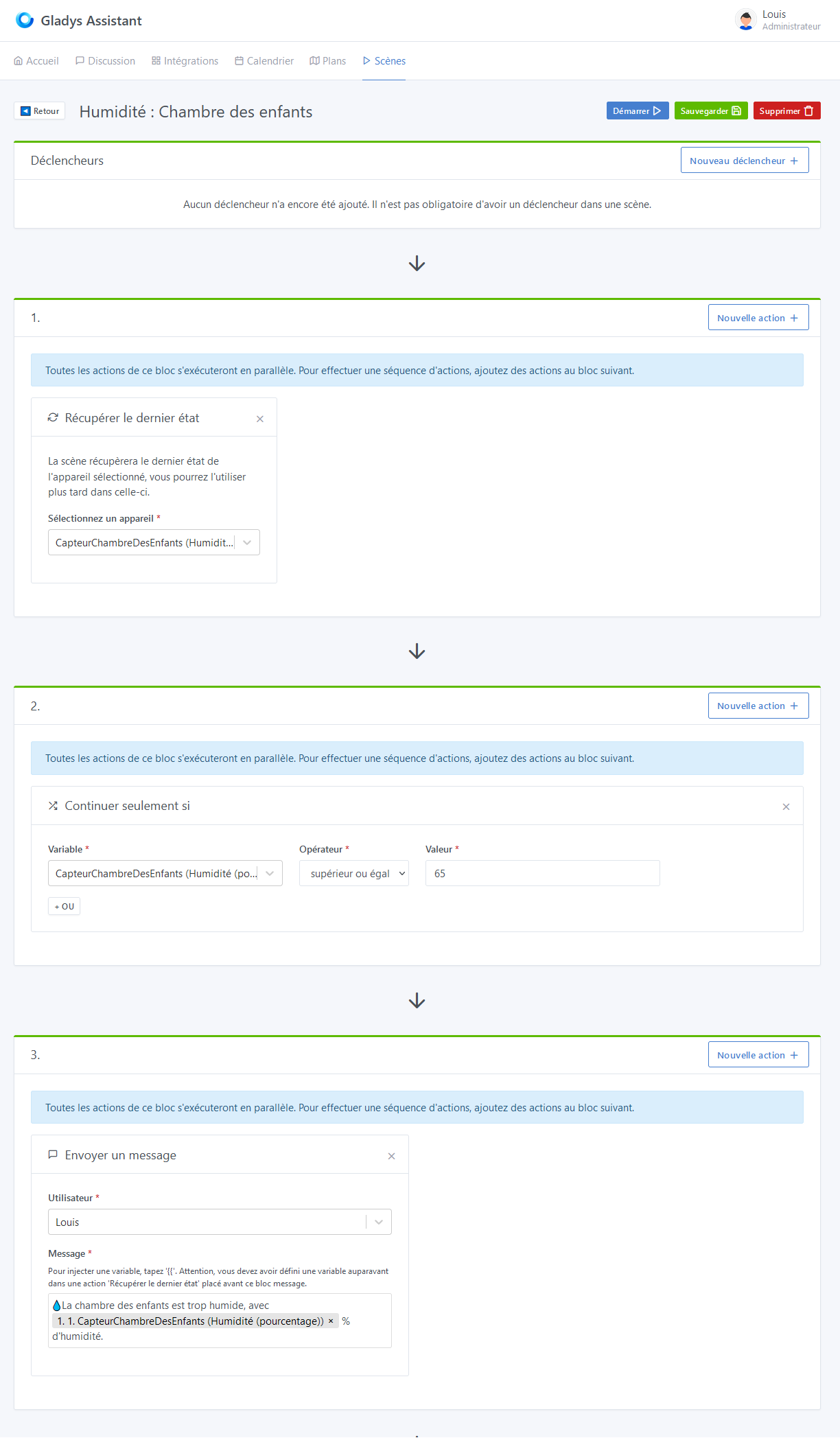
These scenes are simple: for a sensor I retrieve the humidity value, I compare it and send a message if it’s too high.
By creating a scene of this type per sensor, I can send a precise message: « room X is too humid Â», rather than « One of the rooms is too humid Â» as I was doing before.

Bug: Each scene corresponding to a single sensor works individually (I receive the message), but not when it is called by the « execute a scene Â» function (no message).

Master Scene
For testing, I wait 1 ms instead of 90 minutes.

One of the called scenes
All other scenes are identical, but for a different sensor.

Strange all this, I’d like a GitHub issue :slight_smile: I’ll check it out!

Have you already investigated the logs a bit or not at all?

Yes, a little, and it bothers me because there’s nothing on the server side and nothing on the client side.
It’s the worst for debugging!

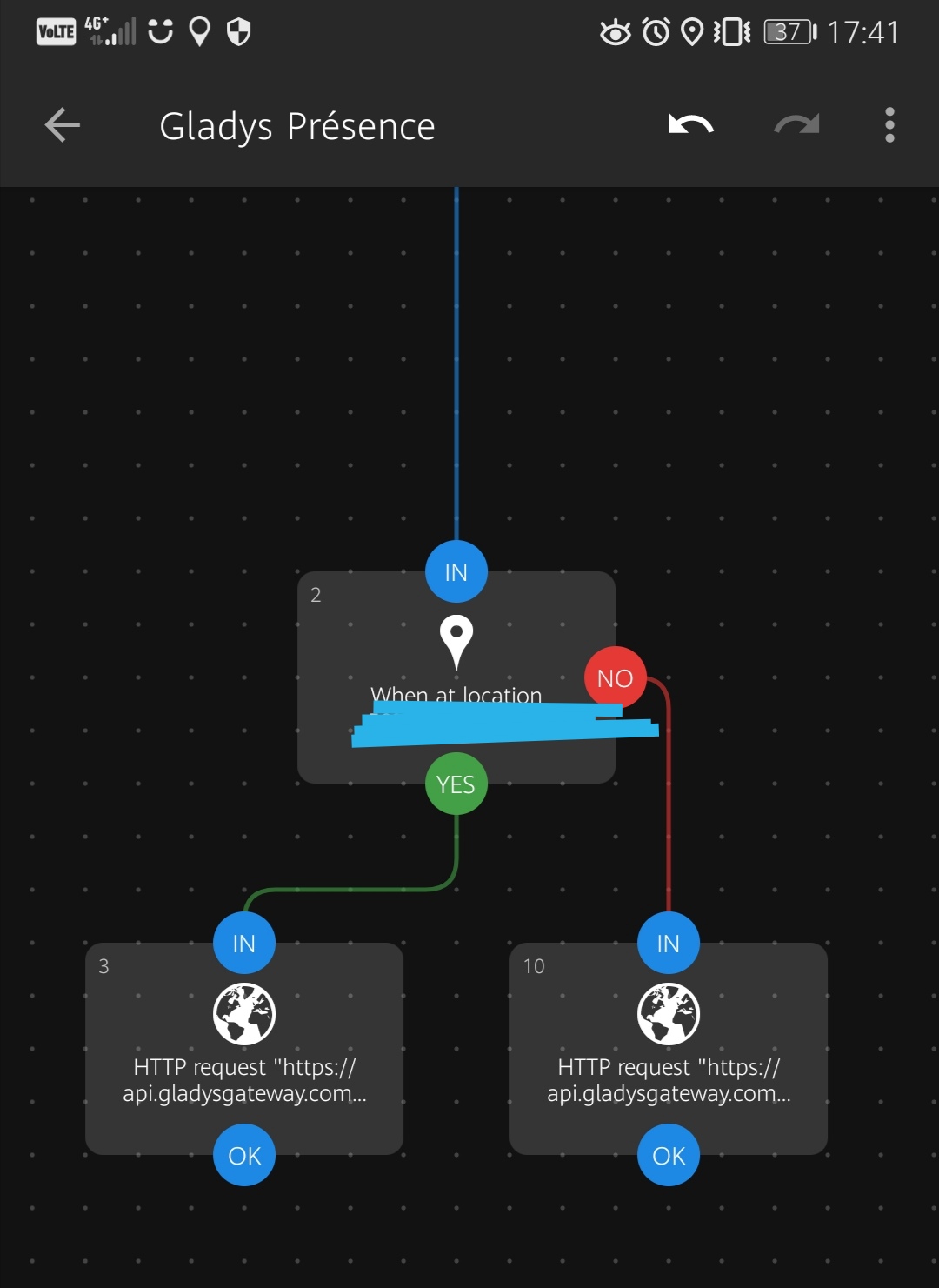
I created the iOS shortcuts based on the « Departure Â» and « Arrival Â» automations. The problem is that full automation is not yet possible, hoping that will change one day. These shortcuts simply display a notification that you need to click on to run the shortcut
 Has anyone come up with a workaround?

I know, it’s Apple :confused: It’s really a shame!

I wonder if we couldn’t go through another app, I came across Scriptable:

https://scriptable.app/

It’s for making small JS scripts on iPhone/Mac, which can run in a widget! :slight_smile:

Depending on the refresh rate, it should be able to work in real life ^^

I see that there is a function Location.current():

As well as a function to make an HTTP request:

The idea could be to:

  • Get the latitude/longitude of your phone
  • If the latitude/longitude is close to your home (you have to do the calculation in JS, there must be functions that exist to do the calculation)
    • THEN: send request « user at home Â»
    • ELSE: send request « leaving home Â»

I’m really not sure it will work, but it could :stuck_out_tongue:

Edit: Otherwise, in reality, you just need to send the geolocation in the background with Owntracks, and you would need to be able to create scenes that are triggered when the geolocation is updated. I’ll look into doing this in Gladys!

2 Likes

Cool if you can do this with Owntracks.

OwnTracks already works with Gladys plus (Owntracks | Gladys Assistant), however, triggering a scene on an exit/entry zone is not yet possible

I’ll take a look!

Edit: there is already a feature request:

I wanted to try with IFTTT. I will also test with Scriptable, I didn’t know about it. I’ll give you feedback :wink:

1 Like