b3n.0
March 13, 2022, 9:17am
1
hello everyone,
I just installed Gladys on a Freebox Delta VM.
I followed the dedicated tutorial by choosing a stable Debian image…
Following the various posts I’ve been reading for a long time (I waited to take the plunge!), I bought the SONOFF Zigbee 3.0 dongle.
Gladys doesn’t see it… but Debian on the VM seems to detect it well:
ls -l /dev/serial/by-id
I installed usbutils:
nothing more…
I don’t have a lot of knowledge so I’m looking everything up on the internet… but I’m stuck now
thanks in advance
Benoit
b3n.0
March 13, 2022, 10:40am
2
The Freebox delta has two USB ports:
the classic USB A
and a USB C
I just tested connecting the dongle to the USB C port via an adapter and tested on the PuttY console:
ls -l /dev/serial/by-id
total 0
lrwxrwxrwx 1 root root 13 Mar 13 10:31 usb-ITead_Sonoff_Zigbee_3.0_USB_Dongle_Plus_9432ac6d2845ec11959994fd6f14af06-if00-port0 -> ../../ttyUSB0
still ttyUSB0
normal? even after changing the physical port?
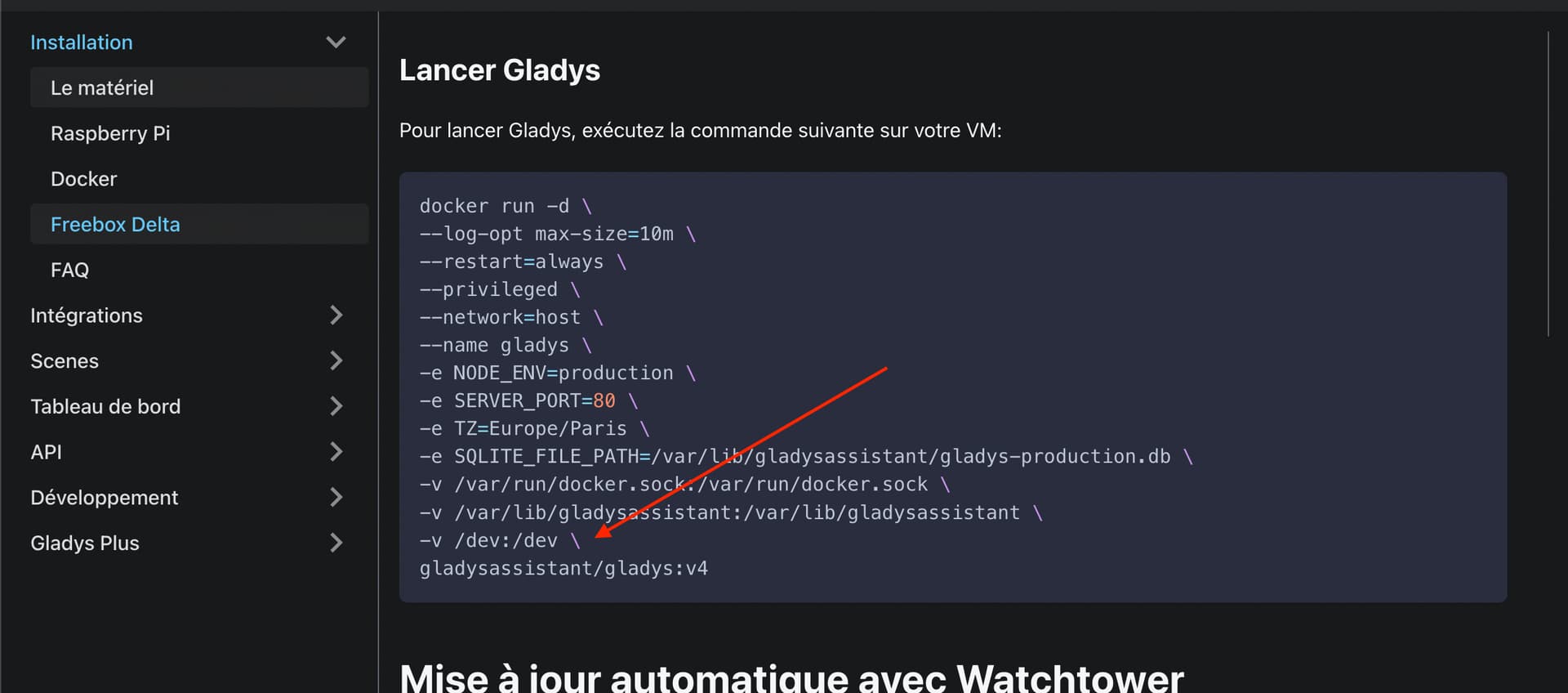
Normally when you launched Gladys, you mounted the USB ports of the VM in Docker:
If in the VM your USB port is at a different path, you can change this line in the docker run to mount the correct volume.
b3n.0
March 15, 2022, 6:59am
4
Thank you for your feedback.
However, as I mentioned, I don’t know much about this.
So I’m not really sure what to do with your feedback.
If I run on the VM ls /dev:
autofs           initctl       snapshot  tty22  tty42  tty62    vcsa1
block            input         snd       tty23  tty43  tty63    vcsa2
bsg              kmsg          sr0       tty24  tty44  tty7     vcsa3
btrfs-control    log           stderr    tty25  tty45  tty8     vcsa4
bus              loop-control  stdin     tty26  tty46  tty9     vcsa5
cdrom            mapper        stdout    tty27  tty47  ttyAMA0  vcsa6
char             mem           tty       tty28  tty48  ttyS0    vcsu
console          mqueue        tty0      tty29  tty49  ttyS1    vcsu1
core             net           tty1      tty3   tty5   ttyS2    vcsu2
cpu_dma_latency  null          tty10     tty30  tty50  ttyS3    vcsu3
cuse             port          tty11     tty31  tty51  ttyUSB0  vcsu4
disk             ppp           tty12     tty32  tty52  uhid     vcsu5
dri              psaux         tty13     tty33  tty53  uinput   vcsu6
dvd              ptmx          tty14     tty34  tty54  urandom  vda
fb0              pts           tty15     tty35  tty55  vcs      vda1
fd               random        tty16     tty36  tty56  vcs1     vda15
full             rfkill        tty17     tty37  tty57  vcs2     vfio
fuse             rtc           tty18     tty38  tty58  vcs3     vga_arbiter
gpiochip0        rtc0          tty19     tty39  tty59  vcs4     vhost-net
gpiochip1        serial        tty2      tty4   tty6   vcs5     vhost-vsock
hugepages        sg0           tty20     tty40  tty60  vcs6     zero
hwrng            shm           tty21     tty41  tty61  vcsa
I have something called ttyUSB0, I don’t even know if it’s a file or a directory…
It looks good to me.
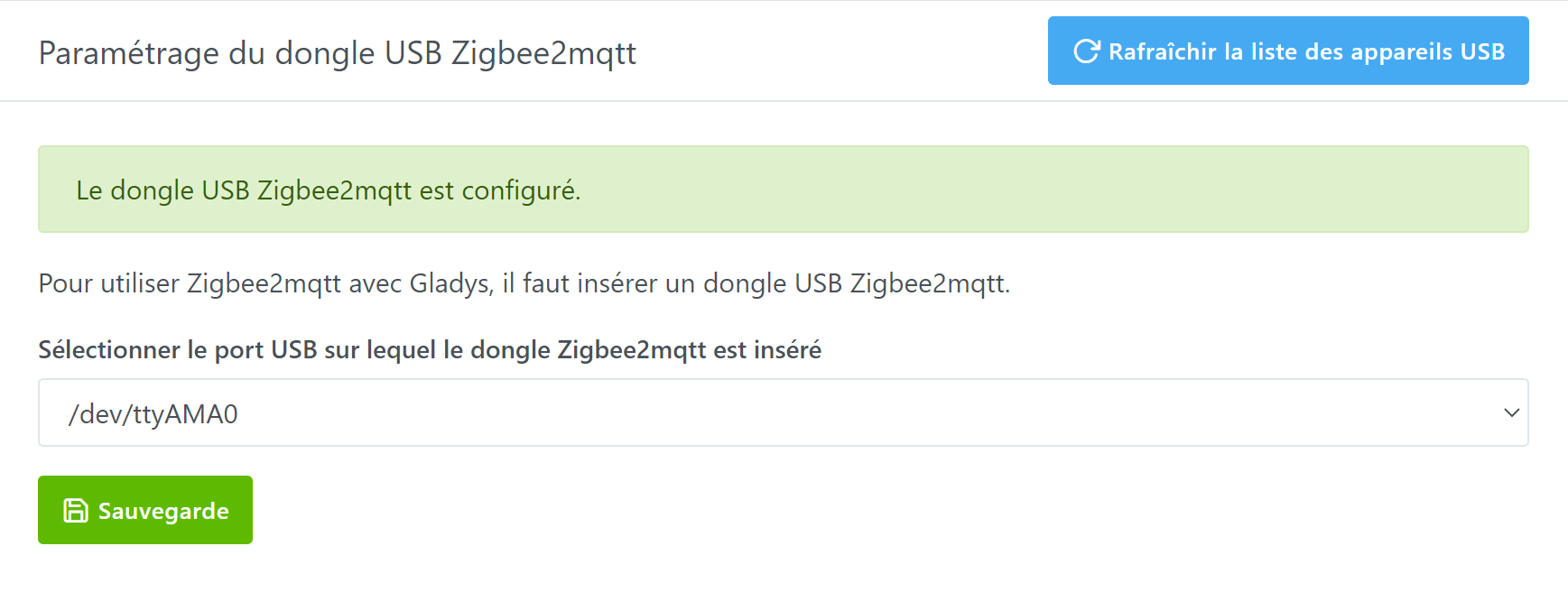
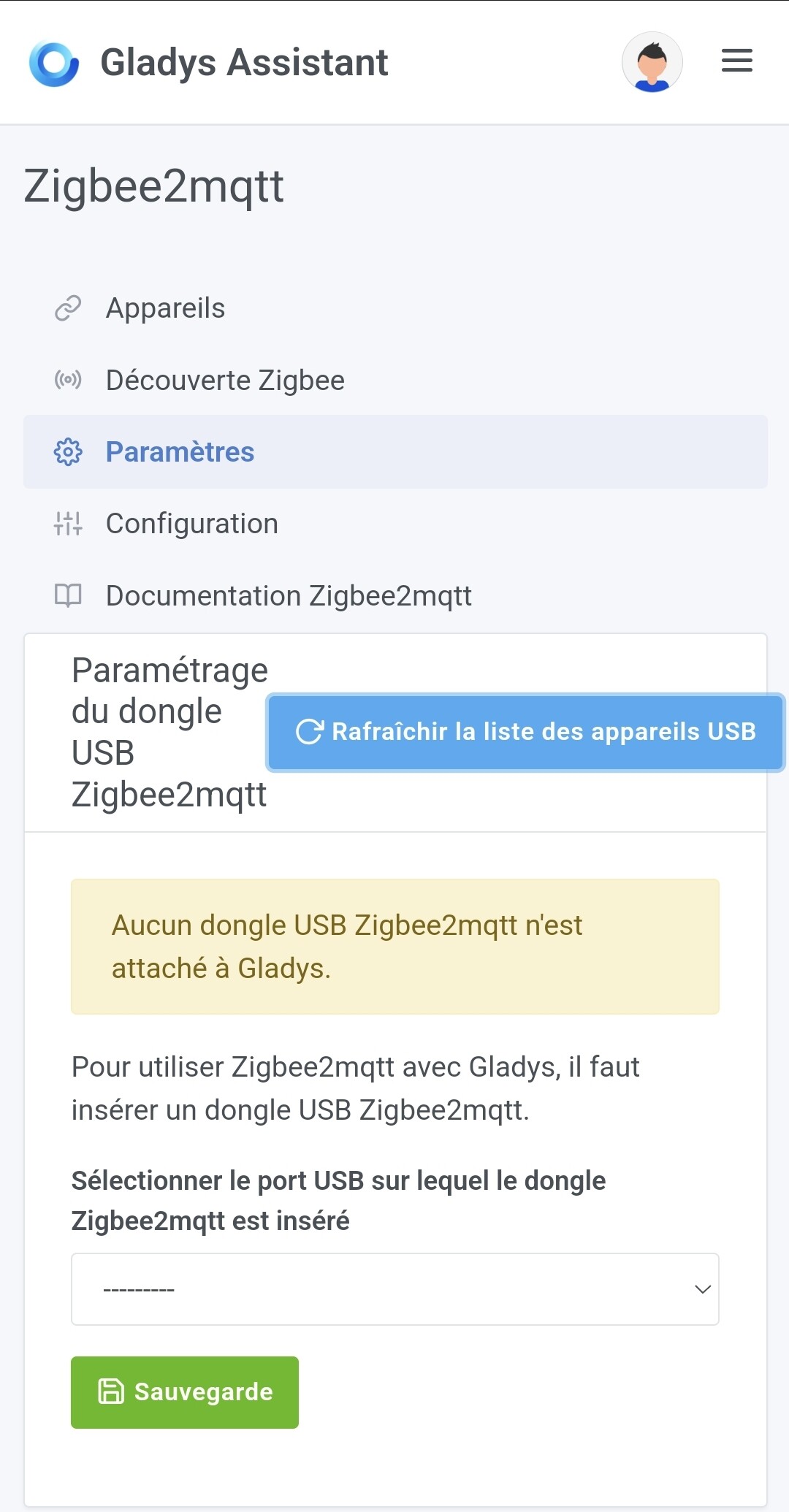
On the Gladys side, what do you see in the UI?
@VonOx any idea what might be missing?
b3n.0
March 15, 2022, 8:30pm
6
I assume you were talking about this page?
b3n.0
March 15, 2022, 8:44pm
7
I had spotted this resolved topic that seemed promising:
Je découvre Gladys
J’ai installé Gladys sur une VM de ma freebox Delta via docker (en suivant la doc)
J’ai un dongle/stick Zwave Aoetec que j’ai branché sur ma freebox
J’ai bien sur démarré ma VM avec l’USB sur l’interface Freebox
Je vois bien le stick sur l’USB de la VM
gladys@freebox-vm-4101:~$ lsusb
Bus 002 Device 001: ID 1d6b:0003 Linux Foundation 3.0 root hub
Bus 001 Device 004: ID 0658:0200 Sigma Designs, Inc. Aeotec Z-Stick Gen5 (ZW090) - UZB
Bus 001 Device 001: ID 1d6b:0002 Linux F…
I followed the steps that eventually worked for the Zwave… but no result.
VonOx
March 16, 2022, 8:09am
8
Hello @b3n.0 , can you give us the OS release?
lsb_release -a
Also, can you try recreating the gladys container with this command?
--log-opt max-size=10m \
--restart=always \
--privileged \
--network=host \
--name gladys \
-e NODE_ENV=production \
-e SERVER_PORT=80 \
-e SQLITE_FILE_PATH=/var/lib/gladysassistant/gladys-production.db \
-v /var/run/docker.sock:/var/run/docker.sock \
-v /var/lib/gladysassistant:/var/lib/gladysassistant \
-v /dev:/dev \
-v /run/udev:/run/udev:ro \
-v /etc/localtime:/etc/localtime:ro \
-v /etc/timezone:/etc/timezone:ro \
--cidfile /var/lib/gladysassistant/containerId \
gladysassistant/gladys:v4
b3n.0
March 16, 2022, 8:34pm
9
Hello @VonOx ,
Thank you for the help!
For the release, here is:
Regarding the recreation of the container, here is the return:
docker: Failed to create the container ID file: open /var/lib/gladysassistant/containerId: permission denied.
See 'docker run --help'.
I then added a small SUDO in front, and the return was:
docker: Error response from daemon: Conflict. The container name "/gladys" is already in use by container "d0c0caf180adf95743a70dece108f8875c53a6a5d1f1e46cf7f76cab465133fa". You have to remove (or rename) that container to be able to reuse that name.
See 'docker run --help'.
Another thing that is certainly unrelated, but the restart or shutdown -r commands are not recognized, is this Debian’s doing?
VonOx
March 16, 2022, 8:42pm
10
You need to delete the gladys container before recreating it
docker stop gladys && docker rm gladys
For the permission issue, it’s likely that the Docker installation is not complete.
You probably just need to run sudo usermod -aG docker $USER
b3n.0
March 16, 2022, 11:24pm
13
b3n.0:
ls -l /dev/serial/by-id
I deleted and recreated the container.
My key is still not recognized, but there is progress:
Appearance of: ITead - 10c4
On my console:
No change, still have to use sudo
I also followed the Docker documentation…
I will try to start over with a clean VM tomorrow…
Thanks for your time, both of you.
By the way, I’m reacting to this, Gladys is not yet compatible with Debian 11, so even if you manage to see your key it won’t work afterwards!
The compatibility work is almost finished, it will be in the next version of Gladys
b3n.0
March 19, 2022, 5:01pm
15
Well, to continue my adventure I made myself a new VM with Ubuntu…
The default image available in the freebox app is this one:
No LSB modules are available.
You will tell me if it is also too recent?
Otherwise, it seems to me that the key is recognized:
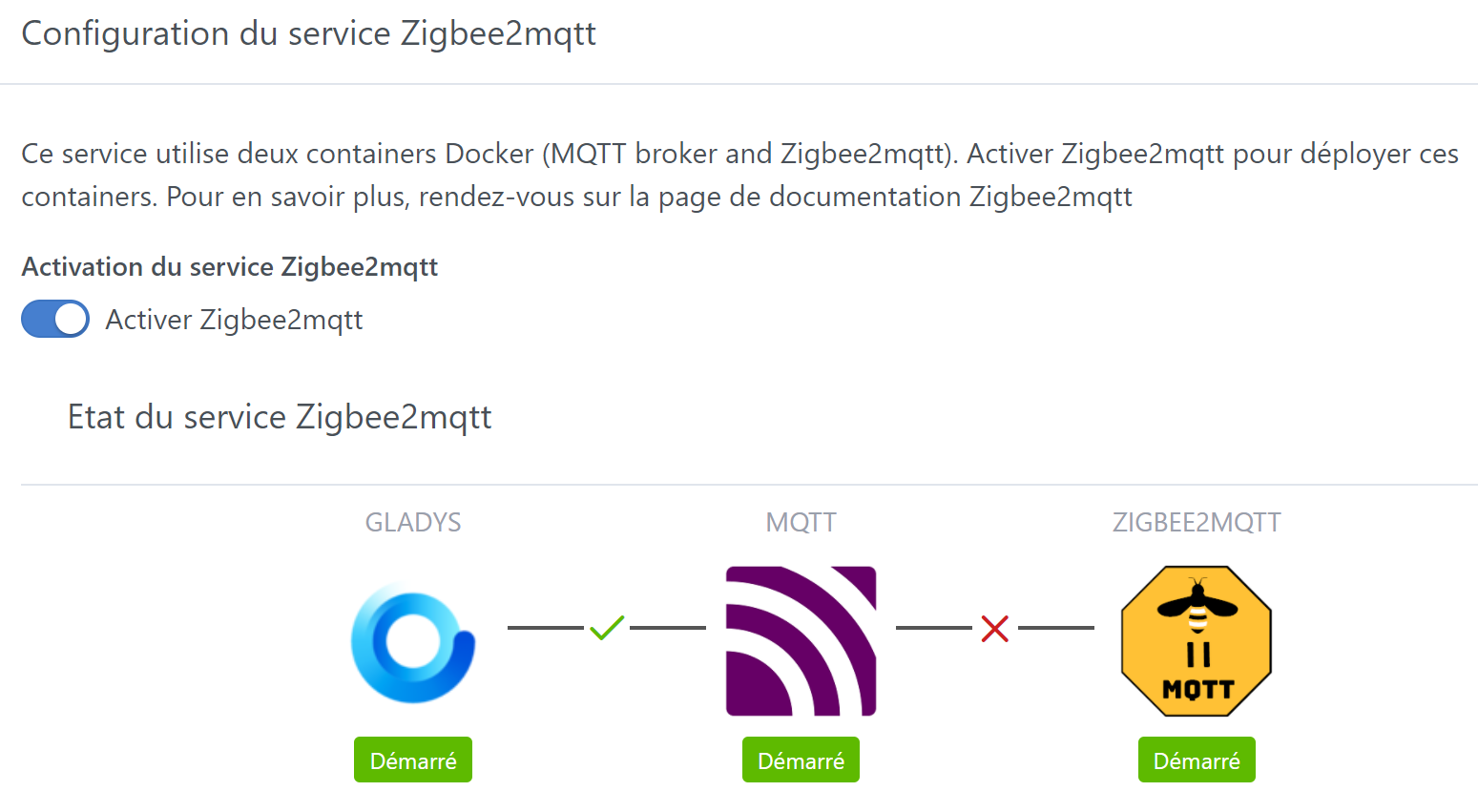
But I still have a little red cross to darken the picture:
If it’s the same issue as mine. This doesn’t come from Gladys but from the zigbee2mqtt library.
b3n.0
March 19, 2022, 10:02pm
17
@Tlse-vins and have you found a solution?
None and I have all my devices that are in Zigbee so nothing works at my place.
It’s fine with 20.04
Do you have the Zigbee2mqtt logs?
You can run docker ps to list the containers if you want.
To view the logs of the Zigbee2mqtt container:
docker logs gladys-z2m-zigbee2mqtt
And you put here what you see.
b3n.0
May 10, 2022, 8:54pm
20
Hello,
Sorry for the late reply! I had to put Gladys aside for a while…
I ended up putting NextCloud on the Freebox VM when I found a Raspberry Pi 2 (RPi 2) in a cupboard, and there I restored the Gladys image. My Zigbee key is perfectly recognized and everything is going well (as in @pierre-gilles ’s video).
Anyway, thanks to everyone who took the time to help me.

 thanks