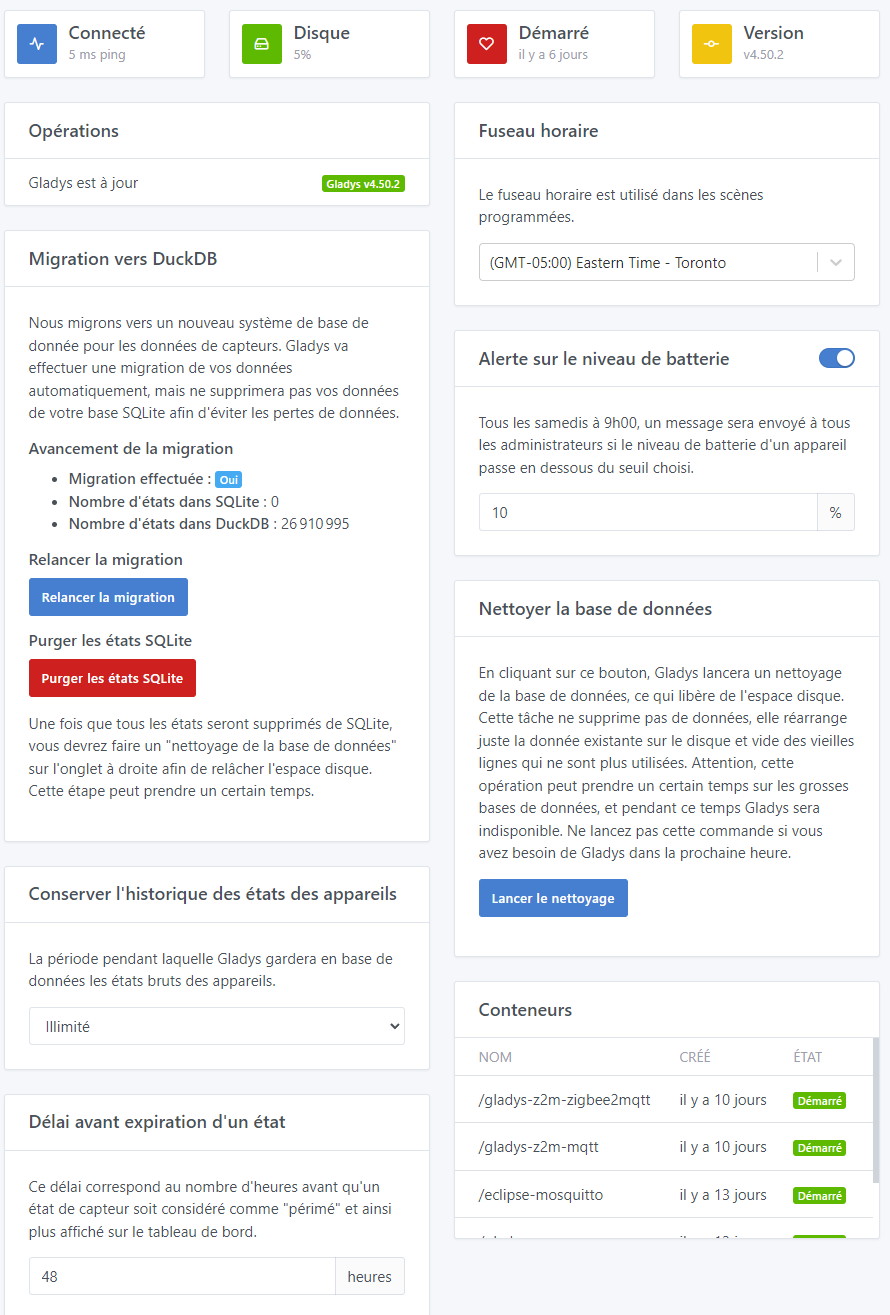
Brand-new installation, with local access (web / ssh) and up to date.
Ok, I wonder if it’s related to what we discussed in private — if you were doing very aggressive actions every 5 seconds with data insertion each time, wouldn’t that affect this display route?
Could you open the browser inspector and check what happens with that request at the moment you switch charts?
Actually, I tried several times and I don’t see anything in the browser console.
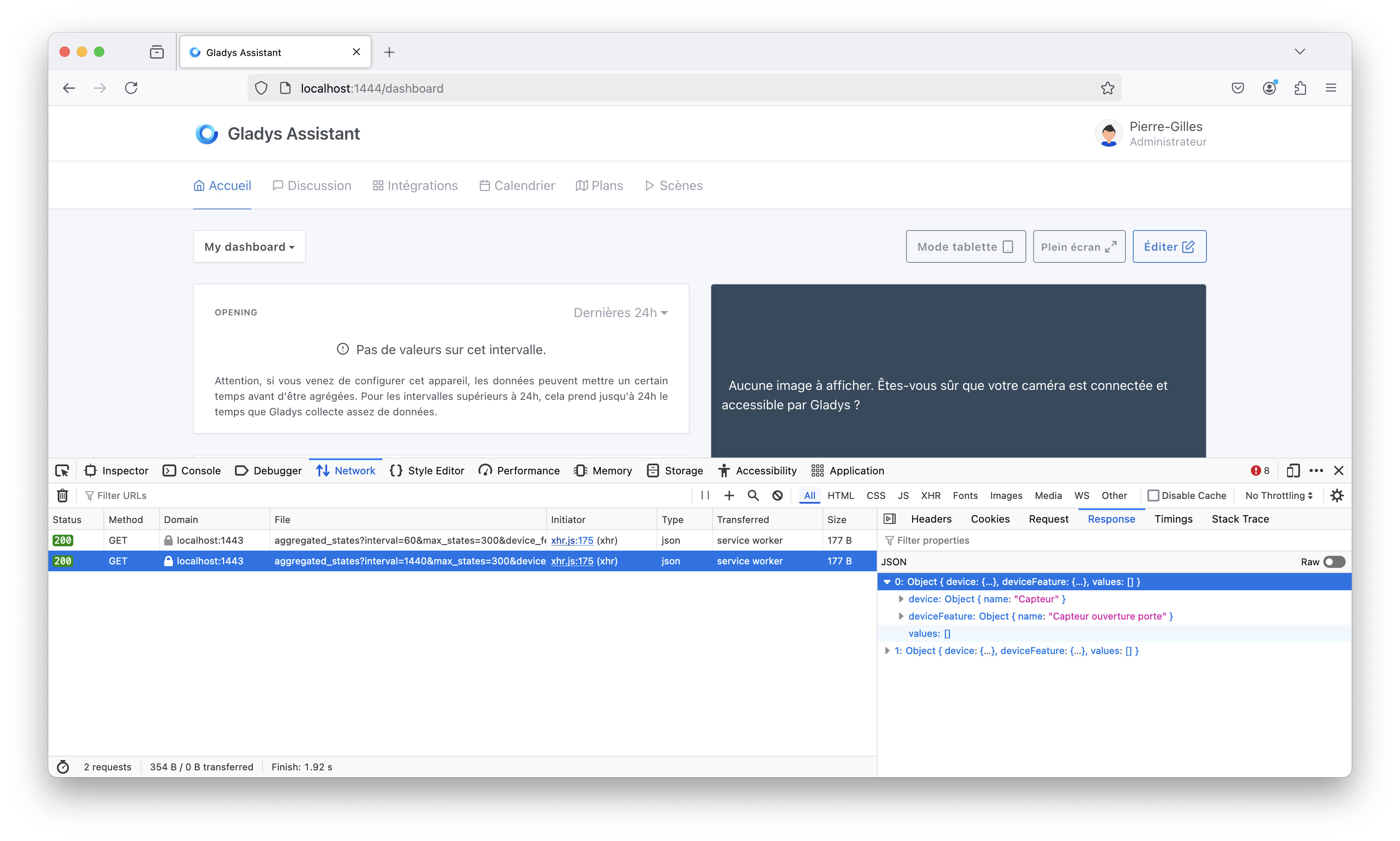
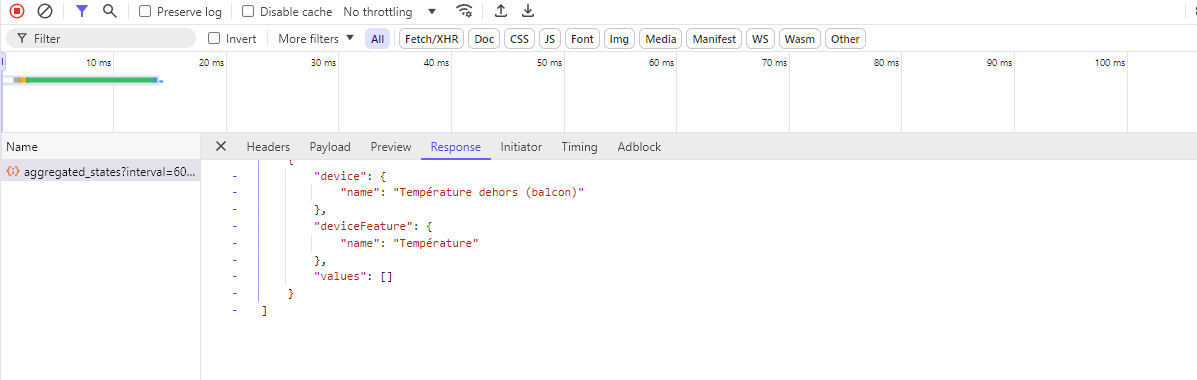
Okay, it might be related to DuckDB — I’d be curious to know whether the issue persists over the next few hours now that you no longer have aggressive outbursts every 5 seconds.
For now, the 1h charts are still down.
That’s crazy! In this case there must be something different on your instance because that works fine 
That’s crazy, yeah!
But I installed everything properly to avoid this 
24 hours later, the charts are still down. 
Are you sure it’s not a timestamp issue? For the 24h view we fetch all values from 24 hours ago, so the latest ones appear and are rendered with the correct time because it’s the display
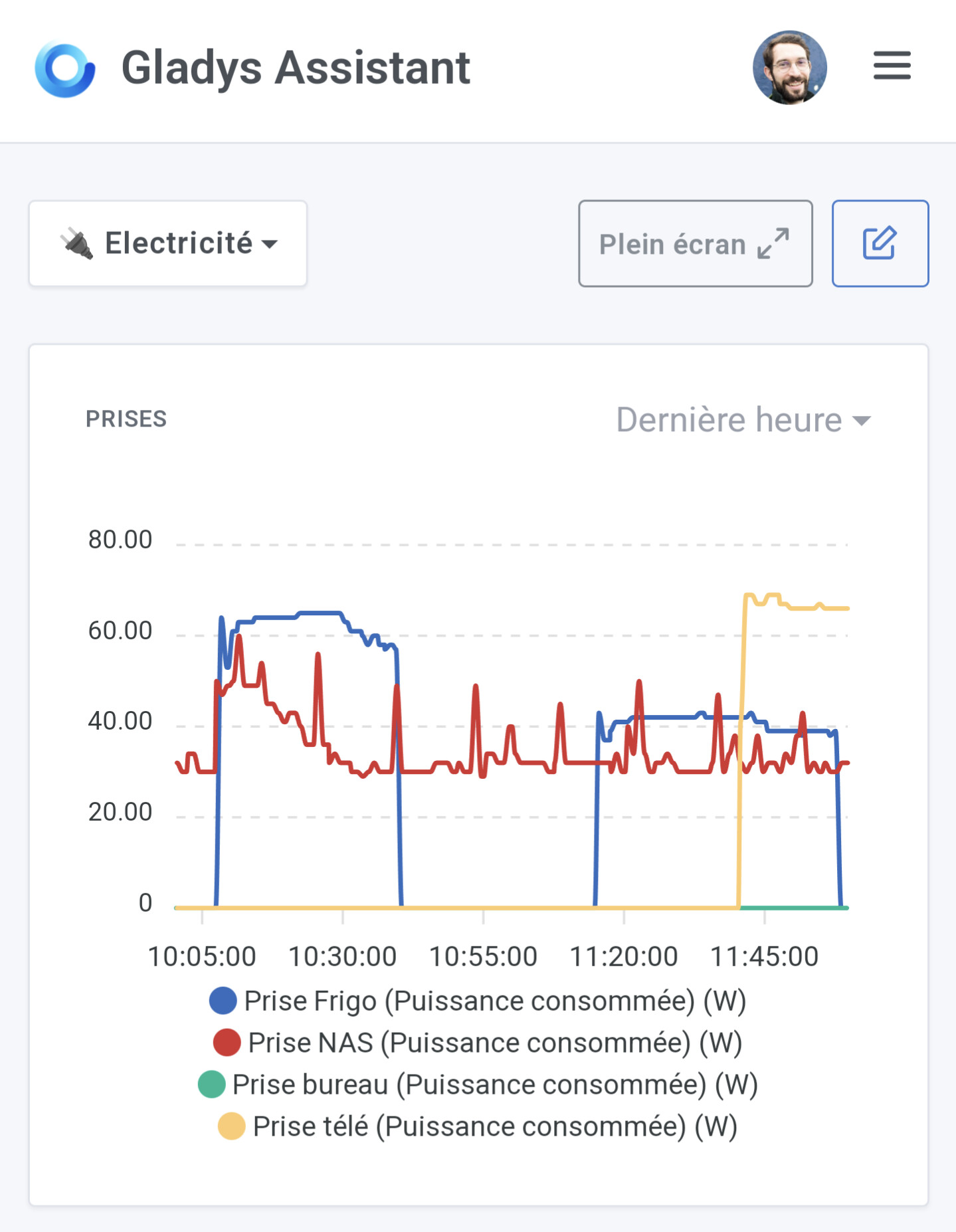
I think I have a lead.
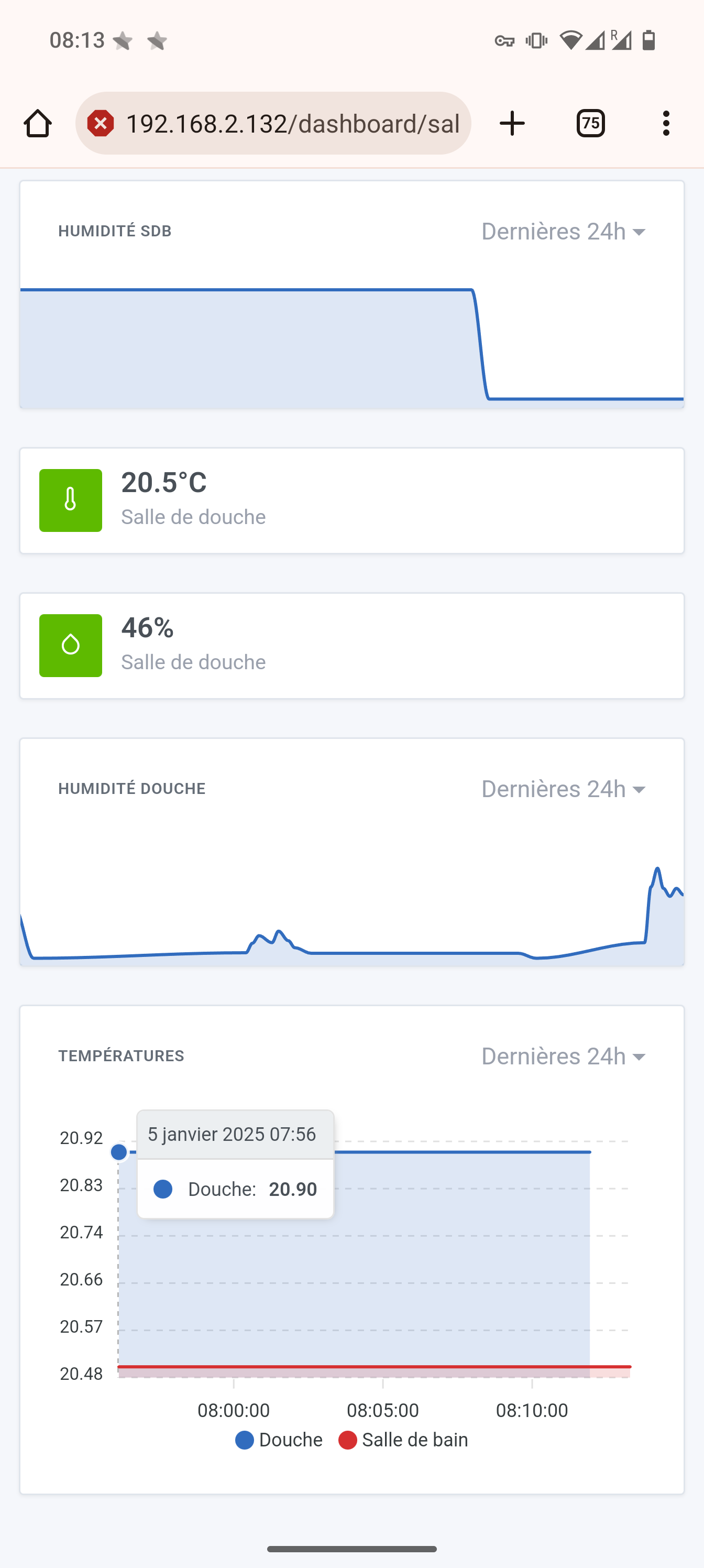
Gladys is on the America/Toronto time zone. However the Zigbee2MQTT container is not running on the same time zone.
I just reinstalled everything, with Gladys Plus restoration. So the values are less than an hour old.

If I check the dates manually in the containers:
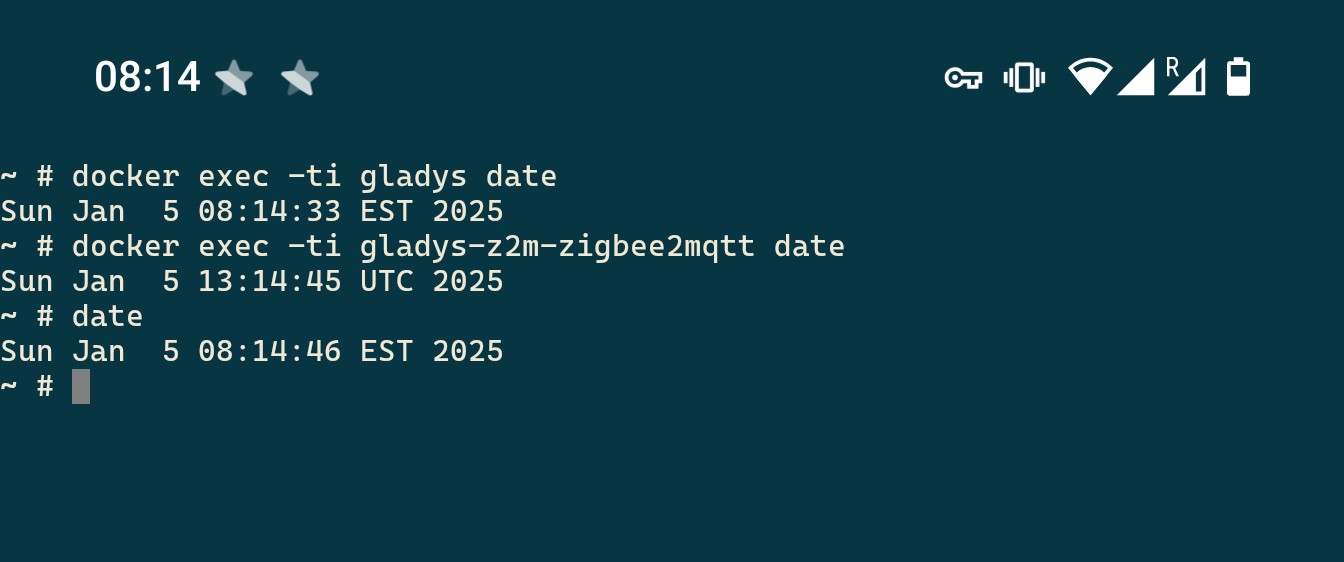
But since Gladys displays the correct times, I imagine that it handles dates in UTC.
EXCEPT THAT I modified the date in the Zigbee2MQTT container (before the restoration), because my thermostats are set to the correct time via a message from Z2M. So it was a problem for me that Z2M was in UTC; the time on my thermostats was displayed in UTC.
Hello,
I don’t know if this relates to this issue but I was in GMT-04 during these winter holidays, phone set to local time.
When I looked at the graphs on my phone connected via VPN to my home, I saw the graphs in GMT-04, i.e. with a 5-hour offset compared to the Gladys at home.
The 3000W spike in the photo corresponds to the water heater starting at 22:00 but shows a start at 17:00 
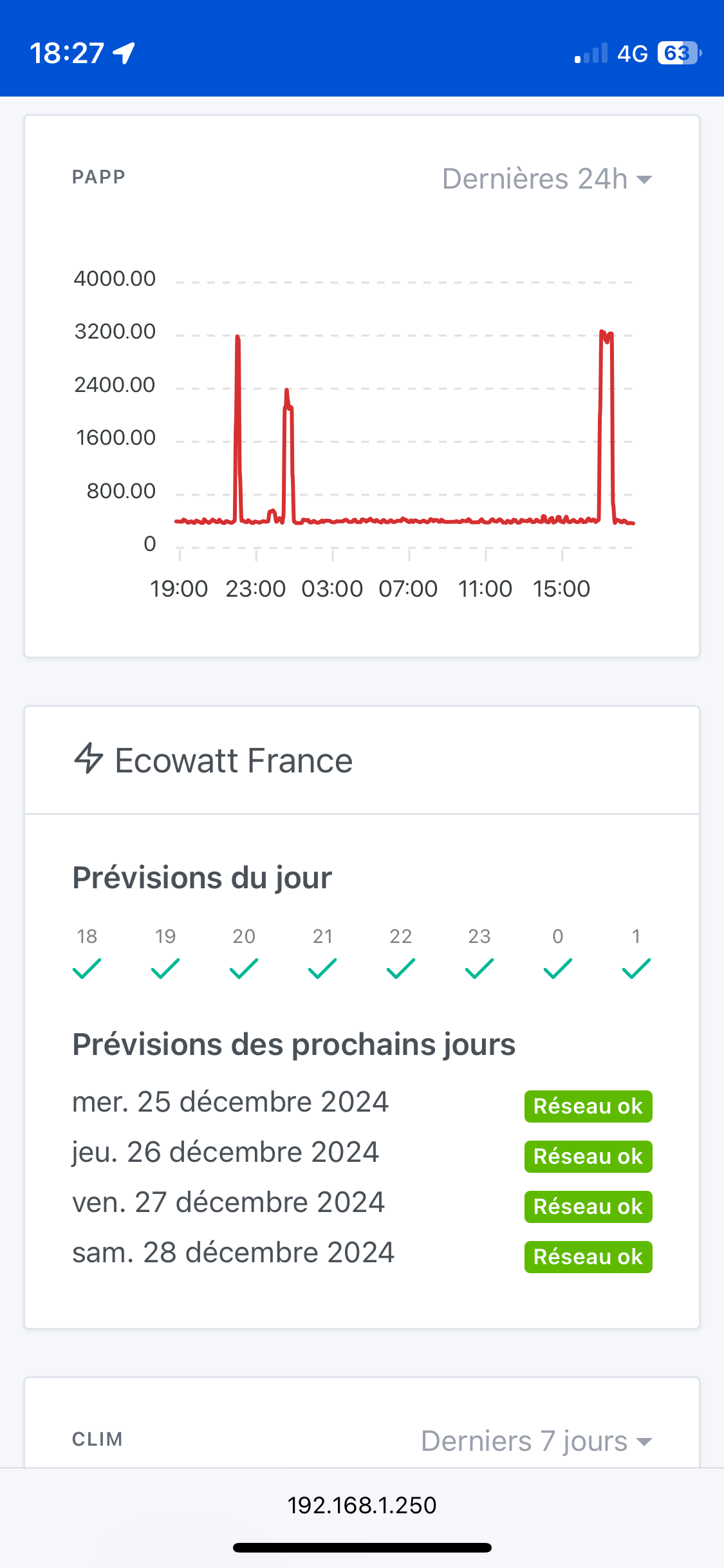
I wanted to make a dedicated post on my return but seeing @lmilcent’s last reply I think it might be related.
@lmilcent,
You’ll let us know in 24 hours then (well, less now ^^)
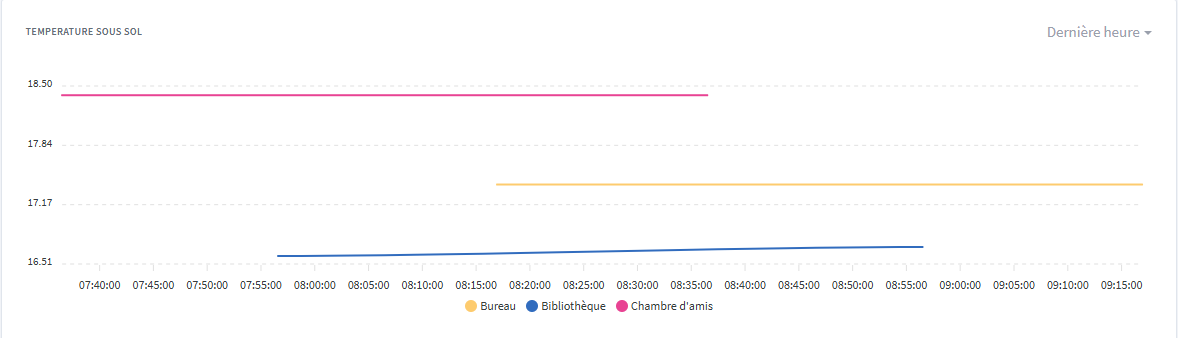
I think you’re right. The chart displays the last point at the current time (around 10:00) and the first point in Paris time (about 16:00, i.e. 10:00 local + 6h).
Of course the display of the last hour isn’t working because it’s probably shifted.
Yet Gladys is indeed set to TZ=America/Toronto, I manually applied that on z2m as well, but it’s still the same thing.
Yes, the z2m settings won’t change anything. The data in the database is written by Gladys on its created_at and updated_at. Gladys does not take the actual data capture value but the one of the write to the database.
We must just have a formatting issue on the request (taking local time into account … or something else). Just a guess, I haven’t looked.
@pierre-gilles might know if it comes from that.
So cool that you were able to debug all that 
@lmilcent Indeed it really looks like a timezone issue, so great that we finally have a user in a different timezone to see all these problems 
In my opinion there’s somewhere in the stack where the timezone is mishandled (it could be on the front end, back end, or the DB), we need to see where it’s coming from—if someone can investigate a bit 
If not, I’d be happy with a GitHub issue and I’ll look into it, but not right away; I haven’t yet dealt with my pile of todos that accumulated during my vacation as usual 
Hi @mutmut, that’s another topic in my opinion
Generally, in most applications this is the expected behavior: the frontend displays the time of an event coming from another timezone in your timezone. Example: if a relative on vacation in the US sends you a message on WhatsApp, you’ll see the time the message was sent in your timezone and not theirs.
In the case of Gladys, I think we need to consider it case by case—for example, for the graphs that’s debatable. But that’s outside the scope of this discussion; if you want us to talk about it you can create a separate thread?
Hi @pierre-gilles, we can make another topic no problem, will you move it or should we recreate it?