Kevin
January 16, 2023, 5:13pm
1
Hello,
I don’t know if the subject/bug has already been discussed or reported but I noticed something yesterday and I don’t know if this behavior is normal:
I turn on the Philips Hue lights in my kitchen with the main button to turn on all the lights in the room.
I ask Google Home (outside of Gladys Assistant) to turn off the lights in X minutes.
The Gladys dashboard indicates that the lights are on (even though they are off). Same observation after a refresh (F5).
Is this related to the fact that the lights are turned off via an external system? Or is it simply a bug?
Thanks for your clarification
Hi @Kevin ! That’s a good question
For integrations that can be controlled outside of Gladys, and notably the Philips Hue integration, what we do in Gladys is refresh the state of these devices every 60 seconds to be able to retrieve the latest state if it was changed outside of Gladys.
So normally if you don’t see the change immediately, that’s normal — it should show up within 0 to 60 seconds!
Unfortunately we don’t have much choice; ideally Philips Hue would broadcast an event to notify third-party applications that a new state is available, but they don’t, so we have to use the available APIs ^^
Kevin
January 17, 2023, 7:39am
3
Indeed, when re-running tests yesterday, I noticed that at certain times it would update. And I thought that you must, in one way or another, be calling the available APIs every x amount of time. At least that answers my question.
However, where it never changes is the bulb’s color state. Gladys seems to remember what was selected the last time. But that doesn’t match reality if the change was made using the Philips Hue app, for example.
It’s not an issue that prevents proper operation but I prefer to report this minor bug
Kevin:
On the other hand, where it never changes is the bulb’s color state. Gladys seems to remember what was selected for it last time. But that doesn’t match reality if the change was made with the Philips Hue app, for example.
Ah, that one is a bug
Otherwise I invite you to create an issue on our GitHub repo so we don’t lose track of the bug!
Kevin
January 17, 2023, 3:00pm
5
I have development skills, but they’re mainly limited to .NET C# (and related technologies); as for Node.js, I only used it once out of curiosity.
But in the meantime, I’ll go create an issue on GitHub.
Thanks for your GitHub issue, @Kevin !
I’m reposting it here:
ouvert 02:00PM - 20 Jan 23 UTC
fermé 08:20PM - 27 Dec 23 UTC
bug
Service Development
to investigate
I noticed on my dashboard that my Philips Hue lights retain the last state set d… irectly from Gladys.
For example, I put the light on red with Gladys. I change the color with the Android App Philips and I set the color to yellow. But on my Gladys dashboard, the red is still visible. The color is not correctly updating when I change de color with an external source.
Same issue with temperature and intensity I think (not sure at 100%, need to do some extra test).
Working fine with the state ON or OFF (with a little delay).
If anyone happens to be around and has Philips Hue, could they help us find the bug? @cicoub13 I think you have Philips Hue?
I’ve resold my Philips Hue Bridge to control my bulbs via Zigbee2Mqtt
Ah darn @VonOx you have Philips Hue with a bridge, right?
VonOx
January 24, 2023, 4:49am
9
Yes, I have that only for one Living Color, the rest is on z2m.
Ok, so you have color control on that Living Color? Could you test this bug and see if you can find a solution?
VonOx
January 24, 2023, 5:47pm
11
Yes, I’m away on a trip; I’ll test it at the end of the week when I’m back home.
VonOx
January 26, 2023, 9:28am
12
I confirm that it doesn’t work if an external control is used (Hue app / Voice etc)
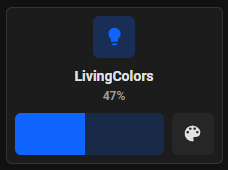
Correct state:
The sync only happens on the on/off
Only the On/Off poll has been developed. I commented on the issue, pointing to the code that needs to be updated.
Good catch @cicoub13 !
@VonOx Could you check what the state looks like at this line: Gladys/server/services/philips-hue/lib/light/light.poll.js at master · GladysAssistant/Gladys · GitHub ?
Then you need to do a this.gladys.event.emit with the color
VonOx
January 26, 2023, 10:20am
15
{
  on: true,
  bri: 120,
  hue: 45780,
  sat: 254,
  effect: 'none',
  xy: [ 0.1397, 0.0985 ],
  alert: 'select',
  colormode: 'xy',
  mode: 'homeautomation',
  reachable: true
}
I foolishly did that, but I think the color needs to be converted
logger.info(state);
this.gladys.event.emit(EVENTS.DEVICE.NEW_STATE, {
      device_feature_external_id: `${LIGHT_EXTERNAL_ID_BASE}:${bridgeSerialNumber}:${lightId}:${DEVICE_FEATURE_TYPES.LIGHT.COLOR}`,
      state: state.hue,
    });
You have the hsbToRgb function then rgbToInt in servers/utils/colors.js!
You use hue + sat + bri!
VonOx
January 26, 2023, 10:24am
17
Hue direct, it works — I hadn’t waited long enough (it’s not exactly the same blue but in any case it comes back)
Yes, the saturation and brightness are missing to get the same blue
Cool, if that works, thanks for taking a look!
Hi @cicoub13 , I’m reposting my GitHub message here, I saw that you made commits on GitHub mentioning this topic, do you have a PR?
I’m talking about this: https://github.com/cicoub13/Gladys/commit/85d9b8d8f15a514783d4d1a6fddfee5daaf4897d
Hello. Yes, I’ll look into it this week, but I’ll need someone to test it in real life (no more Philips Hue bridge thanks to Zigbee compatibility).


 but I’ll test the color reporting just in case (from Zigbee)