Hi everyone,
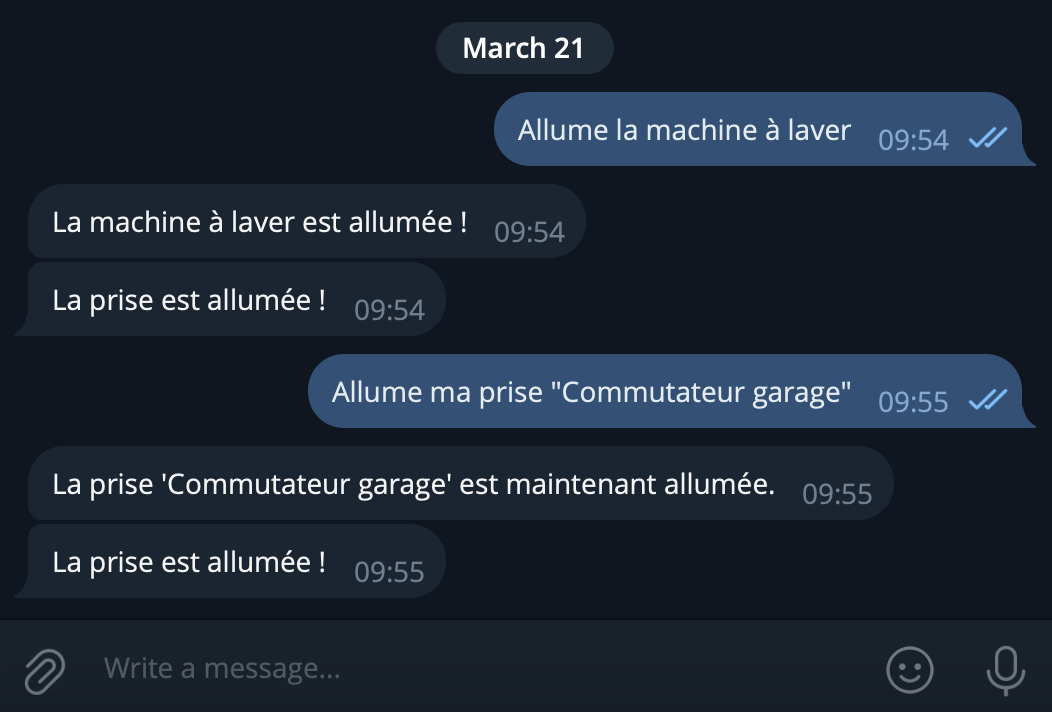
The « ChatGPT » integration now supports all « smart plug » type devices, super handy! 
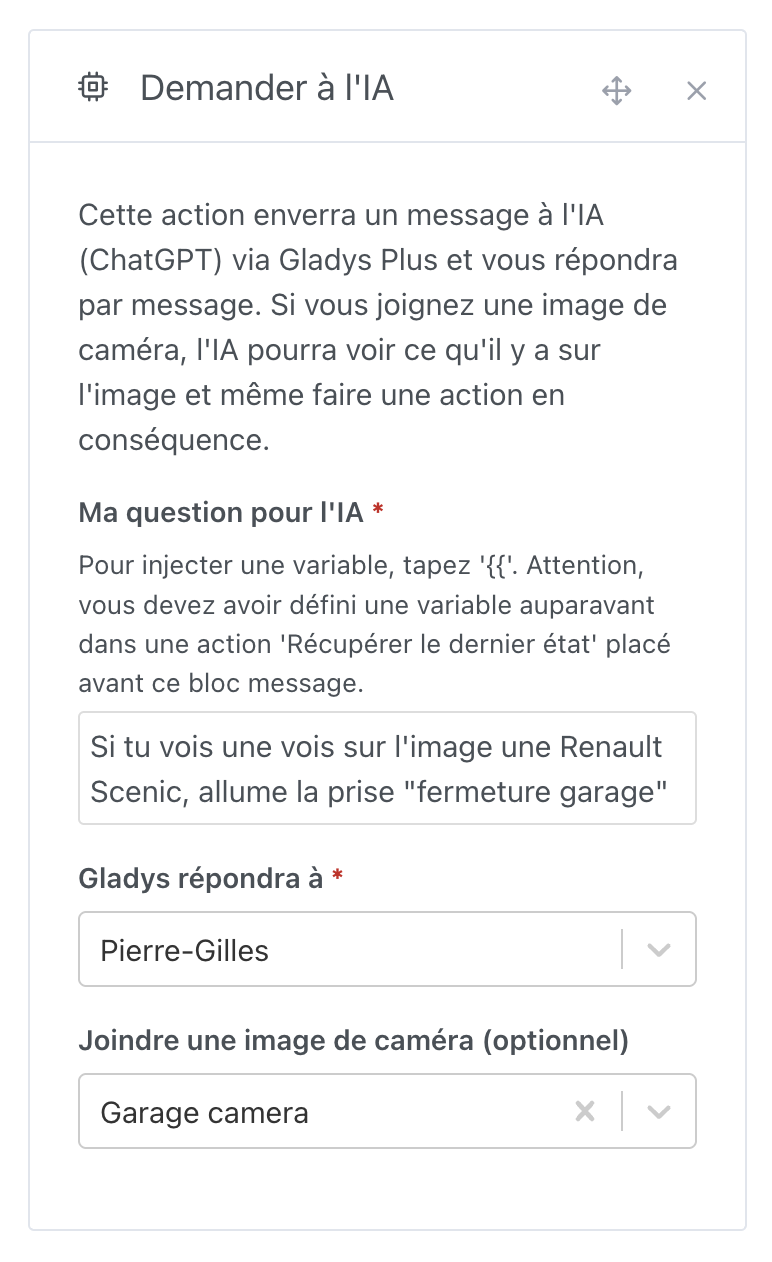
In scenes, you can use the « Ask the AI » action to perform actions on a smart plug.
The device can even be a « virtual » device from the MQTT integration
I updated the documentation with all available commands: Utiliser ChatGPT pour contrôler votre maison connectée | Gladys Assistant
If you have commands that don’t work, feel free to give me your command, and I’ll see if I can improve it
Note: You need to be on the latest version of Gladys for this to work, at least Gladys >= 4.55.
That’s cool! Thanks.
To add, I’d find it useful to be able to do the equivalent of ‹ control a device › from an AI request.
- An example use (maybe not essential, but to clearly show the idea): I define an MQTT device named « nombre de voiture sur le parking », then I ask the AI « Analyze this photo, identify the number of parked vehicles, and inject that value into the MQTT device ‹ nombre de voiture sur le parking ›. »
- And more concretely, I’d use it for the AI to analyze a photo of my manometer and inject its value into the MQTT device I created for that. For now, I’ve managed to do it but by asking the AI to trigger one of the 20 scenes I created for each pressure between 0.8 and 2.7 bars, every 0.1 bar

I agree! Are you creating a request?
aha, very impressive, and does it work? Any false positives/hallucinations?
It works well for calling the correct scene after detection by the AI.
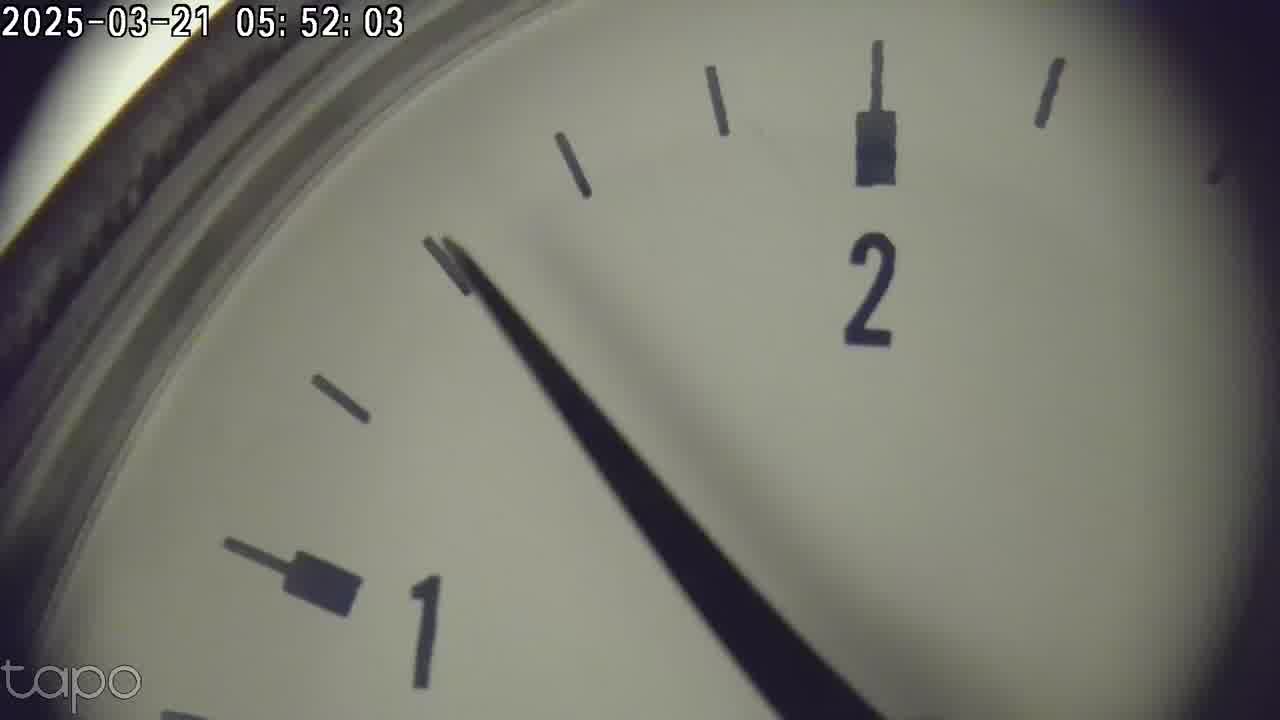
But the ‹ reading › of the pressure from the photo is fairly unstable; the AI often misreads by one increment. The photo taken by my camera (to which I added a ‹ macro › lens) looks like this:
And typically on this photo the AI reports 1.4 bars in about 50% of its responses, 1.6 bars in 40%, and 1.2 bars in 10%.
But for what I want to do with it (alert me if it falls below 1.2 bars), that’s enough for me…