 Aduro Integration: Control Your Hybrid Pellet Stove from Gladys
Hello everyone,
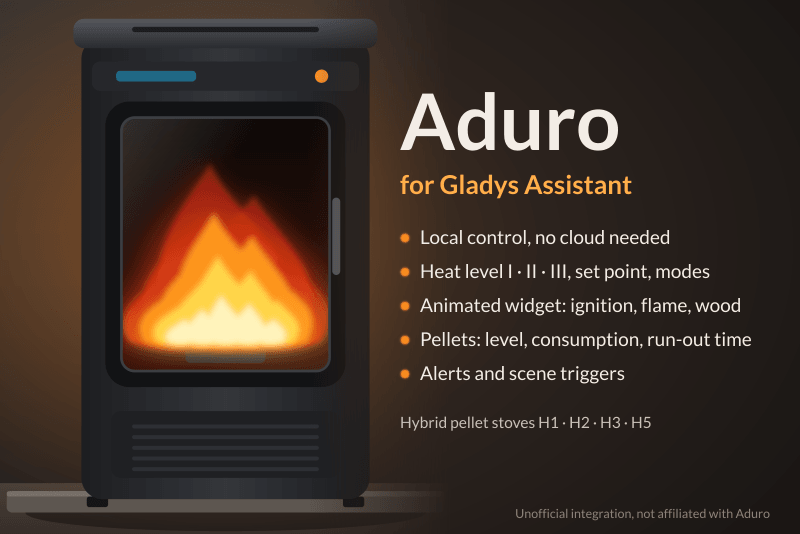
I present to you a new external integration for Gladys: Aduro, which allows you to control and monitor Aduro hybrid pellet stoves (H1, H2, H3, and H5 confirmed; H4 and H6 probable).
It communicates directly with the stove on your local network, using the same protocol as the Aduro Hybrid app. No account, no cloud: Aduro’s cloud relay exists as a backup, but it is disabled by default.
This is a port for Gladys of the Home Assistant integration NewImproved/Aduro and the library pyduro. Thanks to their authors!
Unofficial integration, with no link to Aduro. This is a test version: your feedback is welcome.
What You Can Do
Control the Stove
- Start / stop
- Power I, II, or III
- Set temperature (5 to 35 °C)
- Operating mode: power, temperature, or wood
- Each change is followed until the stove applies it, and sent back if it doesn’t.
Monitor the Stove
- Ambient, flue, and chimney temperatures
- Heating power, carbon monoxide
- Status and clear details, with countdown during ignition
- Pellet consumption: day, previous day, month, year, total
- Hopper level, in % and kg
- Stove, auger, and ignition operating time
Automations
- Automatic shutdown when pellets are too low
- Automatic return to pellets when the wood fire goes out
- Forced fan and auger, with maximum duration
- “Pellets refilled”, “Stove cleaned”, “Reset alarm” buttons
Pellet End Prediction (power mode): the integration learns on its own what your stove consumes at each power level, then announces the time when the hopper will be empty. Example: “Wed, Nov 25, 11:30 PM (reliable)”.
Dashboard Widgets

1. The Animated Stove
A drawing of the stove that follows its real-time status:
| Ignition | Small Flame | Medium Flame | Large Flame | Wood Mode |
|---|---|---|---|---|
- Ignition: the crucible glows, the smoke rises, the indicator flashes. No flame yet.
- Heating: small, medium, or large flame, depending on the chosen power.
- Wood Mode: the logs burn, with sparks.
- Off or Waiting: the window is off.
Below the drawing, you find the temperature of the firebox and the ambient temperature in real-time, the stove status, and four buttons:
- Start the stove or Turn off the stove (shutdown requires confirmation)
- Small Flame, Medium Flame, Large Flame
2. Statistics
- Check pellet level, remaining autonomy
- Daily, monthly and yearly consumption, heating power
- Graph of pellets burned per day (last 31 days) or per month (last 12 months), choose in the widget settings
- Expected end of pellets
- Flue and chimney temperatures
- Carbon monoxide, in orange or red above the stove thresholds
- Operating time
- Learned consumption at each power (kg/h)
Scenes
Five scene triggers are available:
- Stove flue too hot (adjustable threshold and duration)
 Stove wood fire weakening
 Stove pellets low, with remaining kg
 Stove stopped due to lack of pellets
- Stove fault, with the code and label of the state
For example: « Stove pellets low » → message « There are {{triggerEvent.data.remaining_kg}} kg of pellets left, remember to refill! »
Installation
- Install the Aduro integration from the Gladys integrations catalog (Gladys 5.1.0 minimum).
- Enter the serial number and PIN code of the stove (on its label, these are the ones from the Aduro app), then its IP address.
- Add the stove in the Devices tab, then the widgets in your dashboard.
 If the stove is on a different network (VLAN) than Gladys, specify its IP address: automatic search does not cross VLANs. The stove listens on UDP port 8483.
The complete documentation is available: network and firewall, settings, scenes, troubleshooting.
Feedback welcome
This is a first version, tested so far on a single stove. If you have an Aduro, your feedback is particularly interesting to me on:
-
your model (especially if you have an H4 or an H6);
-
the states displayed « Unknown state (NN) »: note the code;
-
the power and temperatures, compared to those of the Aduro app.
-
Source code and issue tracking: GitHub - McFlyPartages/gladys-aduro · GitHub
-
Documentation: gladys-aduro/docs/fr.md at main · McFlyPartages/gladys-aduro · GitHub
Happy heating!