Short on time, I’m still trying to figure out how best to integrate sensors in my home (as easily as possible, not too expensively, and with good coverage). So I opted for the convenience of a Tuya Zigbee gateway and Zigbee sensors. Integration works on the Zigbee/gateway side and with the smartphone app, but the integration under Gladys doesn’t…
@Tlse-vins he says that, for simplicity, he prefers to go through Tuya, which is understandable
@jean_bruder For now these devices are not supported. You need to check with @Lokkye to add these compatibilities. Can you post here the reference of your temperature and humidity sensor?
@Tlse-vins: The sensors are indeed Zigbee and I had started by integrating everything into Gladys via a USB stick and Zigbee2MQTT, which works perfectly. However, the battery life is barely two days in this mode of operation, most likely due to the distance between the sensors and the USB stick. I had read that Zigbee IoT devices form a mesh network that extends the network’s range — could that be the reason? That’s why I used a Tuya gateway.
Two days isn’t much!
I’m also thinking about finding a solution to do without batteries because all my sensors are out of order and I’m fed up with changing the batteries or with the lack of data reporting.
@Tlse-vins Your idea of using ESPHome interests me because I had read about the easy integration of MQTT and the possible use of Zigbee on the ESP32 … Some reading for this weekend then
Hello,
I’m coming back to this almost a year later.
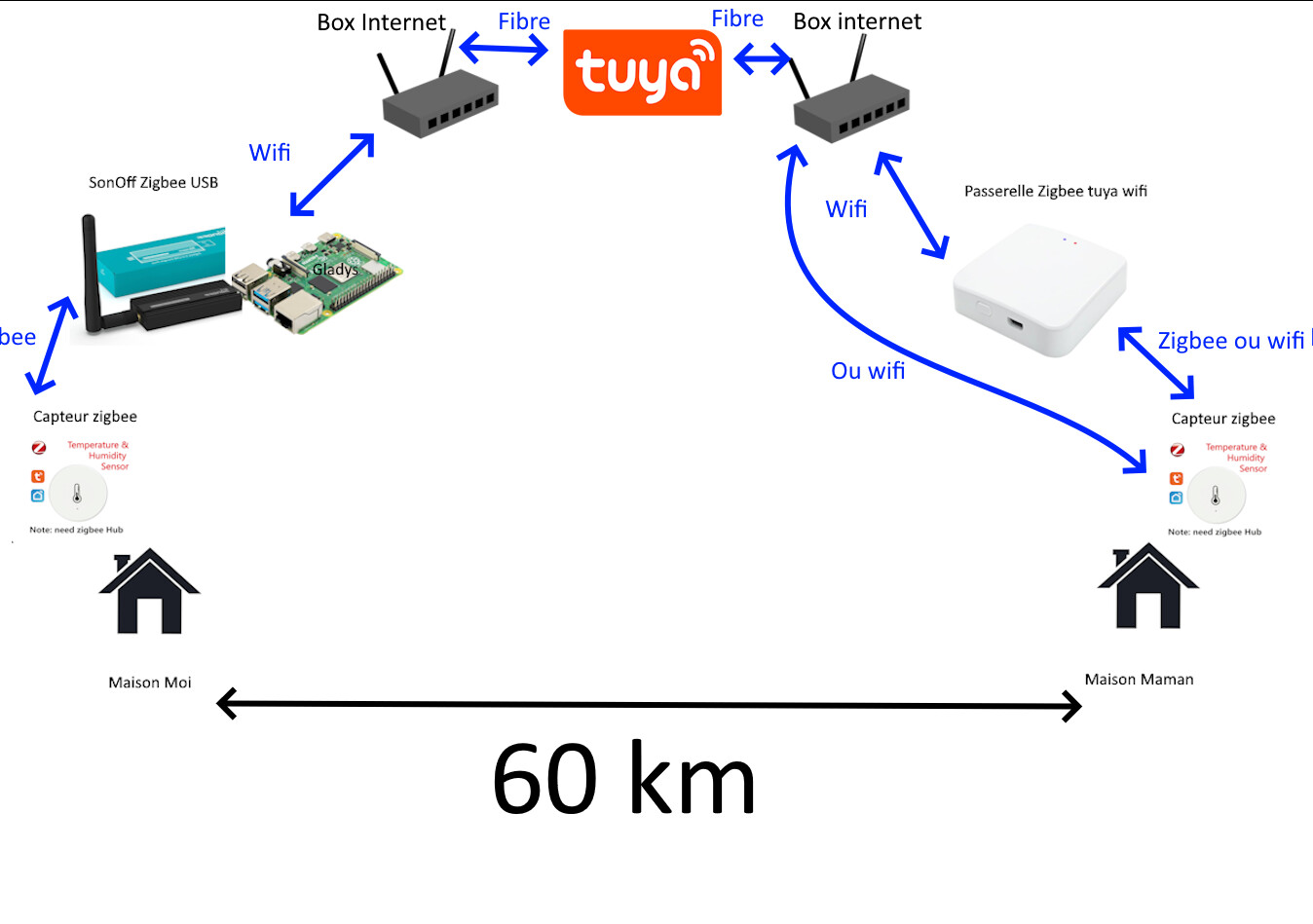
For my part, it’s blocking me, because I do have a Zigbee gateway at my place.
But I had planned to automate my mother’s house from the Raspberry Pi that’s at my place.
So I looked for a kind of Zigbee WiFi gateway and I found it from Tuya.
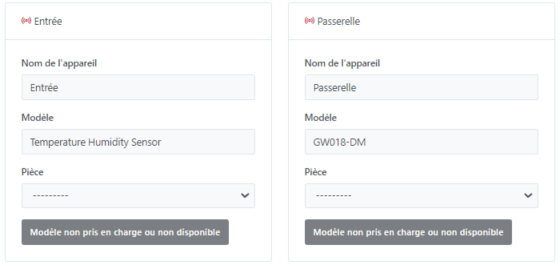
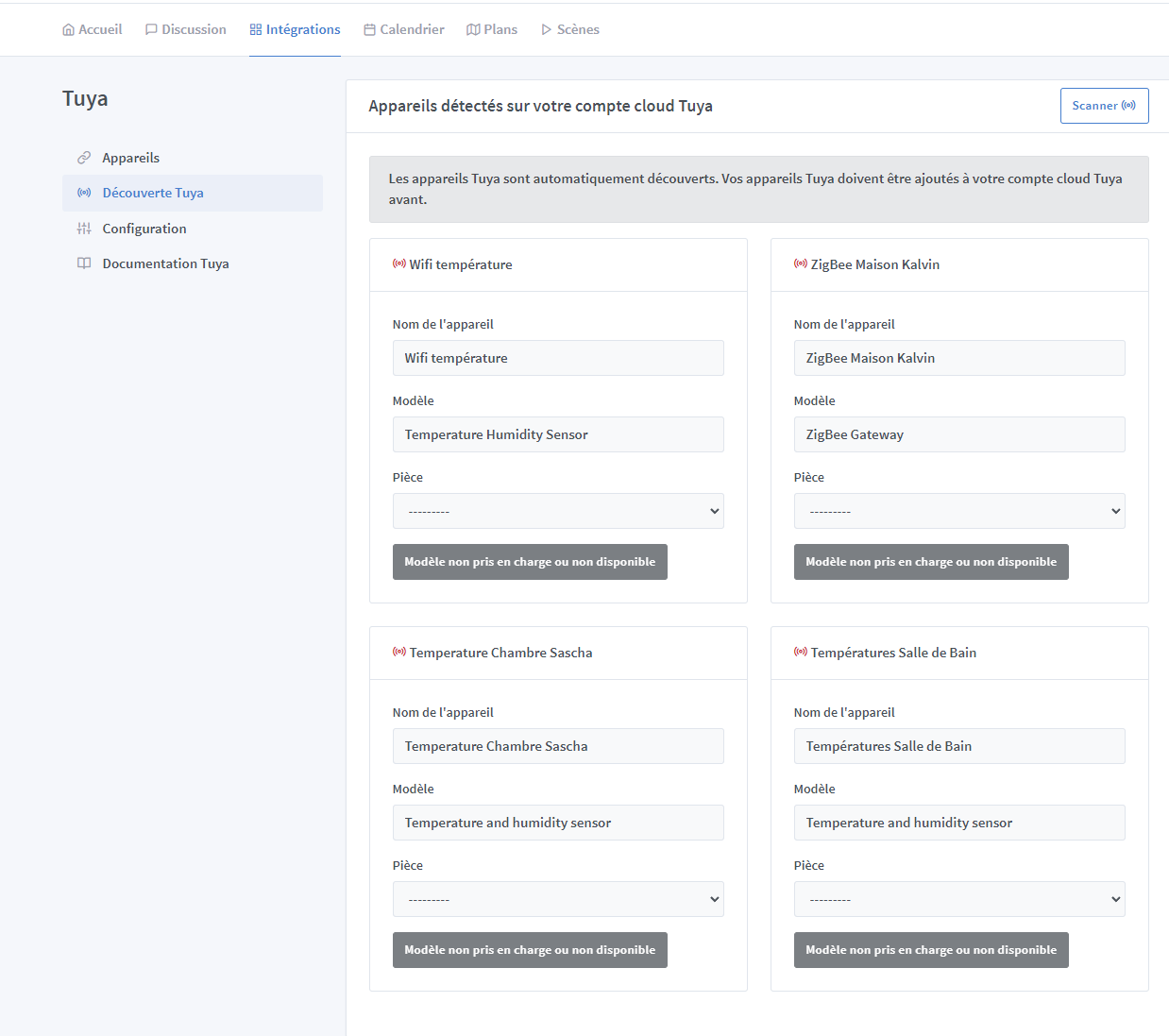
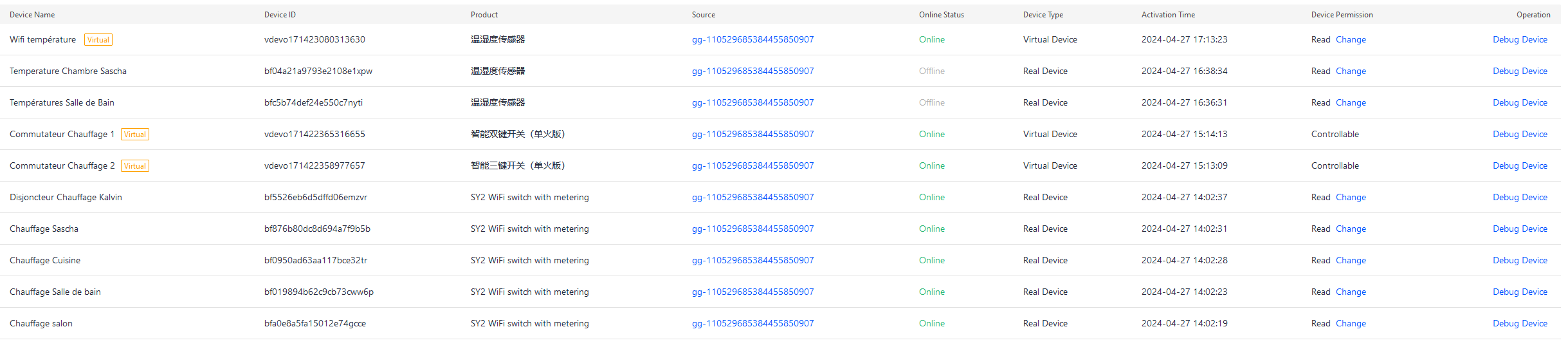
Here’s the problem: as far as I know 100% of Tuya sensors (WiFi or Zigbee) are not recognized by Gladys. See photo:
In principle it works; it seems to get stuck at the Gladys level.
If via the Zigbee gateway, it doesn’t work.
There are also WiFi temperature sensors, but they are also not recognized by Gladys.
See first image.
Hello,
Only a few types of Tuya devices are supported currently.
You should make a ‹ feature request › so someone can look into integrating your sensors.
If I’m not mistaken, it was @Lokkye who created this Tuya integration.
Hello @Kalvin,
I have a Lidl box at home running a modified version of the firmware: it has become a Zigbee Ethernet box (It is detected as a HomeKit gateway by default with the original firmware).
If I understood your diagram correctly, that’s what you’re trying to put on the remote site in order to access it over the network?
If that’s the case, have a look here: Hacking the Lidl Silvercrest ZigBee Gateway: A Step-by-Step Tutorial - Tutorials & Examples - openHAB Community
Have a good day,
Jean