Hello,
I have version v4.8.10 which should automatically update to 4.9!

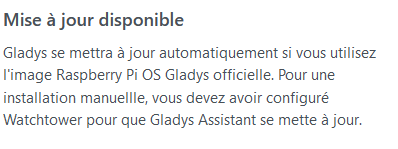

It seems that all the conditions are met but the update isn’t happening!
Any idea?
Watchtower logs could help.
Logically the latest version is 4.9.2, so if it’s an « official » installation I don’t see why Watchtower isn’t updating.
Thanks for your reply.
But how do we display the logs? 
Docker container logs watchtower
Voici :
pi@gladys:~ $ docker logs watchtower
time="2022-06-18T11:39:33Z" level=info msg="Watchtower 1.4.0"
time="2022-06-18T11:39:33Z" level=info msg="Using no notifications"
time="2022-06-18T11:39:33Z" level=info msg="Checking all containers (except explicitly disabled with label)"
time="2022-06-18T11:39:33Z" level=info msg="Scheduling first run: 2022-06-19 11:39:33 +0000 UTC"
time="2022-06-18T11:39:33Z" level=info msg="Note that the first check will be performed in 23 hours, 59 minutes, 59 seconds"
time="2022-06-18T15:34:36Z" level=info msg="Waiting for running update to be finished..."
time="2022-06-19T05:52:28Z" level=info msg="Watchtower 1.4.0"
time="2022-06-19T05:52:28Z" level=info msg="Using no notifications"
time="2022-06-19T05:52:28Z" level=info msg="Checking all containers (except explicitly disabled with label)"
time="2022-06-19T05:52:28Z" level=info msg="Scheduling first run: 2022-06-20 05:52:28 +0000 UTC"
time="2022-06-19T05:52:28Z" level=info msg="Note that the first check will be performed in 23 hours, 59 minutes, 59 seconds"
time="2022-06-19T06:12:27Z" level=info msg="Waiting for running update to be finished..."
time="2022-06-19T06:13:21Z" level=info msg="Watchtower 1.4.0"
time="2022-06-19T06:13:21Z" level=info msg="Using no notifications"
time="2022-06-19T06:13:21Z" level=info msg="Checking all containers (except explicitly disabled with label)"
time="2022-06-19T06:13:21Z" level=info msg="Scheduling first run: 2022-06-20 06:13:21 +0000 UTC"
time="2022-06-19T06:13:21Z" level=info msg="Note that the first check will be performed in 23 hours, 59 minutes, 59 seconds"
time="2022-06-19T07:49:16Z" level=info msg="Waiting for running update to be finished..."
time="2022-06-19T07:49:57Z" level=info msg="Watchtower 1.4.0"
time="2022-06-19T07:49:57Z" level=info msg="Using no notifications"
time="2022-06-19T07:49:57Z" level=info msg="Checking all containers (except explicitly disabled with label)"
time="2022-06-19T07:49:57Z" level=info msg="Scheduling first run: 2022-06-20 07:49:57 +0000 UTC"
time="2022-06-19T07:49:57Z" level=info msg="Note that the first check will be performed in 23 hours, 59 minutes, 59 seconds"
time="2022-06-19T08:06:46Z" level=info msg="Waiting for running update to be finished..."
time="2022-06-19T08:07:29Z" level=info msg="Watchtower 1.4.0"
time="2022-06-19T08:07:29Z" level=info msg="Using no notifications"
time="2022-06-19T08:07:29Z" level=info msg="Checking all containers (except explicitly disabled with label)"
time="2022-06-19T08:07:29Z" level=info msg="Scheduling first run: 2022-06-20 08:07:29 +0000 UTC"
time="2022-06-19T08:07:29Z" level=info msg="Note that the first check will be performed in 23 hours, 59 minutes, 59 seconds"
time="2022-06-19T08:08:39Z" level=info msg="Waiting for running update to be finished..."
time="2022-06-19T08:09:20Z" level=info msg="Watchtower 1.4.0"
etc…
Yesterday:
time="2022-08-19T06:13:36Z" level=info msg="Waiting for running update to be finished..."
time="2022-08-19T06:13:43Z" level=info msg="Watchtower 1.4.0"
time="2022-08-19T06:13:43Z" level=info msg="Using no notifications"
time="2022-08-19T06:13:43Z" level=info msg="Checking all containers (except explicitly disabled with label)"
time="2022-08-19T06:13:43Z" level=info msg="Scheduling first run: 2022-08-20 06:13:43 +0000 UTC"
time="2022-08-19T06:13:43Z" level=info msg="Note that the first check will be performed in 23 hours, 59 minutes, 59 seconds"
time="2022-08-19T08:08:26Z" level=info msg="Waiting for running update to be finished..."
time="2022-08-19T08:09:10Z" level=info msg="Watchtower 1.4.0"
time="2022-08-19T08:09:10Z" level=info msg="Using no notifications"
time="2022-08-19T08:09:10Z" level=info msg="Checking all containers (except explicitly disabled with label)"
time="2022-08-19T08:09:10Z" level=info msg="Scheduling first run: 2022-08-20 08:09:10 +0000 UTC"
time="2022-08-19T08:09:10Z" level=info msg="Note that the first check will be performed in 23 hours, 59 minutes, 59 seconds"
time="2022-08-19T15:07:01Z" level=info msg="Waiting for running update to be finished..."
time="2022-08-19T15:07:45Z" level=info msg="Watchtower 1.4.0"
time="2022-08-19T15:07:45Z" level=info msg="Using no notifications"
time="2022-08-19T15:07:45Z" level=info msg="Checking all containers (except explicitly disabled with label)"
time="2022-08-19T15:07:45Z" level=info msg="Scheduling first run: 2022-08-20 15:07:45 +0000 UTC"
time="2022-08-19T15:07:45Z" level=info msg="Note that the first check will be performed in 23 hours, 59 minutes, 59 seconds"
Do you have the same message:
Scheduling first run: 2022-08-20 15:07:45 +0000 UTC
Is this a fresh installation?
How did you install Gladys?
I don’t see what else to ask for a personal check, @VonOx any idea?
The update is performed systematically 24 hours after the RPi boots up — wouldn’t you be getting unexpected reboots?
Judging from the logs, it looks like Watchtower keeps rebooting.
It’s true that I don’t leave my Pi running all the time!
That might be the problem!
Absolutely!
To check, if you run docker container ls we’ll see the uptime.
And you should know that Watchtower checks every 24 hours by default.
So if you restart it, it will recheck 24 hours later, etc
Watchtower very good, a container in Docker that works a bit like the Linux cron, but, because there is a but…
once installed it’s difficult to modify or configure its mode of operation!
by default it is set to check and update at midnight, the only problem is
We remove the container and recreate it with the appropriate arguments.
@VonOx
sure, that’s what I’ve already done, but at some point (especially on your production environment) it becomes tiresome — we want to see the production environment work without too much intervention (it’s different for a development environment) and unfortunately it’s a somewhat crude and unaesthetic method (I don’t understand why the designers of Watchtower didn’t
I don’t see why we’d
A typical and frequent example for me out in the countryside: a brief EDF power cut crashes the PC, low internet bandwidth…
And there, for example, two hours ago Watchtower triggered an update of mosquitto and mosquitto-gladys-z2m and immediately afterwards Gladys stopped updating the data arriving via MQTT (Node-RED).
sylvain@synapsat11:~$ docker ps
CONTAINER ID   IMAGE                       COMMAND                  CREATED        STATUS                  PORTS      NAMES
1d246e6ec1b8   eclipse-mosquitto:2         "/docker-entrypoint.…"   2 hours ago    Up 2 hours                         eclipse-mosquitto
22adc676fefe   eclipse-mosquitto:2         "/docker-entrypoint.…"   2 hours ago    Up 2 hours                         gladys-z2m-mqtt
1a1bb07ecf07   nodered/node-red:latest     "./entrypoint.sh"        13 days ago    Up 26 hours (healthy)              node_red
b746342e0789   koenkk/zigbee2mqtt:latest   "docker-entrypoint.s…"   2 weeks ago    Up 26 hours                        gladys-z2m-zigbee2mqtt
d7e4bd7117ad   gladysassistant/gladys:v4   "docker-entrypoint.s…"   2 weeks ago    Up 26 hours                        gladys
e2eed4ce7108   containrrr/watchtower       "/watchtower --clean…"   2 months ago   Up 26 hours             8080/tcp   watchtower
sylvain@synapsat11:~$
So after that I try to stop and restart Gladys via Docker and then:
sylvain@synapsat11:~$ docker stop  gladys
Error response from daemon: cannot stop container: gladys: tried to kill container, but did not receive an exit event
sylvain@synapsat11:~$
Indeed, I left my Pi running and I have version 4.9.2
pi@gladys:~ $ docker container ls
CONTAINER ID   IMAGE                       COMMAND                  CREATED          STATUS                          PORTS      NAMES
2e7452f922f1   gladysassistant/gladys:v4   \"docker-entrypoint.s…\"   44 minutes ago   Up 44 minutes                              gladys
e37722426bff   eclipse-mosquitto:2         \"/docker-entrypoint.…\"   44 minutes ago   Up 44 minutes                              gladys-z2m-mqtt
381878d2e330   koenkk/zigbee2mqtt:latest   \"docker-entrypoint.s…\"   44 minutes ago   Up 44 minutes                              gladys-z2m-zigbee2mqtt
ebaacd05ab1c   nodered/node-red:latest     \"./entrypoint.sh\"        44 minutes ago   Up 44 minutes (healthy)                    node_red
56cee6fb0aec   eclipse-mosquitto:2         \"/docker-entrypoint.…\"   44 minutes ago   Restarting (1) 50 seconds ago              eclipse-mosquitto
66c3bfd98823   containrrr/watchtower       \"/watchtower --clean…\"   2 months ago     Up 39 hours                     8080/tcp   watchtower
I’m not leaving my Pi running because I’m waiting for the latest Z-Wave integration and I’m looking for how to integrate all my RFX433 devices!
Thanks for your help.

Why 24h? Because Docker Hub, the service that hosts Docker images, imposes a request limit, so if we check for updates too frequently we get temporarily banned.
If you want something more aggressive, the Gladys image has also recently been made available on GitHub Packages.
They are the same tags