Multi-user

They don’t know Gladys yet :smirk:

The rights system will inevitably become necessary, but not mandatory.
We’ll need to delve deeper, but this is how I see things:

On my home automation, I don’t want to manage rights directly by users
I still want to have several profiles

  • The admin: the Gladys god who can control/configure everything
  • The average user (no, I didn’t say my wife): Can control everything but couldn’t care less about configuration
  • The kids: They have access to their own dashboard
  • Guest: Control and info only on certain rooms

Well, I’m on it :smiley:

I agree with you :slight_smile:

The idea of creating different « profiles Â» rather than a very detailed management could be a good solution!

I also think that predefined profiles are a good way to avoid going in all directions.

After that, will the ability to manage the rights of the different profiles be given to the administrator?

Hello everyone!

I think I have finished the multi-user feature in Gladys 4 :partying_face:

In this first iteration, there are 2 types of users:

  • Admin: Has all access on Gladys.
  • User: A « regular Â» user, who does not have access to Gladys settings.

User Management

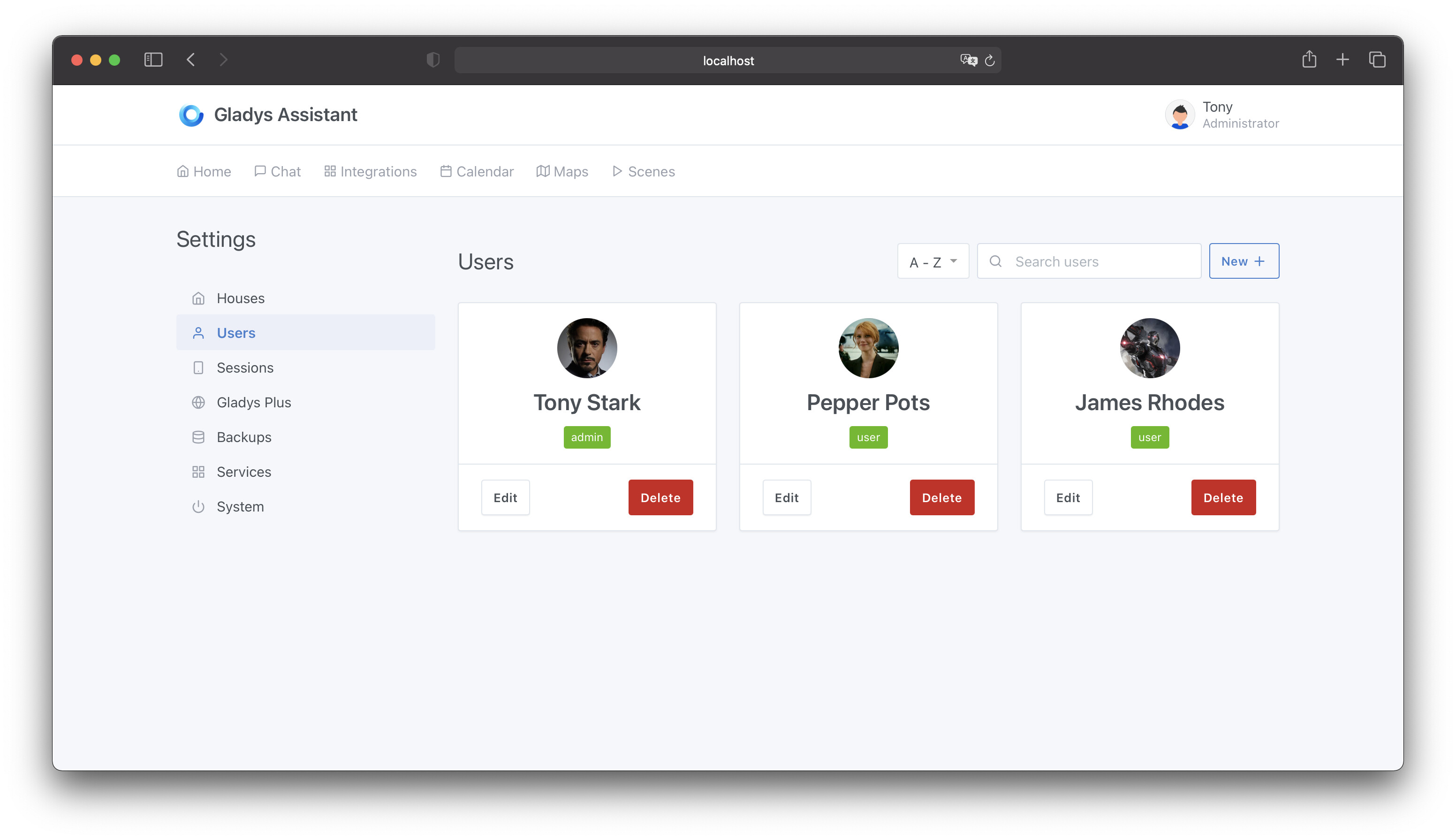
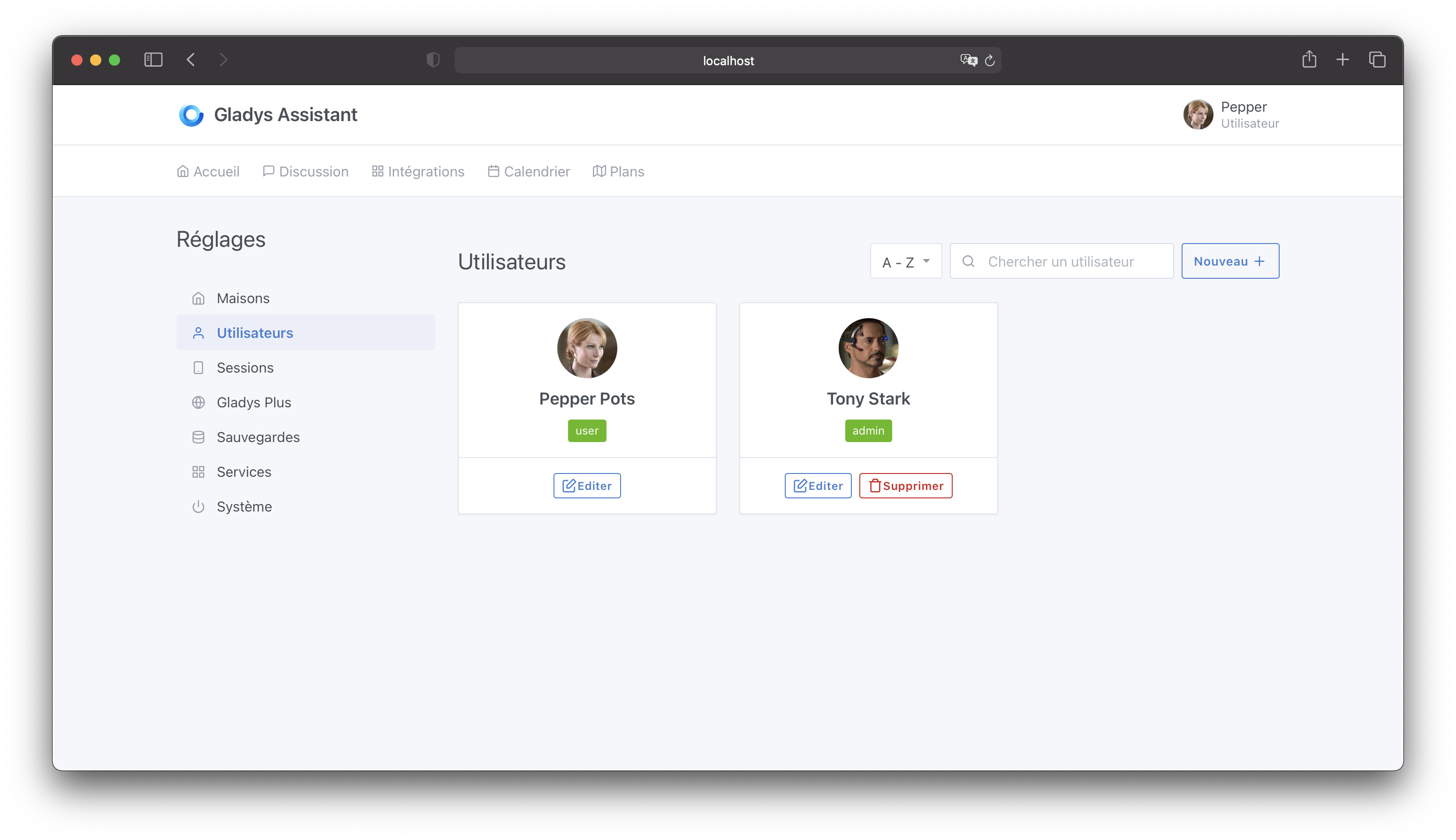
In the « Settings Â» => « Users Â» page, as an administrator, I can find all users of my Gladys instance.

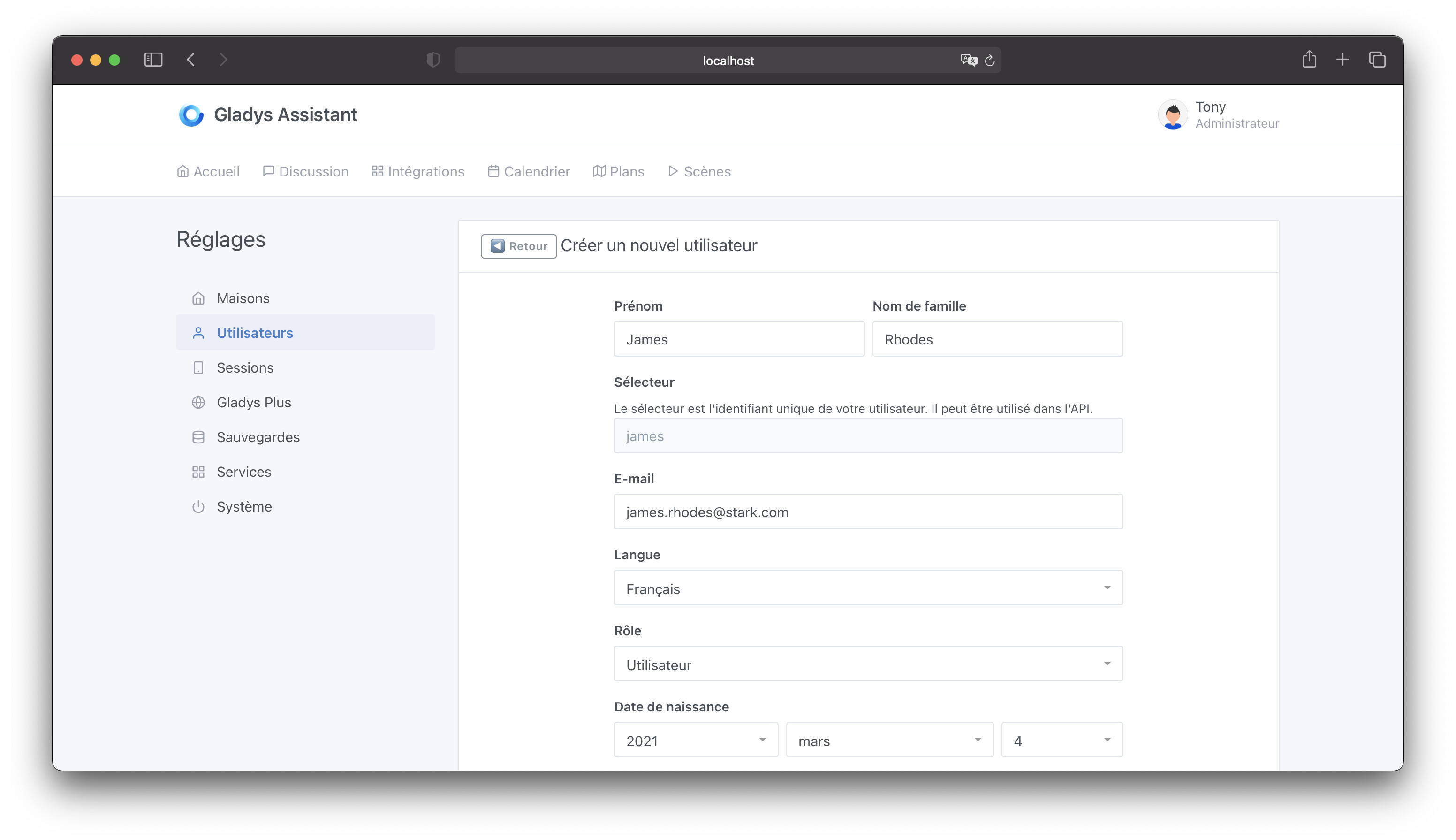
By clicking on « New + Â», I can create a user:

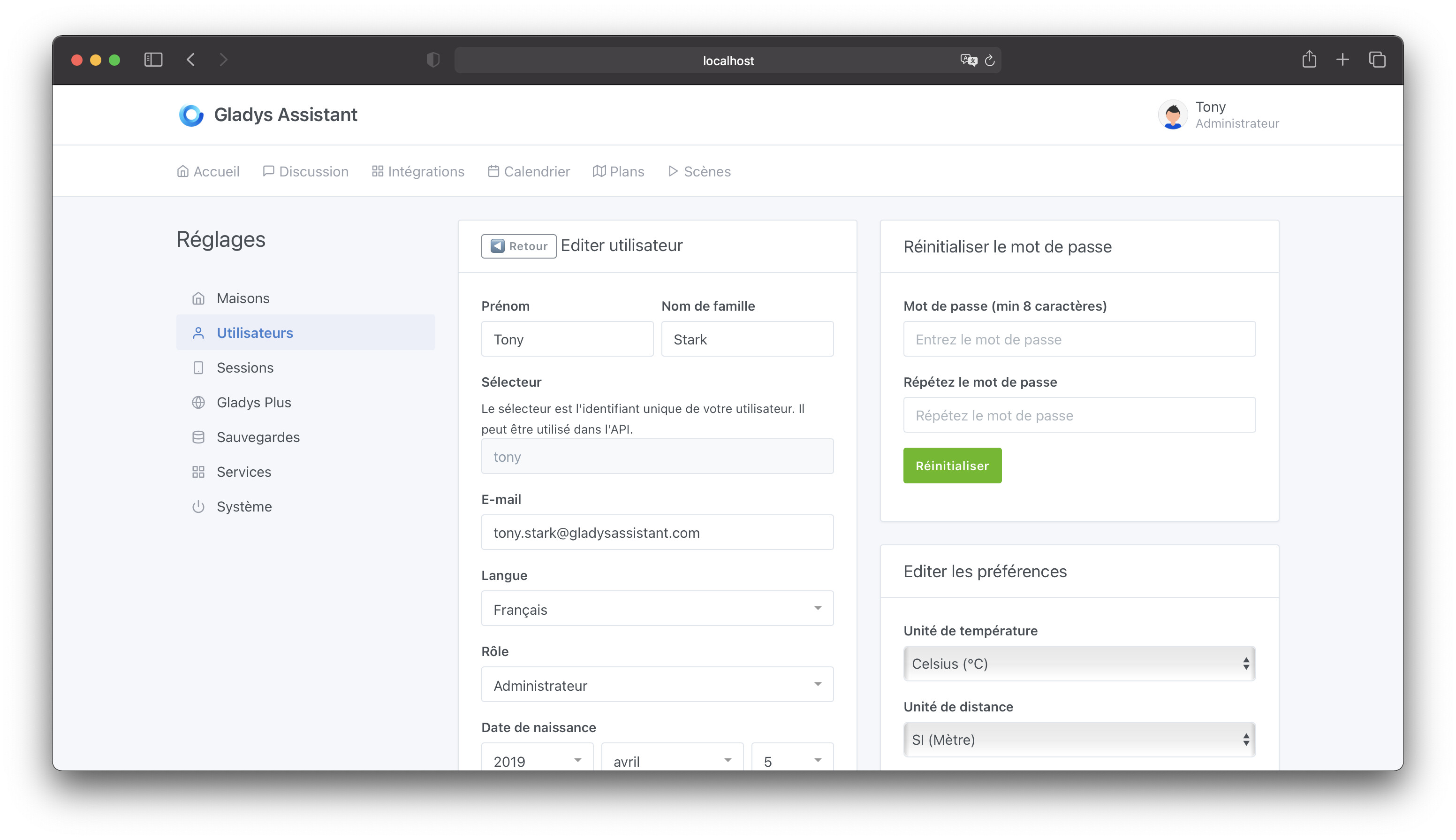
Edit an existing user, their preferences or password:

The « User Â» Role

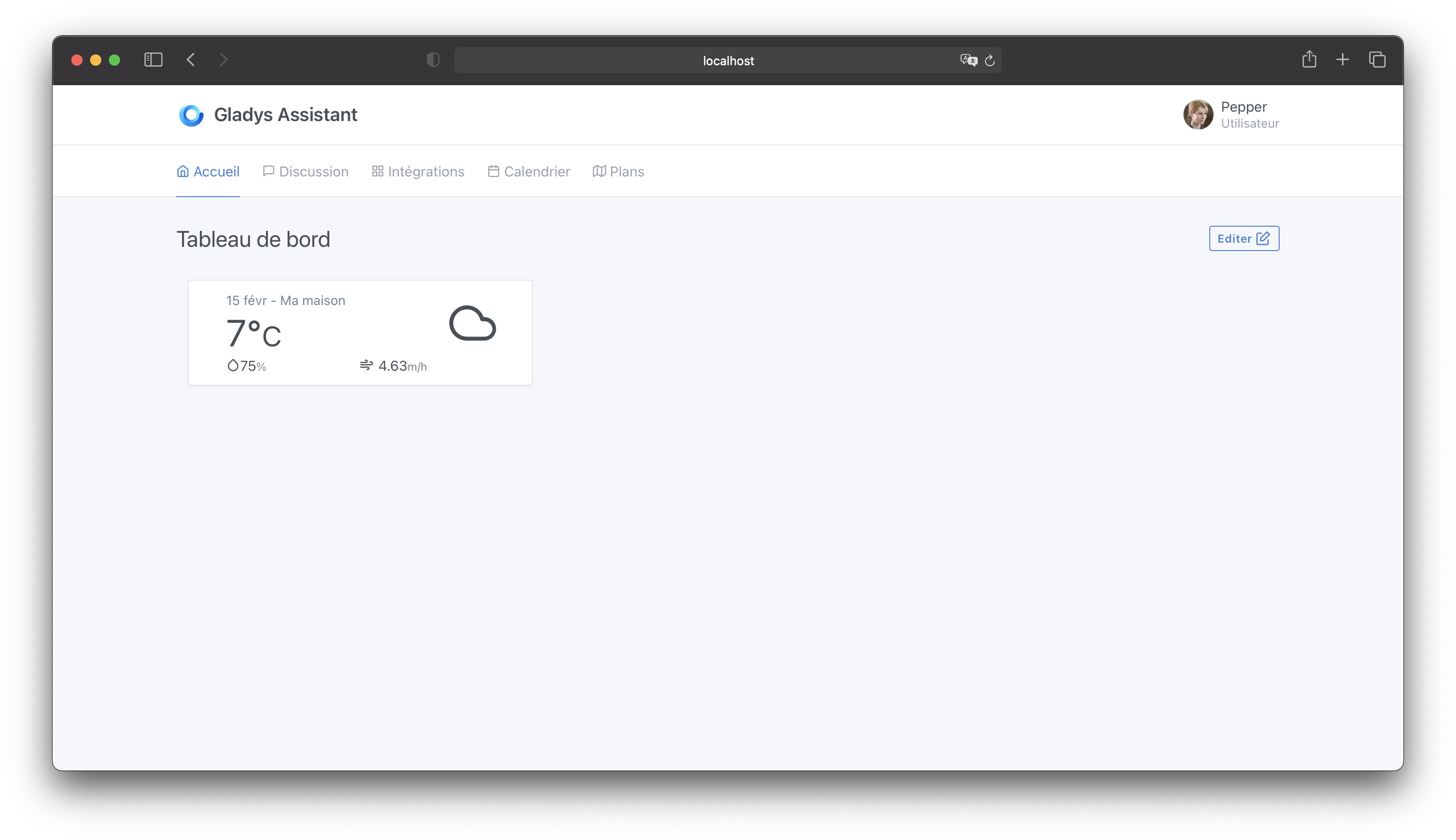
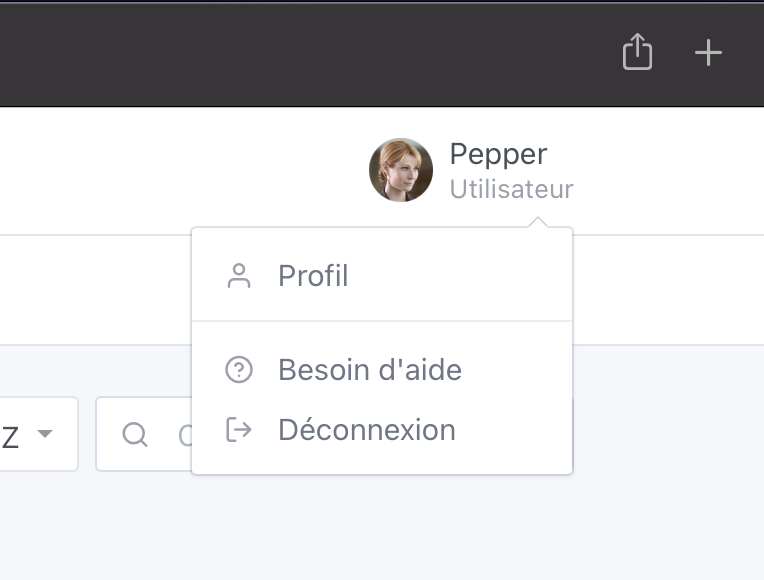
As a user, here is what my dashboard looks like:

The dashboard I see is my own. I can edit it, and it only concerns my account.

I do not have access to settings:

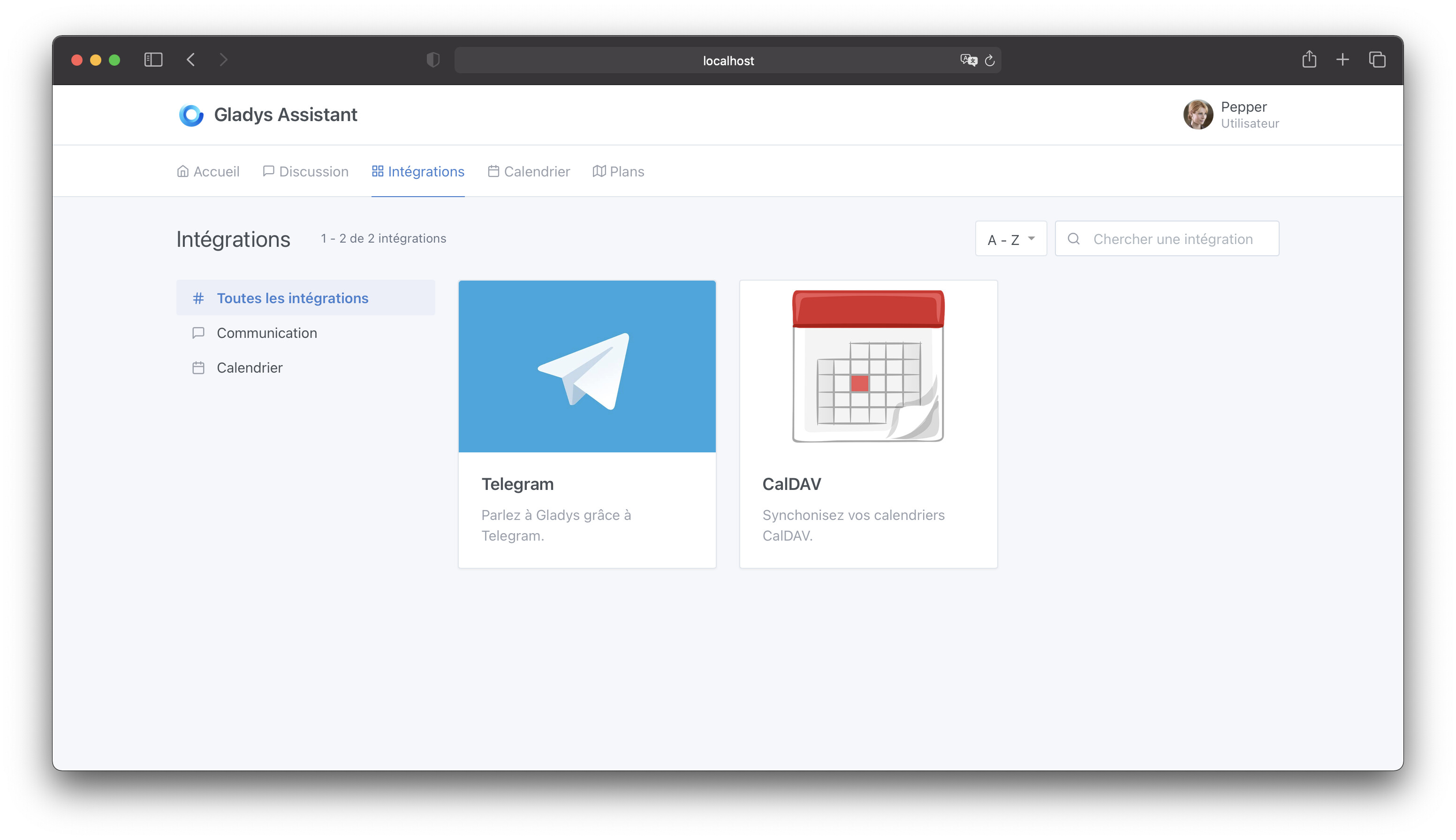
I do not have access to configuration integrations, I only have access to « personal Â» integrations: Telegram and Calendar:

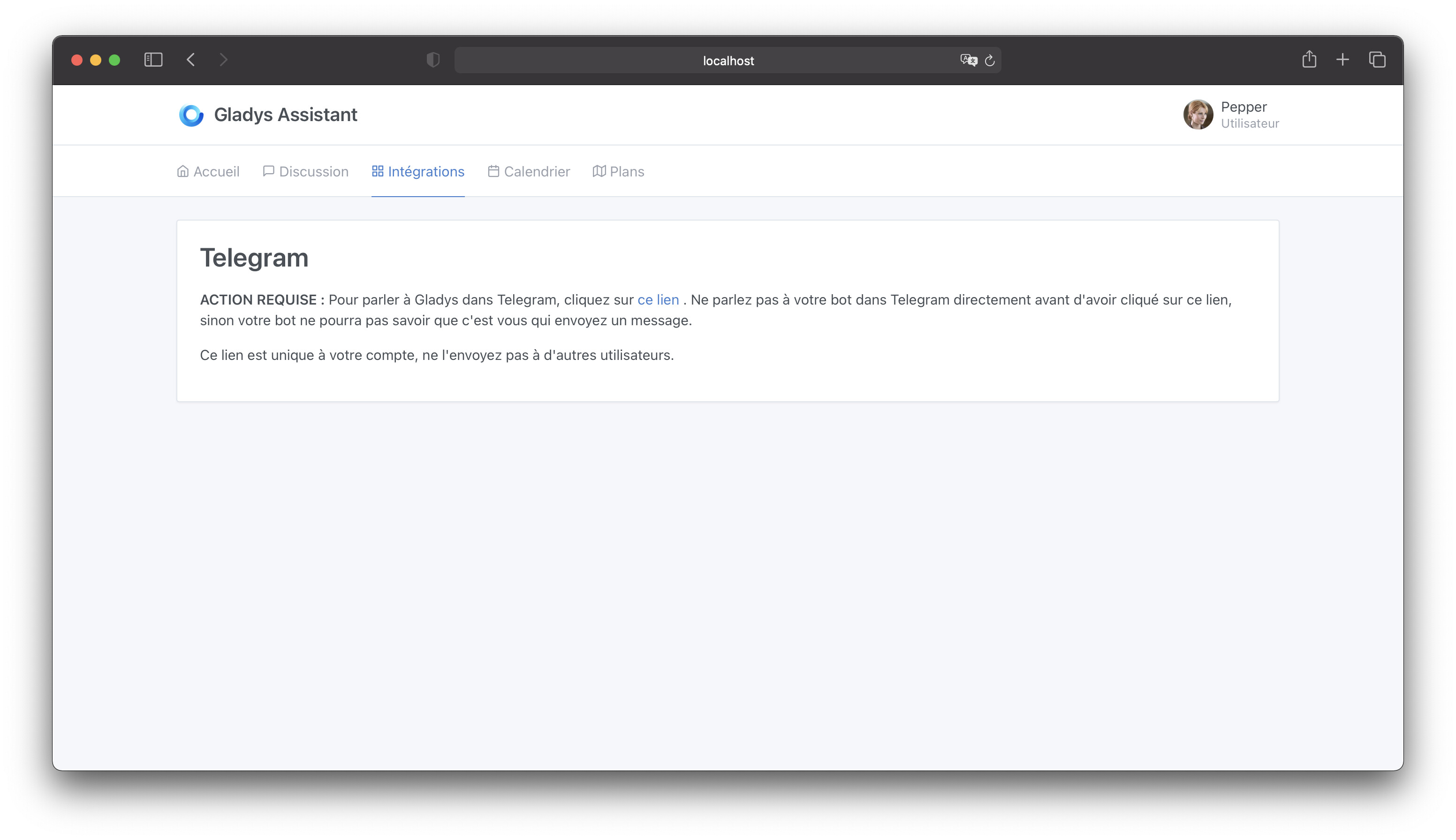
On the Telegram side, only the « link your Telegram account Â» part is displayed, it is not possible to edit the API key:

The PR

The PR is available here: Multi-users in Gladys Assistant by Pierre-Gilles · Pull Request #1050 · GladysAssistant/Gladys · GitHub

Let me know what you think :slight_smile:

Everything is still modifiable, don’t hesitate!

I’m finishing the last modifications on Netatmo and I’ll test it tomorrow.

First question that comes to mind, is it possible to modify the account type? In my mind, this would allow removing the « Edit Â» button from the Dashboard but still be able to configure it beforehand, or in the future, by switching it to « Admin Â» for the changes, then switching it back to « User Â» for its use.

So cool the multi user
 :+1:

@Terdious why would you want to remove the possibility for your user to not modify their own dashboard? All sensitive configurations and information are hidden


@Jean34: Regarding some previously mentioned points, in the « Edit Â» menu of the Dashboard, you have access to all the devices created, including, for example, the opening/closing of the barrier, roller shutters, heating management, etc. So if you create a user profile for your child, or a guest for example, and you want them not to have access to these types of commands, well you can’t prevent it at the moment.

If it’s simple and quick to implement, it might as well be done from the start, right? If it’s more complex, then yes, it can wait for an update. It’s already a great advance for Gladys ^^.

@Terdious All the features I’ve developed are in the screenshots I posted :slight_smile:

For fine-grained access management to certain devices, as mentioned earlier, this will be a separate feature that will be prioritized and separated from this feature:

I tested the PR, it works well.

There’s just one thing I find a bit weird (technically I know why it’s like that)

I put myself in the place of a regular user admin who edits a user. I find it weird to have two save buttons (one for the user and one for the preferences)

Whether I edit one, the other, or both, there should only be one button.
If you edit both but only save the preferences, well you have to start over (because you won’t notice right away and you’ll probably insult yourself for being too stupid to forget the other save)

Thanks for your feedback!

And does the reset password button bother you?

Actually, I wanted to have three separate sections to update these three things, and without updating one requiring the update of the other. To clearly separate the three :slight_smile:

No, because it’s a separate action.

But then why aren’t preferences separate? ^^

That was the idea for me, preferences are different from the profile :slight_smile:

If we follow the logic, we edit the user here. Therefore, editing preferences should be done elsewhere.

What I mean is that whether it’s a preference or the profile, I edit a user, I save (once). An average user doesn’t care about differentiating the two; they just want to save the backup, that’s all.
If we think simplicity, it’s 1 save button. 2 buttons are a source of error/forgetfulness. (and the frustration that can generate)

If we want to separate two operations, it should be 2 different views.

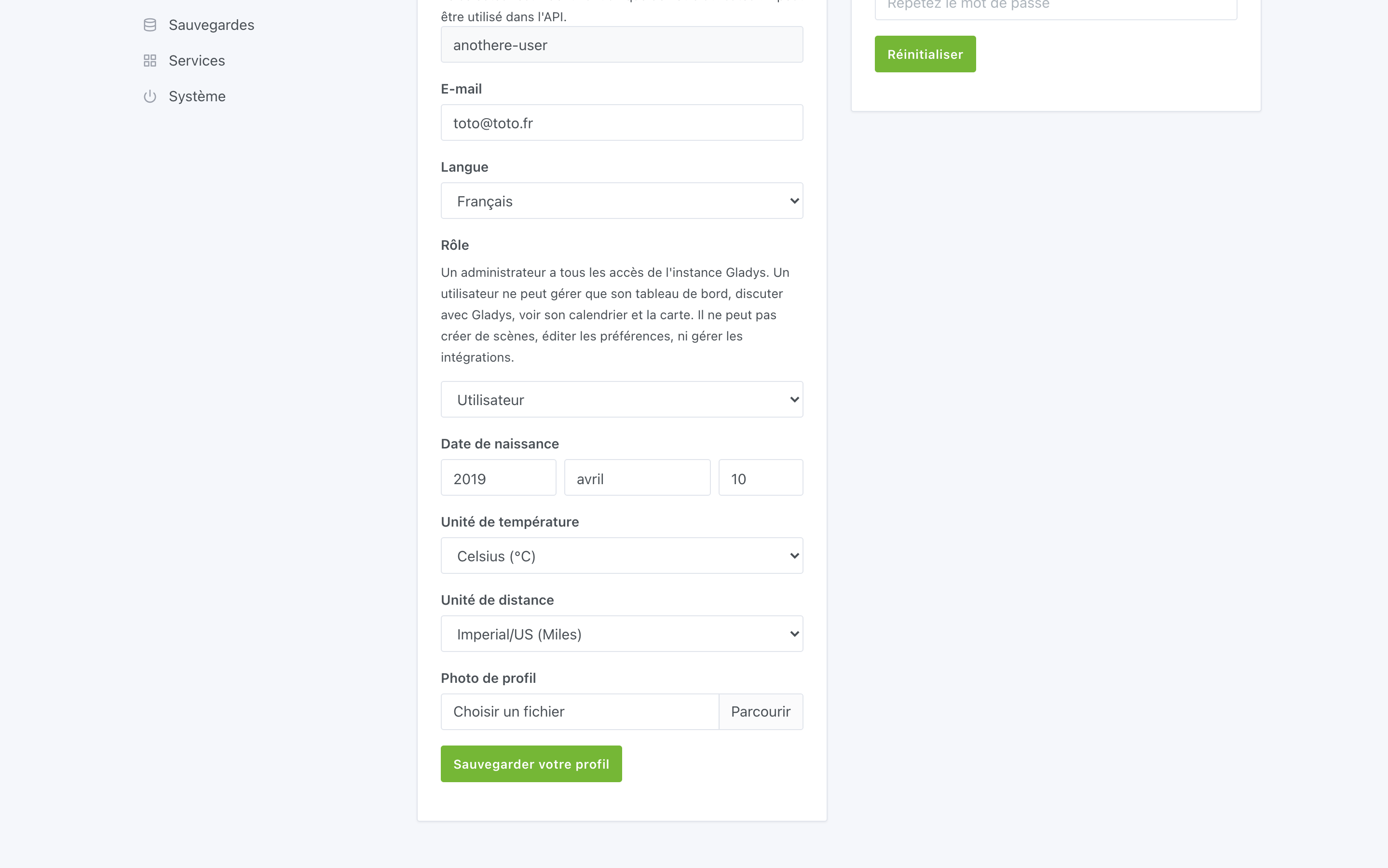
@VonOx I’ve improved the process to remove this double save area, now there’s only one place:

I also added a scrollToTop when saving the profile + an indication that the user has been saved.

I added a description of what the role is so that it’s clear.

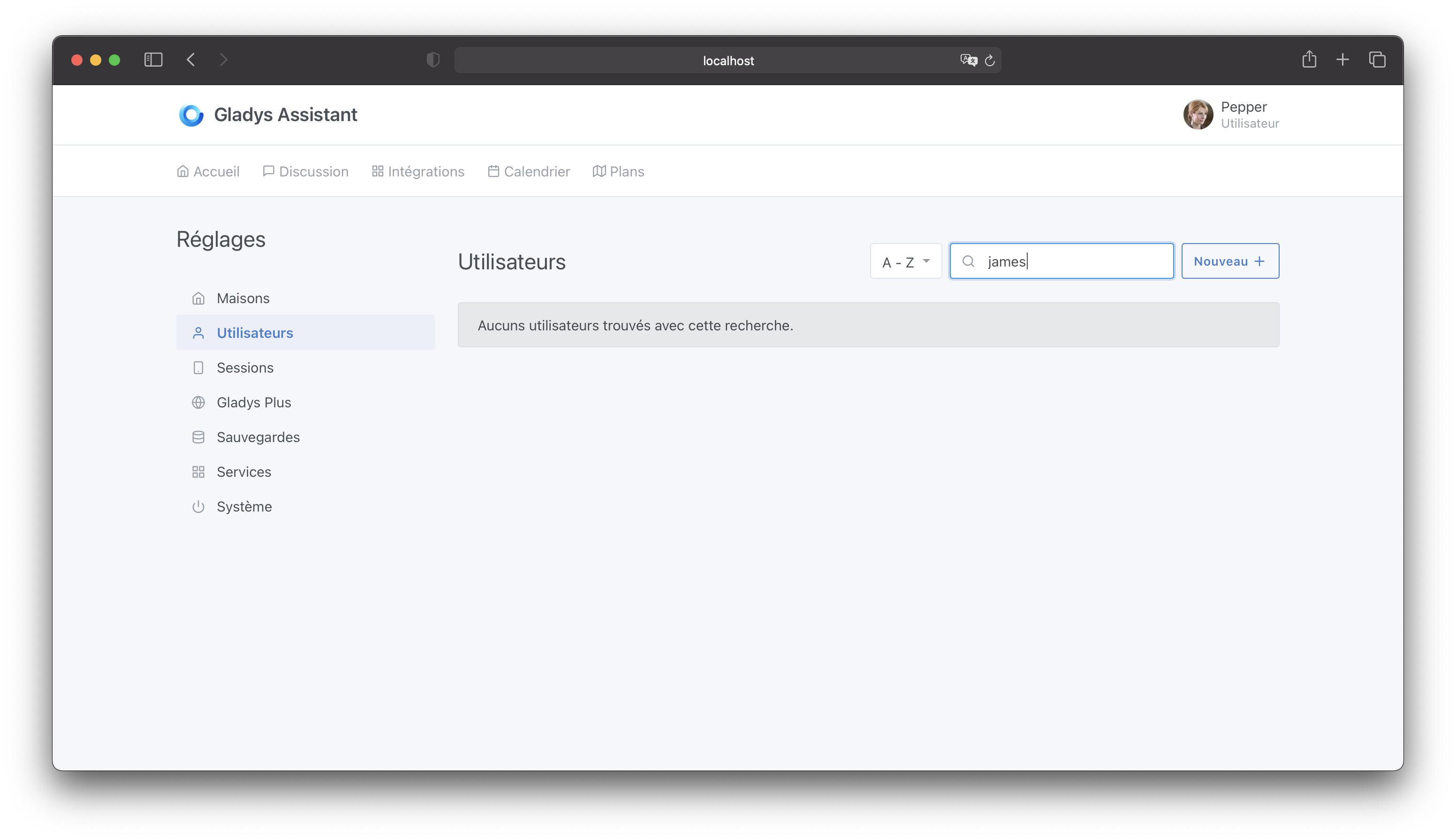
Other UI refinements, I added an empty state when the search returns nothing:

Also, it’s not possible to delete your own account (this prevents errors :p):

I’ve strengthened API security by blocking access to certain sensitive service routes.

I think in terms of functionality, we’re reaching a pretty good level! :slight_smile:

I’m open to any other feedback, otherwise I’ll merge this quickly :rocket:

Great, I’ve merged multi-user on master! I’ll make a dev build so you can test this weekend :slight_smile:

Edit: build in progress here: https://github.com/GladysAssistant/Gladys/actions/runs/582250233

The feature has been deployed in Gladys v4.1.0 :partying_face: