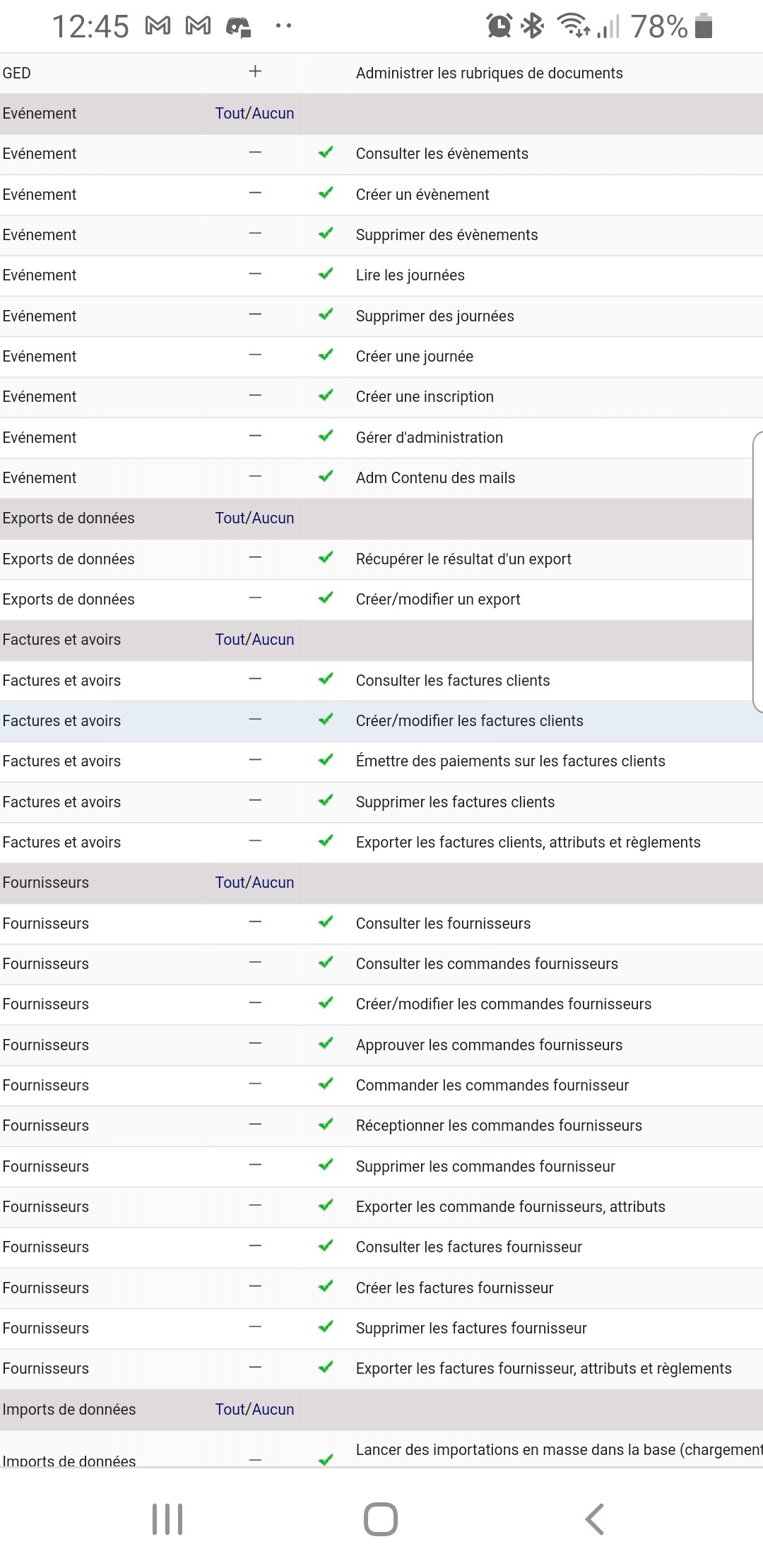
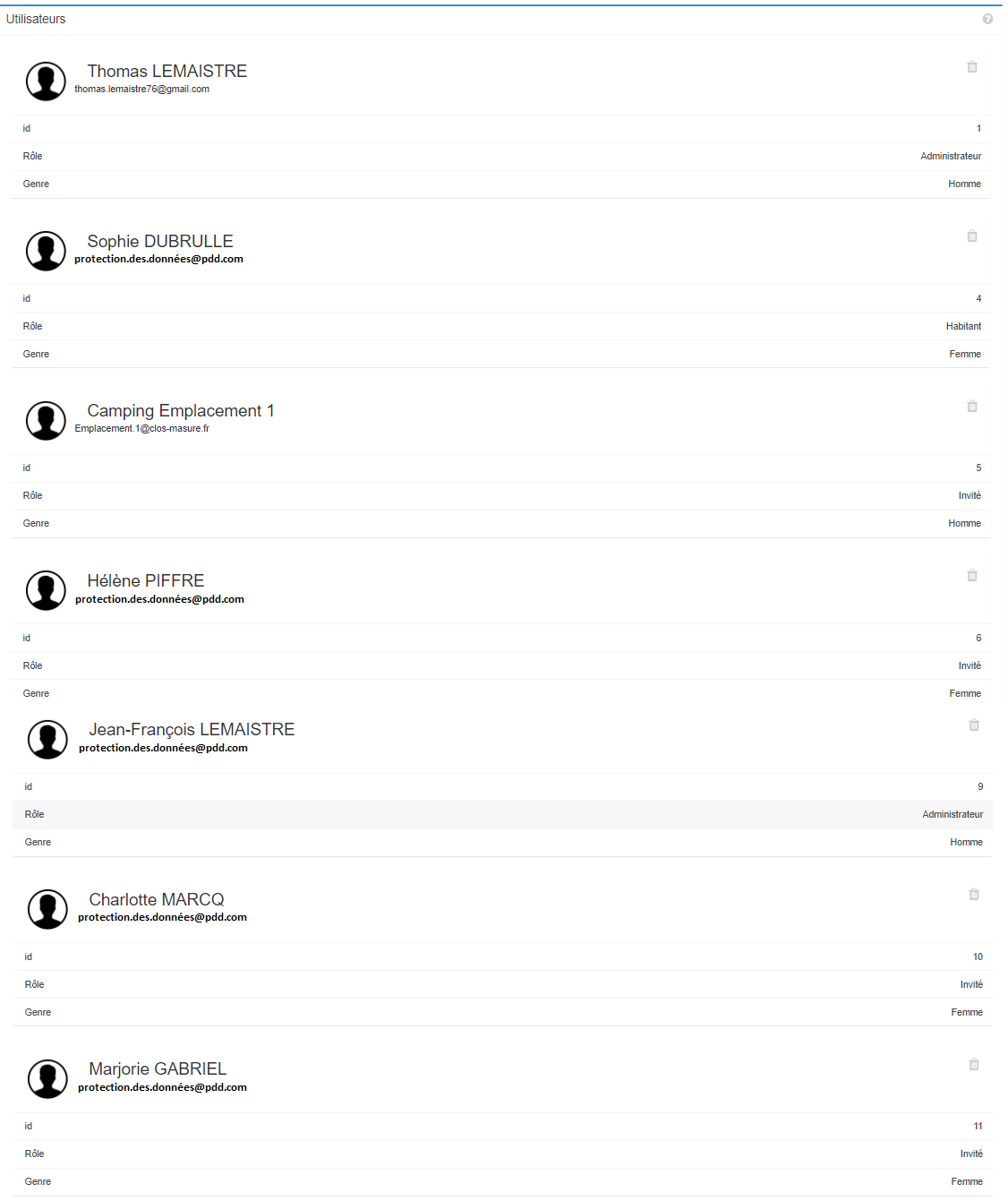
With the latest giant strides made by @pierre-gilles and all the developers since the return from vacation, Gladys V4 is almost ready to move to RC. The only real missing feature for me for complete home use (I’m speaking for the household users), is multi-account and therefore personalized Dashboard configuration for each user.
Almost fully operational on V4 (except for the barrier), this missing feature is starting to create tensions (fortunately modest) at home to decide:
which camera to display first,
which device and in what order,
etc.
This is actually a very good sign, as it means Madame is fully engaged.
However, it is unusable on the professional side by our healthcare professionals as long as this feature is not present. Therefore, I keep one foot in V3 for mode management as well.
Ah … then I must have misunderstood the vision of things because for me too it is two distinct things but I am indeed talking about multi-users.
Multi-dashboard, at least in what I understood and expected, is to have multiple configurable dashboards for each user account.
Multi-user is being able, as in Gladys V3, to log in with your email or account name and have your own Dashboards, in this case today your main Dashboard, as well as your scenes, your calendar, your owntrack.
And so each professional logs into their account, for which I have preconfigured the dashboard with their necessities. In the end, I thought that multi-dashboard was not needed for this;
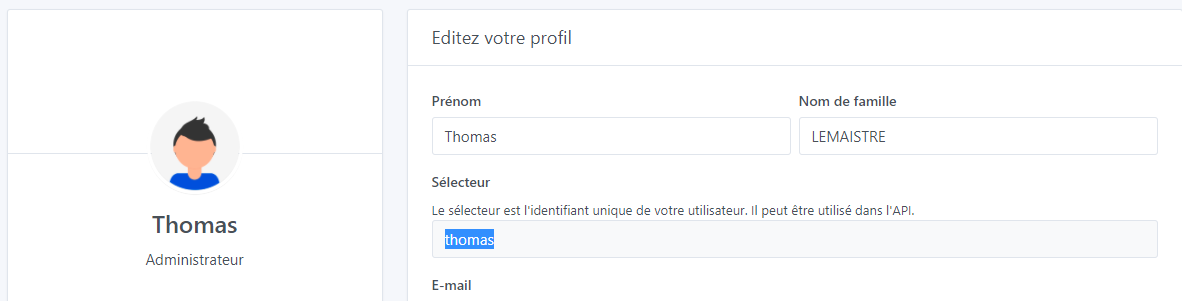
I thought that in the DB
[details=« In the selector column you could put the account name and "_main" (here "thomas_main") »] image|690x175
[/details]
This leaves room to define multi-dashboard.
Of course, I was planning to do that too, but I didn’t have time this morning ^^ because this also interests me personally ^^
Mmm ok. I just want to remind you that your use case is really very very particular But we need to take it into account, while trying not to overcomplicate things for the majority who are in a simple situation.
My vision for v4 was to simplify, simplify, simplify. In v3, everything was « per user, » and frankly, it was too complex. Gladys is a product that the majority install « within a circle of trust, » so I wanted to avoid the trap of over-complicating access rules.
For the dashboards, for now, the dashboard feature was designed in « public » mode. There can be several dashboards, visible to everyone.
We will need to discuss this (maybe in a community call with several people?), I wonder if we want either:
Make dashboards personal
or leave dashboards public, and each person can choose their default dashboard.
Indeed, I think it might be interesting to have a community call, integrating this specific point, but perhaps you could create a thread to prepare for it in order to group several topics. On my side, I am very interested in these calls ^^ If you have the time, would it be possible to schedule them again on a recurring basis?
Indeed, for this very specific case (I mean healthcare professionals), it is very particular. But that was just an example of a particular case to show that everyone can have one, and that if Gladys can manage to handle this flexibility, while having a simple way to configure it, it can interest a lot of people.
I totally agree, and have since the beginning, with the vision and the way you build Gladys. But especially with the line of conduct to follow and notably the documentation which becomes more and more important. But AMHA, this should not prevent managing things a bit more precisely. Because in this case, we exclude a large part of the population. And always AMHA, even within a « circle of trust », we should not « forbid » the user from going further.
Well, I stay on the case of Multi-user and I allow myself 2 examples:
I am a regular user, I use Gladys alone or as a couple Prerequisite: On the DEV side, set up a « Scene Type » which can be of type « Main » or « User Account » in DB + in the « t_scene » table add a Scene Type column or automate the Selector column to include the Scene Type.
I can:
either create my account (base Admin), give access to my spouse and we share everything. Nothing more to configure compared to today. When I create a scene, it is anyway created as « Main »
or create 2 accounts (base Admin - nothing more to touch compared to now, when creating the account we propose the Admin type by default), each with their own account and:
configure their dashboard from all the created devices,
each configures their Calendar (linked to their email/account),
each can create and view/modify scenes of the « main » type (dropdown list when opening scenes offering the types « Main/User Account [i.e. taking into account the scene creator] » which can be defined on the dev side in a new DB column or by adding « _main » or « _accountname » to the selector if we don’t want to touch the DB),
each configures their scenes on Calendar (messages sent to the configured Telegram account for example) of type « User Account ».
I am a user who wants to equip myself fully with home automation and use the security and ease of automation that home automation can offer:
**Prerequisite: Same as 1. + Create a « User Account Types » table + Develop a page to define (in a simple way, this can be at the top of the page a field where you type the account type name with a « New » button and below the list of account types with a « Configure » button next to it) these « User Account Types » to define what they can see/modify (for example hide all views except the Dashboard; hide scenes of type « Main » but let the user create their own scenes; etc.) all this in a simple way (for example checkbox) + Add a column in the t_device or t_device_feature table of the DB of type multiple to be able to define the types of accounts that can access it.
So I can:
Create my Admin account,
Create an Admin account for my partner, identical to point 1.
Create an « Ados » account type, my daughter/son is 16 years old and she/he knows home automation, I give her/him access to the Dashboard/Chat/Integrations/Calendar/Maps/Scenes views and give her/him access to Integrations of type Calendar/Communication only. For her/his Dashboard, I let her/him display the Weather/User Presence at Home/common room devices and her/his room but not our room or automated devices/To main cameras but not all/To her/his own Scenes but not to Scenes defined as type « Main »,
Create a « Children » account type, my daughter/son is 10 years old and is being introduced to home automation, I give her/him access to the Dashboard/Chat/Maps views. For her/his Dashboard, I let her/him display the Weather/User Presence at Home/common room devices but not the TV and her/his room but not our room or automated devices/To the camera of the chicken coop for example but not the others/To her/his own Scenes but not to Scenes defined as type « Main »,
Create a « Trusted Guests » account type, my friends/family who come from time to time want to be able to manage the music, the TV or an ambiance, from time to time they come to the house to borrow a tool but I am not often there, I give them access to the Dashboard/Scenes views. For their Dashboard, I let them display the Weather/Not user presence/To the devices of the living room, the outside and the garage, notably the lock of the door of the latter room as well as the barrier but not the rest/Not to the cameras/To the « Main » type Scene but I forbid them to define their own scenes,
Create a « Housekeeping » account type, I have a cleaning lady who comes once a week on Tuesday between 1 p.m. and 4 p.m., I give her access to the Dashboard view only that I will define with the Devices of the barrier, the electronic lock of the front door of the house, the lighting of the house, the music, and the water valve of the kitchen but nothing else. I would activate her account (via a scene for example?) on Tuesday from 12 p.m. and deactivate this same account from 7 p.m. (in case she finishes later one day) on the same day,
Create a « Outdoor Maintenance » account type, I have a gardener who comes 3 times a week on Monday, Wednesday, Friday between 5 p.m. and 6:30 p.m., I give him access to the Dashboard/Scenes views with for the Devices: the barrier, the electronic lock of the garage door and that of the greenhouse (yes there are tools inside ^^), the lighting of the garage, the outside (for winter) and the greenhouse, the outdoor music (I really have ^^), the plug of the well pump and the water supply valves for the horses, the greenhouse and the outdoor plants. I would activate his account on the corresponding days from 4:30 p.m. and deactivate this same account at 6:35 p.m. (I do not want him to finish later one day) on the same days,
Professional Examples
For @Shermi (on Slack):
Create a « Clients » Account Type. I have a small hotel with 10 rooms and I’ve installed connected locks on each door. I create a user account per room and can modify the password of each account from my Admin account. Thanks to a pre-configured setup, I can create scenes per room to manage ambiances that they will have access to on the Dashboard view only, and reference a Telegram account then disable the view of Integrations. A client books for the week, I activate the account for the same duration and provide the account name/password pair upon arrival. They have access via the https address configured by the manager directly to their room door, to the remote control, and to everything that can be smart home automated in their room as well as to the startup of scenes linked to the account (therefore to the room). Why not also through the chat for direct requests to order their breakfast by specifying their room number. When their stay is over, I deactivate the account.
For me:
Create a « Professional Office n°1 » Account Type. I have a medical office shared by 2 professionals who share our entrance portal. I create a user account per professional. I give them access to the Dashboard/Chat/Integrations/Calendar/Maps/Scenes views and leave them access to Integrations only of Type Calendar/Communication. For their Dashboard, I leave them the possibility to display the Weather/the portal devices, outdoor lighting, of their office, of the waiting room and of the toilets/the portal camera (Patient arrival at the bell = security)/Their own Scenes but not the Scenes defined as « Main », I can thus configure on each of their accounts in connection with their account, the automation of the lighting and of the portal in relation to their working hours via the Agenda,
Create a « Campsite Location » Account Type, in the same order of ideas as the hotel example above to manage the locations independently.
(All of this are just examples of what could be considered, I don’t have children yet, but given what we’ve been able to read on the forum over all these years, I imagine the cases of figures for some)
That’s it, sorry for so many examples, but I preferred to talk about everything I had in mind on this subject. And on the user experience side, for point 1., it doesn’t change anything from today. Everything would be automatically created in « Admin », all options checked by default, all devices accessible to all users and all scenes created in « Main ». The configuration would only be in the down direction. It would then be enough in the user creation view to put a link to the documentation (ex.: « To go further ») and to explain how to configure all this if and only if you want to configure accounts specifically.
PS: It’s sure that on the DEV side it takes time to spend, but in my humble opinion the possibilities of complete home automation, but also word of mouth and demonstration would be huge.
Having just finished developing injected variables in scenes, I’m starting on this highly requested feature
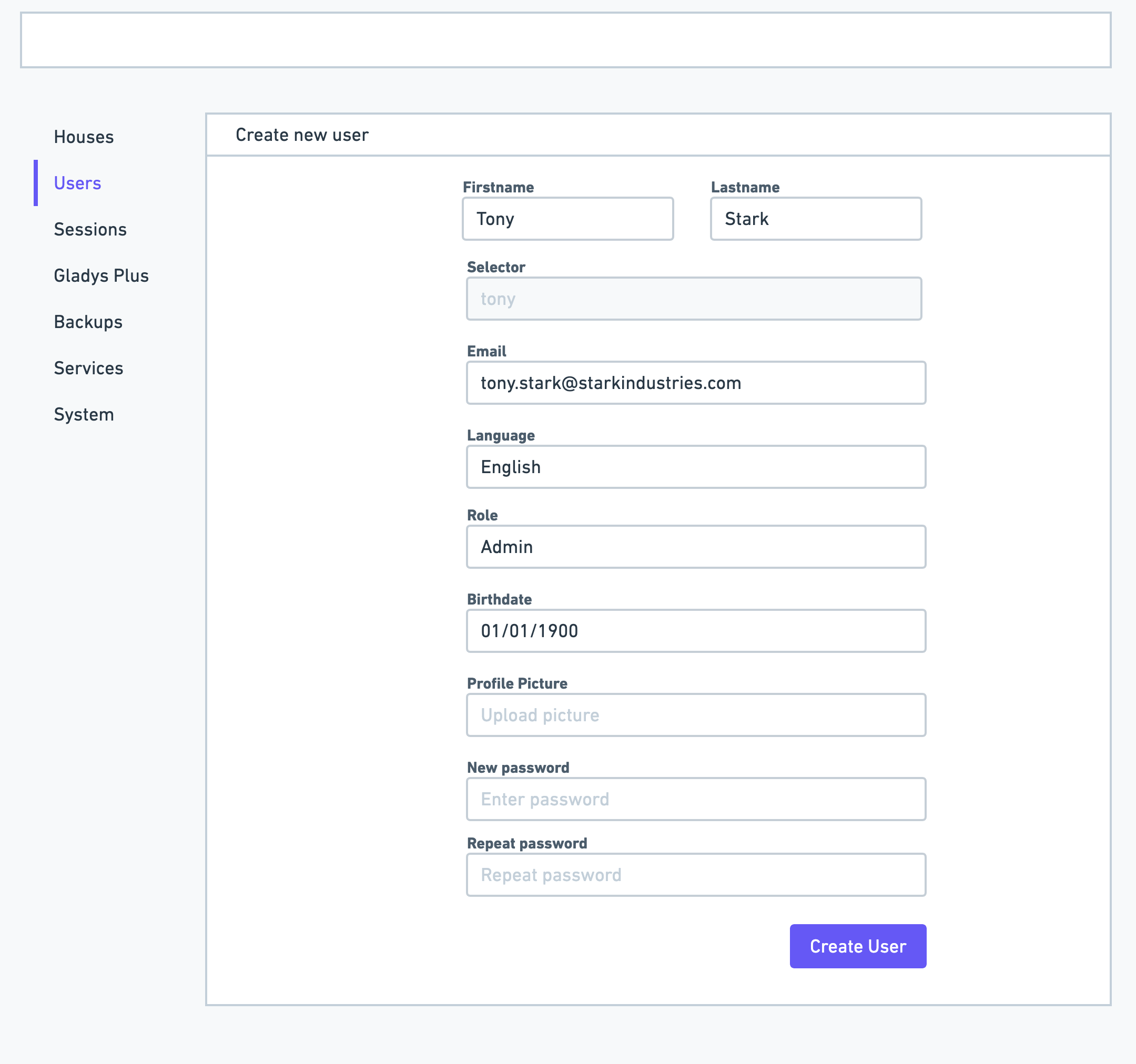
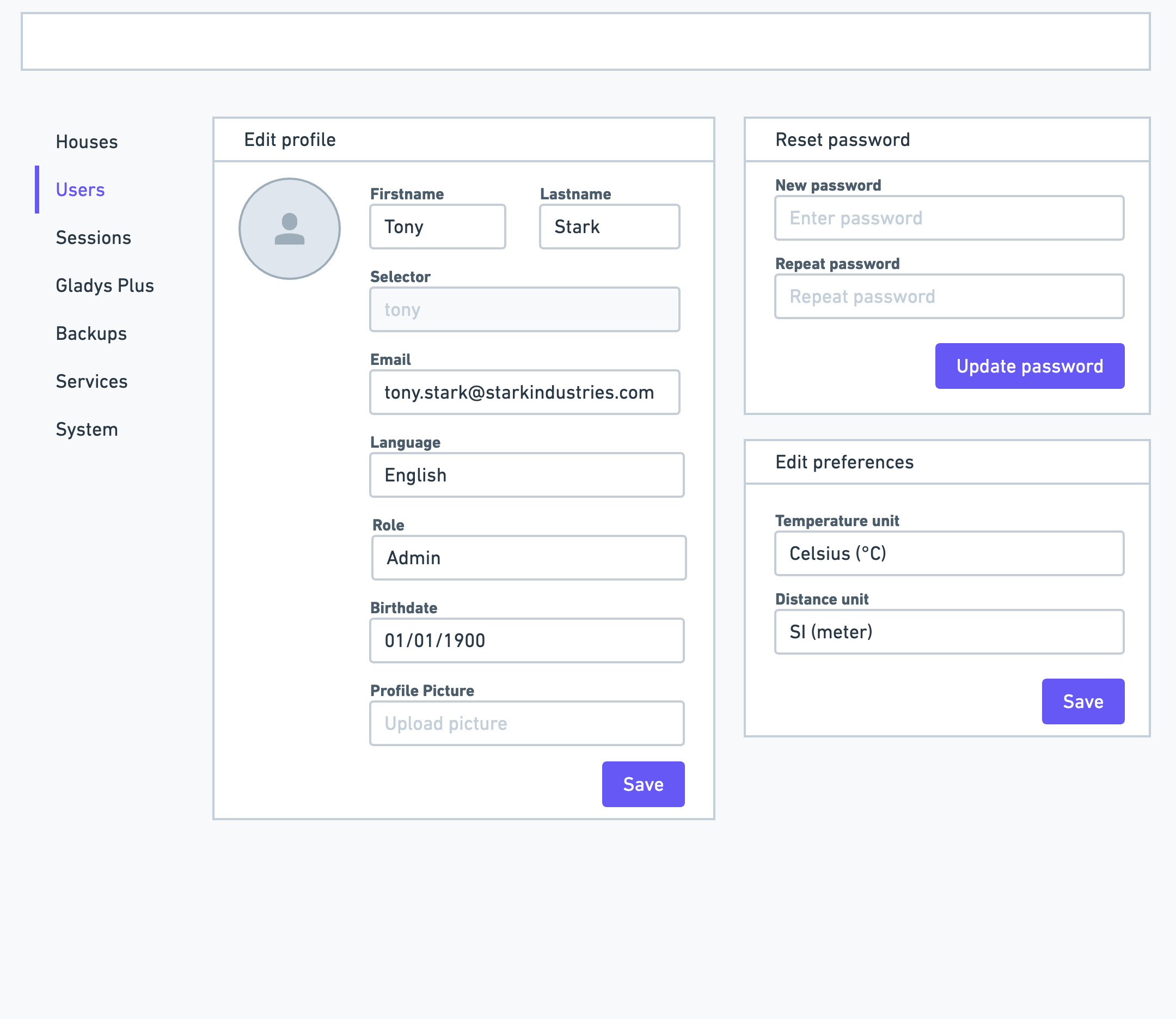
I’ve written functional specifications and designed a few screens, and I wanted to see what you think about them.
Functional Specification
As the first user of a Gladys instance, I am by default an « administrator ».
This user has the ability to create other users, other « administrators » or other « users »
Administrator: The default role of the first Gladys user, they have all rights.
User: A user has a restricted role with fewer rights. Hidden and blocked for them: All integrations in the « Devices » and « Weather » categories. They can configure the « Telegram » and « Caldav » integrations. The « Settings » tab is hidden for them.
Create a New User
The administrator goes to « Settings » => « Users »
They can create a user and set a password. It is considered that being in a circle of trust (the family) + for simplicity of configuration, the fact that the administrator sets the user’s first password is not a problem (the user can change this password later)
For me, the part I find more obscure is the rights section. You block integrations (service configurations), that’s fine, but you can also refuse to allow a person to access specific information. For example, access to the portal opening, access to certain cameras, access to a connected safe, etc.
To understand the requirement, would a list of « blacklisted » devices per user be sufficient?
Example:
User A is not allowed to use device X. They will not see the device anywhere and will not be able to control it.
The issues I see are:
Shared dashboards: What happens if you share a dashboard with someone whose device used on the dashboard is blacklisted?
Voice commands: If a device is blacklisted for a user, does that mean it is blacklisted in the « public unauthenticated » voice sensors of the house, since we can’t know who is speaking?
Scenes: We must ensure that a user has no indirect way to control a blacklisted device.
All future developments will always have to consider these permissions.
In principle, I’m not against it, but I get the impression that managing rights is mostly a utopia that everyone has in mind in the way of « I want to control everything, » and in reality, it’s mostly a tangled mess that makes product use and development twice as complex.
Even Apple doesn’t do it, honestly, it scares me They have hundreds of engineers earning $200k a year working on it since 2014, and even after so many years, they don’t do it
Yes completely! For me, it is necessary to give the possibility not to control certain devices. For example, at your place, you have a connected lock. You will have guests, you give them access to Gladys. You may not want these guests to unlock your front door. That’s how I see it.
Blacklisting is a good idea and in terms of integration, it’s rather « easy ».
They may not have thought about it / given it importance
Well then!! I wasn’t expecting that so soon!! What great news.
For my part, my opinion is not very important because we all now know the use I want to make of Gladys and I should not let my personal interest interfere too much.
However, even by setting aside the pro side etc., I agree with @damalgos.
There are indeed guests, but not only. We can already start with the children. Gladys’ accessibility and simplicity (which is its major asset and which you are very attached to @pierre-gilles - and now we are too) can quickly allow, for example, to integrate the barrier, or as @damalgos says, to the dashboard for a child. But also the management of the apartment/house heating, etc. etc.!! and more.
Administrator/user point of view not at all in the end. We start from the post that we want something simple, ok, and well, it is enough that it is only a possibility and not an obligation. With your idea of blacklisting devices, no problem. The user who does not need this right management does not touch anything at all. In the end, only developers like us will have a little more work.
And not only Apple, same for Alexa (I use it I haven’t found anything like that either), nevertheless, many people make the complaint. But they do not make the same product as Gladys, I think this will be a strong point that you can highlight.
Indeed, we must still see where it leads for the management of scenes etc. In a first step if this point of rights is implemented, it will be to effectively make only private for the dashboards and the scenes. Then just put the locks according to. For the chat, also.
In any case, what you present there is already very appetizing I find ^^ I loooooove ^^
I really like the idea. Only thing, how to allow an admin to configure the user’s dashboard who doesn’t have the right to do so? But it’s the easiest solution to implement that also doesn’t penalize the development side.
I was responding regarding this right. If your son does not have permission to modify the dashboard (No edit button), we need to determine how this Dashboard can be modified.
That’s an argument not to do it It’s no surprise if Apple/Amazon manage to get millions of users on their product: it’s simple and gets to the point.
If they don’t pay attention to it, it means it wasn’t that important in the end and there were surely more important features they dedicated their resources to (and they have plenty of resources! :p)
We must not forget that for every feature we develop, there’s a feature we don’t develop.
It’s simple: the community voted, it’s one of the most requested features, so I’m doing this feature We’re gradually moving forward in the list, it’s great!
However, they have millions of users, so their solution’s simplicity of use has paid off!
Whoa, a rights matrix is really something I want to avoid. From my experience in software development, it’s just a nightmare (both for the user experience and for the developer)!
Well, I’ve thought about it, and for me, it’s really two different subjects: multi-user and fine-grained rights management on devices.
It’s always something we can add later (it won’t be more complicated to add it later).
So my opinion:
We keep the « multi-user » feature alone, without complexity. No rights management on devices, no blacklist. So that we avoid a three-month tunnel effect, and that multi-user + multi-dashboard can be released quickly.
Once we have multi-user, we create a card in « feature request » for the device blacklist story, and it will be prioritized by the community against everything else!
I prefer to break down features into small developments to be able to release every week/2 weeks as we’ve been doing from the beginning, at least we’re able to iterate in short cycles and avoid infinite developments that don’t progress
Yes and no. Apple/Amazon/… aim for the general public with a maximum of basic features, compatibility, and very good overall functionality. On the other hand, Gladys targets users who potentially want to go a bit further in configuration. Scenes, management of all equipment with each other with a certain coherence. (not only other points in terms of data control, DIY, …)
These companies think in terms of cost. But the need is still present.
The issue in this example is that the need is different. Someone who buys an Alexa speaker wants, above all, a hub to perform daily actions without almost ever configuring home automation (timer, radio, music). With the added power of the notoriety/advertising, etc., of these companies, of course they dominate! And yet it doesn’t meet all needs. That’s why in home automation you have plenty of other players who are sometimes more relevant.
From the developer’s side, I don’t know, but from the user’s side, once it’s set up, you don’t touch it anymore.
If the user wants access to another integration, the administration can or cannot activate it.
In 2 steps, it’s good, it gives you time to refine.


 But we need to take it into account, while trying not to overcomplicate things for the majority who are in a simple situation.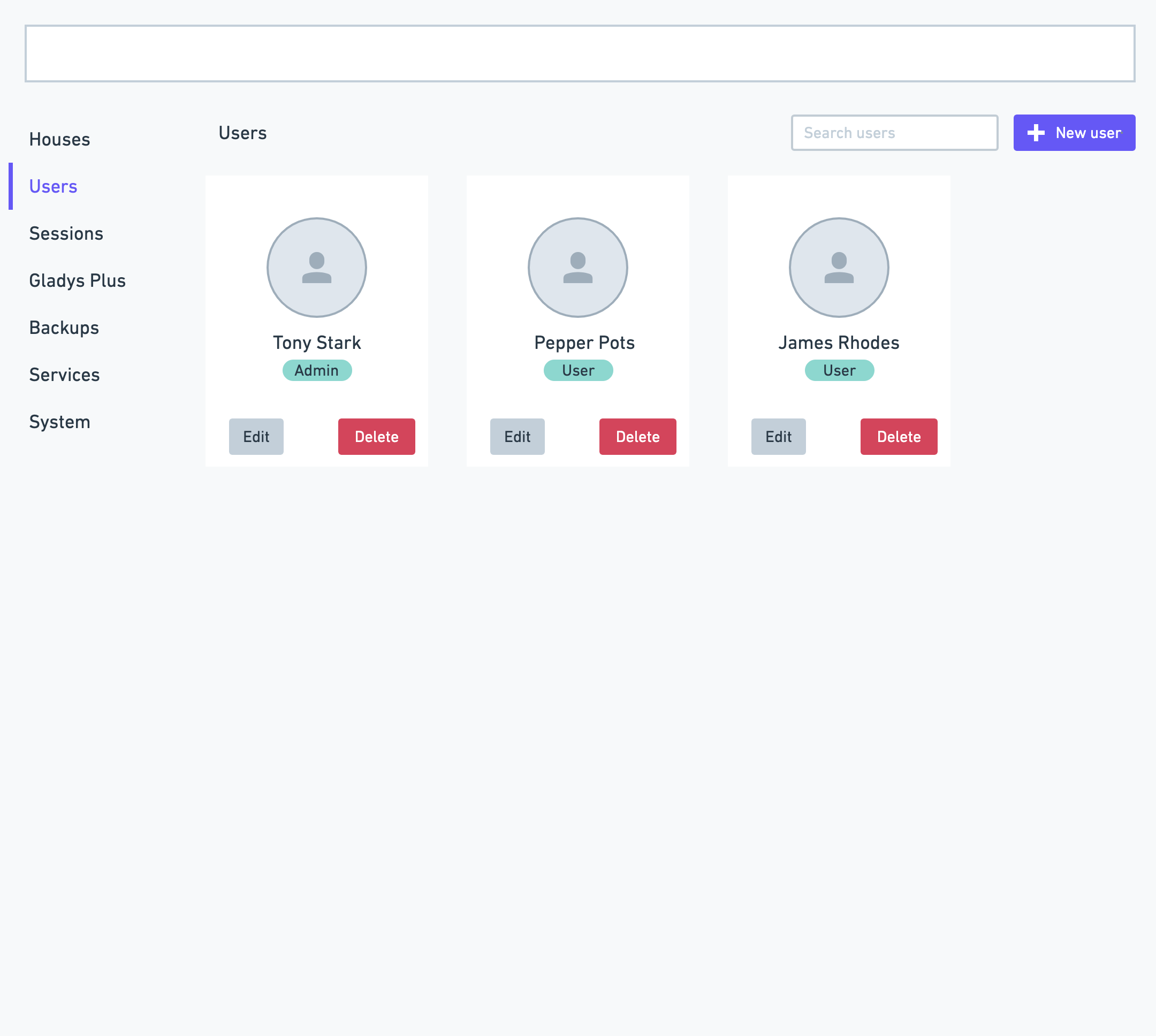
 They have hundreds of engineers earning $200k a year working on it since 2014, and even after so many years, they don’t do it