Node-RED: Travel Time Calculation API

Feature description

Hello community.

I wanted to know if there is a free API solution or another way to have on the dashboard the travel time to get to work for example and in my case more particularly to know the travel time to the 5 agencies where I work to not be late for work :sweat_smile:

TravelTime API Documentation | Isochrone | Distance Matrix | Directions works well and you can make 1000 requests per month for free

Directions API | MapQuest Developer Documentation allows 15,000 requests per month (never tried)

PrĂ©sentation de l'API Distance Matrix  |  Distance Matrix API (Legacy)  |  Google for Developers Google works great, but it’s paid (0.005 $ per request)

Directions API | API Docs | Mapbox MapBox is for me the best with 100K requests per month

However, I don’t know how to display it in the Dashboard. Maybe a virtual device?

Thanks for the links, I took Mapbox in the end.

I’ve integrated it into Node-RED and I’m receiving the information correctly. Now I need to extract the travel time to retrieve the information in MQTT and then display it on the dashboard.

@Psoy you manage Node-RED, a bit can you help if you can. How do I extract the duration and make a change to get the answer in minutes rather than seconds?

Hello Jerome
do your payloads always have the same size and the same shape with each query?

Jerome
Could you send me a copy of your flow, please?

Apparently yes, the size and shape are identical with each query

Hello @jerome
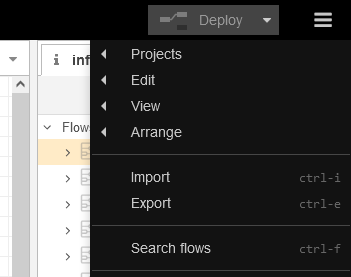
To send a copy of the flow, go to the menu on the right / Export


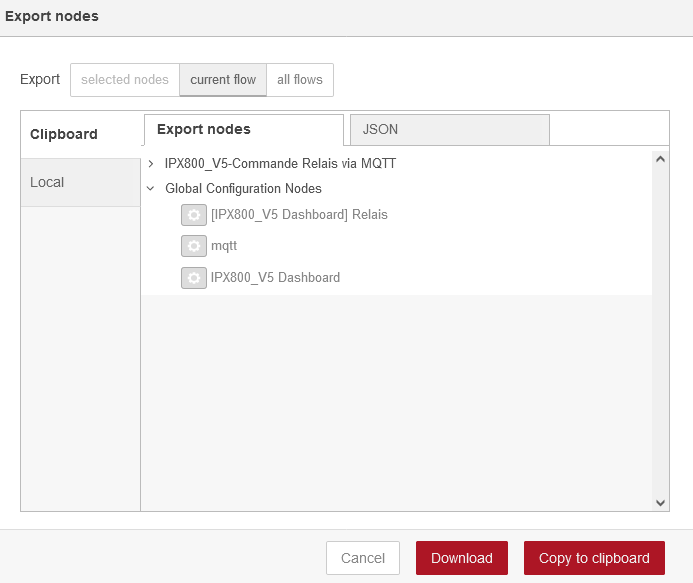
Select « copy to clipboard Â»

then come and paste it here using </>

< [
    {
        "id": "2aa6c7d0d6c34c69",
        "type": "http request",
        "z": "78945adb8706e343",
        "name": "Api Route Les Andelys",
        "method": "GET",
        "ret": "txt",
        "paytoqs": "ignore",
        "url": "https://api.mapbox.com/directions/v5/mapbox/driving-traffic/01.XXXXXX,49.XXXXXXX;01.41859,49.24665?access_token=XXXXXXXXXXXXXXX",
        "tls": "",
        "persist": false,
        "proxy": "",
        "authType": "",
        "senderr": false,
        "x": 440,
        "y": 60,
        "wires": [
            [
                "902eeb605ce660fd",
                "d03b888bd26d03f2"
            ]
        ]
    },
    {
        "id": "6ea28c57b0da3a95",
        "type": "inject",
        "z": "78945adb8706e343",
        "name": "Every hour",
        "props": [
            {
                "p": "payload"
            },
            {
                "p": "topic",
                "vt": "str"
            }
        ],
        "repeat": "3600",
        "crontab": "",
        "once": false,
        "onceDelay": 0.1,
        "topic": "",
        "payload": "",
        "payloadType": "date",
        "x": 150,
        "y": 60,
        "wires": [
            [
                "2aa6c7d0d6c34c69"
            ]
        ]
    },
    {
        "id": "902eeb605ce660fd",
        "type": "debug",
        "z": "78945adb8706e343",
        "name": "",
        "active": true,
        "tosidebar": true,
        "console": false,
        "tostatus": false,
        "complete": "false",
        "statusVal": "",
        "statusType": "auto",
        "x": 590,
        "y": 120,
        "wires": []
    },
    {
        "id": "d03b888bd26d03f2",
        "type": "function",
        "z": "78945adb8706e343",
        "name": "Extract Duration",
        "func": "msg.payload=msg.payload.duration\nreturn msg;",
        "outputs": 1,
        "noerr": 0,
        "initialize": "",
        "finalize": "",
        "libs": [],
        "x": 740,
        "y": 60,
        "wires": [
            [
                "da8870c4b442b262",
                "9a4c9dd06fabf7df"
            ]
        ]
    },
    {
        "id": "da8870c4b442b262",
        "type": "mqtt out",
        "z": "78945adb8706e343",
        "name": "Route Les Andelys",
        "topic": "gladys/master/device/mqtt:les-andelys/feature/mqtt:les-andelys/state",
        "qos": "2",
        "retain": "",
        "respTopic": "",
        "contentType": "",
        "userProps": "",
        "correl": "",
        "expiry": "",
        "broker": "b43615cb2732e077",
        "x": 970,
        "y": 60,
        "wires": []
    },
    {
        "id": "9a4c9dd06fabf7df",
        "type": "debug",
        "z": "78945adb8706e343",
        "name": "",
        "active": true,
        "tosidebar": true,
        "console": false,
        "tostatus": false,
        "complete": "payload",
        "targetType": "msg",
        "statusVal": "",
        "statusType": "auto",
        "x": 870,
        "y": 120,
        "wires": []
    },
    {
        "id": "b43615cb2732e077",
        "type": "mqtt-broker",
        "name": "",
        "broker": "mqtt://localhost",
        "port": "1883",
        "clientid": "",
        "autoConnect": true,
        "usetls": false,
        "protocolVersion": "4",
        "keepalive": "60",
        "cleansession": true,
        "birthTopic": "",
        "birthQos": "0",
        "birthPayload": "",
        "birthMsg": {},
        "closeTopic": "",
        "closeQos": "0",
        "closePayload": "",
        "closeMsg": {},
        "willTopic": "",
        "willQos": "0",
        "willPayload": "",
        "willMsg": {},
        "sessionExpiry": ""
    }
]
>```

Here is the function to convert seconds to minutes. You create a node function and paste this in:

var input = msg.payload;
input = parseFloat(input);// convert to number
var seconds = String(input % 60); // get the remainder representing the seconds
var minutes = String(Math.floor(input / 60));// get the integer part of the quotient representing the minutes
msg.payload = minutes + "mn " + seconds +"sec";
return msg;

Note that the line: quotient representing the minutes
should be on the same line as
var minutes = ......

To capture the duration, it’s the same principle as for retrieving the rflink device, you need to count the characters :wink:

Jerome
and the Rflink show is good?

For the flow, I still have the same error I had with cce66, there are quotes on each line, which are not the right ones, and which cause the copy-paste to crash. We need quotes like this " and not like inverted commas, I don’t know where it comes from. :thinking:

Hello cce66,

How do you practice to get your flow in a window with a scrollbar? Because the quotes are good here.

type or paste code here

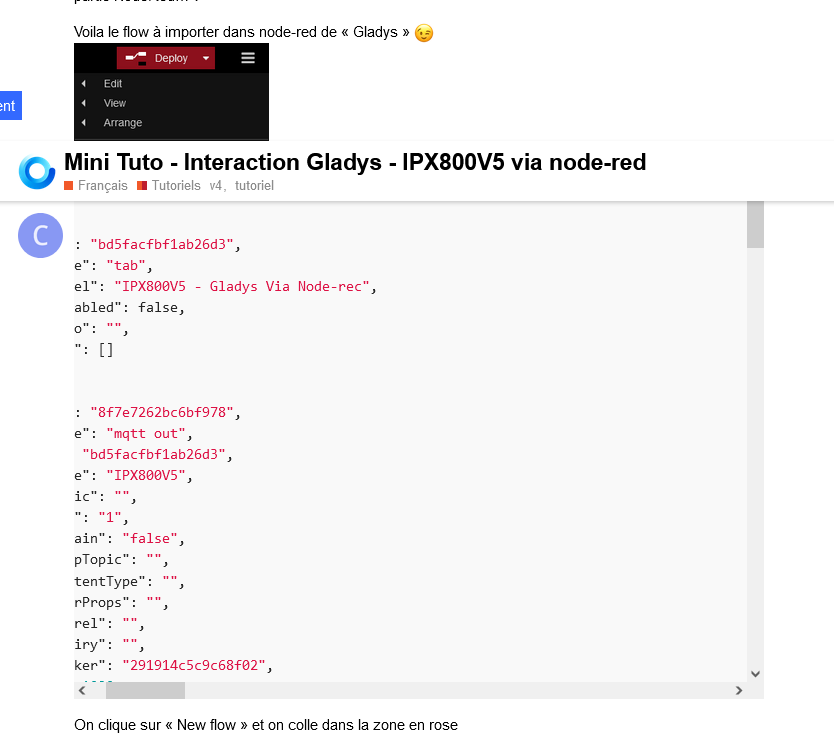
You first need to click on </> then this displays


type or paste code here


You then need to paste the code instead of « type or paste code here Â»

[{"id":"56b83b7bec2eff35","type":"tab","label":"Flow 2","disabled":false,"info":"","env":[]},{"id":"2aa6c7d0d6c34c69","type":"http request","z":"56b83b7bec2eff35","name":"Api Route Les Andelys","method":"GET","ret":"txt","paytoqs":"ignore","url":"https://api.mapbox.com/directions/v5/mapbox/driving-traffic/42.586364, 2.370217;01.41859,49.24665?access_token=pk.eyJ1IjoianVtb3JlYXVqdSIsImEiOiJjbDA3Y2g3OGUwMzhmM29xMGR2OGJocHJwIn0.VYT4Y8Hd_of5tKXqluVjng","tls":"","persist":false,"proxy":"","authType":"","senderr":false,"x":380,"y":220,"wires":[["902eeb605ce660fd","d35d5f8df3edeeea"]]},{"id":"6ea28c57b0da3a95","type":"inject","z":"56b83b7bec2eff35","name":"Every hour","props":[{"p":"payload"}],"repeat":"3600","crontab":"","once":false,"onceDelay":0.1,"topic":"","payload":"","payloadType":"date","x":170,"y":220,"wires":[["2aa6c7d0d6c34c69"]]},{"id":"902eeb605ce660fd","type":"debug","z":"56b83b7bec2eff35","name":"","active":true,"tosidebar":true,"console":false,"tostatus":false,"complete":"payload","targetType":"msg","statusVal":"","statusType":"auto","x":590,"y":280,"wires":[]},{"id":"da8870c4b442b262","type":"mqtt out","z":"56b83b7bec2eff35","name":"Route Les Andelys","topic":"gladys/master/device/mqtt:les-andelys/feature/mqtt:les-andelys/state","qos":"2","retain":"","respTopic":"","contentType":"","userProps":"","correl":"","expiry":"","broker":"b43615cb2732e077","x":950,"y":220,"wires":[]},{"id":"9a4c9dd06fabf7df","type":"debug","z":"56b83b7bec2eff35","name":"","active":true,"tosidebar":true,"console":false,"tostatus":false,"complete":"payload","targetType":"msg","statusVal":"","statusType":"auto","x":890,"y":280,"wires":[]},{"id":"d35d5f8df3edeeea","type":"json","z":"56b83b7bec2eff35","name":"","property":"payload","action":"obj","pretty":false,"x":570,"y":220,"wires":[["4e6f68ad1abebbb4"]]},{"id":"4e6f68ad1abebbb4","type":"function","z":"56b83b7bec2eff35","name":"duration","func":"var duration=msg.payload.routes[0].duration;\n\n// transforme en nombre\nduration = parseFloat(duration);\n\n// convertit en hh:mn:ss\nvar temps=new Date();\ntemps.setTime(duration*1000);\nmsg.payload = (temps.getHours()-1) + \":\" + temps.getMinutes() + \":\" + temps.getSeconds();\n\nreturn msg;\n","outputs":1,"noerr":0,"initialize":"","finalize":"","libs":[],"x":720,"y":220,"wires":[["9a4c9dd06fabf7df","da8870c4b442b262"]]},{"id":"b43615cb2732e077","type":"mqtt-broker","name":"","broker":"mqtt://localhost","port":"1883","clientid":"","autoConnect":true,"usetls":false,"protocolVersion":"4","keepalive":"60","cleansession":true,"birthTopic":"","birthQos":"0","birthPayload":"","birthMsg":{},"closeTopic":"","closeQos":"0","closePayload":"","closeMsg":{},"willTopic":"","willQos":"0","willPayload":"","willMsg":{},"sessionExpiry":""}]```

You import into a flow, you load your access token and you will get the output in hh:mm:ss :wink:

Hello cce66,
I got it, I understood, I didn’t see the </> in the top menu. Sometimes it doesn’t think fast :weary:
thank you again
have a good day

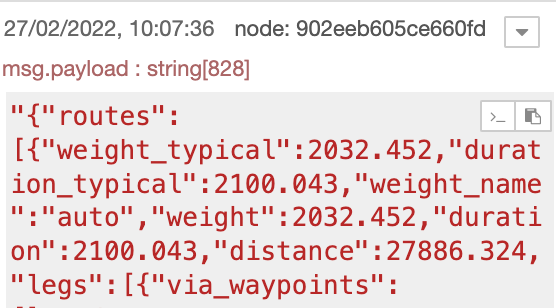
Don’t worry, I did the same thing! :wink: It’s good for the flow, did you manage to import it and does it work as you want? Actually, you had to go through a JSON and extract msg.payload.routes[0].duration and not msg.payload.duration because duration comes from the « route object Â» https://docs.mapbox.com/api/navigation/directions/ I also got caught out on another API! :rofl:

And to display the travel time in minutes, you need to replace

msg.payload = (temps.getHours()-1) + ":" + temps.getMinutes() + ":" + temps.getSeconds();

with

msg.payload = ((temps.getHours()-1) *60) + temps.getMinutes();

while waiting for the possibility to display strings in Gladys!

good evening cce66,
Thanks, it’s good for the flow, I’m discovering this time calculation API and I’m going to delve into your time conversion method. For the « duration Â», indeed I had applied your method in the Xiaomi gateway, but I didn’t think of it this time and as Jerome told me that it was the same structure for all messages, I proposed the heavy method: extracting the string corresponding to the value of the « duration Â» by counting the characters of the string. But it’s still better with Json :wink:

Hi guys.

Cool, thanks.

However, is it normal that I have -1:33:11; what does the -1 mean?

So in the dashboard it shows me -1

Because the journey is less than 1 hour (temps.getHours()-1) put (temps.getHours())) the -1 is used in case of exceeding 24 hours but it’s not useful in this case
so just put

msg.payload = (temps.getHours() *60) + temps.getMinutes();