That works perfectly. Thanks again @VonOx
I think I’ve understood my mistake — actually I thought zwavejs2mqtt also created an MQTT broker when in fact you have to use an existing MQTT broker. When I saw the config of your Node-RED flow with 2 MQTT
That works perfectly. Thanks again @VonOx
I think I’ve understood my mistake — actually I thought zwavejs2mqtt also created an MQTT broker when in fact you have to use an existing MQTT broker. When I saw the config of your Node-RED flow with 2 MQTT
@spenceur, just a question: did you create your MQTT server 192.168.1.30 on port 1885 beforehand?
zwavejs2mqtt doesn’t create an MQTT server, so I think that’s your problem.
For me, 2 solutions:
either you deploy a new MQTT container on port 1885 (or another free port) and dedicate it to zwave2mqtt, like what is done when you enable the zigbee2mqtt integration. This integration adds 2 containers if you’ve already noticed! One for z2m and the 2nd for MQTT on port 1884.
or you use the same MQTT server as Gladys, for example.
Oh yes, and another thing — I hope you’re not using your password everywhere, because we all know it now!
Oh damn, it was a password for my local environment 
Thanks for the info @_Will_71
However, I configured Gladys’s MQTT server in zwavejs2mqtt (I must be dumb but I don’t see anything in the logs nor in MQTT Explorer ^^')
EDIT :
Well, I don’t know why but Gladys had crashed after a restart — it’s ok now
so I’m continuing my migration then
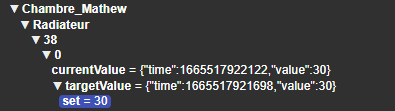
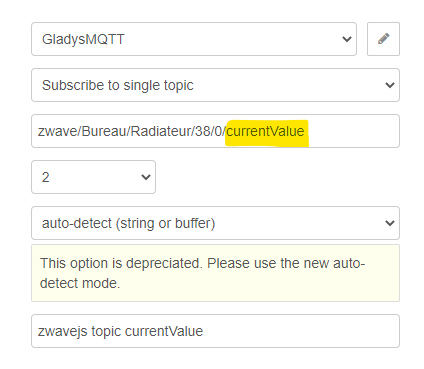
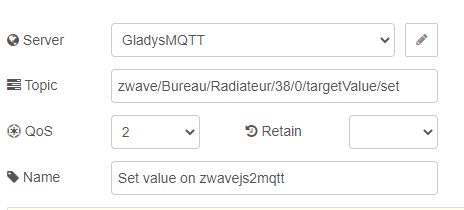
So, quick note: I know how to retrieve the info but I don’t know how to send commands to my devices Do I just publish to the same topic I’m subscribed to?
(I’m trying to migrate an fgd-212 for now ^^)
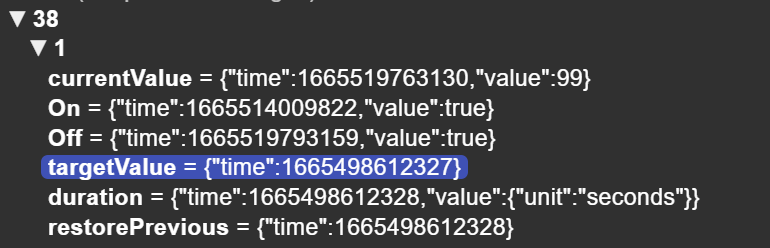
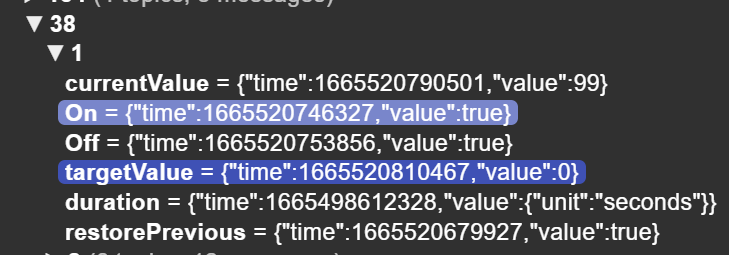
What are you controlling it with? Is it ON/OFF? Have you tried with the On and the Off by setting them to false, for example.
Here, for example I have a module for a shutter and I have several options.
Either I can modify the targetValue or I can change the state of Up and Down

This tutorial should be updated with zwave-js-ui (the successor to ZwaveJS2mqtt which is deprecated / just a rename)
See a post like this: