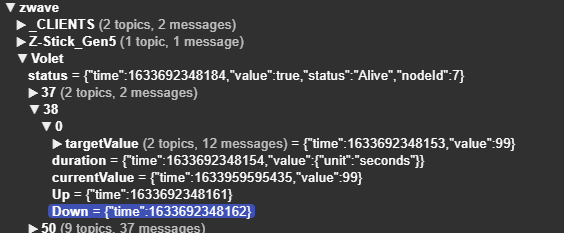
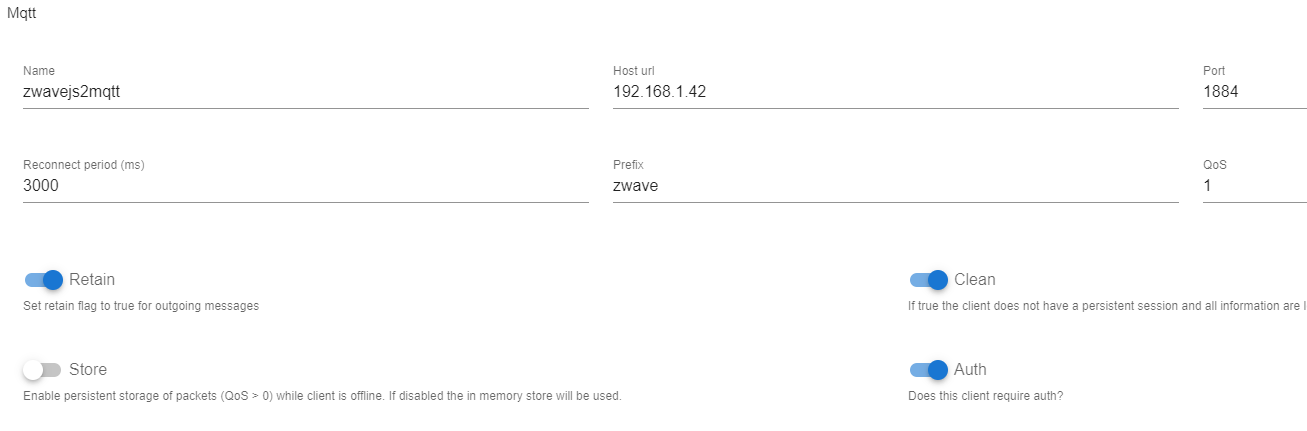
This small flow allows you to control your roller shutters via Gladys / Node Red
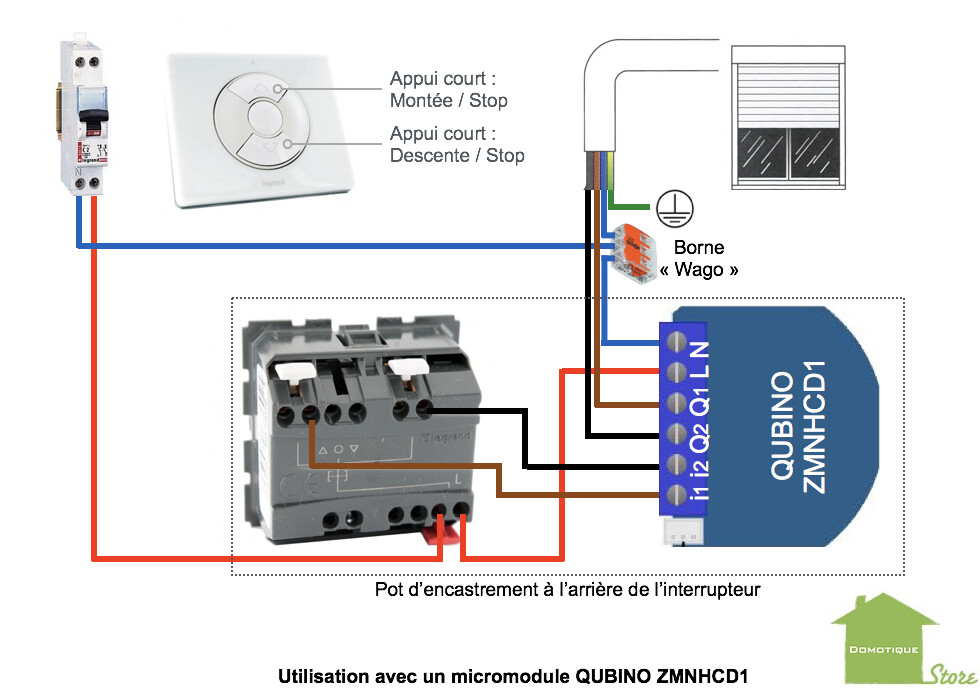
The module I use is a Qubino ZMNHCD1
In the Gladys MQTT service, I have a device called Shutter
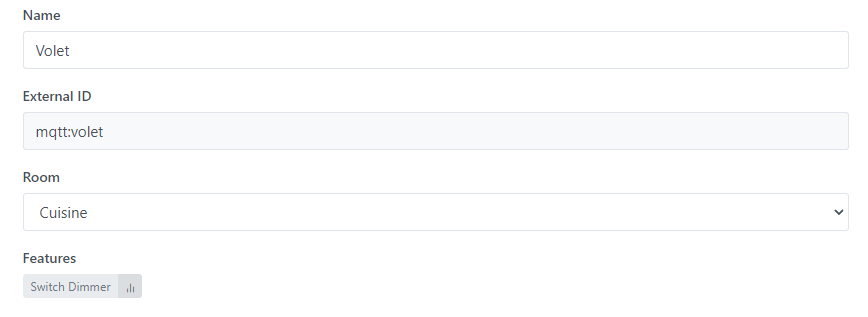
With a « Switch Dimmer » feature configured as follows
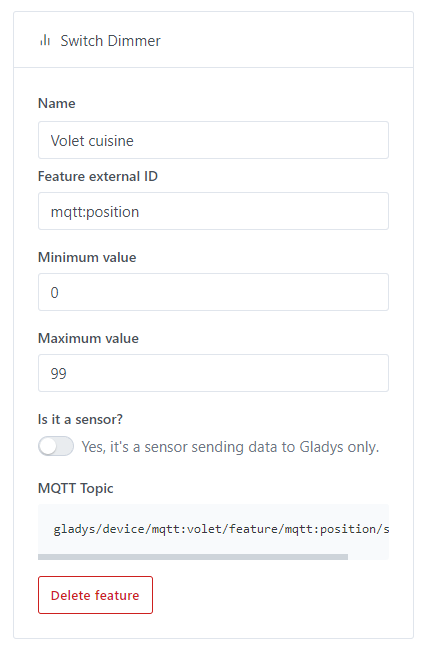
Be careful, the maximum value is 99
In node red I created this flow that allows you to control the position of the shutter via Gladys and update the status if there has been external control (physical button or Alexa).

The importable flow
[
    {
        "id": "06167c4aeed2d29e",
        "type": "tab",
        "label": "Zwavejs",
        "disabled": false,
        "info": ""
    },
    {
        "id": "58e23de9eeb04e5c",
        "type": "mqtt in",
        "z": "06167c4aeed2d29e",
        "name": "Gladys value",
        "topic": "gladys/device/mqtt:volet/feature/mqtt:position/state",
        "qos": "2",
        "datatype": "auto",
        "broker": "05eac840560ca08c",
        "nl": false,
        "rap": true,
        "rh": 0,
        "x": 90,
        "y": 80,
        "wires": [
            [
                "29bb8e1ef43b1a15"
            ]
        ]
    },
    {
        "id": "ec1b1f35710ca026",
        "type": "mqtt out",
        "z": "06167c4aeed2d29e",
        "name": "Set value on zwavejs2mqtt",
        "topic": "zwave/Volet/38/0/targetValue/set",
        "qos": "2",
        "retain": "",
        "respTopic": "",
        "contentType": "",
        "userProps": "",
        "correl": "",
        "expiry": "",
        "broker": "07a4b31138749fb7",
        "x": 960,
        "y": 80,
        "wires": []
    },
    {
        "id": "29bb8e1ef43b1a15",
        "type": "json",
        "z": "06167c4aeed2d29e",
        "name": "",
        "property": "payload",
        "action": "",
        "pretty": false,
        "x": 550,
        "y": 80,
        "wires": [
            [
                "ec1b1f35710ca026"
            ]
        ]
    },
    {
        "id": "fc72847db40a7ee1",
        "type": "mqtt in",
        "z": "06167c4aeed2d29e",
        "name": "zwavejs topic currentValue",
        "topic": "zwave/Volet/38/0/currentValue",
        "qos": "2",
        "datatype": "auto",
        "broker": "07a4b31138749fb7",
        "nl": false,
        "rap": true,
        "rh": 0,
        "x": 130,
        "y": 140,
        "wires": [
            [
                "6af9ebb2dab5d51a"
            ]
        ]
    },
    {
        "id": "50f432e72d05f875",
        "type": "mqtt out",
        "z": "06167c4aeed2d29e",
        "name": "Update Gladys value",
        "topic": "gladys/master/device/mqtt:volet/feature/mqtt:position/state",
        "qos": "2",
        "retain": "",
        "respTopic": "",
        "contentType": "",
        "userProps": "",
        "correl": "",
        "expiry": "",
        "broker": "05eac840560ca08c",
        "x": 940,
        "y": 140,
        "wires": []
    },
    {
        "id": "e04fcc594d63b332",
        "type": "function",
        "z": "06167c4aeed2d29e",
        "name": "Get only the value",
        "func": "msg.payload = msg.payload.value\nreturn msg;",
        "outputs": 1,
        "noerr": 0,
        "initialize": "",
        "finalize": "",
        "libs": [],
        "x": 710,
        "y": 140,
        "wires": [
            [
                "50f432e72d05f875"
            ]
        ]
    },
    {
        "id": "0829660626defc53",
        "type": "json",
        "z": "06167c4aeed2d29e",
        "name": "",
        "property": "payload",
        "action": "",
        "pretty": false,
        "x": 550,
        "y": 140,
        "wires": [
            [
                "e04fcc594d63b332"
            ]
        ]
    },
    {
        "id": "6af9ebb2dab5d51a",
        "type": "trigger",
        "z": "06167c4aeed2d29e",
        "name": "Wait for stable value",
        "op1": "",
        "op2": "",
        "op1type": "pay",
        "op2type": "payl",
        "duration": "30000",
        "extend": true,
        "overrideDelay": false,
        "units": "ms",
        "reset": "",
        "bytopic": "all",
        "topic": "topic",
        "outputs": 1,
        "x": 360,
        "y": 140,
        "wires": [
            [
                "0829660626defc53"
            ]
        ]
    },
    {
        "id": "05eac840560ca08c",
        "type": "mqtt-broker",
        "name": "GladysMQTT",
        "broker": "192.168.1.42",
        "port": "1883",
        "clientid": "",
        "usetls": false,
        "protocolVersion": "4",
        "keepalive": "60",
        "cleansession": true,
        "birthTopic": "",
        "birthQos": "0",
        "birthPayload": "",
        "birthMsg": {},
        "closeTopic": "",
        "closeQos": "0",
        "closePayload": "",
        "closeMsg": {},
        "willTopic": "",
        "willQos": "0",
        "willPayload": "",
        "willMsg": {},
        "sessionExpiry": ""
    },
    {
        "id": "07a4b31138749fb7",
        "type": "mqtt-broker",
        "name": "zwavejs2mqtt",
        "broker": "192.168.1.42",
        "port": "1884",
        "clientid": "",
        "usetls": false,
        "protocolVersion": "4",
        "keepalive": "60",
        "cleansession": true,
        "birthTopic": "",
        "birthQos": "0",
        "birthPayload": "",
        "birthMsg": {},
        "closeTopic": "",
        "closeQos": "0",
        "closePayload": "",
        "closeMsg": {},
        "willTopic": "",
        "willQos": "0",
        "willPayload": "",
        "willMsg": {},
        "sessionExpiry": ""
    }
]
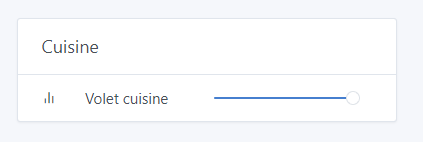
The result in the Gladys dashboard
The MQTT topic on the zwave-js-ui side corresponds to the COM CLASS 38