Ouch, I added
then after I did a deploy and zoop all the parameters I had entered in gladys were gone!!! Normal or is it because it’s in a container?

I really have no idea how yatch works!
Honestly, I think it’s easier to run the command I give on the site, it’s a simple command and that’s it afterwards ^^
Actually, I have 2 nuc (BT3 PRO approximately the same cost as a PI4 for equivalent performance and consumption), one with Jeedom and the other with Home Assistant, and to test all this, I decided to put Gladys in a container on my HP-N40L NAS which has OpenMediaVault with a Yacht module and Portainer to deploy containers. In the end, I will put Jeedom on the NAS and install Gladys on the nuc, but there is documentation to install Gladys directly on Raspberry, but on docker can you tell us which Linux you recommend? I would then like to deploy node-red on it to link it to the IPX. The Node-Red/MQTT/IPX800 part is already ok, I just need to have the Gladys/MQTT part ok and then make a functional tutorial, publish it on the 2 forums Gladys and GCE!
Ubuntu 20.04 ideally, or Debian 10! But definitely not Debian 11, there are issues with it for now 
Hello, I have a quick beginner question about home automation. I’ve installed everything, bought the Zigbee key and a thermometer, by the way, a very effective purchase at Domadoo, thanks for the link. Everything is started, followed the tutorial, but I can’t add my thermometer, the scan button doesn’t appear? Is this normal?
Is everything okay on the Zigbee2mqtt service side?
Have you tried checking the Zigbee2mqtt admin panel as in the video?
Yes, of course, everything is fine on Gladys, I just don’t have the scan button
However, I can’t access the Raspberry directly with the address, there’s something I’m missing
I’m disappointed, nothing works, all services are OK. I press the second button on the Sonoff temperature module’s pairing button, but nothing happens, no connection.
Good evening,
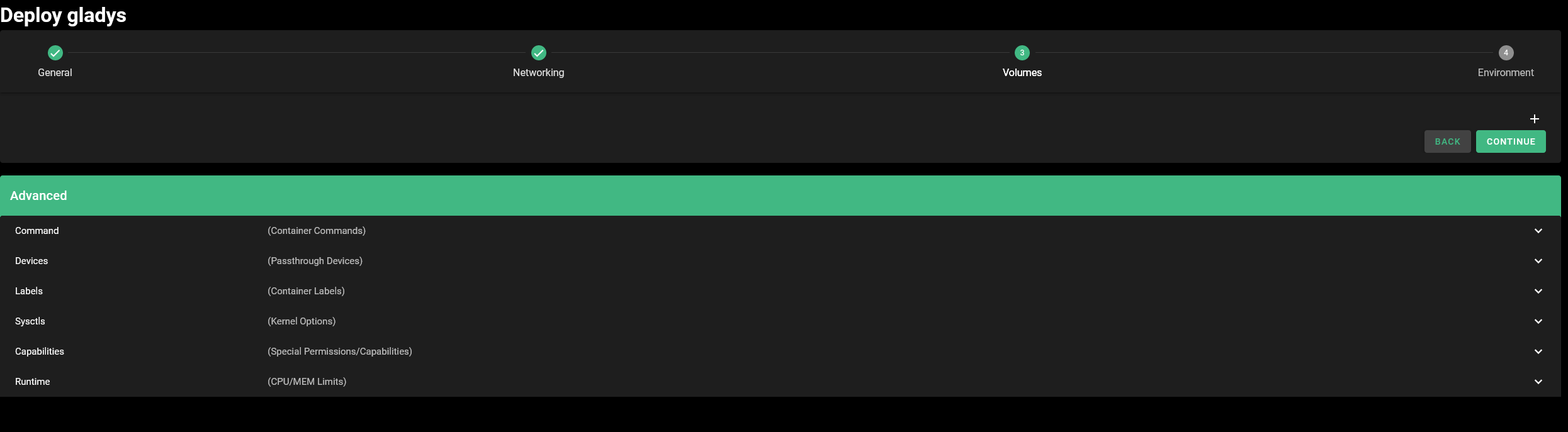
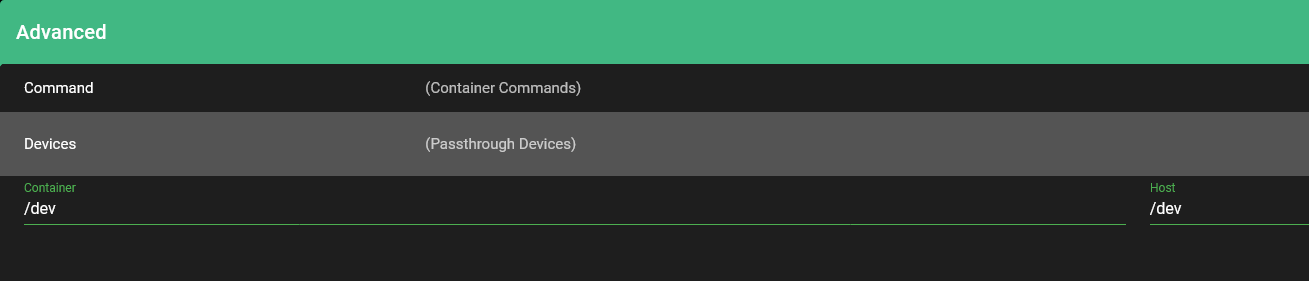
It is in the ‹ Volumes › section (Deploy > Volumes - Step 3) and not ‹ Devices › (Deploy > General - Step 1) that you need to specify /dev /dev
sorry I don’t understand, I followed the procedure on Gladys
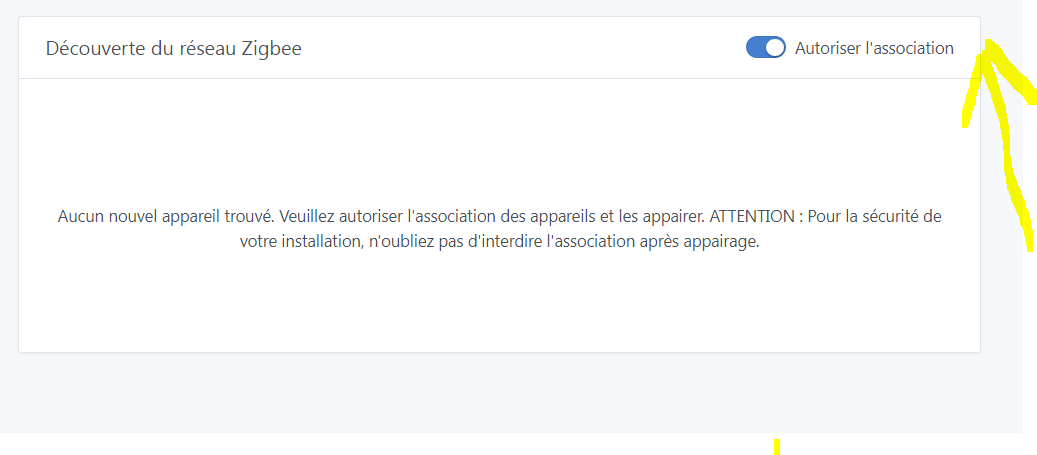
It’s normal, there is no scan button. You need to follow the pairing procedure for your device.
Access the address: ip_du_raspberry:8080 on your browser to access the Zigbee2mqtt interface, as in the video. You will be able to see if Zigbee2mqtt is in pairing mode or not.
@Romuald_Pochet was responding to another message earlier, it wasn’t meant for you.
@cce66
You need to click on ‹ + › to add an entry
ok no problem for the wrong switch
I’m still stuck in the device search even though everything is ok
I use the sonof SNB-02 module I took the material from the tutorial to avoid any surprises, but well there is always a hiccup not easy for everyone ;-))
Is your thermometer paired?
good evening, I press as expected on the instructions, 5 seconds 3 red flashes to switch to pairing mode but nothing happens (Gladys interface)
Ok and do you have more information about the zigbee2mqtt interface?
Gladys only sees what is paired.
Yes, okay, I understand, but how do we pair it outside of Gladys? There’s something I don’t get, sorry, I’m not exactly a computer expert (ordinary lol), but there are a lot of procedures here. Anyway, thank you for your quick responses. I hope I understand the procedure and get my thermostat up and running. I live in the mountains and monitor different areas of the domain LOL.
Go to the address http://ip-de-gladys:8080 and take a screenshot of the page
We’ll see things more clearly
In reality, it’s very simple, but we’re trying to understand what you missed or what isn’t working.