Another one! Thanks for your support @froch 

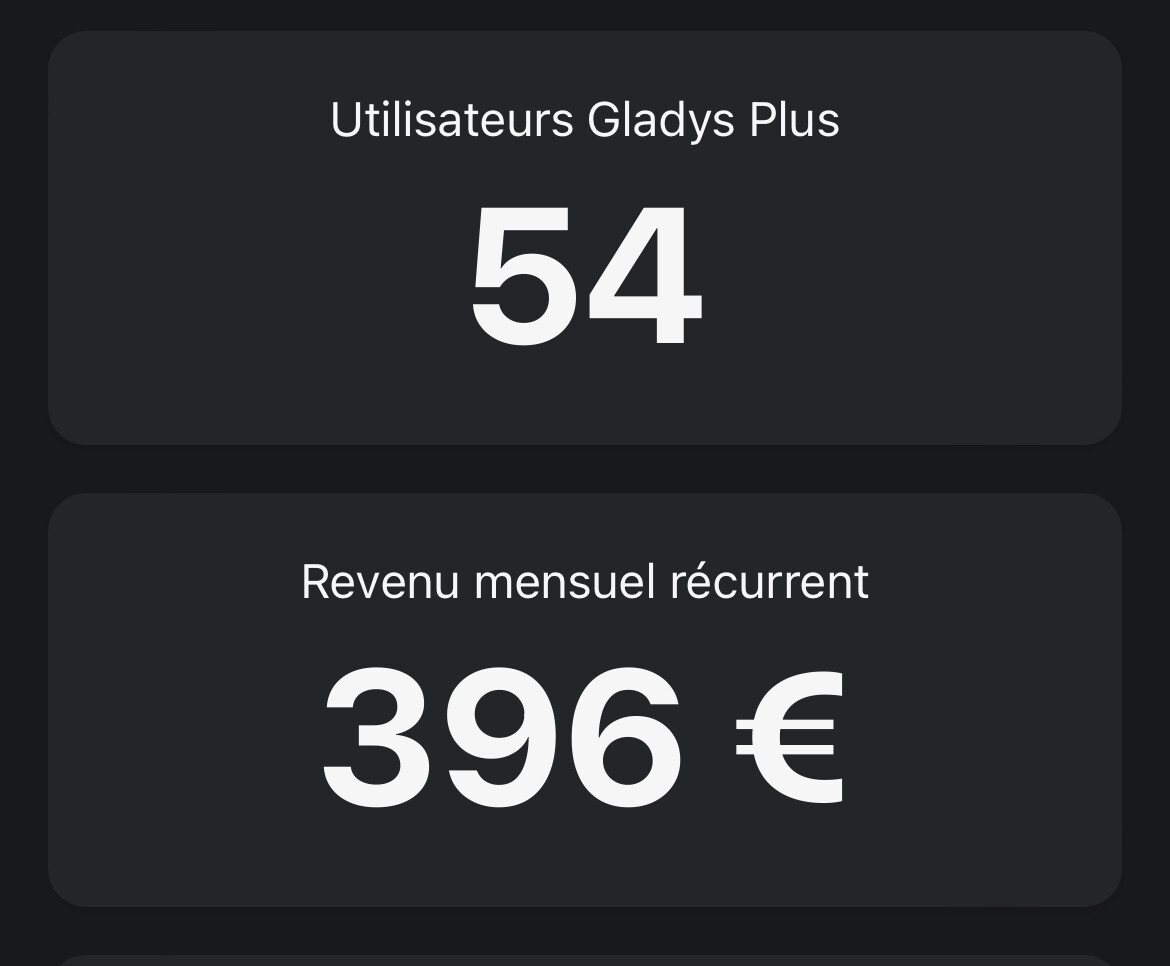

How do you manage to be neither a multiple of 10 nor of 5? 


Too good!
when I do it it shows « start of backup » for 5-10
Me.
I don’t really need Gladys plus anymore; I had subscribed to support the project and, following Covid, I had to
First, it’s €9.99 / €4.99, so it’s never a round number  Then, I use ChartMogul to calculate MRR, and their calculation is particular, because they remove things that aren’t really MRR like VAT for example.
That’s normal, the database backup is a blocking operation (the DB is locked during the operation to avoid data corruption).
Your database is 1.4GB as indicated in the log, is your internet connection sufficient to upload 1.4GB? Keep in mind that if you reboot Gladys, it stops everything and you’ll have to start over
Do you have any specific errors in the logs?
I think you’re not waiting long enough 
I saw! Awesome, thanks for coming back!
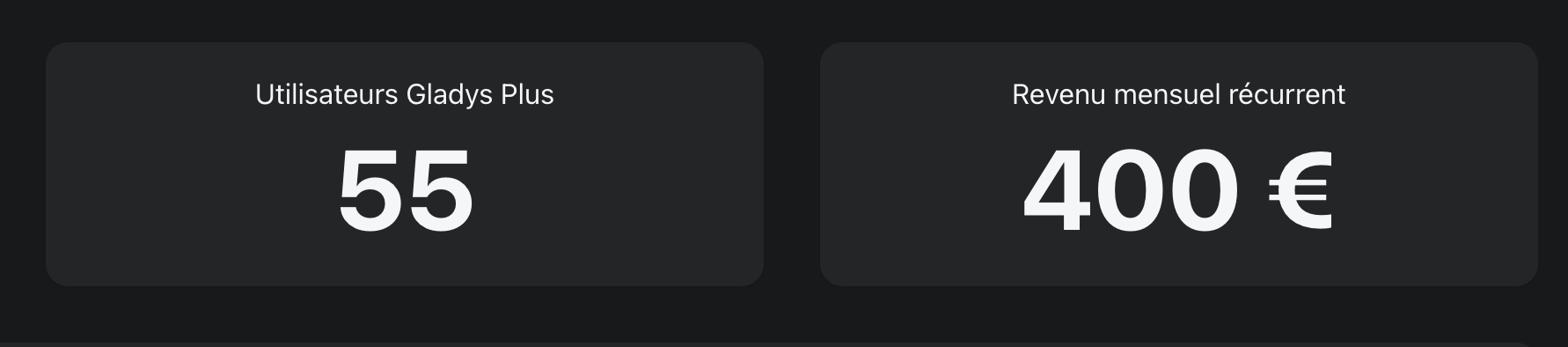
Thanks to you, we’re at €400 MRR!
Hi everyone!
I’ve added a « guestbook » with the great messages posted in this thread (thanks @VonOx, @jparbel, @Legw4nn, @Psoy and @tiboys), if it can convince those who are hesitating that there really is a proper service that works well, it’s a win
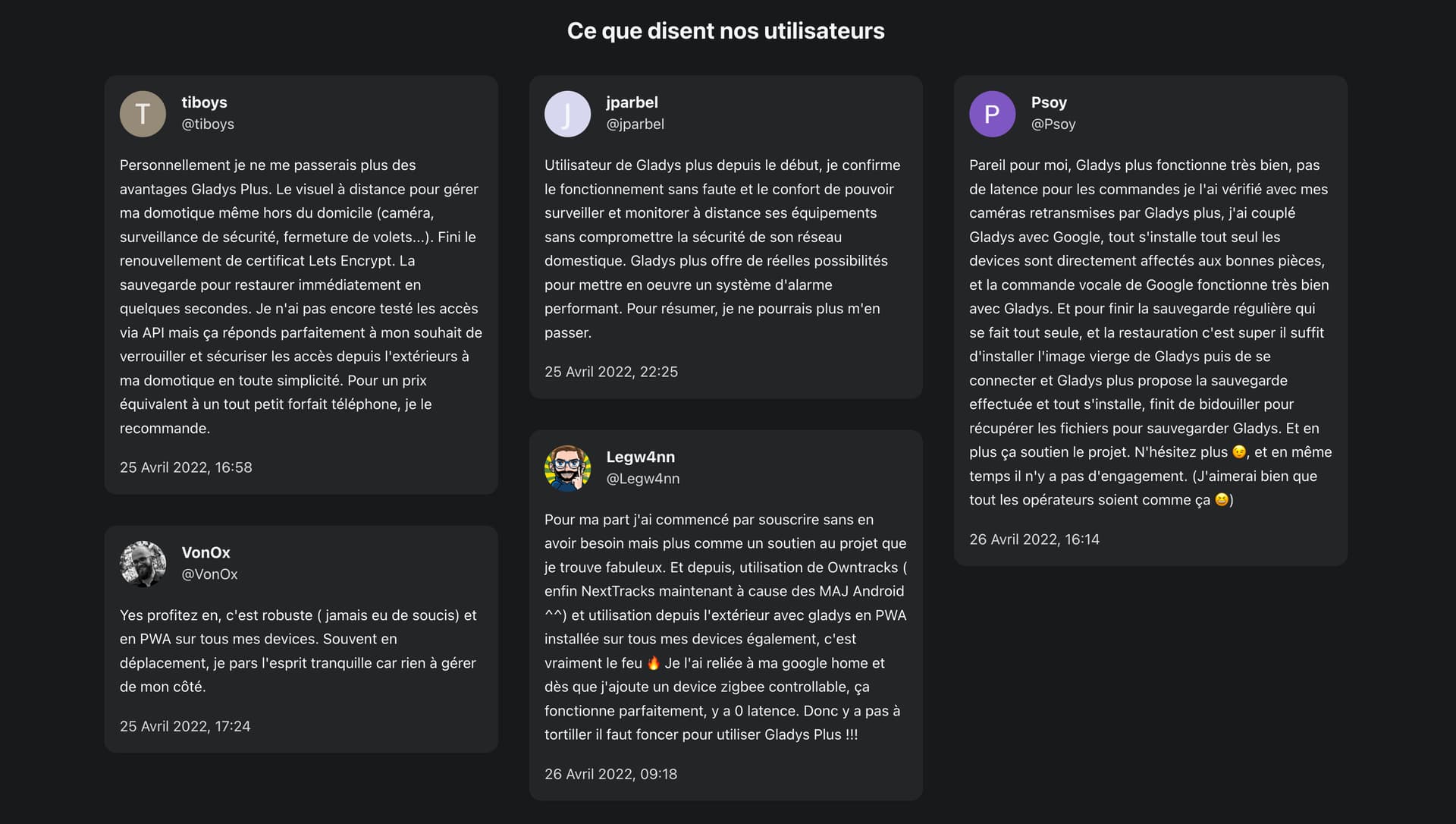
See it live here:
If any of you have (great) feedback to share too, you can post it in a reply here, I’ll add it to the site 
OK about the slowdown.
I just saw that the backup is being created correctly because in /var/lib/gladysassistant/backups I have a backup and its compressed file. So I’ll wait for the upload.
Gladys user since V3, I initially subscribed to Gladys Plus to support the project, which I think is awesome. After the many updates and feature additions in V4, my setup quickly expanded and today I can’t do without Gladys Plus! My main problem now is finding the time to implement at home the ideas I’ve picked up from the showcase videos of the awesome Gladys community 
there is a specific log for the backup upload apart from
gateway.backup.js:70 (Gateway.backup) Gateway backup: Uploading backup
however, shortly after I still get:
terminate called after throwing an instance of ‹ std::bad_alloc ›
what(): std::bad_alloc
npm ERR! code ELIFECYCLE
npm ERR! errno 1
npm ERR! gladys-server@ start:prod:cross-env NODE_ENV=production node index.js
npm ERR! Exit status 1
npm ERR!
npm ERR! Failed at the gladys-server@ start:prod script.
npm ERR! This is probably not a problem with npm. There is likely additional logging output above.npm ERR! A complete log of this run can be found in:
npm ERR! /root/.npm/_logs/2022-05-04T19_58_34_681Z-debug.log
Well, my system has been crashing since I switched to Gladys Plus… I, who had precisely wanted to back up to redo everything cleanly (Raspberry Pi 4, HDD)
This looks a lot like the slowdowns we had with @lmilcent.
Some devices are probably too verbose and the SD card isn’t fast enough… And for my part, since I switched to 64-bit/SSD, no more issues. So, do you know how to copy your database to your PC/Mac to check the data for something like a large volume or NaN values?
Thanks for this great feedback @Mastho!
@mikael out of curiosity which Raspberry Pi do you have?
Your DB is relatively large (1.45GB), and I assume you have a Pi with only 1GB of RAM.
Currently, the Gladys Plus backup upload process sends the file in a single chunk, so there can be a moment where Gladys tries to load the entire archive into RAM during the upload, which causes this crash « std::bad_alloc » = out of RAM, which is logical if you try to load 1.45GB into RAM while only having 1GB.
I had planned to revisit this part to switch to uploading in small chunks, meaning uploading the file in small pieces so as not to overload your Pi’s RAM. The idea is that before sending the backup file, I split the file into, for example, 145 chunks of 10 MB, and I send only 10 MB at a time, which avoids overloading your RAM
Since you’re experiencing the issue, I’ll move this higher up on my list — it’s important that Gladys Plus backups are robust!
Anyway, it’s still a great feature, so in the meantime, to get you unstuck:
Is your 1.45GB DB justified, or is it just old data you no longer need?
If you want to do a little spring cleaning, you can go to Settings, then « Systems », then change the « Retain device state history » value to 1 week « temporarily » (for at least 24h):
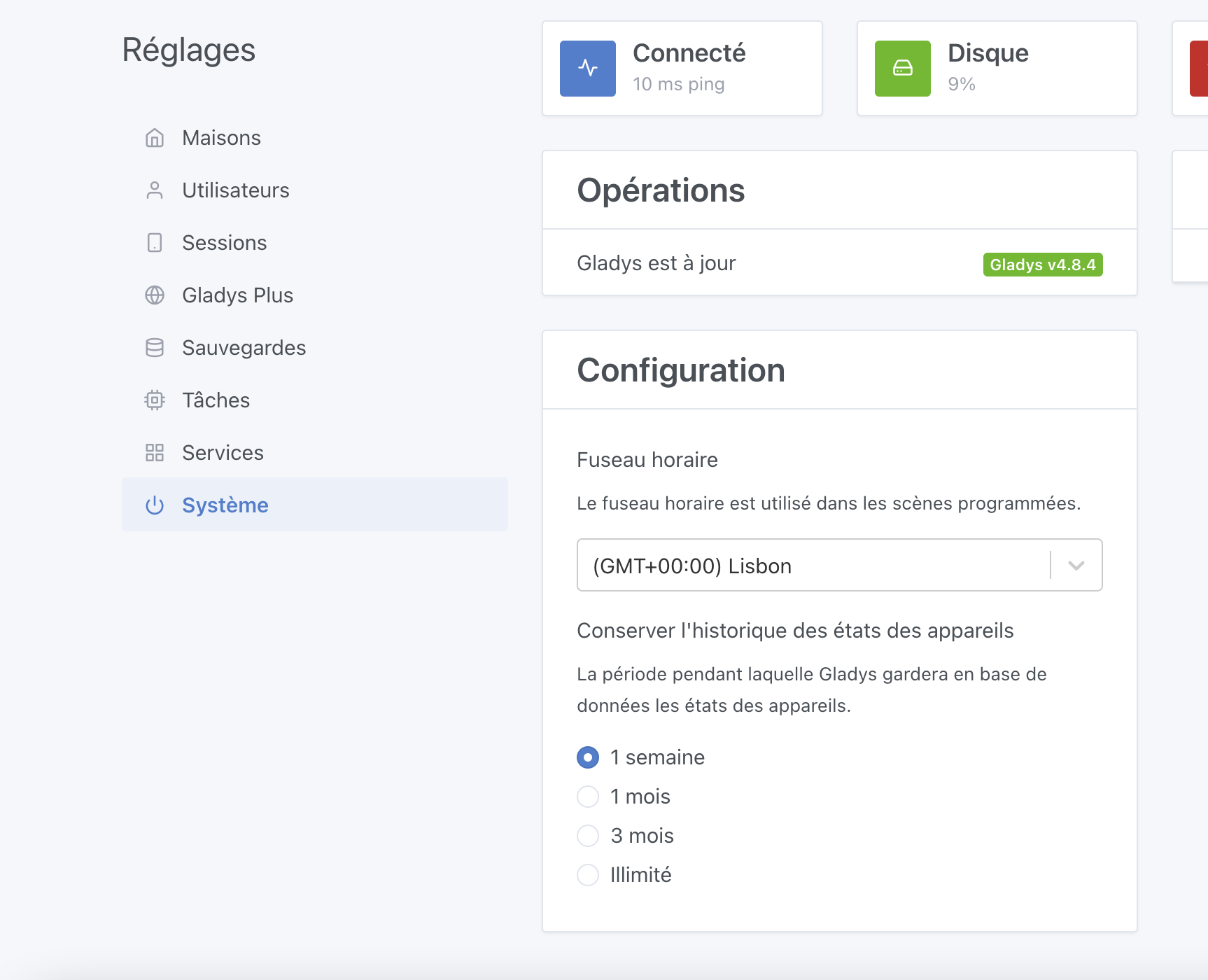
At night, Gladys will run a cleanup of all values older than 1 week, and your DB will be much lighter — this can temporarily free you up (if you don’t care about your old values, of course)
Sorry again for the inconvenience, don’t hesitate if you have other questions, and thanks for your support of Gladys Plus
@Terdious yes I know how to do it.
Pour le 64/SSD that’s my goal, I wanted to have a backup and be able to restore everything easily.
@pierre-gilles A Raspberry 3 with 1 GB. Ok I’ll do that.
@pierre-gilles : it’s too late the job that does the cleanup doesn’t run. It crashes beforehand.
I’m going to do the cleanup manually.
t_device_feature_state_aggregate => 2 780 433
Great @mikael ! However, did you only clean up the aggregate table? Not the t_device_feature_state table? You need to clean both.
Also, if you’ve reached 1.1 MB for the database, there probably isn’t much left
On my side, I worked all Friday on uploading backups in chunks so this problem doesn’t come back in the future. I’m continuing on this today!
I’m here to share some news about this development (uploading Gladys Plus backups in chunks)
I’ve worked on this all day (2nd day on it!), and it’s almost finished!
Instead of uploading the backups in a single blob, backups will now be uploaded in 20 MB chunks so it’s less RAM-hungry on the client side.
This change adds quite a bit of robustness to backups, because Gladys can « retry » uploading each chunk in case of an upload failure (temporary internet outage, network instability, etc.), instead of having to re-upload everything.
Finally, I’m now uploading the backups directly via my Object Storage provider’s S3 HTTP API, and no longer via the Gladys Plus backend (it was proxied until now), which reduces load on the backend and the bandwidth used!
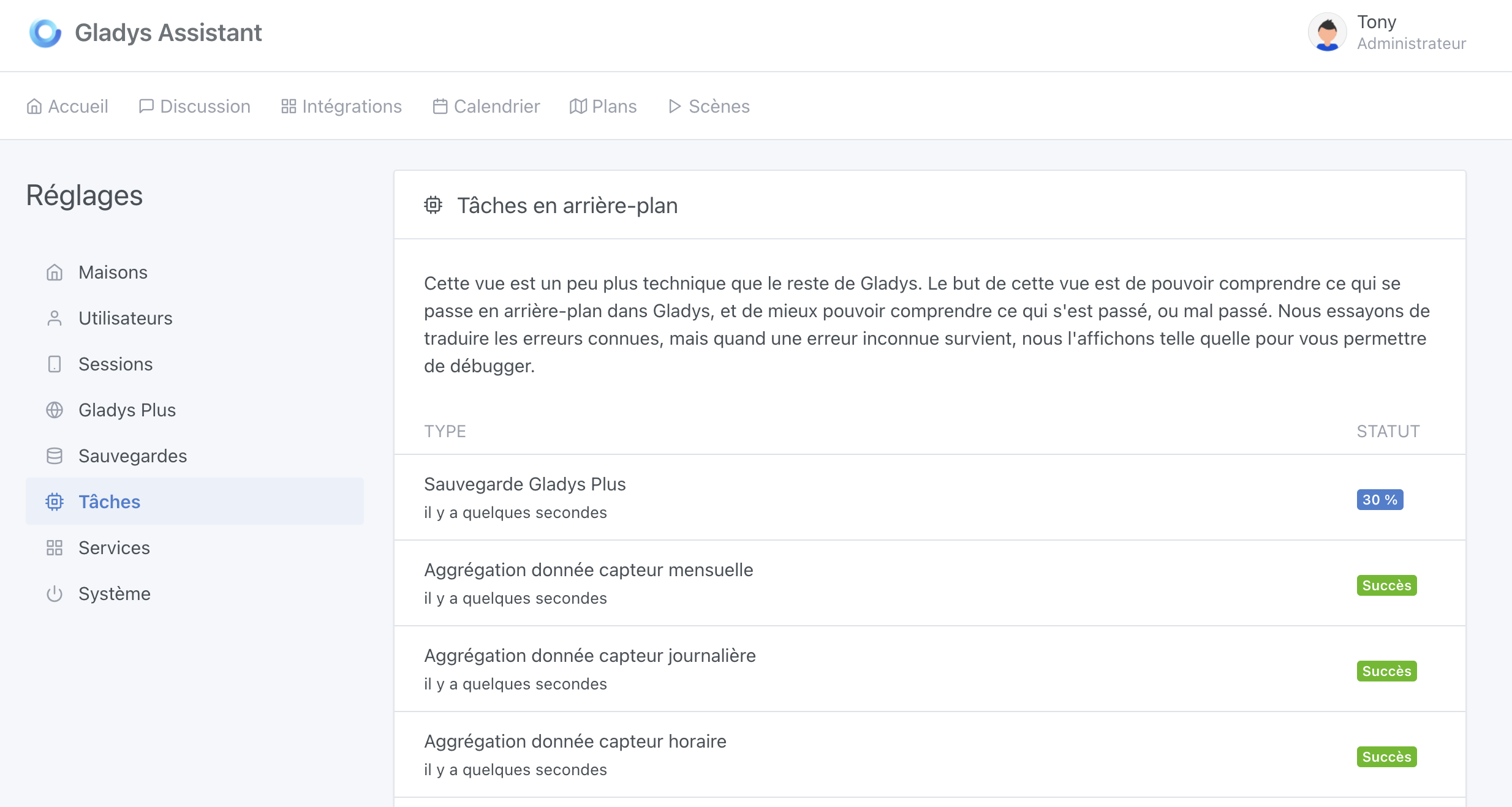
As a bonus, I worked on the interface so that Gladys backups are seen as a « background task », which is now visible in the « Background tasks » tab, with the progress percentage (@lmilcent you’re going to like this), and displaying the error message in case of an error:
I also created the state table even though it was smaller.
Great, thanks 
Great, does the percentage update in real time or do I have to refresh the page?