Use an external Zigbee2mqtt in Gladys

I’ll do an export a bit later but from a quick glance I see a plethora of these logs in succession:

2024-04-29T22:59:25+0200 \u003cwarn\u003e handleMqttMessage.js:113 (Zigbee2mqttManager.handleMqttMessage) Zigbee2mqtt device XXXXXXXXX not configured in Gladys.

I don’t think the goal is to manage the container from Gladys; in that case, you might as well use the integration

Yes, I confirm it’s the correct port.

I tried again but it still doesn’t work for me.
I even recreated other MQTT and zigbee2mqtt containers and still get the same error.

So I also tried putting the connection info into the MQTT integration. Here there is no connection problem. I can connect fine, so my MQTT broker is working correctly.


image

Hi,

Same problem for me — it doesn’t work, I can’t activate the service.

docker logs gladys

2024-04-30T23:16:41+0200 <info> init.js:56 (Zigbee2mqttManager.init) Zigbee2mqtt USB dongle not attached
2024-04-30T23:16:41+0200 <info> connect.js:17 (Zigbee2mqttManager.connect) Disconnecting existing MQTT client...
2024-04-30T23:16:41+0200 <info> connect.js:25 (Zigbee2mqttManager.connect) Connecting Gladys to mqtt://192.168.10.13:1883 MQTT broker...
2024-04-30T23:16:41+0200 <warn> connect.js:46 (MqttClient.<anonymous>) Error while connecting to MQTT - Error: Connection refused: Not authorized
2024-04-30T23:16:41+0200 <warn> connect.js:53 (MqttClient.<anonymous>) Disconnected from MQTT server

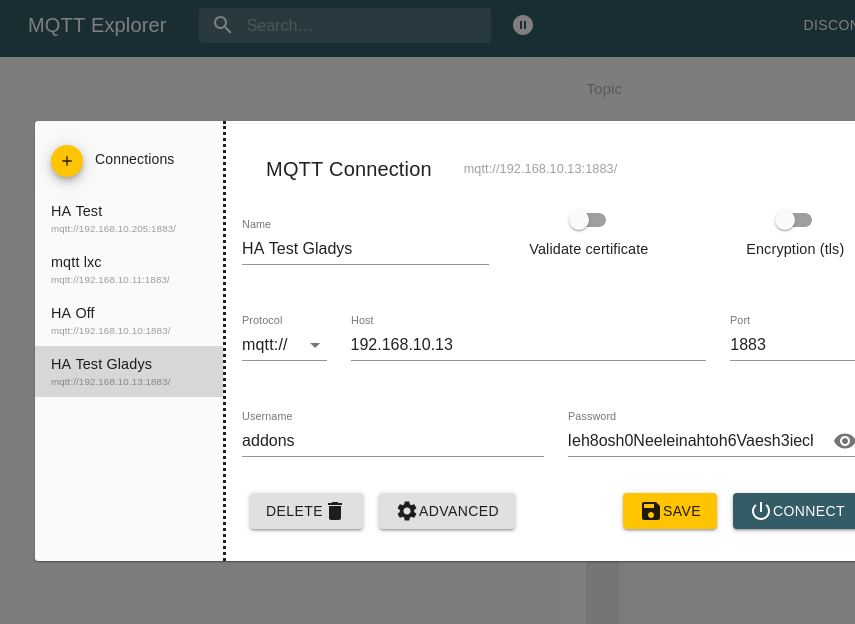
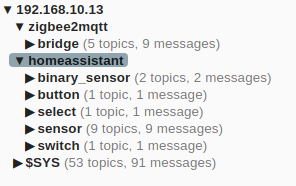
I can connect from MQTT Explorer without issue and, like @_Will_71, if I connect an external broker from Gladys it works.

MQTT broker and Z2MQTT installed on a test Home Assistant (HA).

Some screenshots:

That reassures me, I feel like I’m the only one with the problem.

1 Like

I’m currently setting up an environment to try to reproduce it! Thanks for your feedback! :slight_smile:

1 Like

There was indeed a bug in the handling of login credentials :slight_smile:

I managed to reproduce and fix the bug. It’s been pushed to the Docker image!

To re-test, remember to:

docker pull gladysassistant/gladys:z2m-setup-external

And to remove/recreate the container.

Thanks for your feedback!

2 Likes

I confirm it works now

And I see my devices

1 Like

Great!! Thanks for testing :blush:

So, do you approve a release to production?

I’m not personally affected by this development, but I understand it could be a nice entry point for people already using Home Assistant (HA) or other platforms.

Wouldn’t (if production is launched) this be a good opportunity to do a series of posts on the topic?
I’m thinking of Reddit in particular, but there are surely lots of other places!

Yes, I approve — I just re-tested and also created the containers directly with Gladys, and everything works fine.

1 Like

I will test tonight

1 Like

Yes, absolutely! I think we need to reach out to users on other platforms everywhere — besides, I’m counting on you for that :smiley:

We can present it like: « We need to improve the coverage of our Zigbee2mqtt-Gladys integration and we want testers to check whether all their devices are supported by Gladys. »

By making it clear that Gladys can run alongside HA (Home Assistant), so it’s not destructive to use Gladys to test all of this :slight_smile:

1 Like

I’m going to write a short article on my blog that I’ll share on social media.

1 Like

I just tested it, it works perfectly, great work @pierre-gilles

1 Like

Can you test the following case:

No conflict?

As long as the external MQTT broker is truly external (not on the same machine), there will be no conflict.

If the external MQTT broker is on the same machine, then yes there will be a conflict.

Besides, that’s outside Gladys’s scope because it’s the user who starts the container and therefore chooses the port ^^

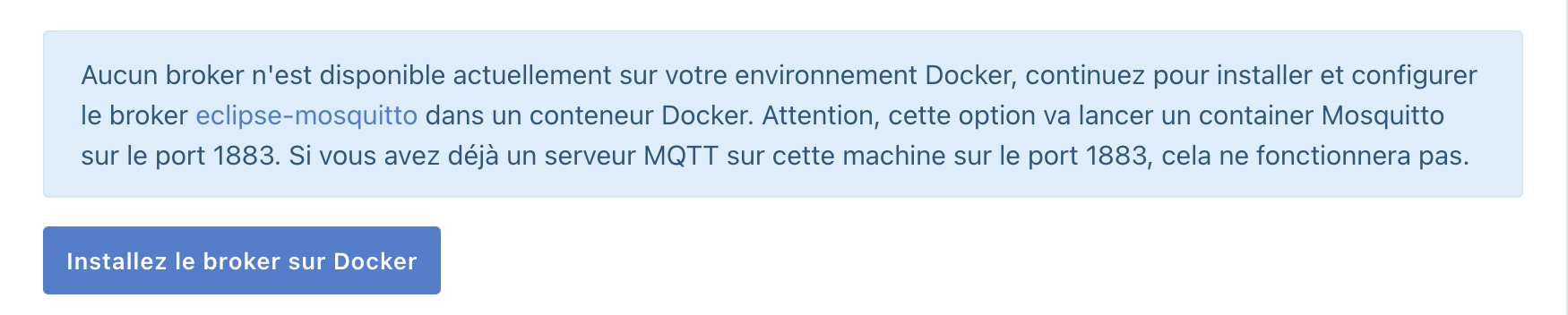
Maybe it should be indicated somewhere? A sentence like ‹ Warning, if you already have a broker on port 1883, do not let Gladys create a container but configure it manually ›?

Or perform a check when creating the MQTT container and prevent its creation?

Or say that you should not create a separate MQTT container unless there is already one for z2m configured manually?

Finally, I think this should be clarified… But I’m just a regular user not concerned :innocent:

I’ve added a message!

1 Like